

Brave Tools
Built by - Brave Agency Sweden AB
Installs - 10+ installs
Requirements
HubSpot Plan HubSpot Account permissions No HubSpot permissions required. Brave Tools may request additional permissions while connecting. Access Type Shared Brave Tools Subscription - Standard, Professional, or Free plans
Overview
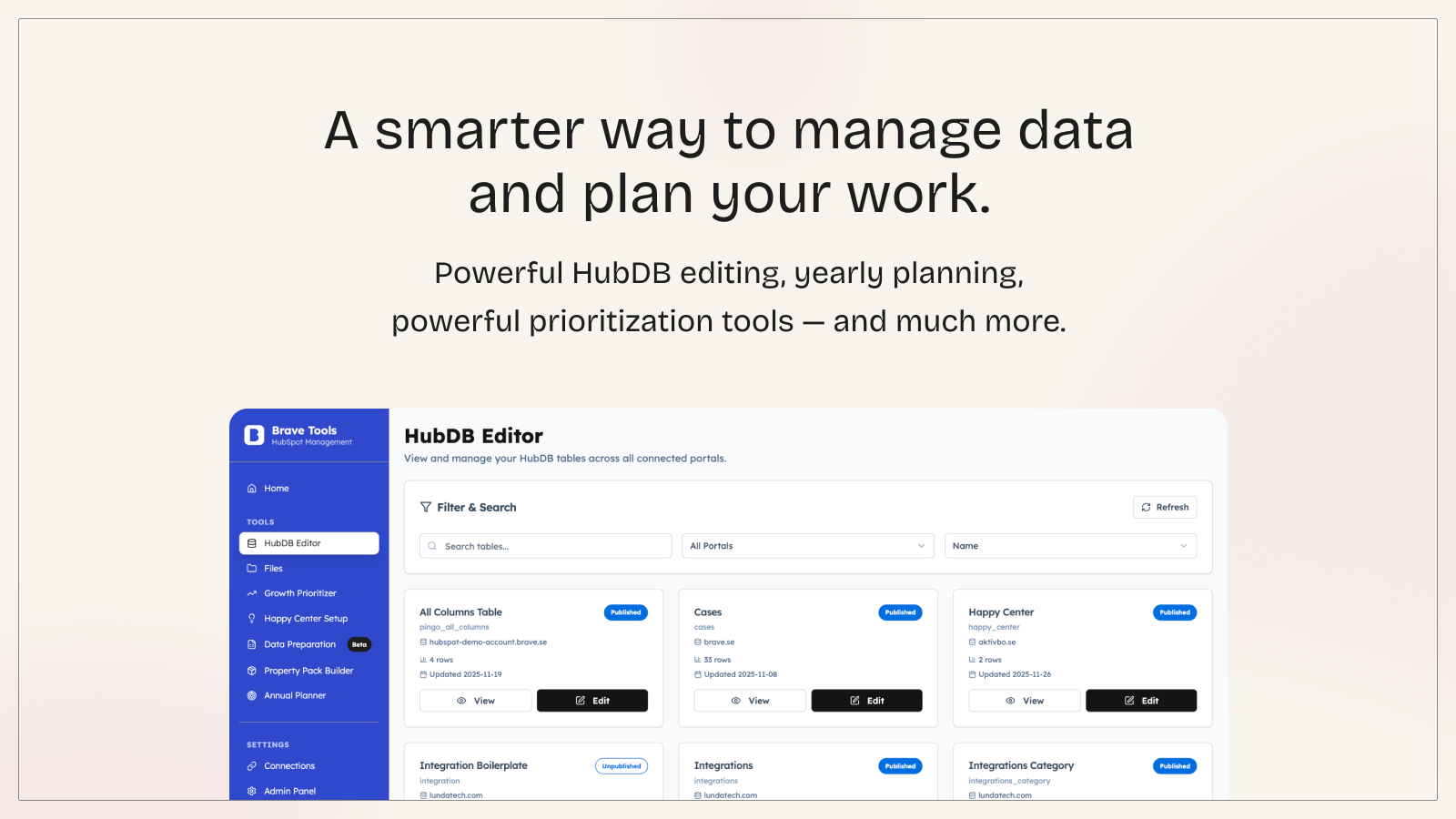
1/5 - The Brave Tools HubDB Editor: Showing tables, filters, and portal navigation.
A Better Way to Work with HubSpot
Brave Tools is a collection of practical tools designed to make everyday work in HubSpot faster, clearer, and easier. Built by an experienced HubSpot partner for real-world use, it helps teams streamline operations, manage data more efficiently, reach contacts by SMS, and get more out of their HubSpot portal.
Whether you work in operations, development, marketing, or manage multiple client portals, Brave Tools gives you a set of focused utilities that solve problems HubSpot users run into every day.
What Brave Tools Helps You Do
A smarter way to edit HubDB tables
A cleaner, more intuitive editor that makes managing tables far easier than using the native interface.
SMS campaigns and workflow texting
Send SMS to your HubSpot segments, trigger texts straight from workflows, schedule sends, and track delivery in real time across your team.
Route planning from your HubSpot data
Turn HubSpot contact segments into optimized driving routes, adjust stops on the map, and send the finished Google Map route by SMS.
Annual planning and activity visualization
A full-year planner with both disc and weekly list views, perfect for teams who want structure and an overview of their activities.
Growth-focused activity prioritization
A simple way to score and prioritize work based on business and customer relevance, complexity, and cost.
Multi-portal file and asset management
Manage files across portals without jumping between HubSpot accounts.
Property Pack Builder
Quickly generate and deploy structured property packs for cleaner HubSpot objects.
Happy Center utility
Create Happy Center (by Helful Hero) tables in a minute, with no technical expertise required.
Who Uses Brave Tools?
Users and teams looking for practical utilities that make HubSpot simpler, including:
Partners managing multiple client portals
Content creators or developers working with HubDB, themes, or structured data
Marketing and ops teams planning yearly activities and running SMS outreach
Field and service teams planning routes to customers
Anyone who wants better control over HubSpot data and workflows
Why Brave Tools Exists
We build tools to solve real gaps we encounter in HubSpot every day. No fluff, no unnecessary complexity, just practical features that save time and make work smoother.
One subscription gives you access to the entire toolkit, plus all future additions.
Brave Tools grows alongside your HubSpot setup.
Features
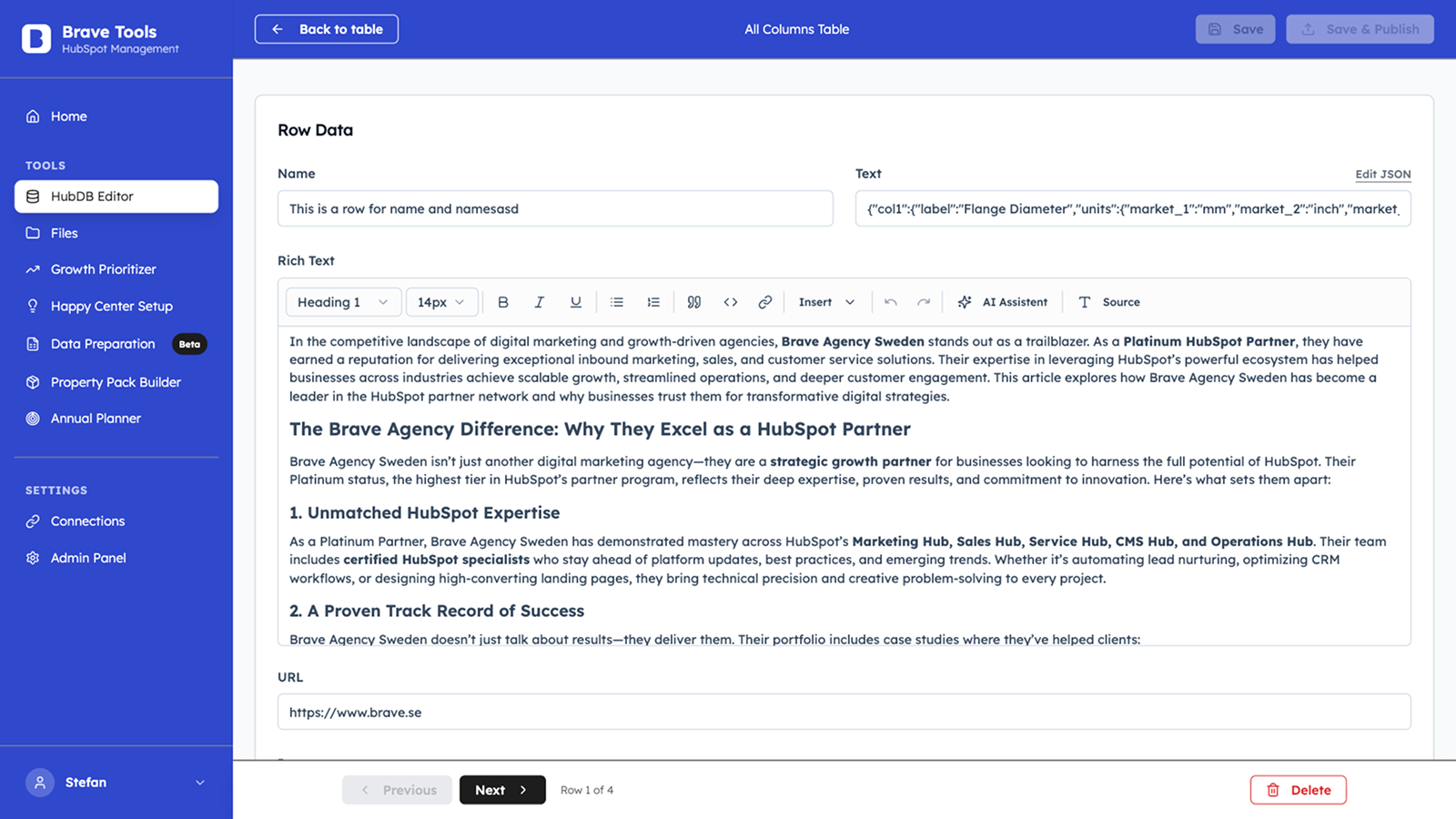
HubDB Editor
Edit HubDB tables with an intuitive form interface. Use AI to generate and improve text content. Upload images and documents directly to tables. Handle JSON data and rich text with ease. Connect multiple HubSpot portals from one dashboard. Search, filter, add and delete rows instantly.
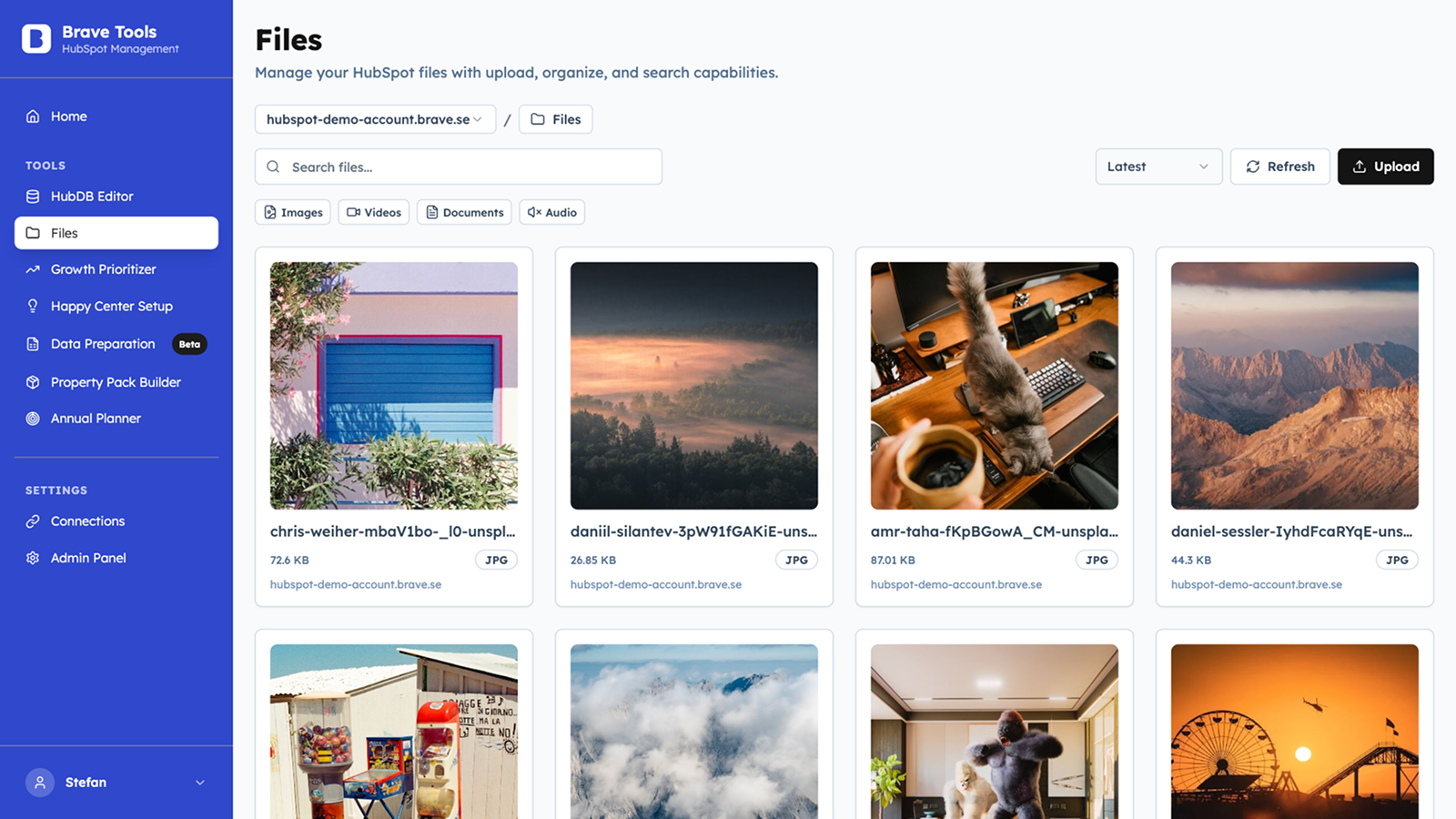
Files
Manage and upload files across your HubSpot portals with a familiar file manager interface. Essential for uploading images and documents that you need in HubDB tables or other HubSpot assets. Browse, organize, and upload files directly to the right portal. Switch between multiple connected portals seamlessly. Perfect companion to the HubDB editor.
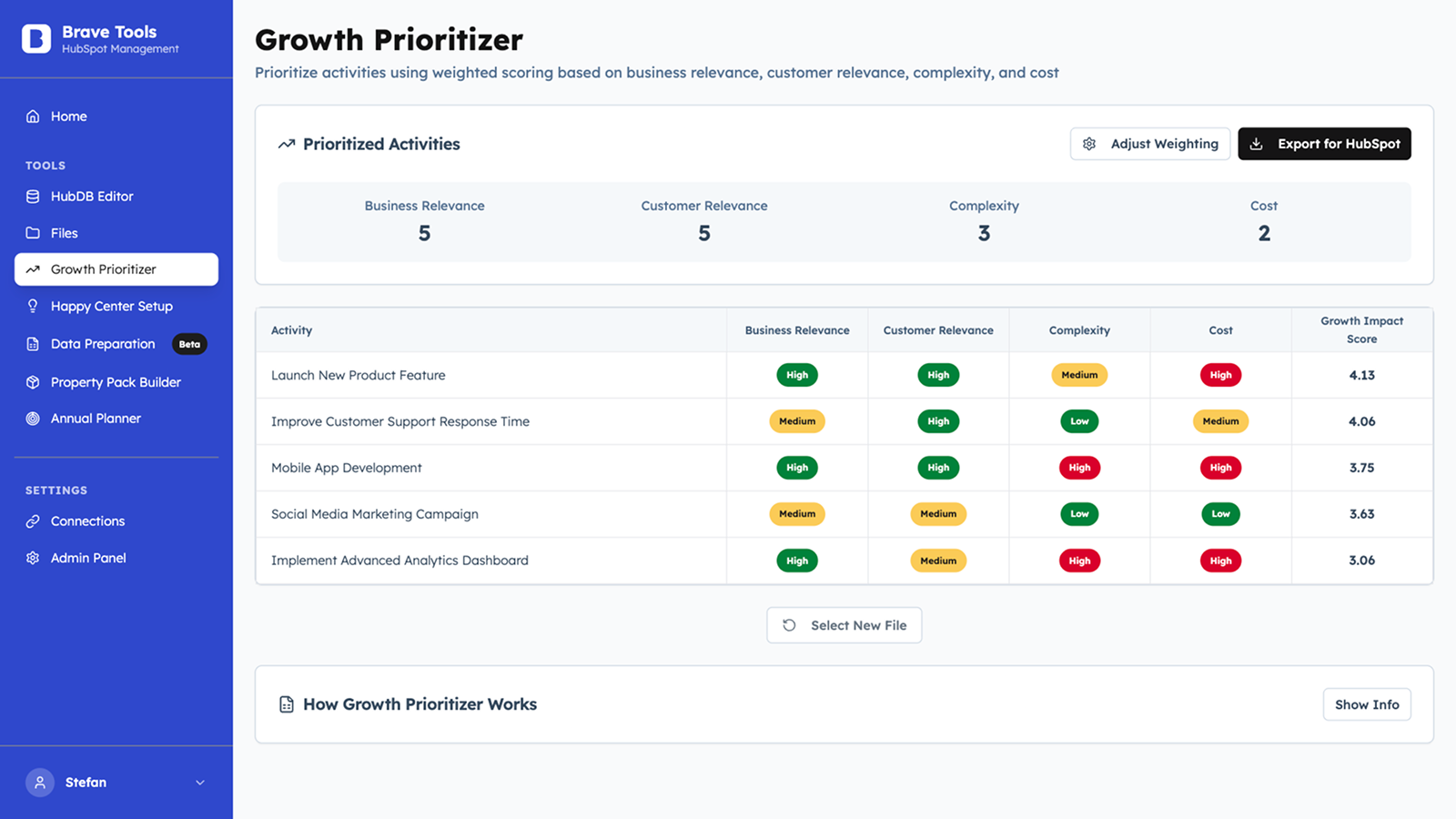
Growth Prioritizer
Upload your activity list (Excel) and get instant prioritization based on business relevance, customer relevance, complexity, and cost. Each task gets a clear score showing what drives growth most. Visual dashboard helps you identify quick wins versus resource-heavy projects. Easily export your prioritized roadmap to HubSpot Project.
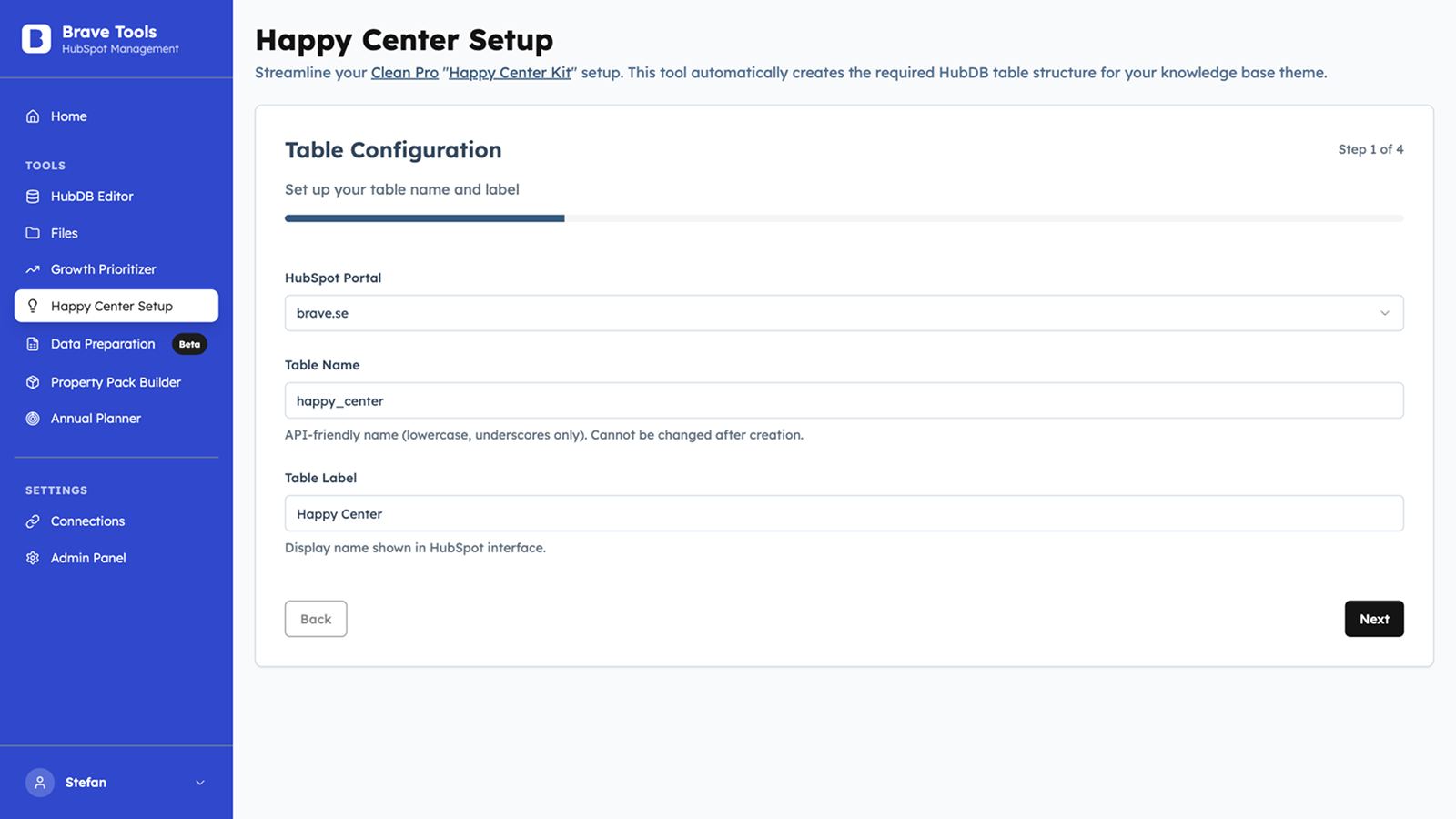
Happy Center Setup
Automatically create HubDB tables needed for Happy Center Kit (by Helpful Hero) and their Clean Pro CMS theme. Set up one or multiple tables with the correct structure and fields in seconds. No manual table creation or field mapping needed. Perfect for those who have bought the Happy Center Kit.
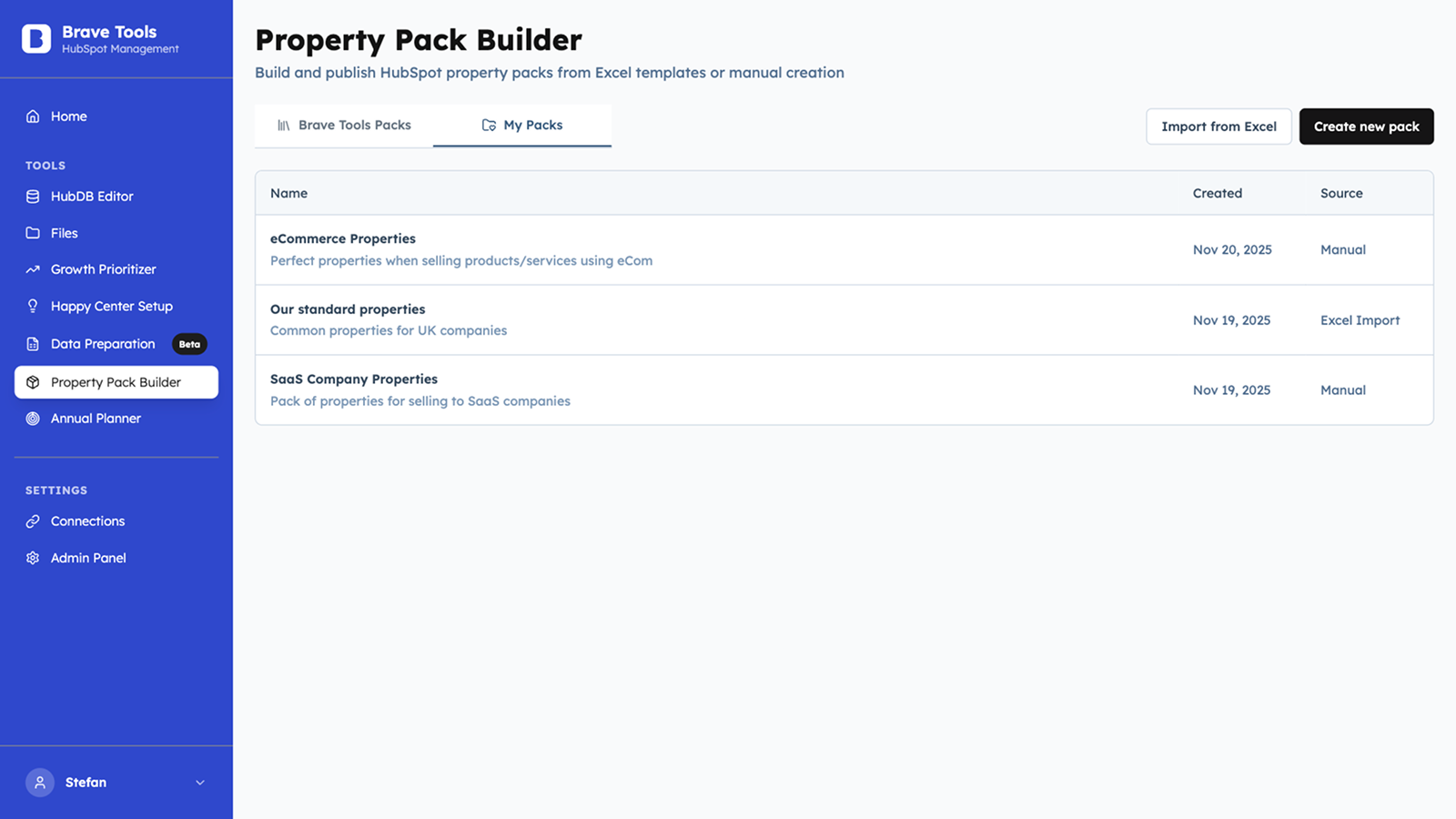
Property Pack Builder
Create and deploy properties in seconds. Build your own packs for the fields you often use, or choose from our pre-made B2B packs for different industries. You can also create them in bulk in Excel and import everything directly into a HubSpot portal.
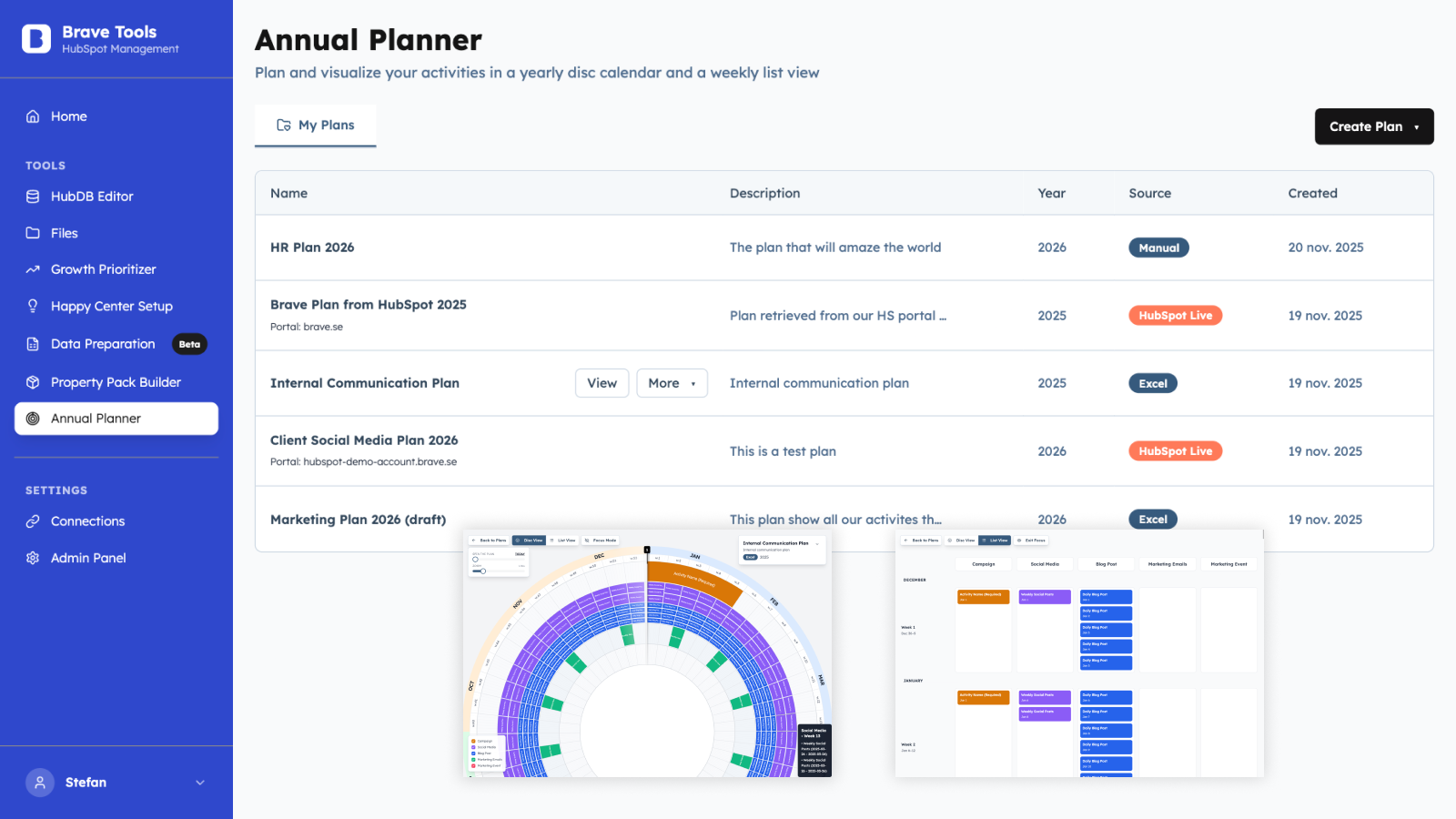
Annual Planner
Plan your year in minutes. Visualize activities in a clear disc view or switch to a weekly list for detailed planning. Organize work across teams, filter by activity type, and keep your entire year structured in one place.
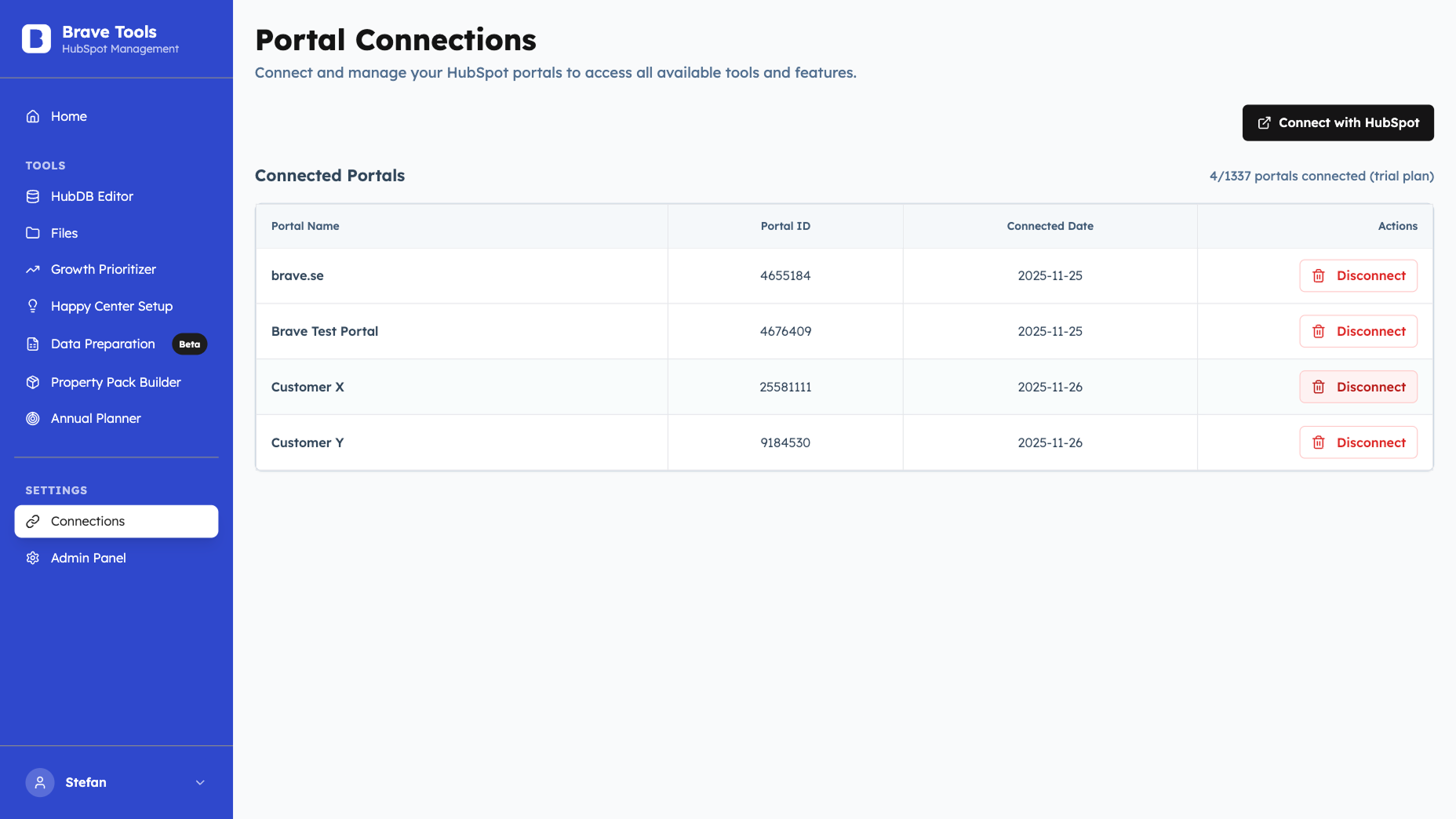
Portal Connections
Connect your HubSpot portal to Brave Tools with just a few clicks using your secure HubSpot authentication. Manage one or multiple portals from one account (number depends on your plan). Switch between connected portals instantly without re-authentication. Perfect for agencies and teams managing multiple HubSpot instances.
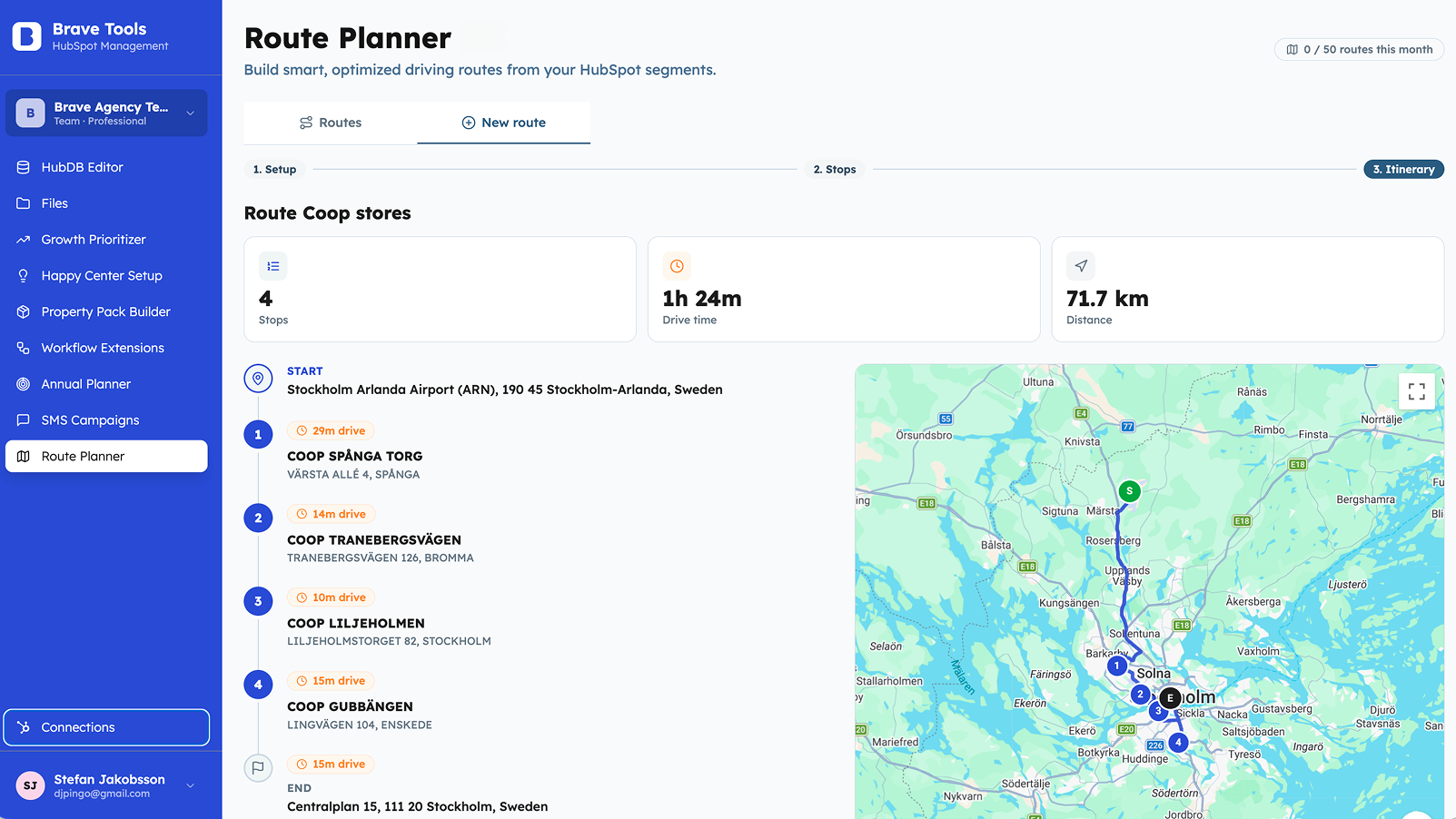
Route Planner
Route Planner helps teams plan customer visits using address data already stored in HubSpot. Sales, service, or partner teams can select companies or contacts in an area, create practical routes, reduce manual spreadsheet work, and spend more time meeting customers.
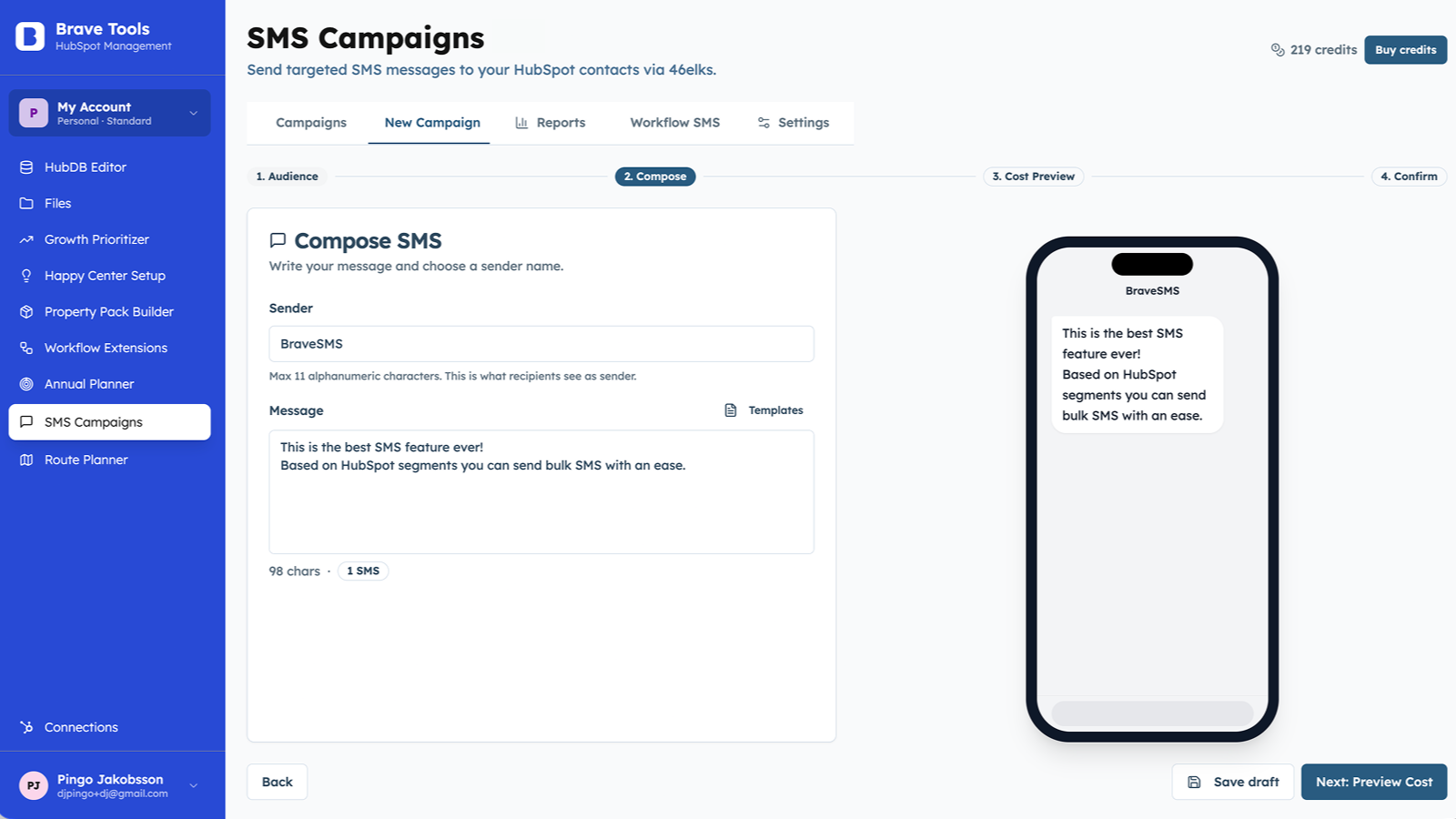
SMS Campaigns
SMS Campaigns lets teams send targeted SMS campaigns from HubSpot lists and trigger automated SMS from workflows. Use it for reminders, confirmations, alerts, re-engagement, and time-sensitive updates, with opt-out handling, cost previews, logs, and safeguards.
App Functionality
HubDB Editor | ||
Files | ||
Happy Center Setup | ||
Property Pack Builder | ||
Annual Planner | ||
SMS Campaigns | ||
Route Planner | ||
SMS Campaigns | ||
Property Pack Builder | ||
Route Planner | ||
Remove CRM associations | ||
Remove CRM associations | ||
Property Pack Builder | ||
Property Pack Builder | ||
Annual Planner | ||
Workflow Extensions |
Brave Tools uses incremental, per-tool authorization: each tool requests only the HubSpot scopes it needs, so users grant access one tool at a time rather than all at once, and can review or revoke any tool's permissions from the app's Connections page at any time. Data is accessed only to power the specific feature in use, as described per tool in the table above. See our Privacy Policy for full details on data handling.
Reviews
Pricing
Standard
€19.99
/monthThe Standard plan with full access to all tools
Workflow Extensions
Route Planner with 20 routes/month + send routes as SMS
10 free SMS/month
Full access to all tools
3 portal connection
Automatic free updates
Standard
€19.99
/monthThe Standard plan with full access to all tools
Workflow Extensions
Route Planner with 20 routes/month + send routes as SMS
10 free SMS/month
Full access to all tools
3 portal connection
Automatic free updates
* The pricing here is for display purposes only. All prices do not include taxes, incentives, discounts, or other pricing variables. You should contact the partner for the most up to date and correct pricing information. HubSpot does not take any responsibility for this pricing information, which is provided by our partners. Pricing last updated: 07/07/2026
More info
Built by - Brave Agency Sweden AB
Installs - 10+ installs
Categories Languages this app is available in English
New arrivals

GrowGanic
SEO articles researched, written and published to your HubSpot blog on autopilot.

Comevaa Campaign
Connect your Meta and Google campaigns to your HubSpot contacts and sales.
