
Fortnox

Leading
Requirements
HubSpot Plan HubSpot Account permissions - View the required account permissions
Access Type Shared Fortnox Subscription - Customer Sync, Starter, Growth, Professional, or Scale plans
Overview
1/9 - Fortnox
Seamlessly Connect HubSpot with Fortnox — Automatic Invoicing, Zero Copy-Paste
If you invoice from HubSpot deals and use Fortnox, this replaces your manual process. Cloudify automatically converts HubSpot deals into Fortnox invoices/orders, while bringing key Fortnox financial data directly into HubSpot. No more re-entering deal information, switching between systems, or asking finance for invoice updates.
Say goodbye to
👋 Manually copying deal data into Fortnox
👋 Switching between HubSpot and Fortnox to check invoice or payment status
What you get
Automatic invoicing — Create Fortnox invoices automatically when a deal reaches your chosen pipeline stage. View invoices directly from the HubSpot deal record.
Invoice status synced to HubSpot — Keep sales teams informed with real-time invoice and payment status from Fortnox, eliminating constant back-and-forth with finance.
HubSpot Workflow Actions — Build custom workflows, create rules for different customer segments, and automatically convert HubSpot invoices into Fortnox invoices.
Book a 30-minute onboarding session, and we'll configure your HubSpot–Fortnox integration, test the sync, and have everything running live during the call. No technical setup required on your side. (Free onboarding included)
Running high volume or multi-entity operations? Talk to us about Enterprise for custom limits and dedicated support.
Features
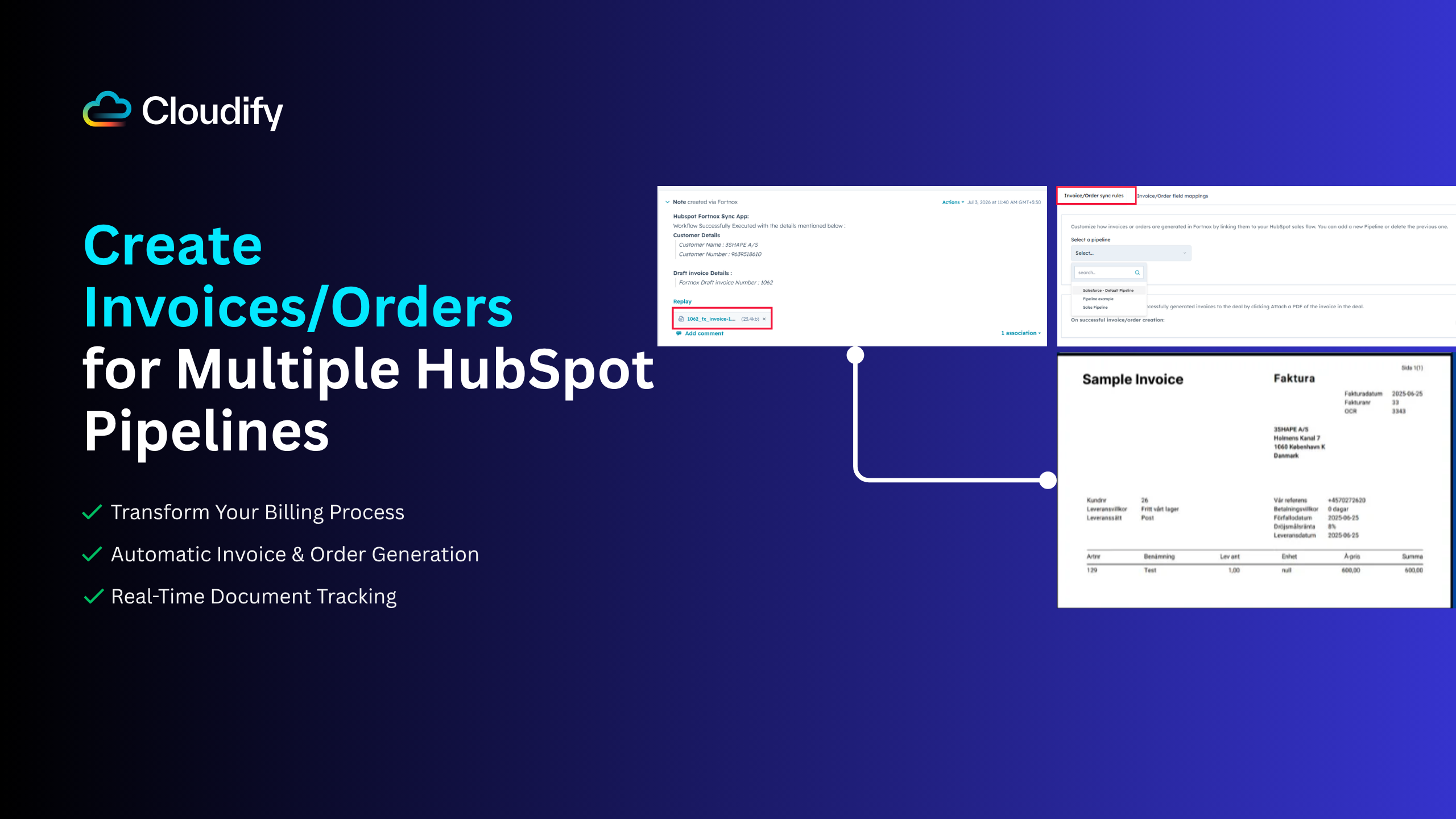
Automatic Deal-to-Invoice/Order Creation: Save Time & Money
🔹Create invoices and orders automatically as deals progress, with flexible triggers for multiple pipelines. 🔹Watch your documents sync automatically and check Fortnox invoice/order status directly in your deals.
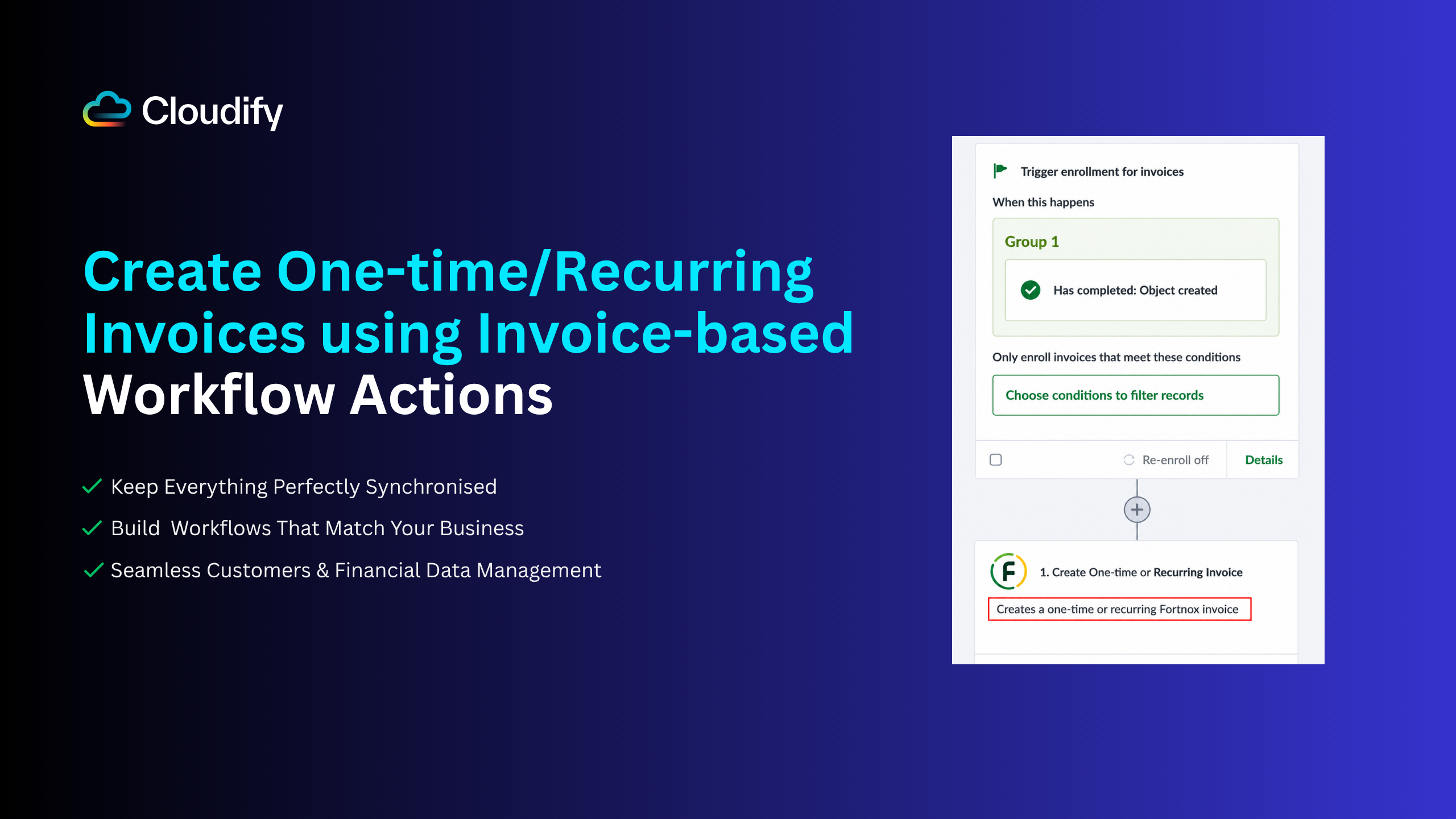
HubSpot Workflow Actions: Automate Your Business Processes
🔹 Leverage HubSpot's workflow engine to automate your entire Fortnox integration. 🔹Design custom workflows for different business processes and create specialized rules for different customer segments. 🔹Trigger on HubSpot Invoice events and automatically convert invoices created in HubSpot into Fortnox invoices with no manual steps.
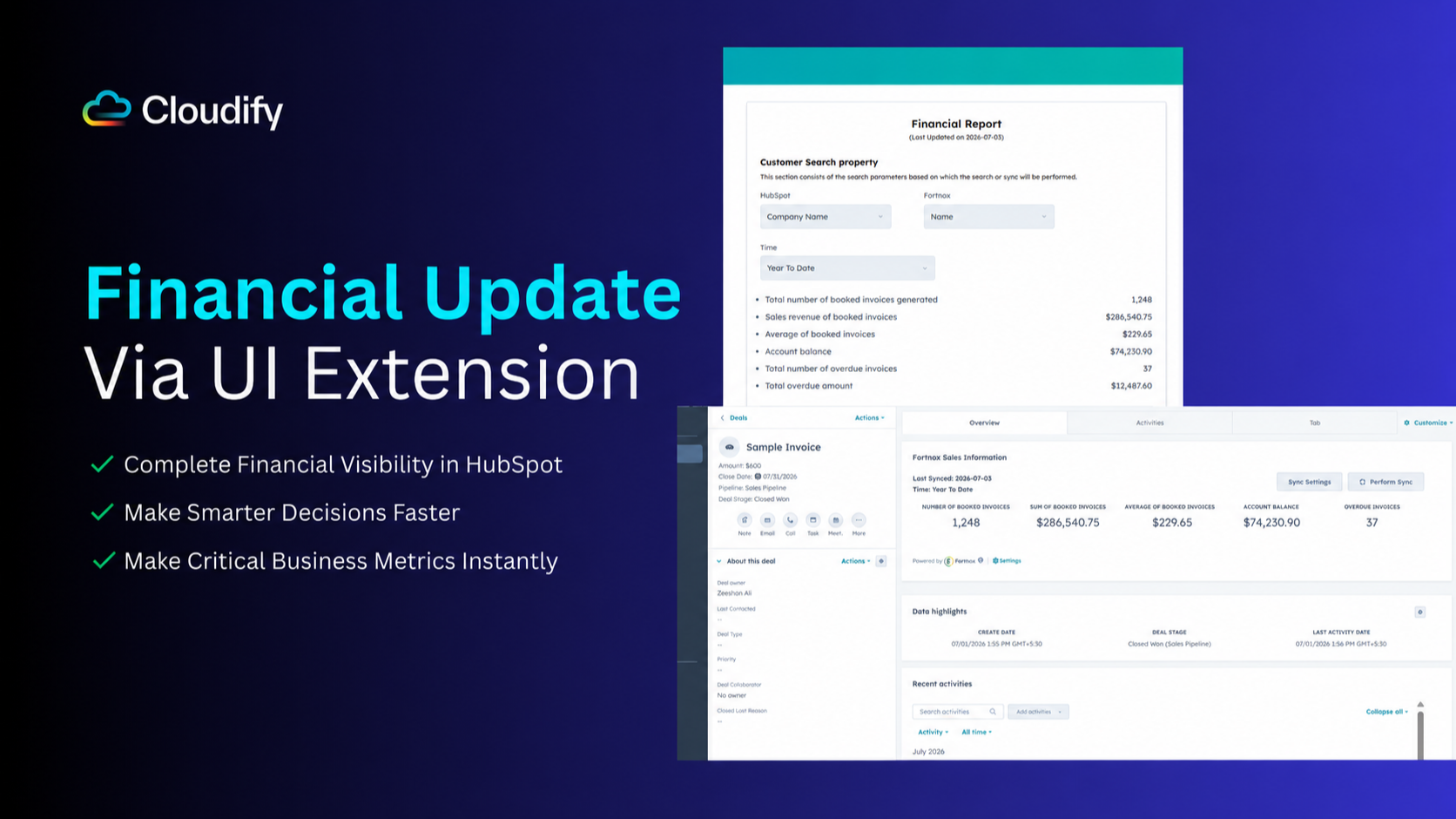
Financial Data Integration: Real-Time Business Insights
🔹Access comprehensive Fortnox financial data directly in HubSpot through native UI extensions. Monitor critical KPIs and year-to-date performance in real-time. 🔹Make informed decisions and have better client conversations with up-to-date financial data without platform switching
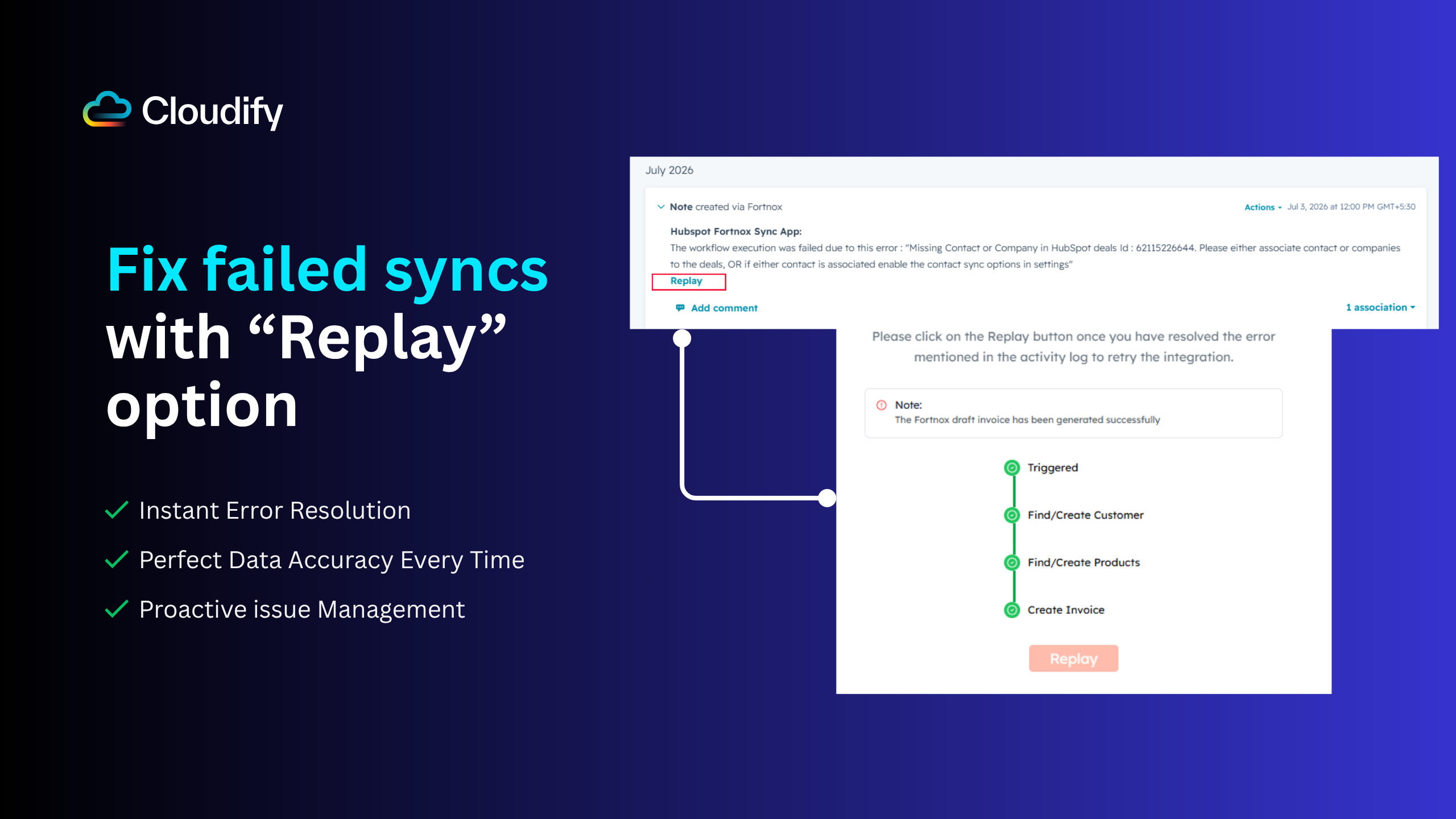
Instant Notifications: Never Miss a Critical Update or Sync
🔹 Stay on top of every sync action with automatic notification notes in HubSpot. 🔹 Receive detailed success messages with Fortnox information and clear error explanations.
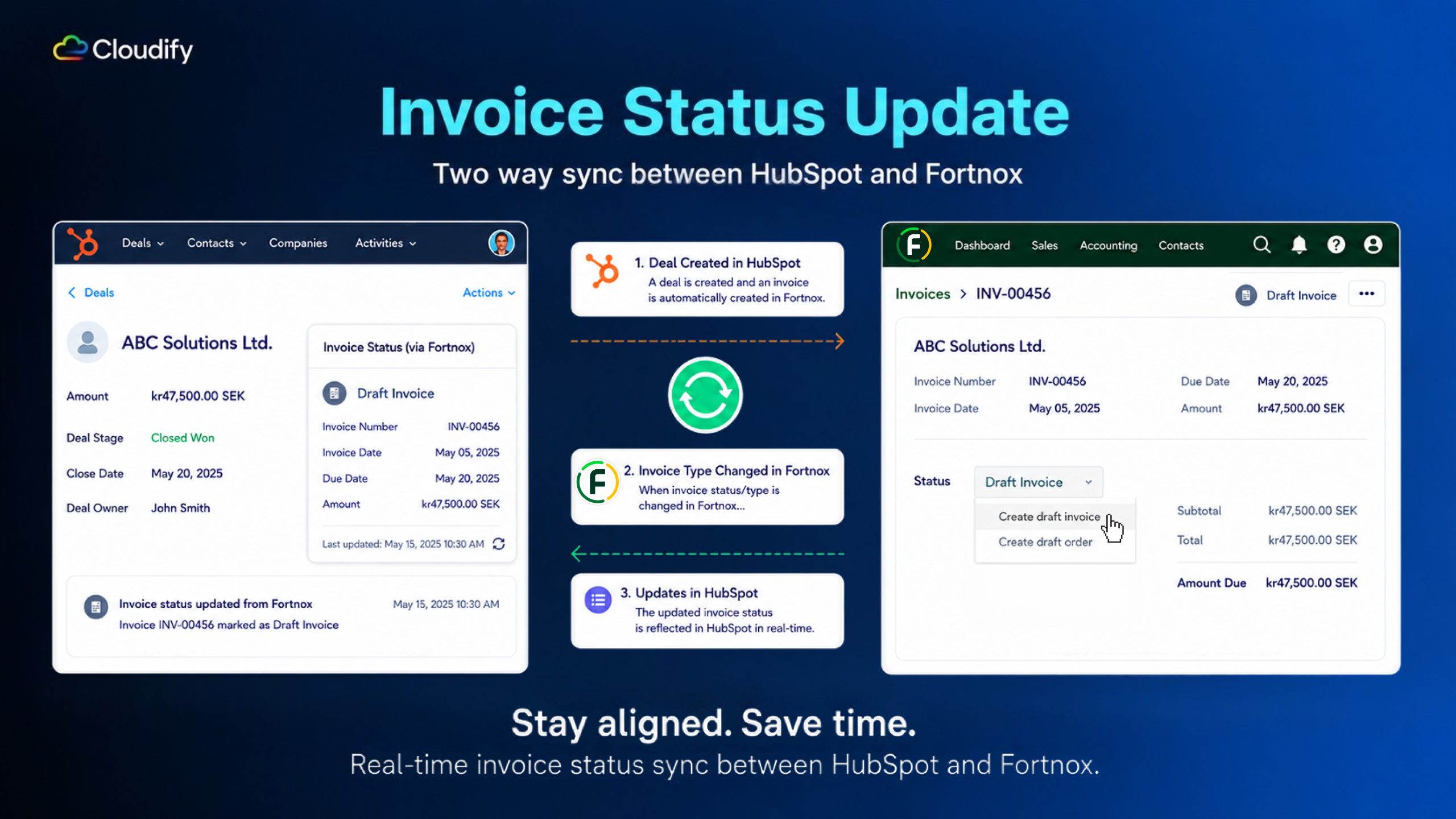
Invoice Status Update: Track Fortnox Invoices Without Switching Tabs
◆ Keeps invoice status on the HubSpot deal in sync with Fortnox ◆ Sales sees the latest status without logging into Fortnox, and finance stops getting interrupted for status checks.

Personalised Onboarding and Support
🔹Benefit from our expertise in complex invoicing scenarios and diverse business requirements. 🔹Book a free session where we configure the app together, ensuring it's ready to go from day one.
App Functionality
Customer | ||
Invoices | ||
Products | ||
Customer | ||
Orders |
Reviews
- Jul 4, 2025
Great for One-Way Info Transfer, But With Some Limitations
We’ve found this integration works really well if your goal is to send information one-way, from HubSpot to Fortnox. It has saved us a lot of time, and the basics—like line items, discounts, cost per line item, and currency—are transferred correctly. However, there are some limitations worth noting: - Language settings for invoices cannot be set from HubSpot via the integration. - Deal updates in HubSpot do not sync back to Fortnox. So once a deal is sent, any changes must be updated manually in Fortnox. This is the biggest limitation we've experienced. - More complex scenarios are not yet fully tested on our end. For instance: - Deals connected to multiple companies (cannot set more complex assocation structures) - Deals with multiple contacts (cannot set more complect association structures) A feature that would really improve the integration is the ability to sync companies and contacts based on association labels, giving more control over what is transferred. Summary Overall, it's a time-saving solution for standard use cases, and we’d recommend it. Just be mindful of its current limitations, especially around syncing logic and more advanced deal structures.
Pascal, T.
- Mar 17, 2025
Great tool for easy Forknox integration
Does exactly what we need to do it.
Easy to use
Probably only that it can't create invoices from commerce module/invoice.
Ahbe, H.
Pricing
Customer Sync
SEK 126.65
/monthFor teams who only need their CRM customers in accounting (no invoicing).
Sync customers manually
Customer Sync
SEK 126.65
/monthFor teams who only need their CRM customers in accounting (no invoicing).
Sync customers manually
* The pricing here is for display purposes only. All prices do not include taxes, incentives, discounts, or other pricing variables. You should contact the partner for the most up to date and correct pricing information. HubSpot does not take any responsibility for this pricing information, which is provided by our partners. Pricing last updated: 07/05/2026