
Google Contacts
Requirements
HubSpot Plan HubSpot Account permissions No permissions required Access Type Personal Google Contacts Subscription - Free plan
Overview
1/3
Google Contacts sync from HubSpot
Set up a real-time two-way sync between HubSpot and Google Contacts in just a few minutes.
Save time spent on manual data entry and stop using messy CSV files to handle your imports and exports—let this sync take care of transferring customer data for you.
Two-way sync with your phone's address book
This sync acts as a complement to having the HubSpot app on your phone. Your phone has its phone numbers read out of Google Contacts, so this continuous two-way background sync makes sure HubSpot's data sits in that same database. You can add contacts or make changes in either system and the update will sync to the other.
Features
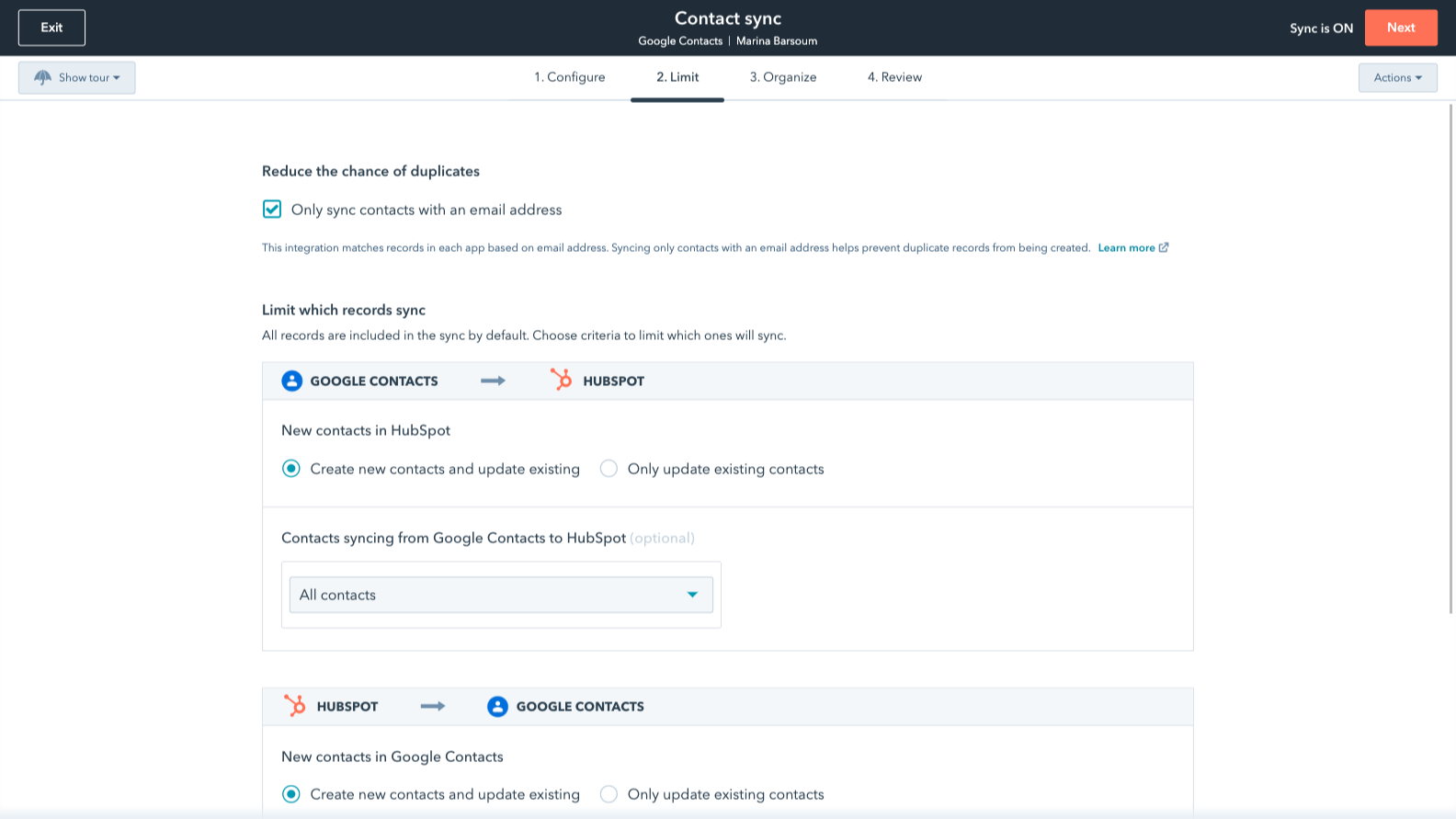
Sync Google Contacts and HubSpot data
Make manual data entry a thing of the past by syncing contacts between HubSpot and Google Contacts. When records are created or updated in either app, that information will be automatically shared with the other one.
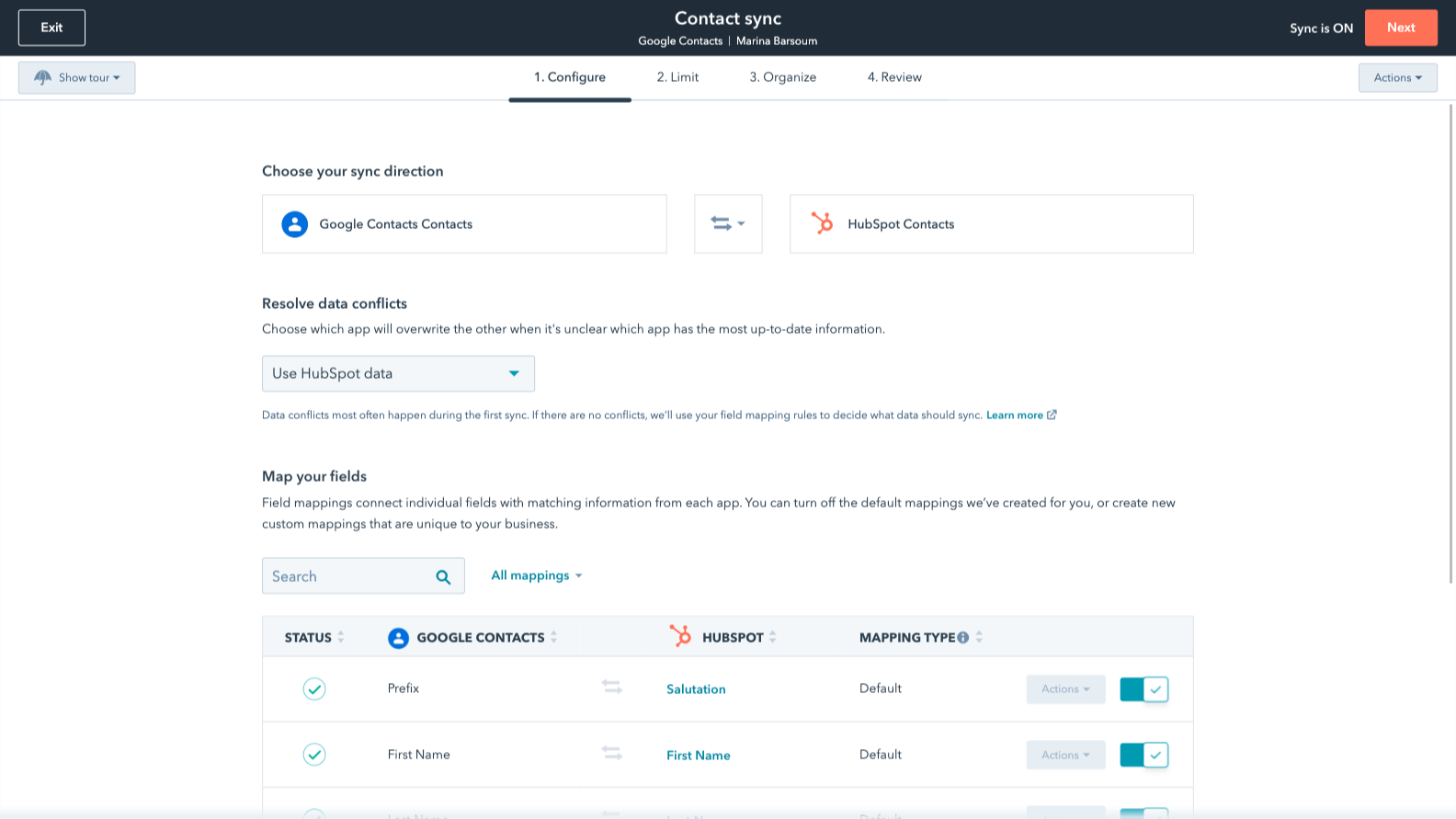
Custom field mappings
Custom field mappings are available with Data Hub Starter or up. Custom mappings add the flexibility to create your own mappings or make changes to your default ones.
App Functionality
Shared Data
You can choose whether your contacts sync two-way, or one-way in either direction.
Note: This sync only looks at contacts with a label and/or in the main contacts folder. Contacts in 'Other contacts' cannot be synched.
Contacts |
Reviews
4.0
311
4.0
311
Users appreciate the seamless synchronization between Google Contacts and HubSpot, which eliminates manual data entry and keeps client information easily accessible across devices. While some report issues with duplicate records and limited field mapping on free plans, the straightforward setup makes it an efficient solution for centralizing customer communications.
- Sep 2, 2025
i love google contacts
I love that it helps me organize better
productive organization
none
Lab, A.
- Aug 29, 2025
hall, A.
Pricing
Free
$0
Free for all HubSpot plans
Free
$0
Free for all HubSpot plans
* The pricing here is for display purposes only. All prices do not include taxes, incentives, discounts, or other pricing variables. You should contact the partner for the most up to date and correct pricing information. HubSpot does not take any responsibility for this pricing information, which is provided by our partners. Pricing last updated: 09/03/2025
New arrivals

&Open Gifting App
Turn a great moment into a real gift, from the contact record or in workflows.

Atnimo
Make your business conversation create New Opportunities for you.
