

Google Drive Connector
Built by HubSpot
Installs - <10 installs
Requirements
HubSpot Plan HubSpot Account permissions No permissions required Access Type Personal Google Drive Connector Subscription - Free plan
Overview
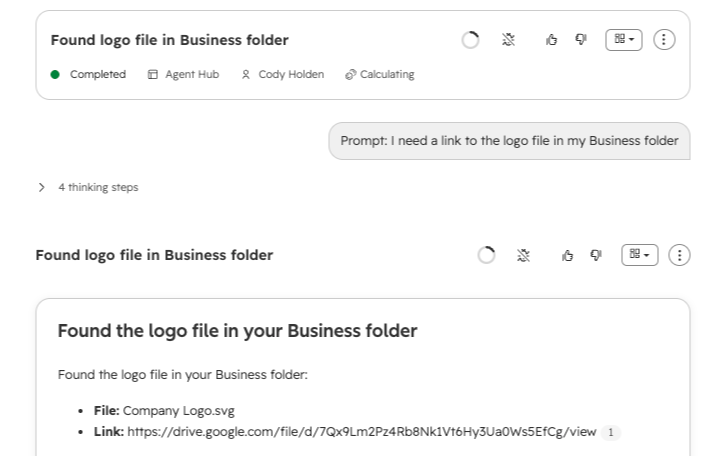
1/1 - Retrieve Files via Agents
Once connected to Breeze, the Google Drive Connector allows you to prompt the following use cases:
Find Files — Search Drive by name, type, or date to locate the right document, spreadsheet, or file referenced in a prompt.
Read and Summarize Content — Pull the content of a file so Breeze can summarize a proposal, extract key points, or answer questions tied to an account.
Surface Recent Activity — Retrieve recently accessed files to quickly pick up where a user left off or find the latest version of a document.
Create Files — Generate a new file in Drive directly from a prompt, keeping output in the user's workspace without leaving HubSpot.
Features
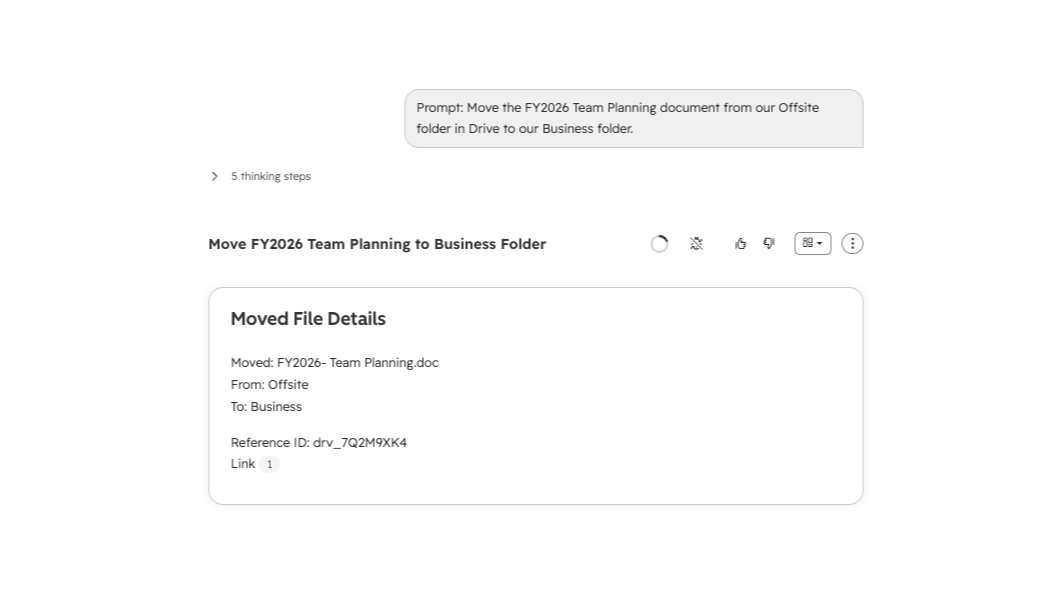
Manage files in Drive from Agents
Ask Breeze to locate the most recent files tied to a deal or sync, migrate, and manage your file structure.
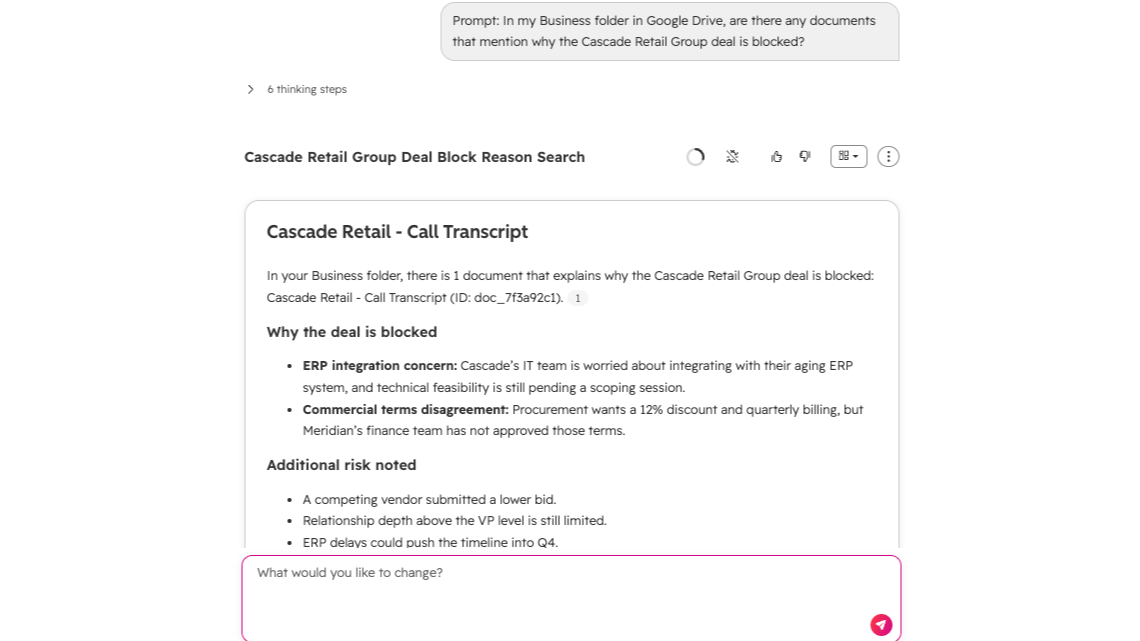
Analyze documents for easy, real-time answers
Ask Breeze to find and leverage your data in Drive. Summarize the latest proposal for an account, identify blockers, and get all the context your reps need without leaving HubSpot.
App Functionality
MCP Server
Ask Breeze to locate the most recent files tied to a deal so you can review the current version more quickly.
Have Breeze pull the key points from a Drive document to prep for a customer call.
Ask Breeze to find and summarize the latest proposal for an account without leaving HubSpot.
Reviews
Pricing
Free
$0
No additional fees
$0 (Breeze Credits may apply as you leverage Breeze Agents)Free
$0
No additional fees
$0 (Breeze Credits may apply as you leverage Breeze Agents)* The pricing here is for display purposes only. All prices do not include taxes, incentives, discounts, or other pricing variables. You should contact the partner for the most up to date and correct pricing information. HubSpot does not take any responsibility for this pricing information, which is provided by our partners. Pricing last updated: 08/21/2026
Most popular

Gmail
Bring HubSpot to your inbox with the HubSpot integration for Gmail.

Google Calendar
Book meetings quickly and easily with HubSpot and Google Calendar.
