

Google Slides Connector
Built by HubSpot
Installs - <10 installs
Requirements
HubSpot Plan HubSpot Account permissions No permissions required Access Type Personal Google Slides Connector Subscription - Free plan
Overview
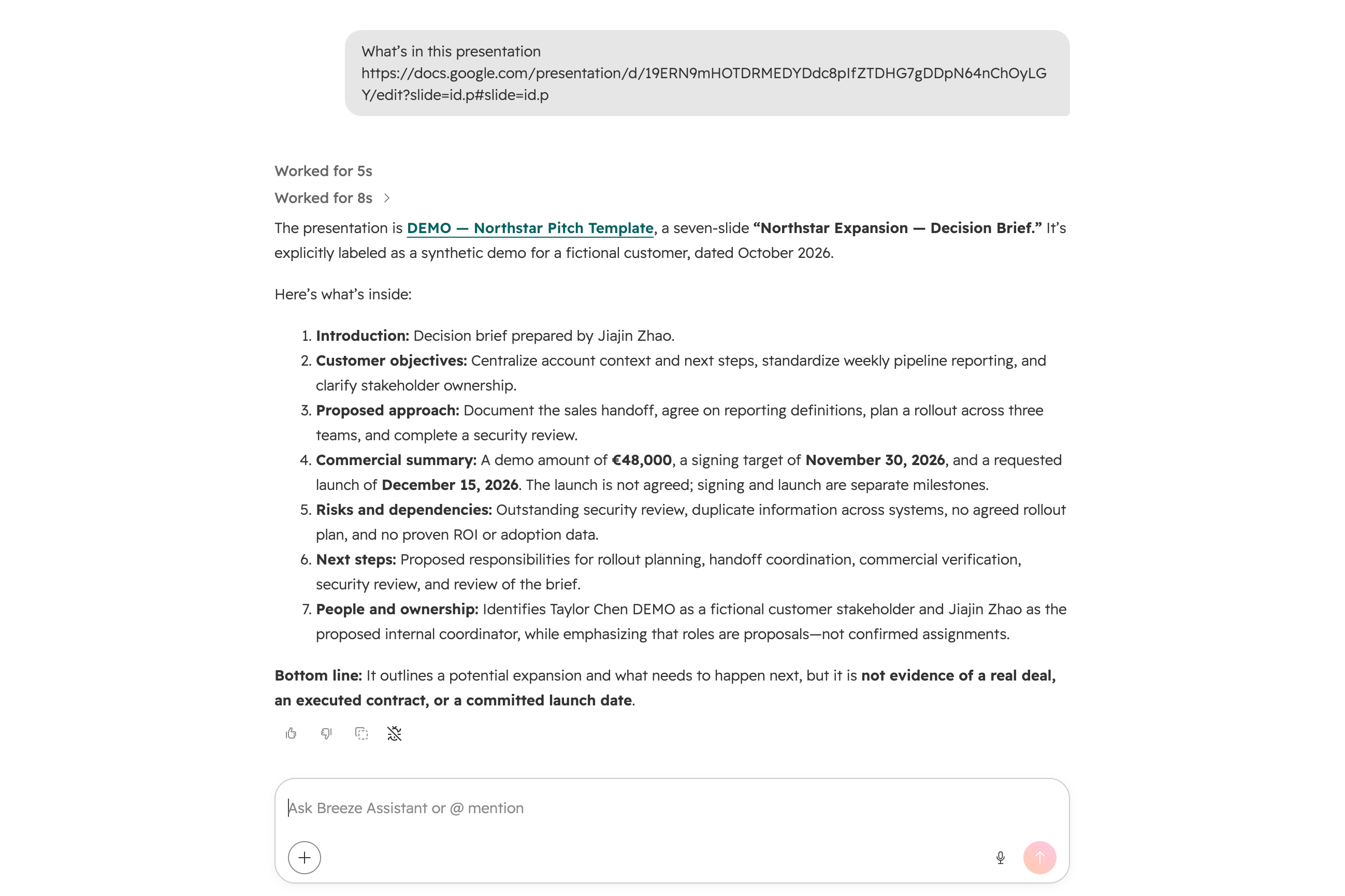
1/2 - read slides
Checking or updating a presentation shouldn’t mean switching out of HubSpot into Google Slides. Google Slides brings that work straight into your Breeze agent — just ask, and get:
Review a full presentation — pull the complete content and structure of a deck.
Check a specific slide — look at the content on a single slide without reviewing the whole deck.
Update content — edit existing text or content directly on a slide.
All without leaving HubSpot.
Features
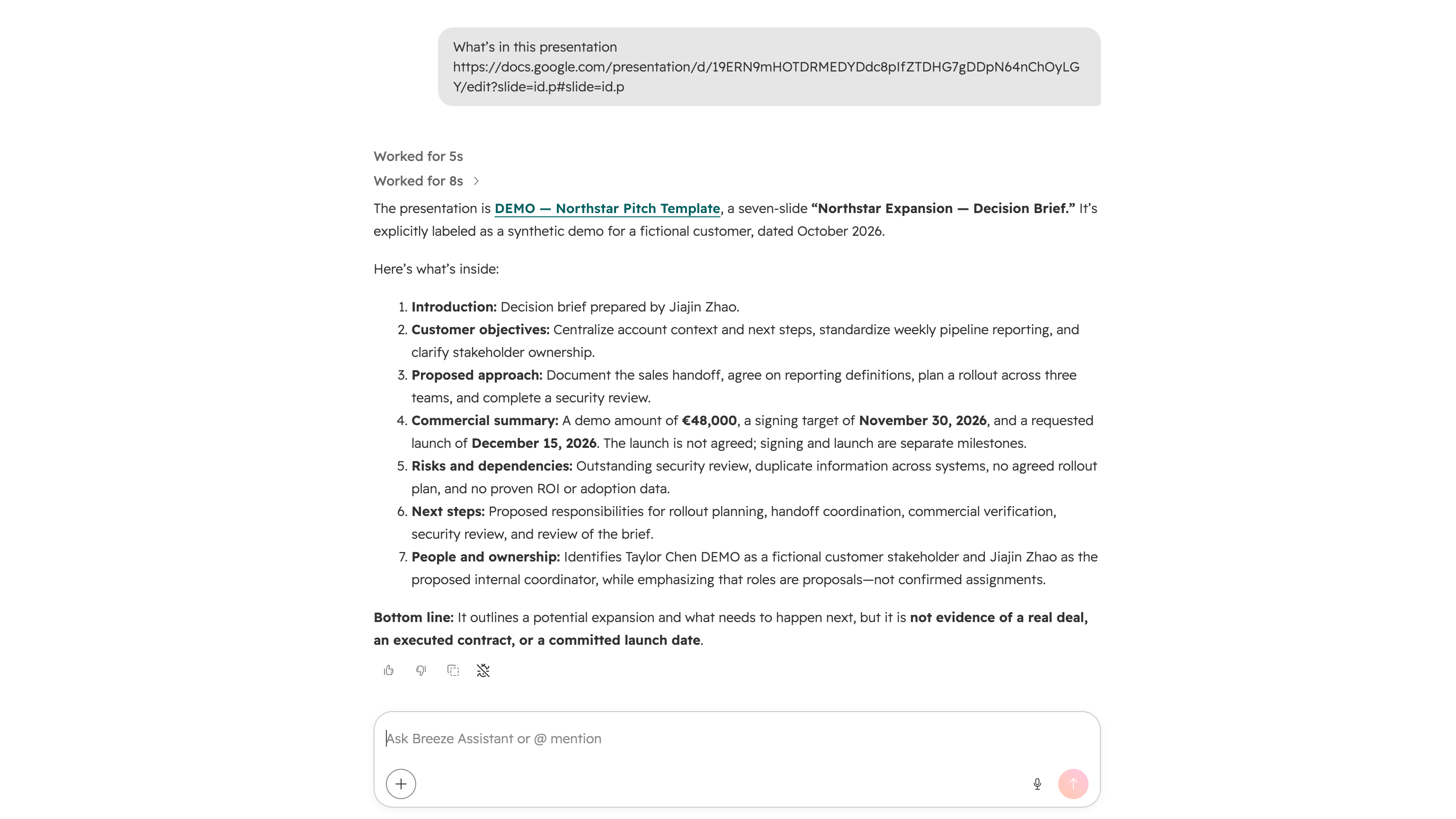
Read a presentation
Pull the full content and structure of a presentation.
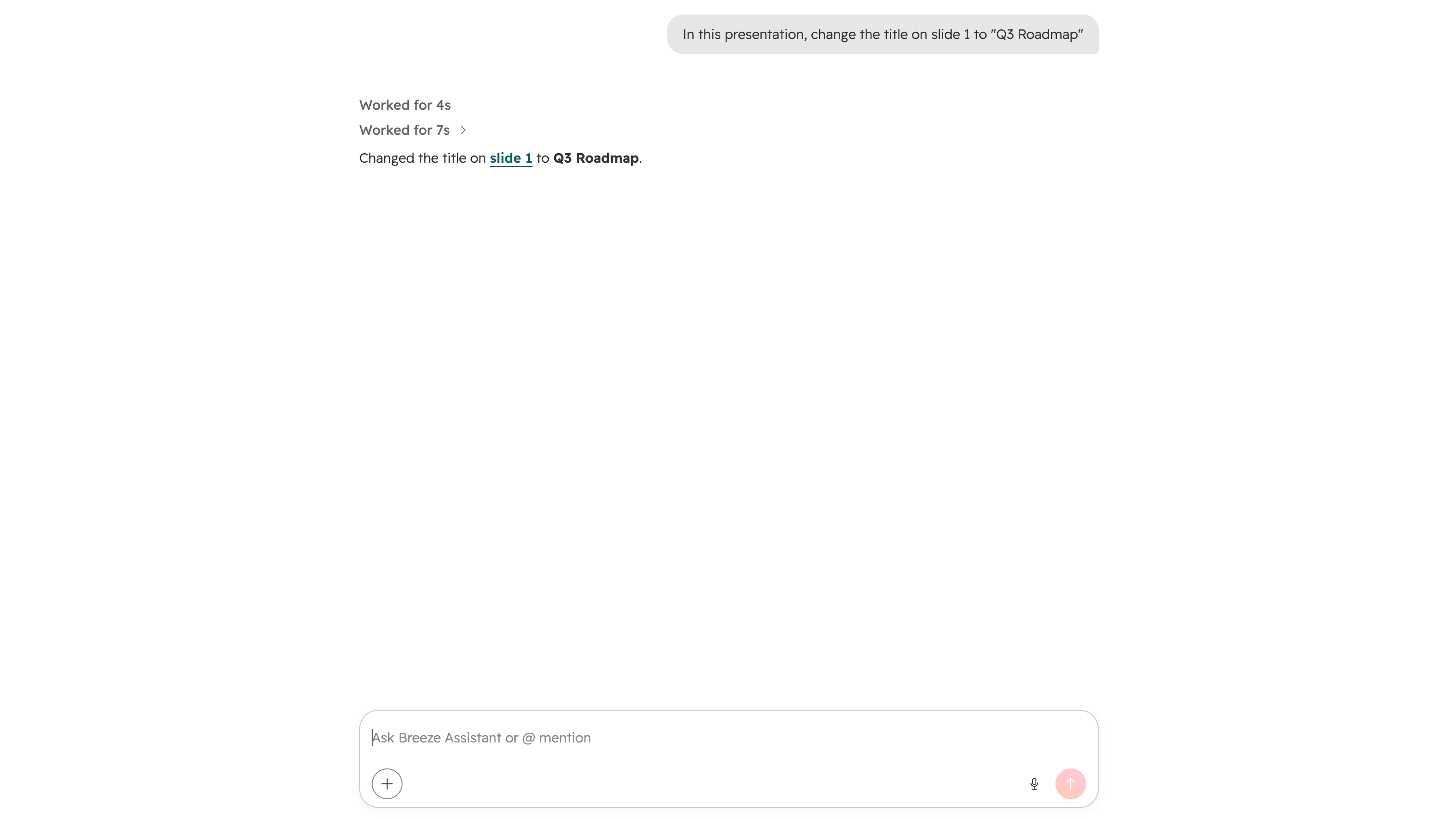
Update slide content
Edit existing text or content directly on a slide.
App Functionality
MCP Server
Ask what’s in a presentation to get its full content and structure without opening Google Slides.
Ask about the content on a particular slide without reviewing the whole deck.
Ask Breeze to edit existing text or content directly on a slide.
read_presentation
read_slide_page
read_slide_page_thumbnail
Can I create new Google Slides files with this connector?
Do I need a file link or ID to read or update a file?
Reviews
Pricing
Free
$0
No additional fees
$0 (Breeze Credits may apply as you leverage Breeze Agents)Free
$0
No additional fees
$0 (Breeze Credits may apply as you leverage Breeze Agents)* The pricing here is for display purposes only. All prices do not include taxes, incentives, discounts, or other pricing variables. You should contact the partner for the most up to date and correct pricing information. HubSpot does not take any responsibility for this pricing information, which is provided by our partners. Pricing last updated: 10/16/2026
Getting attention today

Microsoft Teams
Use Microsoft Teams and HubSpot for meetings, conversations, and more!

Zoom
Use Zoom with HubSpot meetings, workflows, contact records and more.
