

iCloud
Requirements
HubSpot Plan HubSpot Account permissions No permissions required Access Type Personal iCloud Subscription - 50 GB, 200 GB, 2 TB, or 5 GB plans
Overview
1/2
Sync contacts between iCloud and HubSpot without manual data entry or messy, time-consuming imports.
Here’s what you get with Data Sync by HubSpot:
- Two-way sync: Contacts are shared between iCloud and HubSpot in real time
- Default field mappings: Set-up is quick with out-of-the-box field mappings already created for you
- Historical syncing: Your existing data will sync right away, and updates will sync as they happen
Note: It is mandatory for your iCloud account to have two factor authentication enabled - this is needed to generate an app-specific password during install.
Features
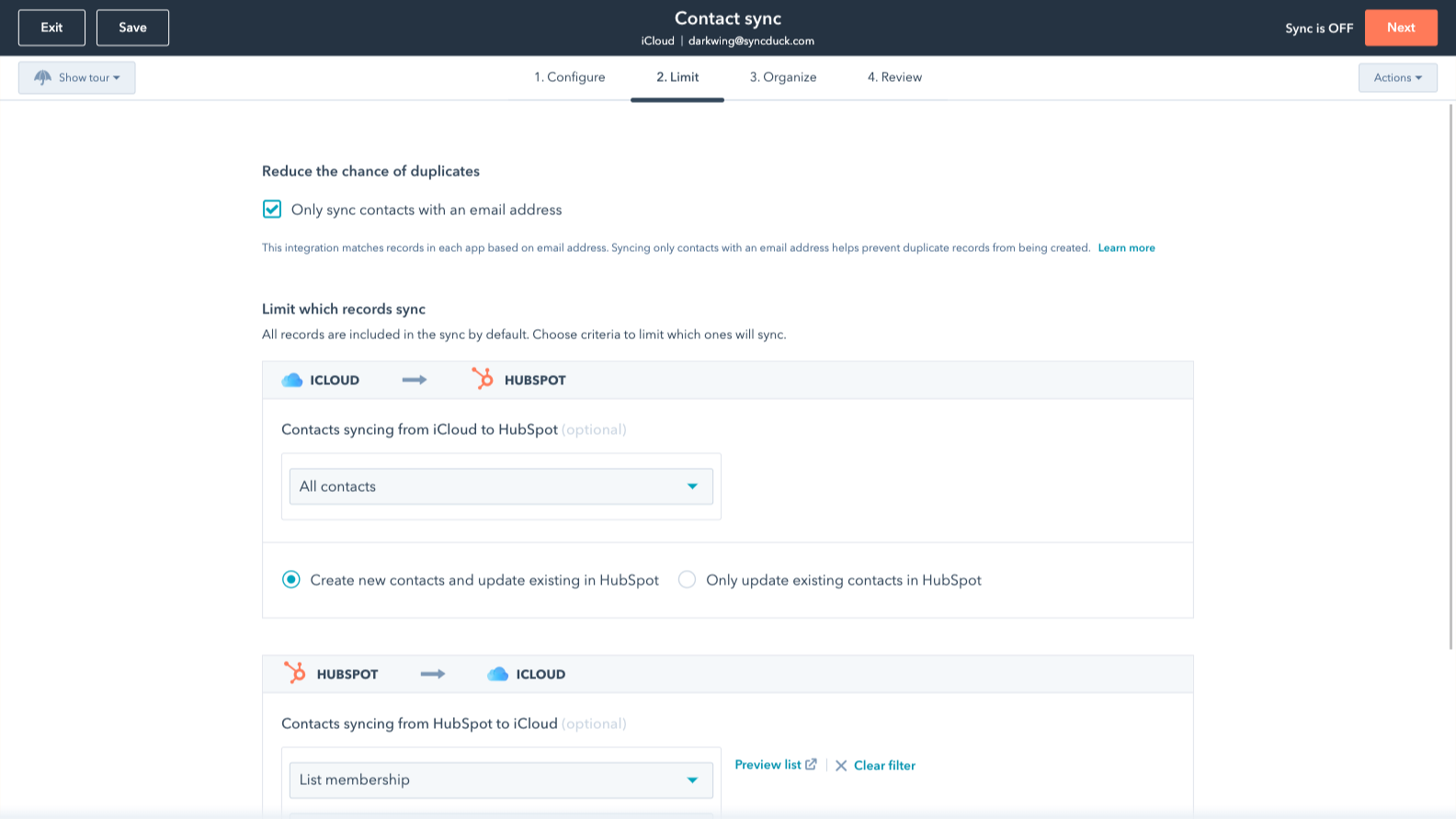
Sync iCloud and HubSpot in the background
Make manual data entry a thing of the past by syncing data (see below) between HubSpot and iCloud. When records are created or updated in either app, that information will be automatically shared with the other one. The sync is setup inside of each personal account.
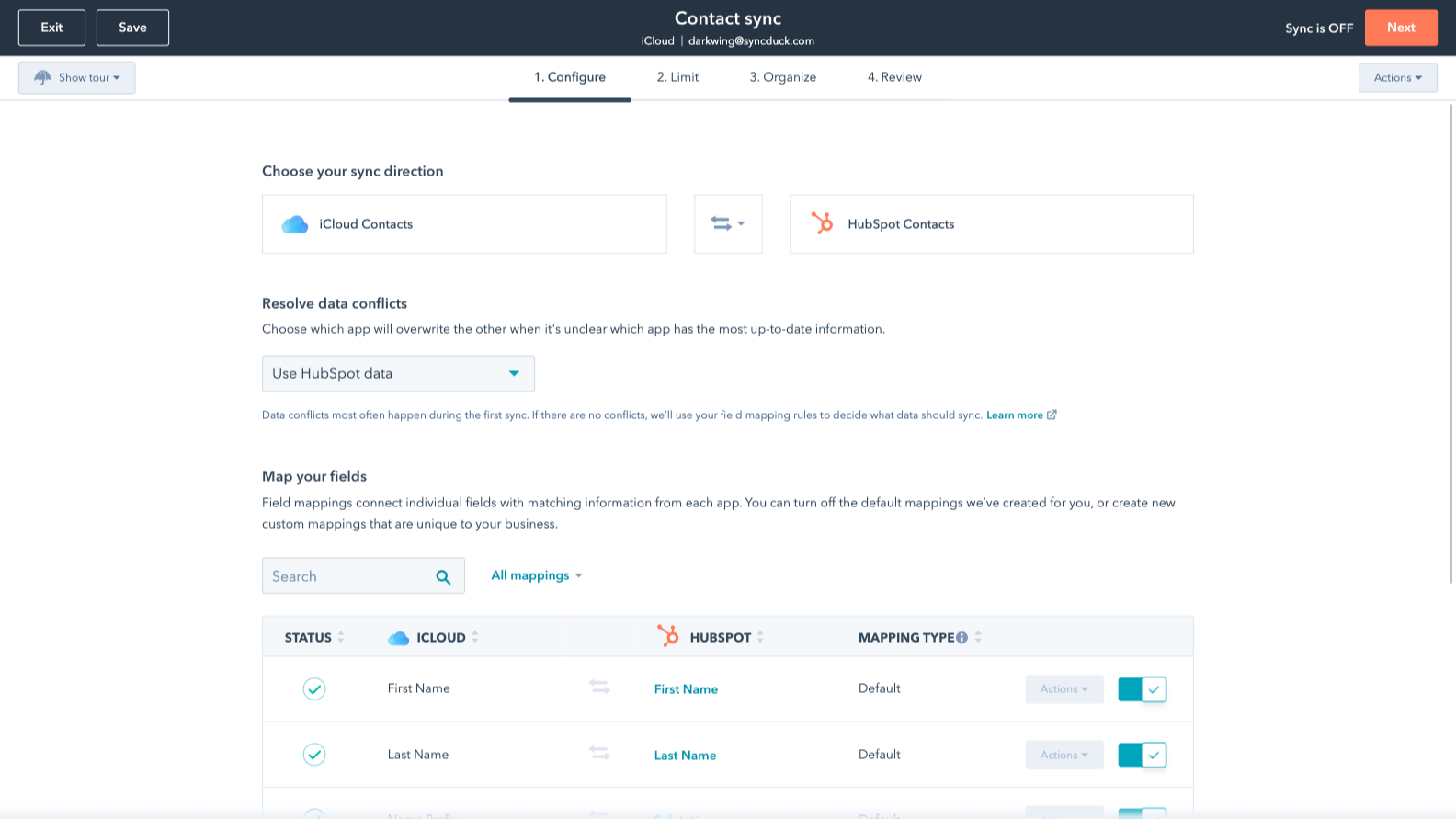
You’re in control of your data
You can set up a one- or two-way sync, which means you can either sync data from iCloud to HubSpot, from HubSpot to iCloud, or back-and-forth! Out-of-the-box default field mappings make set-up quick and keep your data clean and organized. Custom field mappings are available with Data Hub Starter or above.
App Functionality
Shared Data
Each object has field mappings that connect matching information from each app. Default mappings are listed below. If you want to change these default mappings or create your own, custom field mappings are available with Data Hub Starter and up.
Contacts |
Reviews
3.5
25
3.5
25
- Sep 24, 2025
Works Well, but Missing iCloud Personal Integration
I’m generally very happy with iCloud integration in HubSpot—it works well and is reliable. However, I’m giving it four stars instead of five because I cannot see my personal iCloud emails or calendar within HubSpot. Since I use Office 365 for work and iCloud for personal, this limitation sometimes causes scheduling conflicts. I hope this feature is added in the near future, as it would make the integration much more complete.
• Easy to use and reliable overall • Syncs well with Office 365 for work purposes • Clean interface and smooth experience
• Cannot view personal emails or personal calendar from iCloud in HubSpot • This causes occasional double-booking since I use Office 365 for work but iCloud for personal
Tilahun, Y.
- Jul 23, 2025
Sync Problems and Limited Troubleshooting Make Integration Frustrating
Multiple issues with getting the data to sync
The HubSpot side of the app seems to work wekk.
Apple's API seems very limiting, very little information to troubleshoot from when syncing seems to fail
Lindeman, G.
Pricing
50 GB
$0.99
/month50 GB
$0.99
/month* The pricing here is for display purposes only. All prices do not include taxes, incentives, discounts, or other pricing variables. You should contact the partner for the most up to date and correct pricing information. HubSpot does not take any responsibility for this pricing information, which is provided by our partners. Pricing last updated: 09/03/2025
Getting attention today
Zoom Phone for HubSpot
Enhance your HubSpot experience and streamline your workflows.

Zapier
The easiest way to automate and connect HubSpot to 8,000+ apps
