

Ignition
Built by - Ignition
Installs - <10 installs
Requirements
HubSpot Plan HubSpot Account permissions - View the required account permissions
Access Type Shared Ignition Subscription - Pro or Pro+ plans
Overview
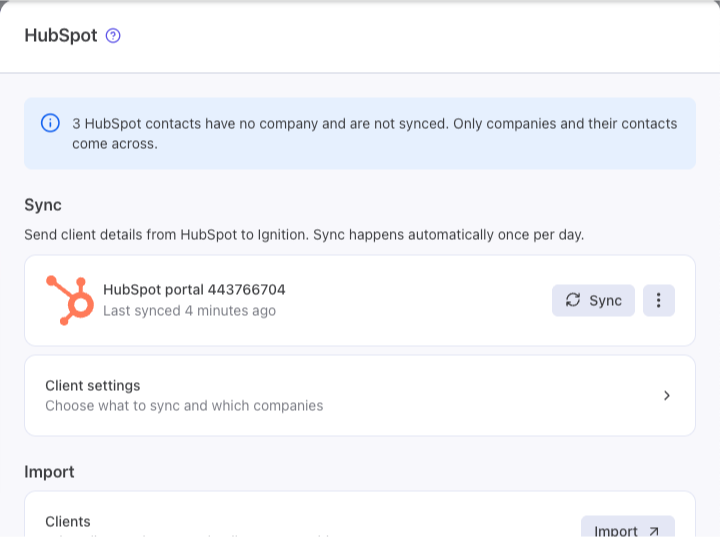
1/4 - Enabling HubSpot starts your first sync
Many accounting and professional services firms keep their clients in HubSpot but run proposals, engagement letters and billing in Ignition. Without a connection, someone has to re-type every new client, and the two systems slowly drift apart.
The Ignition integration brings your HubSpot companies, and their contacts, into Ignition as clients. Clients you already have in Ignition are matched rather than duplicated. From there you can send a proposal or engagement letter, collect the signature, and bill the client, without copying details between systems.
Ignition only reads from HubSpot. It never changes or deletes anything in your HubSpot account.
Available on Ignition Pro plans and above.
Features
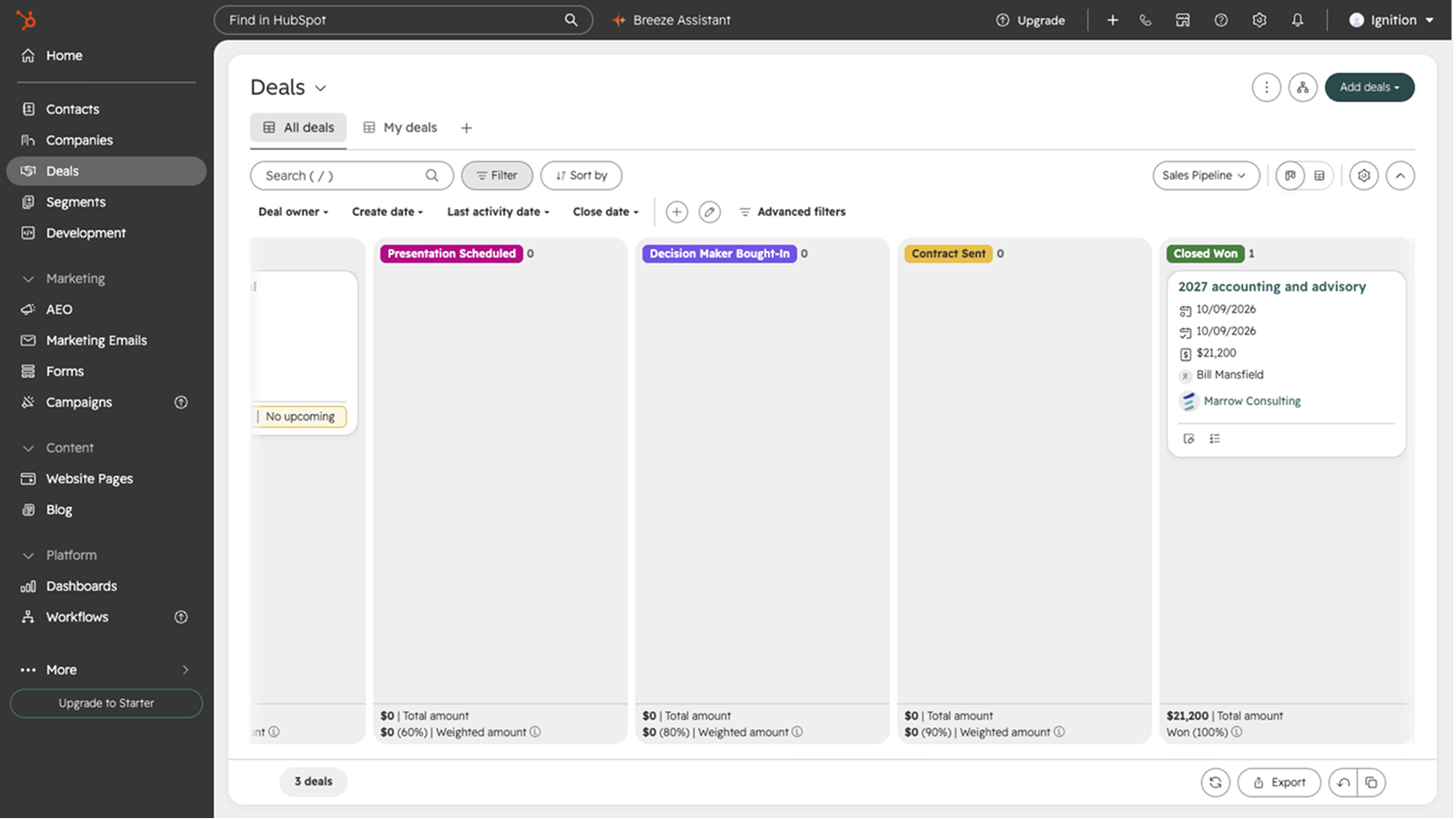
Update HubSpot deals from Ignition proposals
Stop updating deals by hand. When you send a proposal in Ignition, the client's HubSpot deal moves to the stage you choose. When the client accepts, the deal moves to won, with the contract value and close date filled in. If a proposal is lost or withdrawn, the deal moves to lost. Your pipeline stays accurate without anyone switching tools.
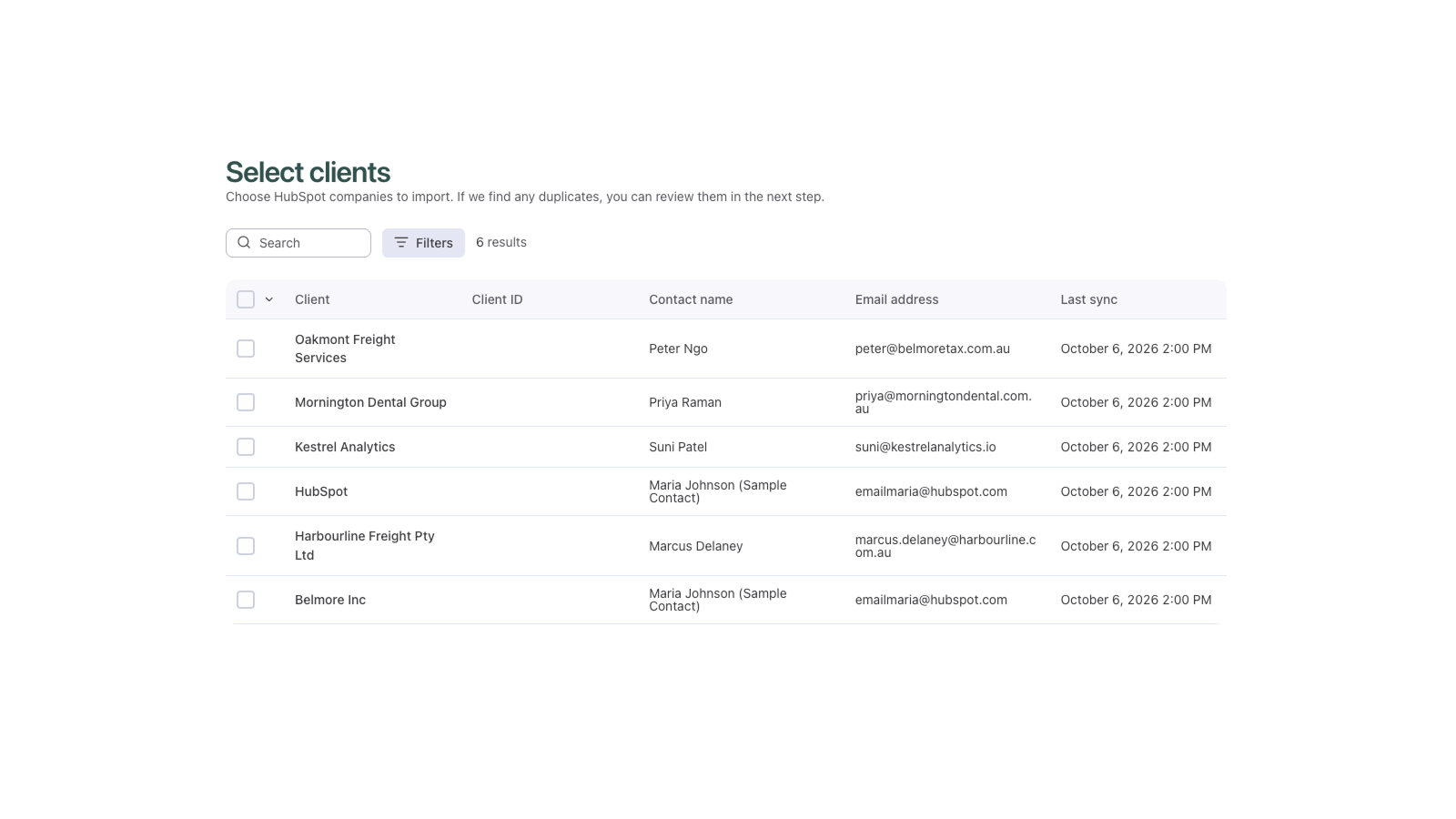
Bring HubSpot companies into Ignition
Stop re-typing clients. HubSpot companies at the lifecycle stages you choose come into Ignition daily, with their contacts. Import them as new clients or link them to clients you already have, then send a proposal or engagement letter straight away.
App Functionality
Shared Data
Clients | ||
Client contacts | ||
Deal/proposal properties | ||
Deal/proposal |
HubSpot companies come into Ignition as clients, along with their contacts. You choose which lifecycle stages to sync, and the sync runs daily. Ignition never edits or deletes your HubSpot companies or contacts.
When you send a proposal, Ignition moves the client's HubSpot deal to the stage you've chosen. When the client accepts, the deal moves to won and Ignition sets its amount and close date. If the proposal is marked lost or withdrawn, the deal moves to lost.
Reviews
Pricing
Pro
$2,748
/yearFor growing firms that want automated workflows and the HubSpot integration
Custom email branding
Bulk proposal renewals
Lead and client forms
HubSpot integration
15 users
350 active clients
Pro
$2,748
/yearFor growing firms that want automated workflows and the HubSpot integration
Custom email branding
Bulk proposal renewals
Lead and client forms
HubSpot integration
15 users
350 active clients
* The pricing here is for display purposes only. All prices do not include taxes, incentives, discounts, or other pricing variables. You should contact the partner for the most up to date and correct pricing information. HubSpot does not take any responsibility for this pricing information, which is provided by our partners. Pricing last updated: 10/30/2026
New arrivals

Tana
Update HubSpot directly from your meetings (Google Meet, Zoom, Microsoft Teams), with full context summary, updates to Contacts, Companies, Tasks, Deals - no bot visible in meeting

Telegram Personal Accounts
Receive and reply to Telegram Personal DMs right from HubSpot CRM Inbox and Help Desk.
