

infobox
Built by - 株式会社インフォボックス
Installs - 20+ installs
Requirements
HubSpot Plan HubSpot Account permissions - View the required account permissions
Access Type Shared infobox Subscription - CRM Integration plan
Overview
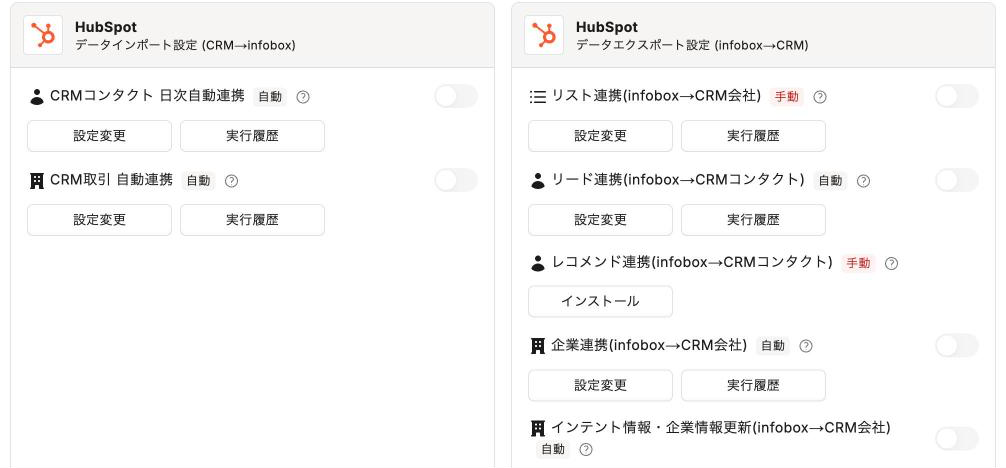
1/4 - Service integration settings for infobox. After connecting to HubSpot, you can enable and configure the data import settings (CRM → infobox) and data export settings (infobox → CRM).
infobox is a sales data platform that helps you “identify which companies to approach now and why.”It features data on 5.8 million companies, over 200 types of attribute tags, and “Intent” metrics that indicate the level of purchasing interest. By integrating with HubSpot, you can cross-reference your company’s CRM data with infobox’s company data to determine “who, when, and why” you should reach out.
■ Keep HubSpot’s company data up to date
Based on sales lists and company information created in infobox, HubSpot automatically creates and updates company records, supplementing details such as corporate ID numbers, industry categories, and number of employees.
It does not create new contacts or populate individual contact information, such as email addresses.
■ Select whom to approach based on existing interactions
Import HubSpot contacts and deals into infobox to match them with companies, allowing you to prioritize outreach based on existing customers and companies currently in negotiations.
■ Identify companies with a high level of interest directly in HubSpot
Intent data is synced to HubSpot companies, enabling you to reach out at the exact moment when their consideration is progressing.
You can select the fields to sync and the sync frequency in the infobox settings, and view the sync results in the execution history. An infobox subscription is required to use this app.
Help Center: https://faq.info-box.jp
Features
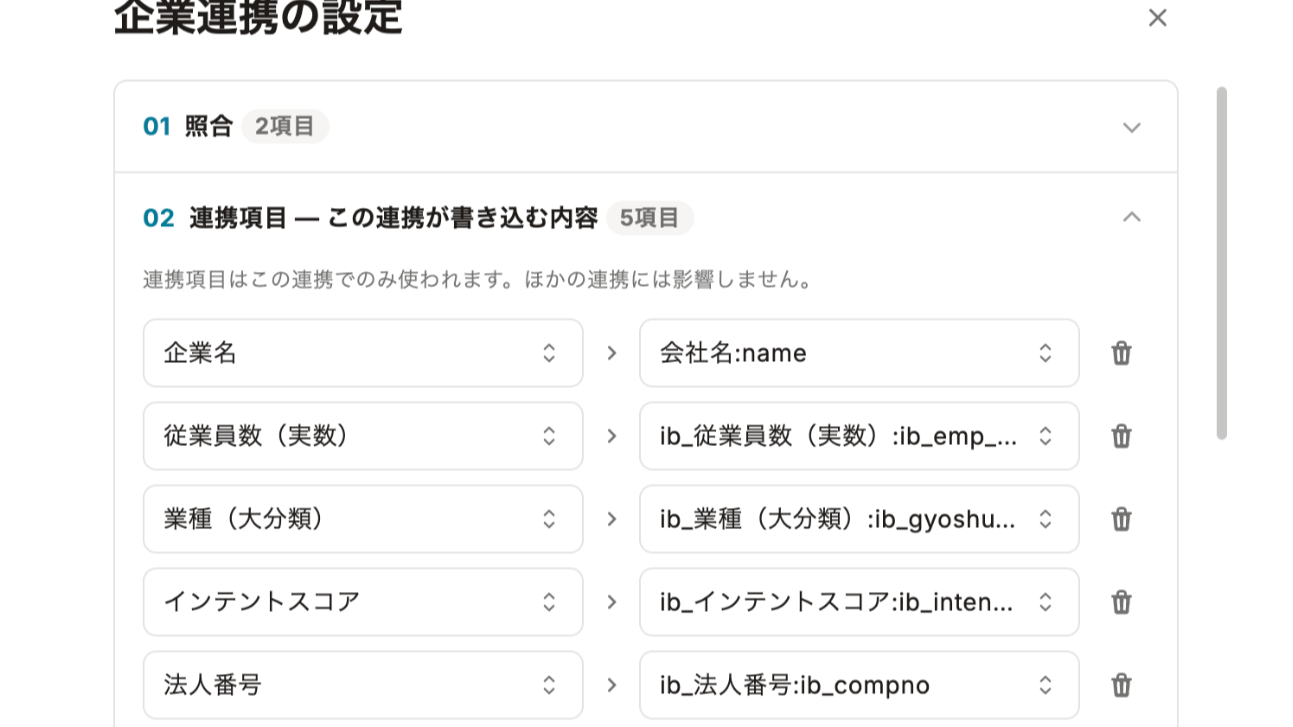
Sync your sales list directly to HubSpot Companies
You can add target companies—selected from a database of 5.8 million businesses—to your HubSpot company list without having to export CSV files or enter data manually. We regularly update existing company records with information such as corporate ID numbers, industry, number of employees, and intent, ensuring that the data you use for prioritization never becomes outdated.
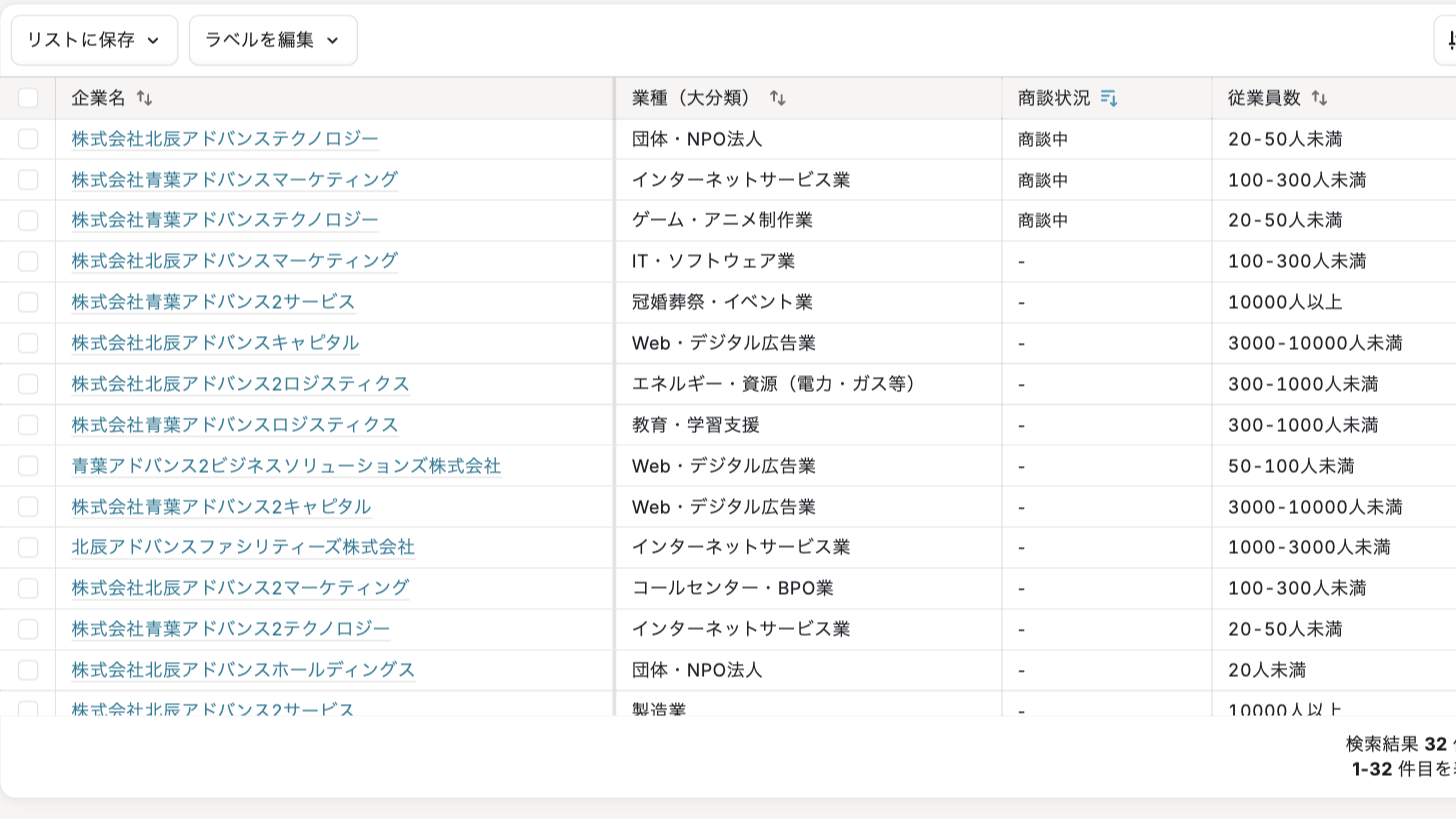
Select target companies based on existing connections
By importing HubSpot contacts and deals into the infobox and matching them with companies, you can determine “who to approach and when” based on your existing customers and companies currently in the sales pipeline. This helps prevent duplicate outreach and allows you to focus your resources on companies you haven’t yet engaged with. The matching results can also be written back to HubSpot properties.
App Functionality
Shared Data
企業 | ||
人物 | ||
取引・商談 | ||
取引プロパティ | ||
コンタクトプロパティ | ||
会社プロパティ |
From infobox to HubSpot, company data—such as company name, corporate ID number, address, industry, number of employees, revenue range, and intent—is written to HubSpot company records. From HubSpot to infobox, fields related to companies, contacts, and deals—which are necessary for matching with CRM data—are retrieved.infobox does not create new contacts in HubSpot or enter personal contact information, such as email addresses. The fields synced are limited to those selected by you in the infobox settings screen.
Reviews
Pricing
CRM Integration
Checking Integration Results in the Execution History
Configuring Synchronization Items and Execution Intervals
Integrating Intent Data with HubSpot
Importing HubSpot Contacts and Deals and Matching Them with Companies
Automatic Synchronization of Company Data with HubSpot Companies and Contacts
CRM Integration
Checking Integration Results in the Execution History
Configuring Synchronization Items and Execution Intervals
Integrating Intent Data with HubSpot
Importing HubSpot Contacts and Deals and Matching Them with Companies
Automatic Synchronization of Company Data with HubSpot Companies and Contacts
* The pricing here is for display purposes only. All prices do not include taxes, incentives, discounts, or other pricing variables. You should contact the partner for the most up to date and correct pricing information. HubSpot does not take any responsibility for this pricing information, which is provided by our partners. Pricing last updated: 10/22/2026
More info
Built by - 株式会社インフォボックス
Installs - 20+ installs
Categories Languages this app is available in Japanese
Most popular

Gmail
Bring HubSpot to your inbox with the HubSpot integration for Gmail.

Google Calendar
Book meetings quickly and easily with HubSpot and Google Calendar.
