

Single Sign-On (SSO)
Secure access to your HubSpot Pages/Content with Single Sign-On (SSO)
Built by - miniOrange
Installs - 100+ installs
Rating 3.3
(3)
Requirements
HubSpot Plan HubSpot Account permissions - View the required account permissions
Access Type Shared Single Sign-On (SSO) Subscription - Premium or Enterprise plans
Overview
1/8
miniOrange’s Single Sign-On (SSO) for HubSpot enables the Audience Access Control on your HubSpot CMS Hub Landing pages, Website pages, Knowledge Base pages and Blogs through the secure Single Sign-On (SSO) so you can protect your required content and only allow access to authorized users via SSO and can enable additional membership list based restrictions.
This SSO user authentication app uses highly secure and widely used OAuth 2.0 and OpenId Connect protocol to connect to various Identity Providers like Okta, Microsoft Azure (Entra ID), AWS Cognito (Amazon), OneLogin, KeyCloak, Google, LinkedIn, WordPress, Shopify, Auth0, Facebook, Apple and lot more along with custom app which supports either OAuth 2.0 or OpenID Connect protocol.
You can access the app dashboard by visiting this [LINK].
What is a Single Sign On (SSO)?
Single Sign-On (SSO) is an authentication and authorization process that allows a user to access multiple enterprise applications with a single set of login credentials (username and password). Simply stating SSO combines several application login screens into one, where you submit credentials once and get access to all applications without individually logging into each application. With SSO end-users time and efforts get minimized as they don't need to constantly sign in and out separately into a variety of web, on-premises, and cloud applications.
What is Single Sign On (SSO) and Audience Access Control (Page Restriction) in HubSpot CMS Hub | Single Sign On (SSO) to access private Content of HubSpot?
Single Sign-On in HubSpot allows you to seamlessly access the private HubSpot CMS content using the credentials stored in external identity providers like Okta, Microsoft Azure, Amazon AWS Cognito, Google etc.
Popular Use Cases -
Protecting HubSpot Knowledge Base pages with SSO - If you have public Knowledge Base pages and want to prevent unauthorized access and only the users who are part of your external Identity Management System like AWS Cognito User Pool or Microsoft Azure, Google groups etc should be able to access it, then you can enable the SSO based Knowledge base access so the user will be required to authenticate themselves against that Identity Provider to access the content. Once they get authenticated, they can seamlessly access all the authorized knowledge base pages.
Login with social login credentials to access HubSpot CMS page content - If you want to track your visitors and want them to authenticate via social login providers like Google, Facebook, Apple, LinkedIn, Twitter etc and only access the content. So, this can be easily achieved with our Single Sign On (SSO) app for HubSpot. Our app provides a feature to track the visitors' login audit and can onboard that visitor as a contact in your HubSpot CRM Contact list.
Share sessions for other applications connected with your HubSpot CMS to access the restricted content - If you have other connected applications, for example, built on WordPress, or Shopify and want to share the user session of WordPress to access the restricted content of HubSpot CMS. Our app provides the feature to sync the user session without needing to re-authenticate to access the HubSpot CMS pages.
Control Audience Access to the CMS Hub content based on the HubSpot Membership List - If you are looking to protect your CMSHub content to only allow access to certain contacts part of individual lists. For example - If you have 3 HubSpot membership lists ListA, ListB, ListC and you want to protect a certain HubSpot page if a contact is part of a ListA or ListC, so this would be possible through our app.
Connect Multiple Identity Provider applications or multiple tenants of your Identity provider for Single Sign-On to HubSpot - If you are looking to allow an option for your users to log in via multiple Identity Providers or multiple tenants of your Identity Provider whose support inbuilt Single Sign On (SSO) feature does not have, then you can easily achieve with this Single Sign-On (SSO) for HubSpot application.
Single Sign-On (SSO) for HubSpot Customer Portal -
If you have a customer portal setup on HubSpot and want to enable Single Sign-On (SSO) so your users can access the portal to manage their tickets and all easily by login using the credentials of an external Identity provider or other connected application. In that case, this app helps you achieve that. You can connect the inbuilt Single Sign-On (SSO) available in your HubSpot portal with our app to achieve auto-login without registering or logging in separately on the HubSpot portal.
Features
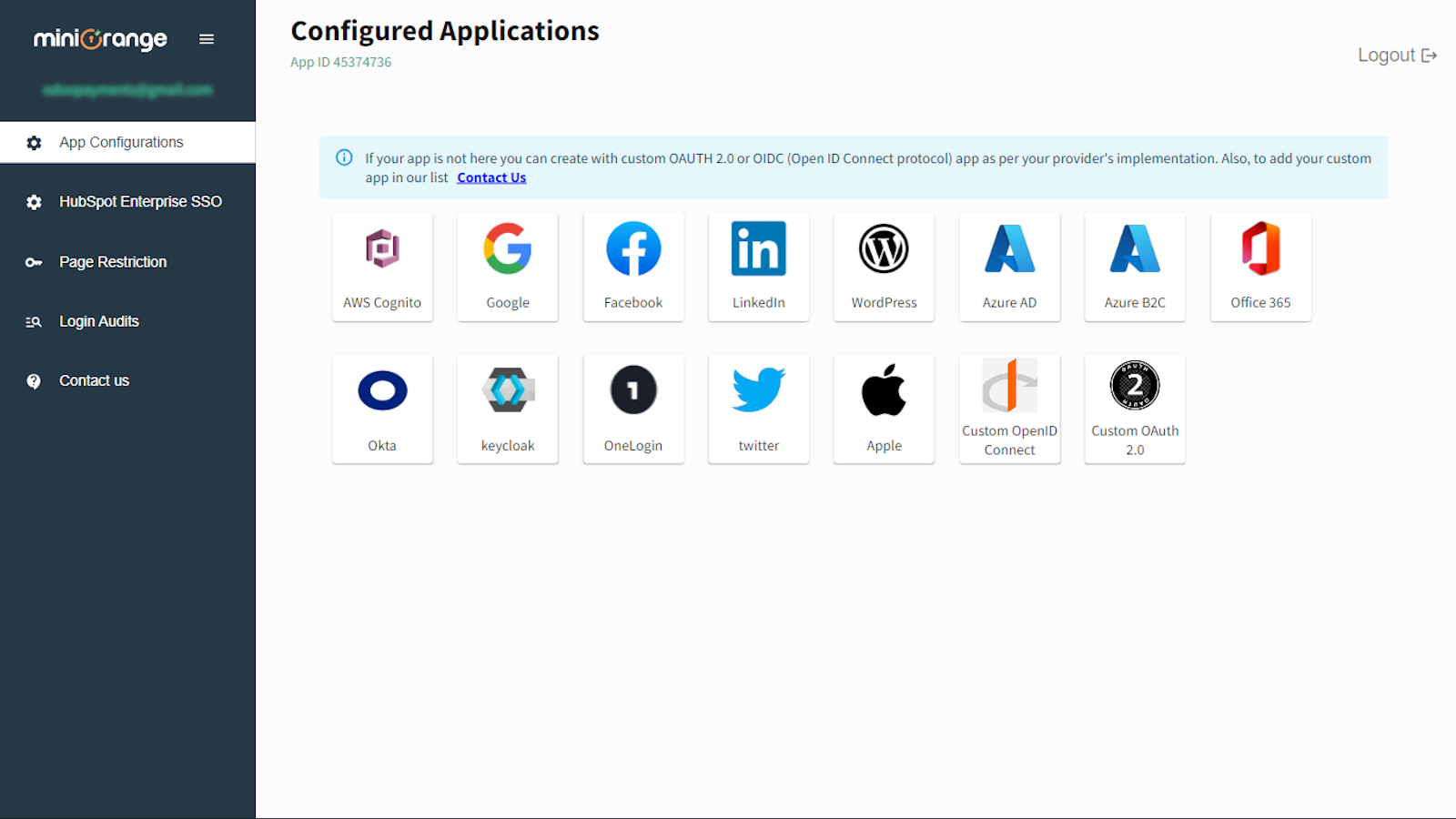
Single Sign-On (SSO) into HubSpot [ Multiple App & Tenant Support ]
Allows your organization users or visitors on landing pages, website pages, knowledge base and blogs to authorize themselves with any external Identity Providers like Okta, Microsoft Azure, Amazon Cognito, Google, WordPress, LinkedIn etc.
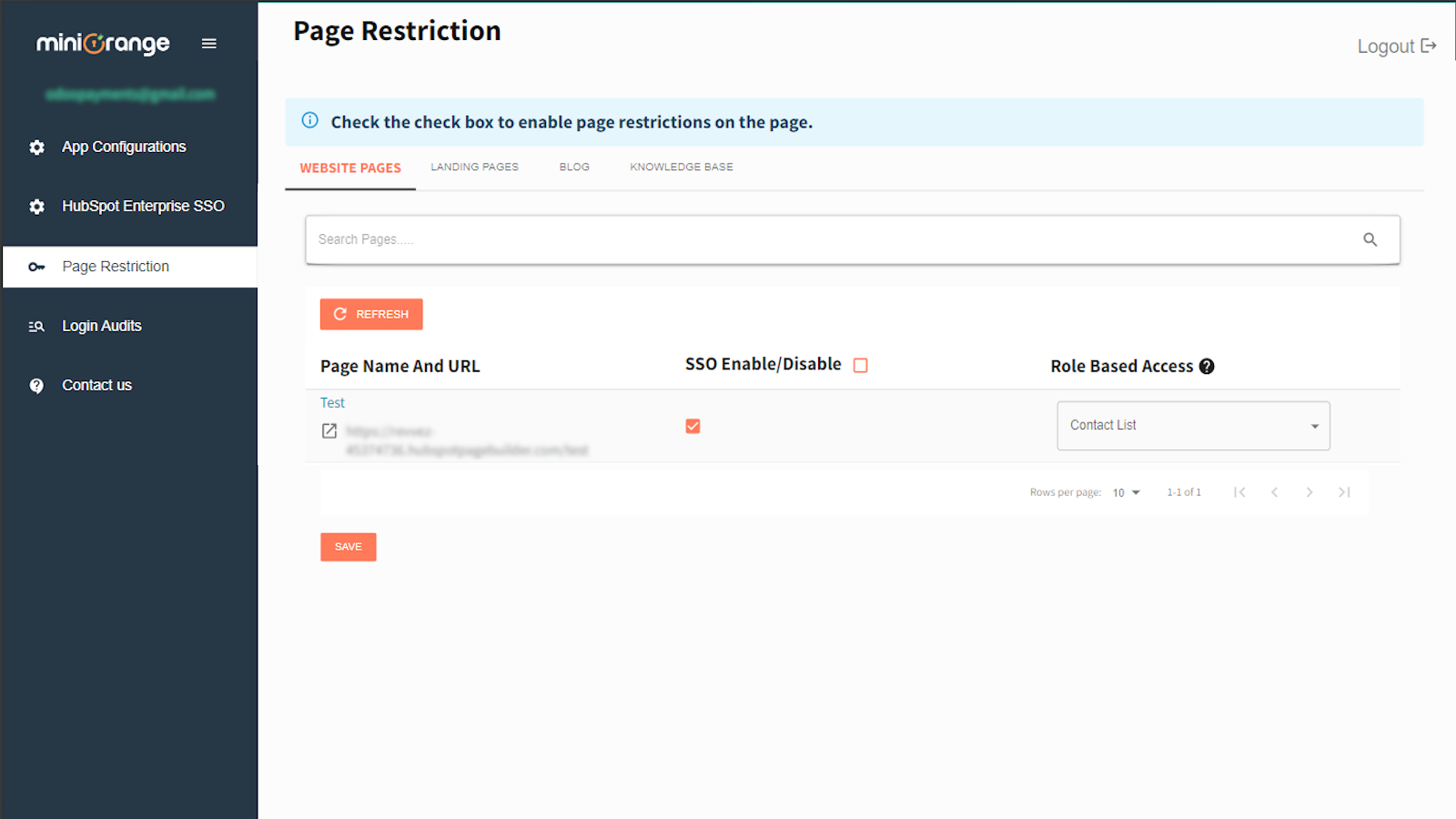
Page / Content Protection | Page Restriction | Audience Control
Protect your HubSpot CMS Hub content of the website, landing pages, knowledge base or blog public access by enabling SSO user authentication so only authorized users can access the resources.
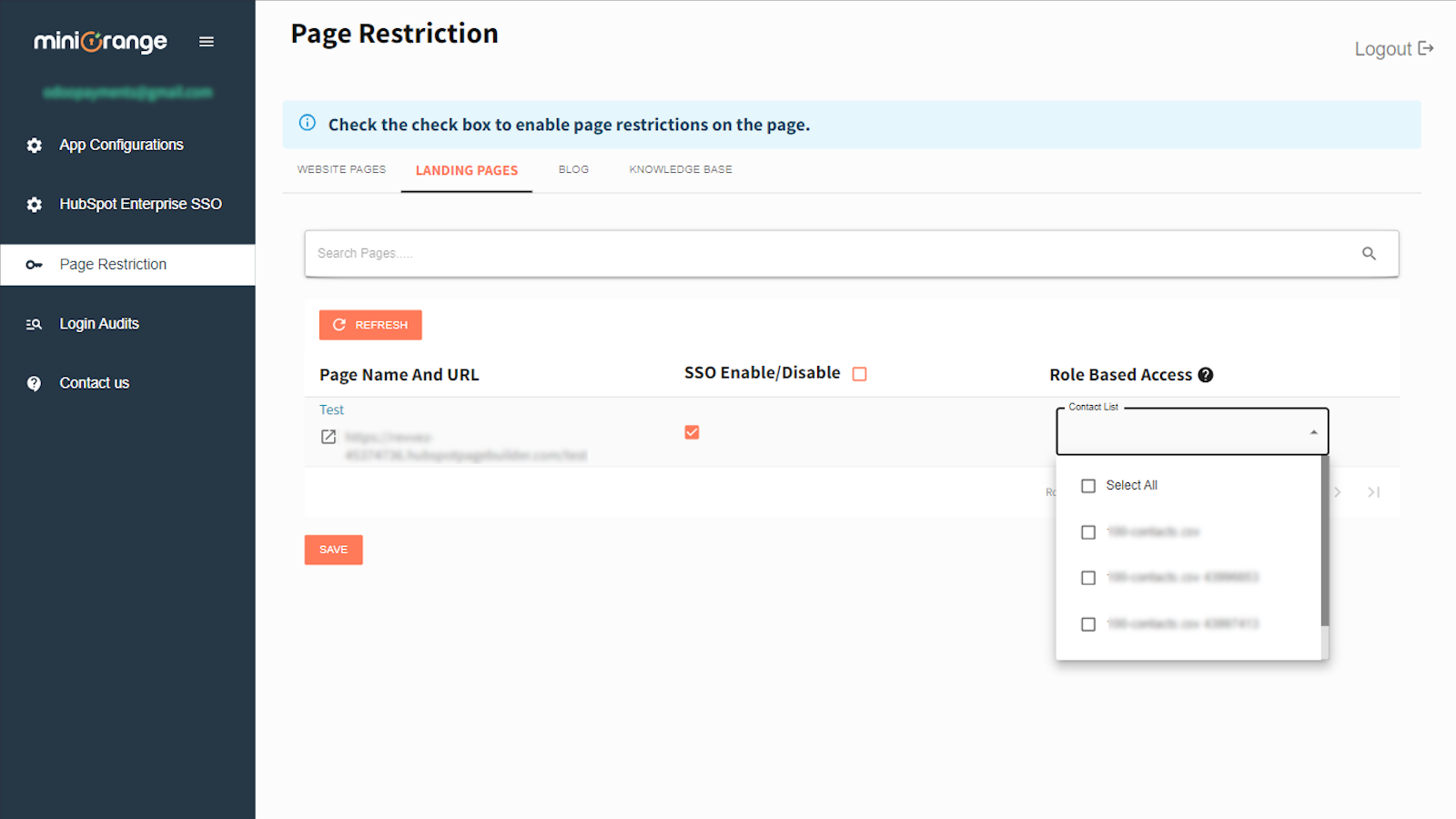
Membership List-Based Restriction
Protect your public content and provide access to only authorized users and enable additional security control to allow access only if the authenticated user/contact is part of your HubSpot certain membership list and block access for others.
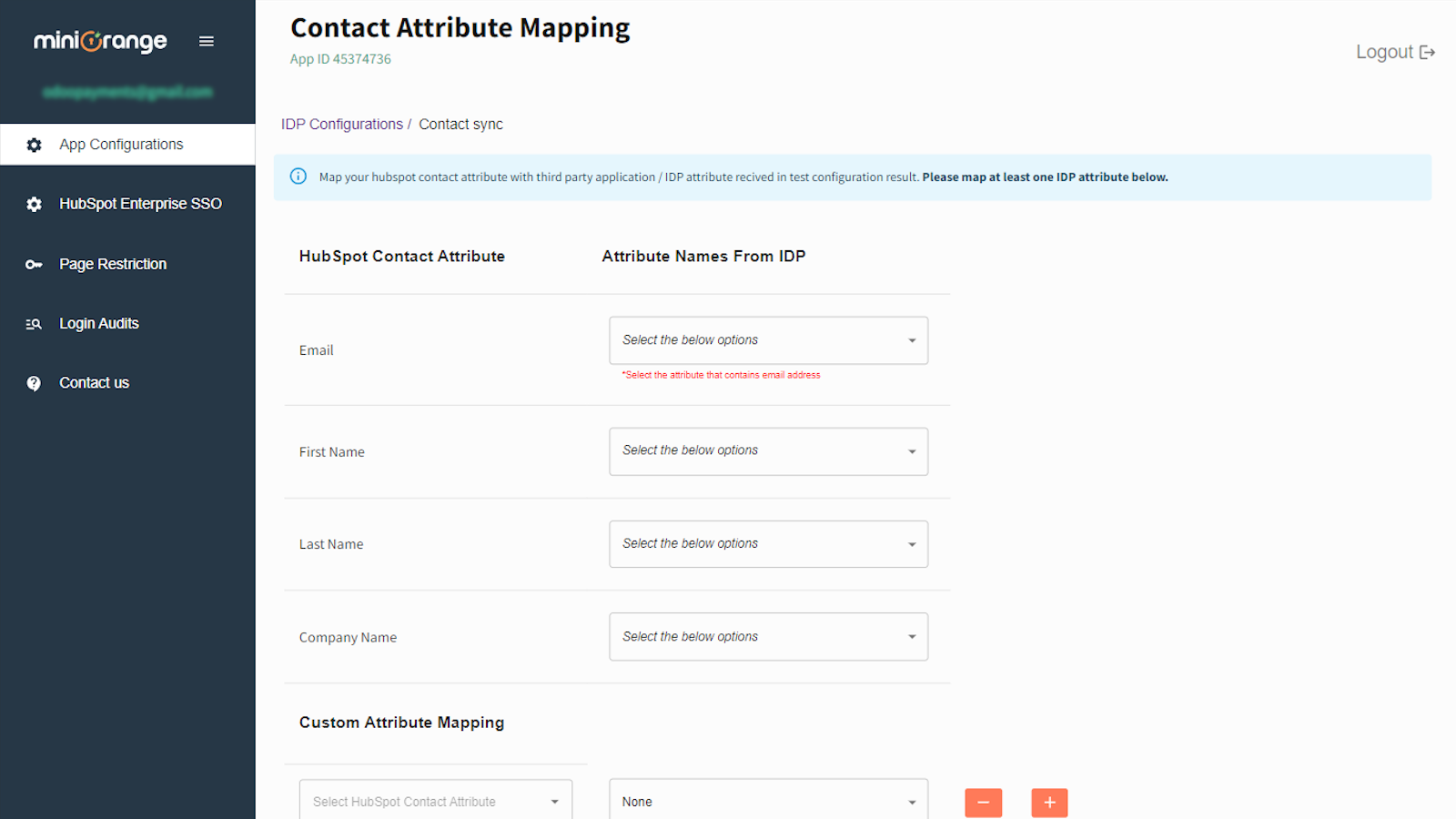
Sync Contacts to your HubSpot CRM on SSO | Capture Leads
Sync the authenticated users on SSO as contacts to your HubSpot CRM portal so you can have potential leads and the contacts have up-to-date information. For Example. Email, First Name, Last Name, Company and Custom Properties.
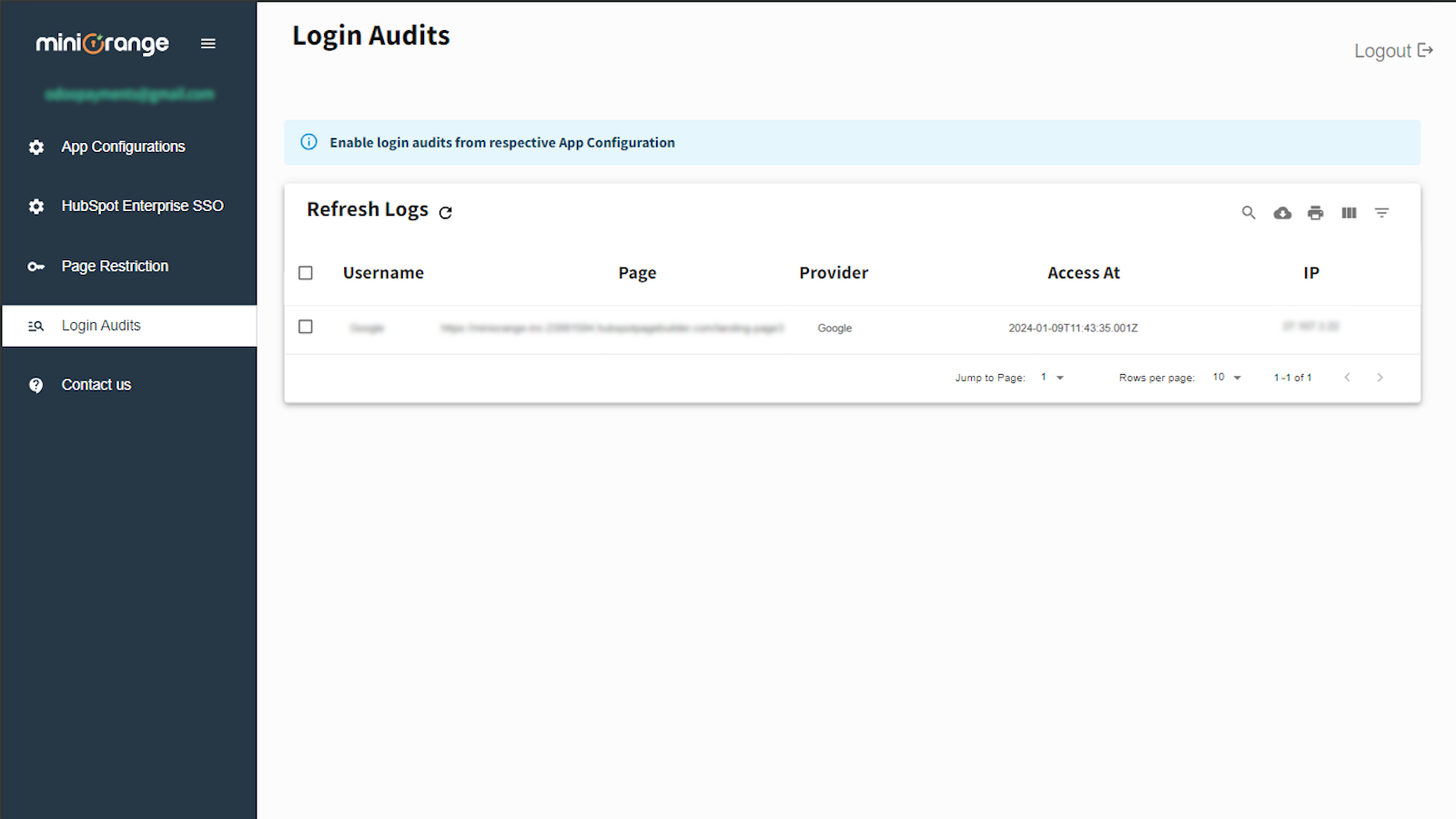
SSO Login Audit | Visitor Tracking on SSO
Audit your users to see which content they accessed at the time of SSO, this can help acquire potential leads and run a campaign for them.
App Functionality
Shared Data
Blog Post | ||
Contact List | ||
Contact Properties | ||
Contacts | ||
webpages |
Reviews
- Dec 18, 2024
I have not been able to connect it yet
I have not been able to connect SSO Mini Orange is not helpful
Khedkar, A.
- Apr 25, 2024
Easy to install
Great app to get SSO page restrictions for non enterprise portals.
SSO shielding of pages so only colleagues can access them
- Easy to set up - Works well with SSO - Clear documentation
- Interrupts with a SSO authentication animation for every new page visit. That is a big turn off for visitors.
Verstraeten, R.
Manufacturing - 1 employee
Pricing
Premium
$29
/monthGet Started with Basic SSO
Protect HubSpot content using Single Sign On called as Audience Control
Supports any 1 Identity provider application for Single Sign On
Sync contacts on SSO from Identity Provider to HubSpot
Audit Single Sign On Logs for contacts to track the visitors
Premium
$29
/monthGet Started with Basic SSO
Protect HubSpot content using Single Sign On called as Audience Control
Supports any 1 Identity provider application for Single Sign On
Sync contacts on SSO from Identity Provider to HubSpot
Audit Single Sign On Logs for contacts to track the visitors
* The pricing here is for display purposes only. All prices do not include taxes, incentives, discounts, or other pricing variables. You should contact the partner for the most up to date and correct pricing information. HubSpot does not take any responsibility for this pricing information, which is provided by our partners. Pricing last updated: 08/09/2025
More info
Built by - miniOrange
Installs - 100+ installs
Categories Languages this app is available in English
Most popular


