
Requirements
HubSpot Plan HubSpot Account permissions No permissions required Access Type Shared Notion Subscription - Review the Notion pricing page plan
Overview
1/2
Sync data between Notion and HubSpot without manual data entry or messy, time-consuming imports.
Here’s what you get with Data Sync by HubSpot:
Two-way sync: Data is shared between Notion and HubSpot in real time
Historical syncing: Your existing data will sync right away, and updates will sync as they happen
Features
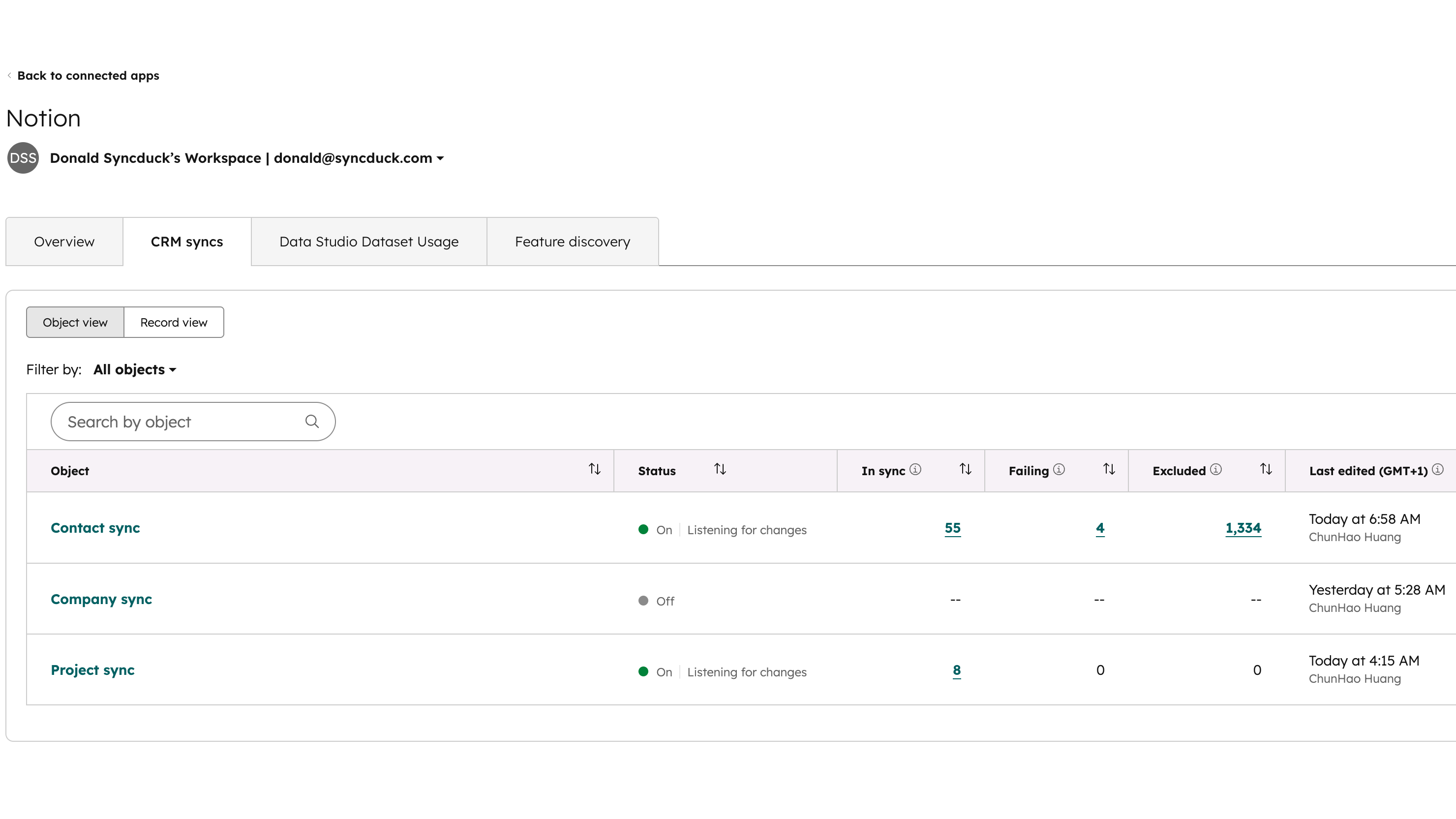
Sync Notion and HubSpot data
Make manual data entry a thing of the past by syncing data (see below) between HubSpot and Notion. When records are created or updated in either app, that information will be automatically shared with the other one.
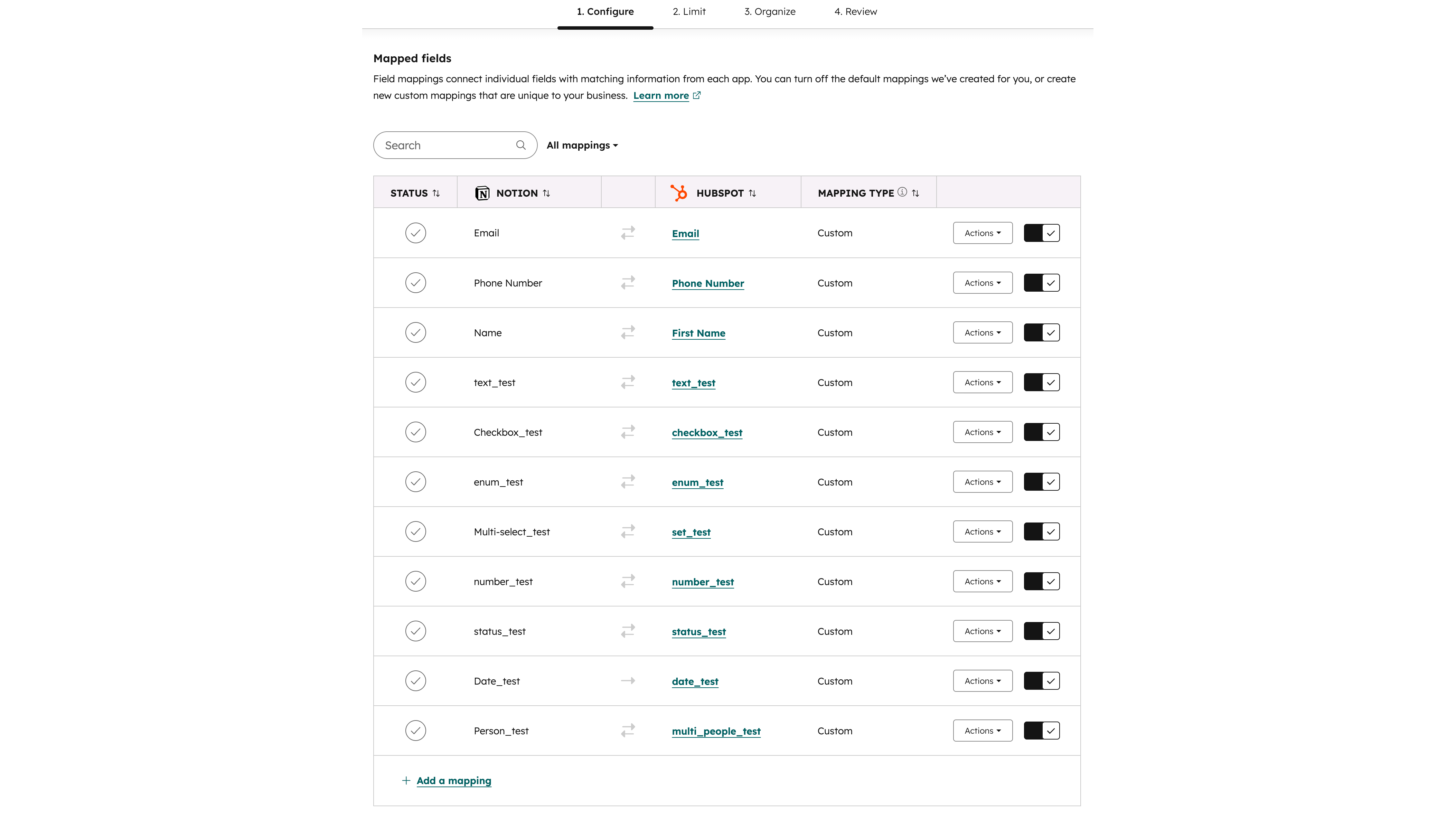
Custom field mappings
Field mappings connect matching information in each app - HubSpot's custom field mappings are available with Data Hub Starter or above. Activating a sync with Notion requires Data Hub Starter!
App Functionality
Shared Data
This app requires a paid subscription to Data Hub Starter. It is not possible to change field mappings without this subscription.
Data source | ||
Records in a workspace |
Reviews
- Apr 30, 2026
Dysfunctional
Setting it up isn't easy. HubSpot doesn't embrace Notion's functionality and vice versa. From what I understand, it's just a synch for plain text.
Manceau, N.
- Apr 8, 2026
Incredibly simple and absolutely amazing experience
AMAZING
So simple
Coleman, K.
Pricing
Review the Notion pricing page
$0
Review the Notion pricing page
$0
* The pricing here is for display purposes only. All prices do not include taxes, incentives, discounts, or other pricing variables. You should contact the partner for the most up to date and correct pricing information. HubSpot does not take any responsibility for this pricing information, which is provided by our partners. Pricing last updated: 02/17/2026
Getting attention today

WhatsApp Integration
Connect Personal WhatsApp or WhatsApp Business to HubSpot - No API needed. Sync chats, automate follow-ups and deploy WhatsApp AI Agents that work 24/7.

Zoom
Use Zoom with HubSpot meetings, workflows, contact records and more.
