

Outcraft AI
Built by - Outcraft AI
Installs - 10+ installs
Requirements
HubSpot Plan HubSpot Account permissions - View the required account permissions
Access Type Shared Outcraft AI Subscription - Free plan
Overview
1/4 - Outcraft AI HubSpot app onboarding
Outcraft AI helps HubSpot teams launch AI-powered outreach from HubSpot contacts without adding more manual work.
After connecting Outcraft AI to HubSpot, teams can create campaigns using phone calls, SMS, and email. Campaigns can be launched for specific contacts by setting the Outcraft campaign ID on a HubSpot contact property, either manually or through HubSpot Workflows.
Once a contact is enrolled, Outcraft AI automatically contacts the lead, follows up, qualifies interest, answers common questions, and helps move the conversation toward a meeting or next step.
When an AI agent interacts with a lead, the interaction is logged back in HubSpot on the associated contact record. This helps teams keep outreach activity visible in HubSpot while using Outcraft AI to reduce slow follow-up, missed opportunities, and manual outreach work.
Outcraft AI is useful for teams that want to respond to inbound leads faster, qualify prospects automatically, re-engage inactive contacts, book more meetings, and keep call, SMS, and email activity connected to HubSpot.
Features
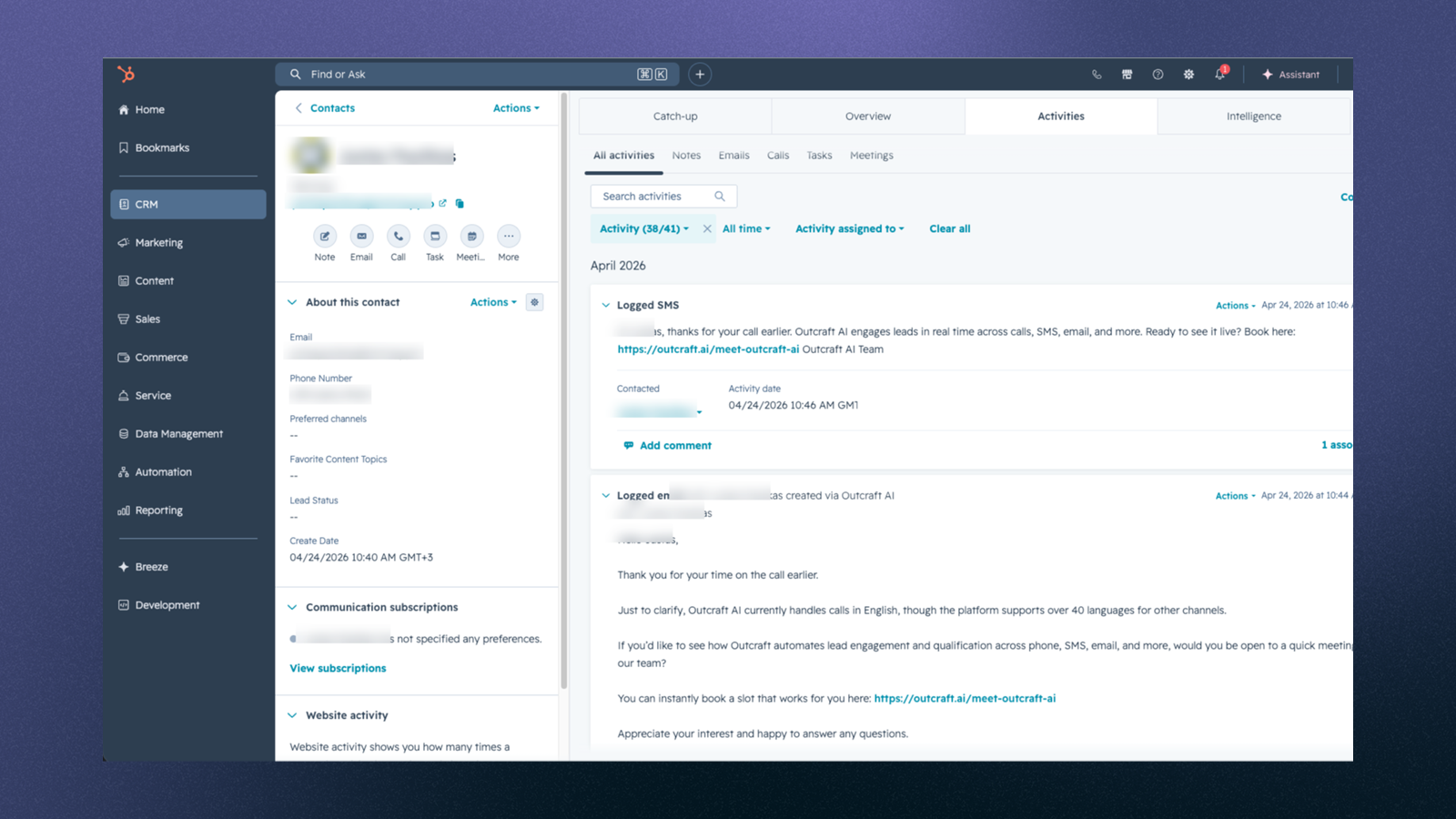
Calls, emails and SMS messages are logged on HubSpot
When our AI agent interacts with your lead via call, email, or SMS, the interaction is logged back in HubSpot.
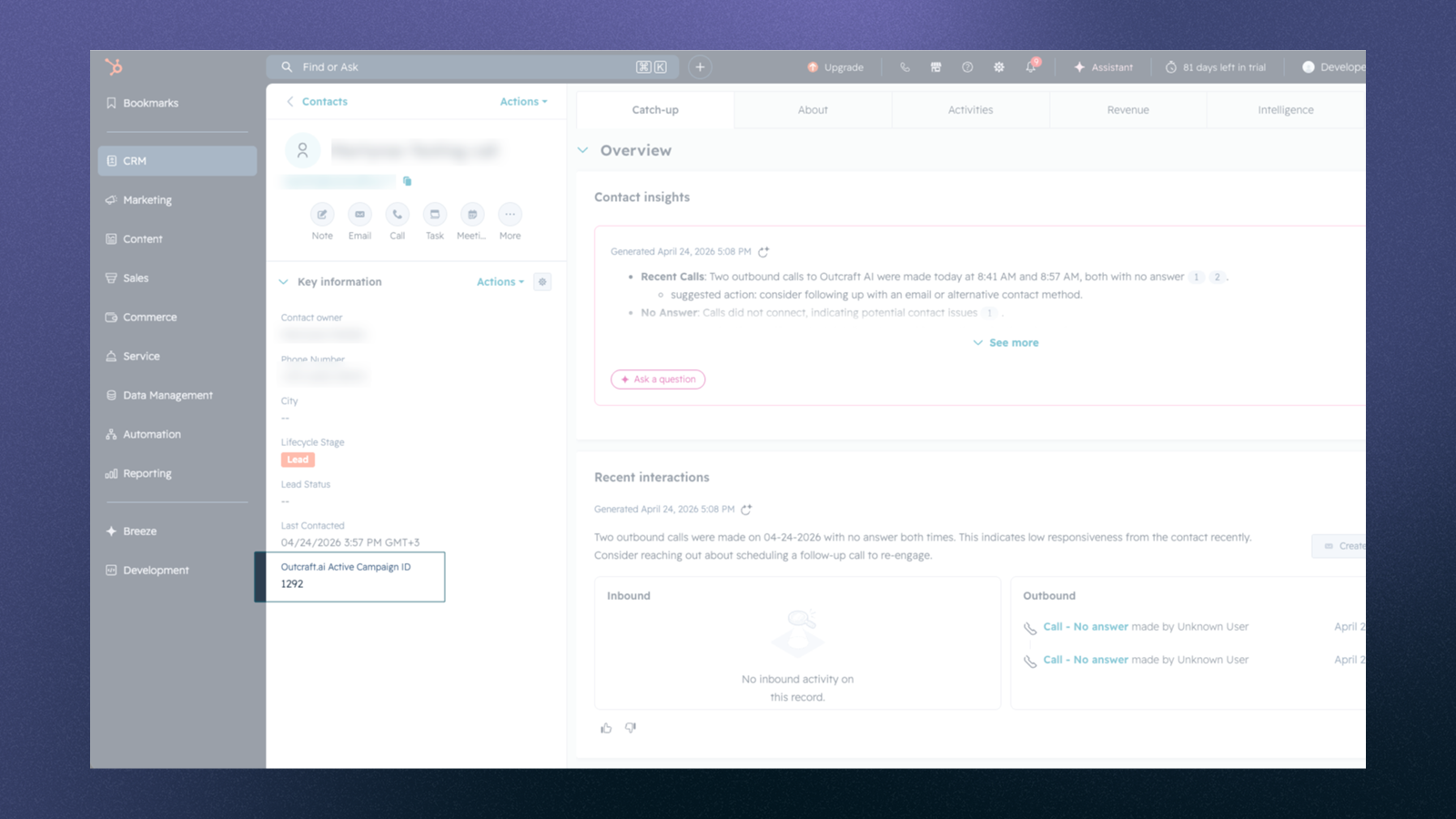
Launch Outcraft AI campaign directly from HubSpot app
After you set the contact property `outcraft_active_campaign_id` to your Outcraft campaign ID, the campaign launches automatically in Outcraft AI.
App Functionality
Shared Data
Contacts | ||
Contact Properties | ||
Meetings |
Outcraft AI shares data with HubSpot to launch campaigns and sync AI outreach activity.
After installation, Outcraft AI creates a contact property called `outcraft_active_campaign_id`. Users can set this property manually or through HubSpot Workflows to enroll a contact in a specific Outcraft campaign.
When this property is set, Outcraft AI may import the selected contact and use contact details such as name, email address, phone number, and campaign ID to run the configured campaign through channels such as call, email, or SMS.
When the AI agent interacts with a lead, the interaction is logged back in HubSpot on the associated contact record. Logged activity may include call, email, or SMS content, timestamps, outcomes, call duration, and recording links when available.
Reviews
Pricing
Free
$0
We let you try our services for 30 days for free
Free
$0
We let you try our services for 30 days for free
* The pricing here is for display purposes only. All prices do not include taxes, incentives, discounts, or other pricing variables. You should contact the partner for the most up to date and correct pricing information. HubSpot does not take any responsibility for this pricing information, which is provided by our partners. Pricing last updated: 05/12/2026
More info
Built by - Outcraft AI
Installs - 10+ installs
Categories Languages this app is available in English - United States
Getting attention today

Microsoft Teams
Use Microsoft Teams and HubSpot for meetings, conversations, and more!

Slack
Manage CRM records, get AI-powered assistance from Breeze, send real-time notifications, and collaborate with your team — without leaving Slack.
