

Comevaa Campaign
Built by - Comevaa
Installs - <10 installs
Requirements
HubSpot Plan HubSpot Account permissions - View the required account permissions
Access Type Shared Comevaa Campaign Subscription - Included with Comevaa plan
Overview
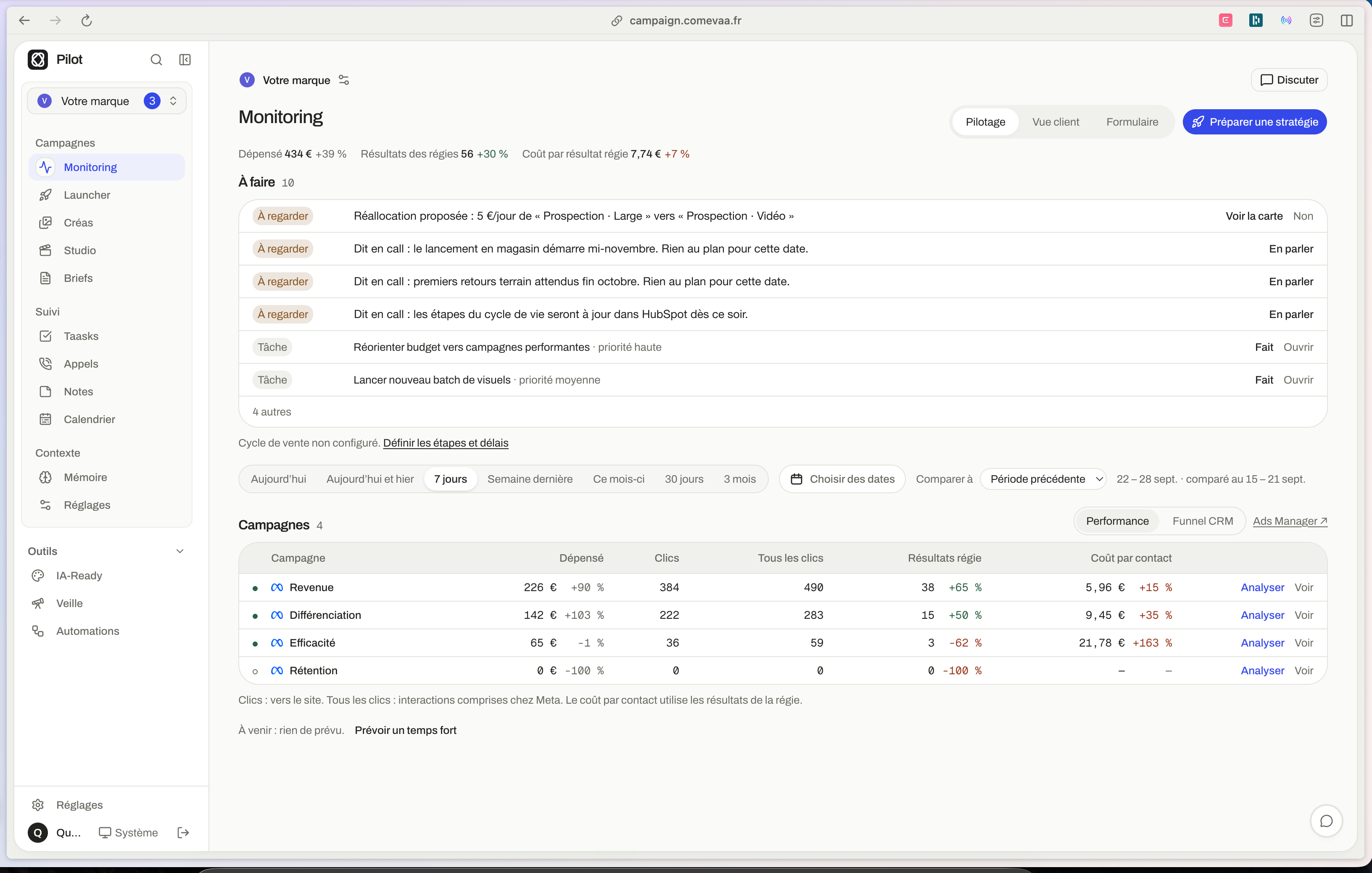
1/2 - Monitoring
Most advertising accounts track clicks and form submissions, not revenue. Pilot by Comevaa connects the Meta, Google Ads, and LinkedIn campaigns that Comevaa manages for you to the contacts and deals in your HubSpot. You’ll finally see what each campaign and ad is actually delivering: qualified leads, appointments, and closed sales—not just leads. Your budget goes toward ads that drive sales, rather than those that only generate low-value form submissions.
Pilot also eliminates the need for manual data exports between your forms and your CRM. With your permission, every lead received through a Comevaa form creates or updates the contact in HubSpot, including their responses, the campaign, and the ad it came from. Your sales team immediately receives complete contact records, and the origin of each deal is tracked automatically.
Features
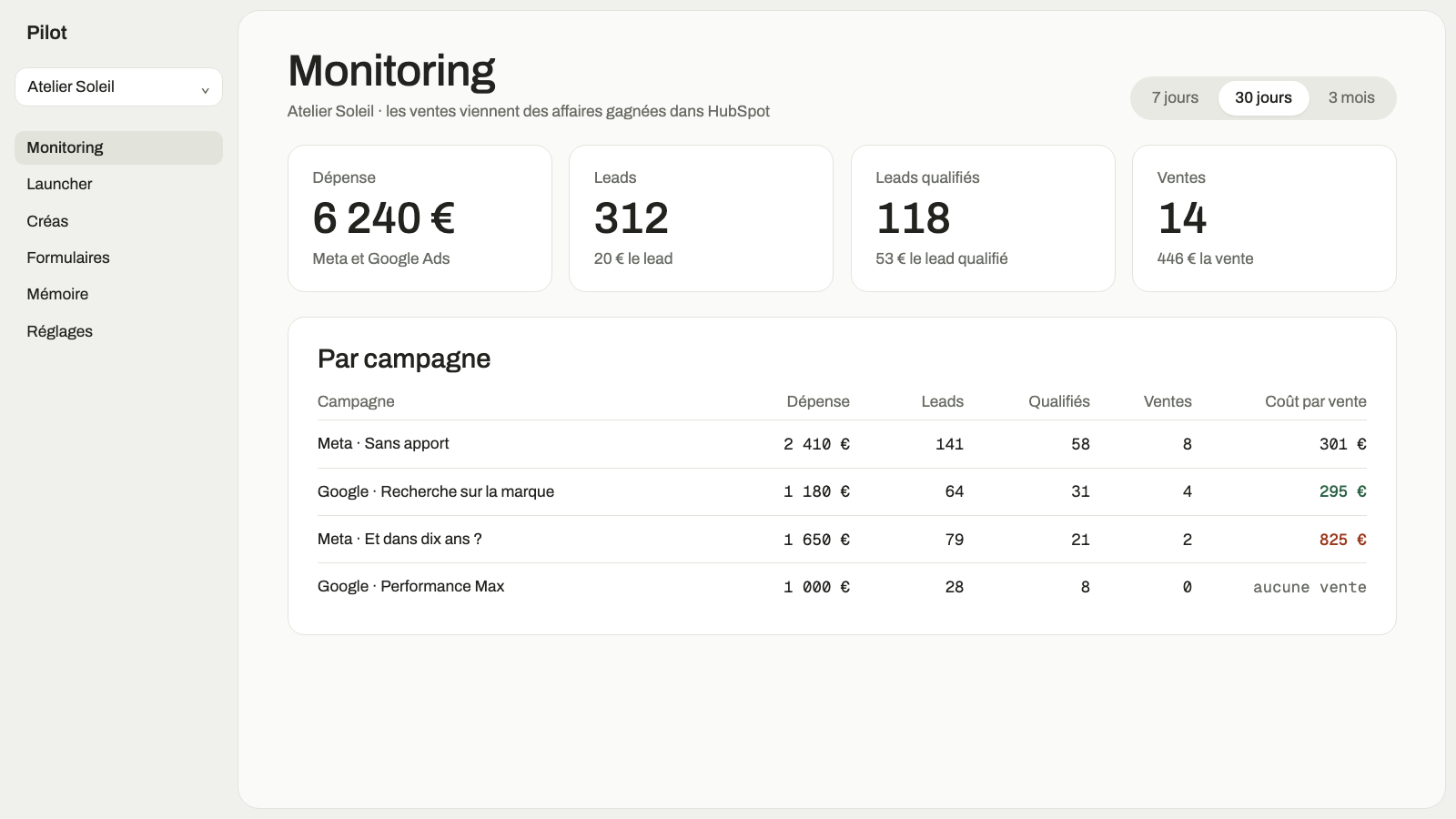
Cost per sale, by campaign
Pilot links each HubSpot contact and deal to the campaign and ad that brought them in, then displays the cost per qualified lead, per appointment, and per sale for each campaign.
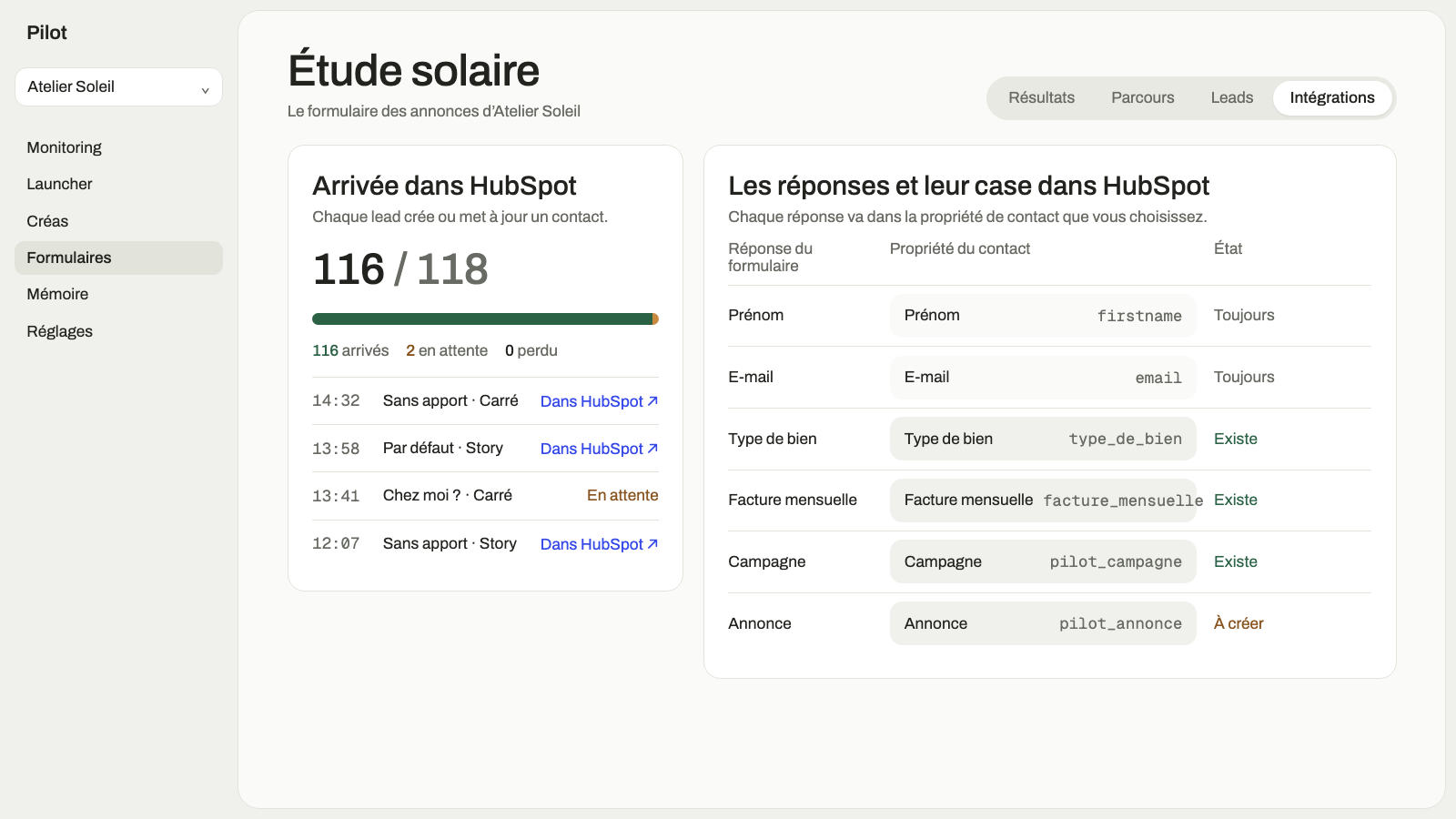
Forms That Create Your HubSpot Contacts
Leads from Comevaa forms immediately create or update the contact in HubSpot, with their responses populated in the properties you choose, along with the campaign and ad they came from.
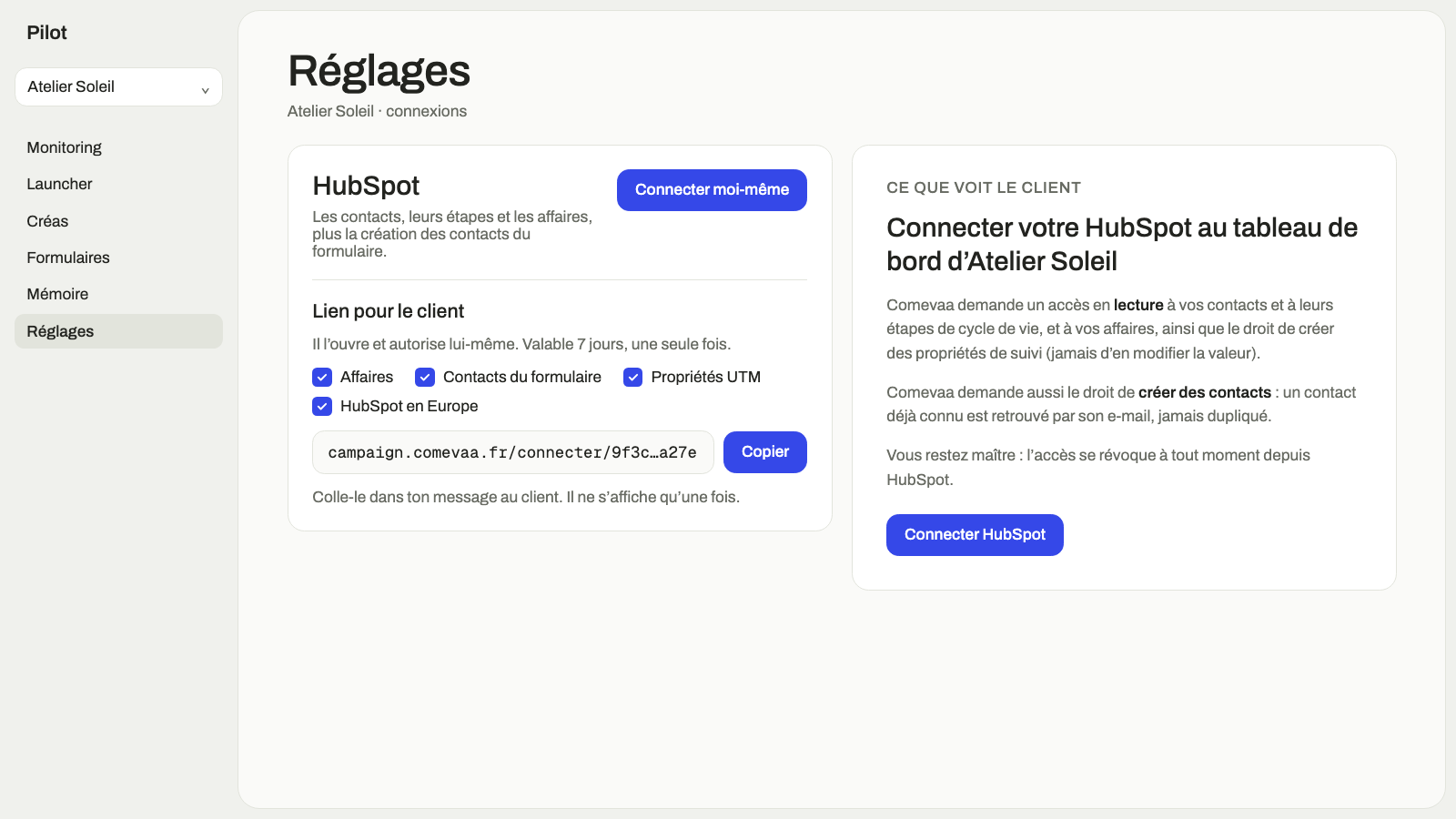
Rights You Retain
You connect HubSpot yourself via a secure link and choose the permissions. Read-only access is sufficient to track results; creating contacts is optional and can be disabled in HubSpot at any time.
App Functionality
Shared Data
Leads | ||
Résultats des campagnes | ||
Origine des leads |
Reviews
Pricing
Included with Comevaa
For companies whose paid advertising campaigns are managed by Comevaa
Read-only by default
The lead source is recorded for each contact
Contacts created in HubSpot from Comevaa forms
Cost per qualified lead and per sale for each campaign
Included with Comevaa
For companies whose paid advertising campaigns are managed by Comevaa
Read-only by default
The lead source is recorded for each contact
Contacts created in HubSpot from Comevaa forms
Cost per qualified lead and per sale for each campaign
* The pricing here is for display purposes only. All prices do not include taxes, incentives, discounts, or other pricing variables. You should contact the partner for the most up to date and correct pricing information. HubSpot does not take any responsibility for this pricing information, which is provided by our partners. Pricing last updated: 10/08/2026
More info
Built by - Comevaa
Installs - <10 installs
Categories Languages this app is available in English ,French , andFrench - France
Most popular

Gmail
Bring HubSpot to your inbox with the HubSpot integration for Gmail.

Google Calendar
Book meetings quickly and easily with HubSpot and Google Calendar.
