

Property History Workflow Actions
Built by - Plugivo
Installs - <10 installs
Requirements
HubSpot Plan HubSpot Account permissions - View the required account permissions
Access Type Shared Property History Workflow Actions Subscription - Starter or Pro plans
Overview
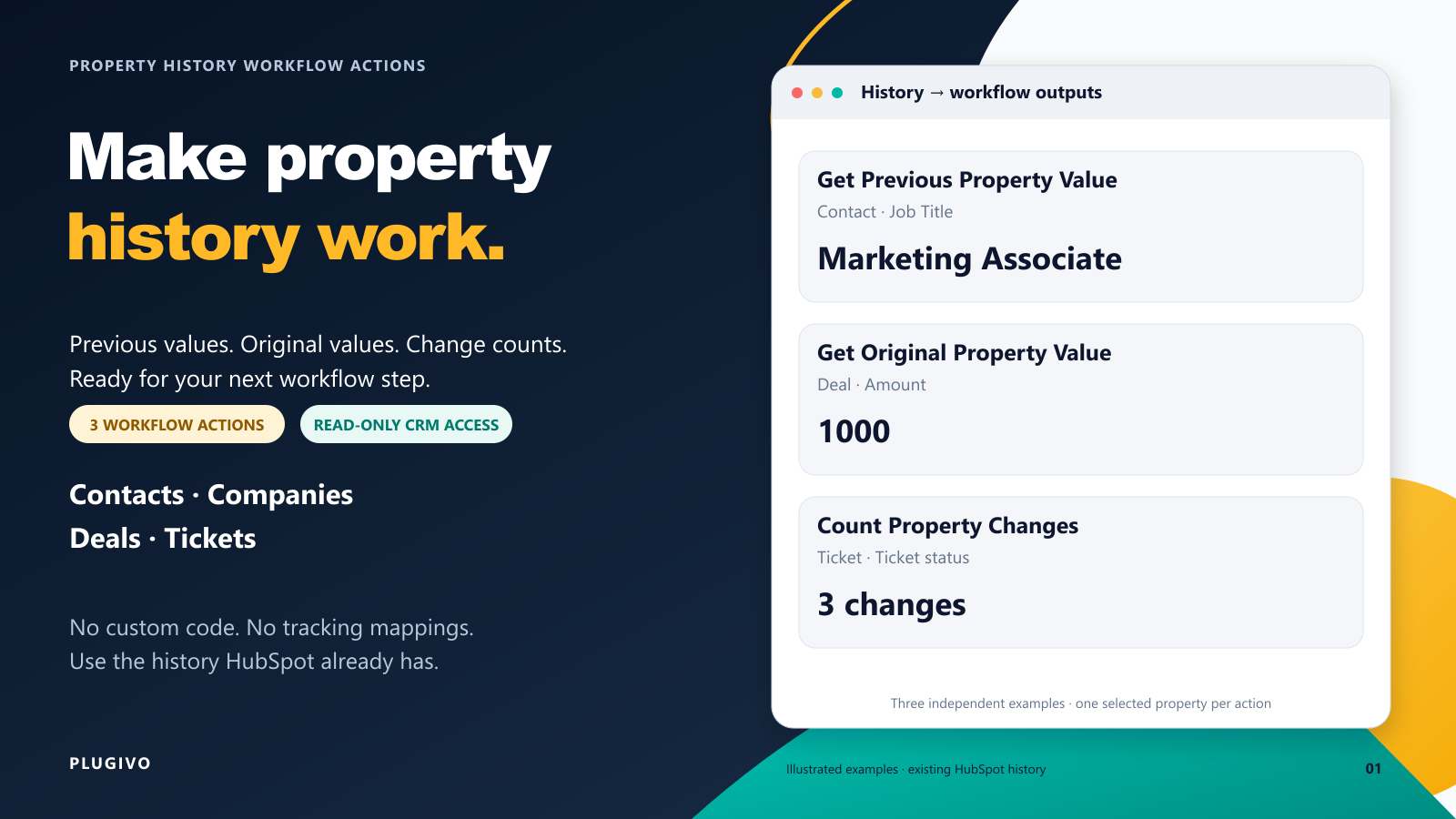
1/8 - Three workflow actions for Contact previous Job Title, original Deal Amount, and Ticket status change count.
Property History Workflow Actions brings existing HubSpot property history directly into your workflows. Choose one of three actions, select a property on the enrolled record, and use the returned historical value or change count in later workflow steps. No custom code, preconfigured tracking properties, or external automation platform is required.
Get Previous Property Value returns the value recorded immediately before the current value, along with its timestamp. Use it to retrieve a previous job title, earlier deal stage, previous owner, or other historical value.
Get Original Property Value returns the oldest recorded value currently available in HubSpot property history, giving your workflow a historical baseline such as an earlier deal amount.
Count Property Changes returns how many times a property changed across the available history, making it useful for identifying repeated deal-stage, ticket-status, owner, or other property changes.
Use these outputs in native HubSpot workflow steps such as branches, Edit record, tasks, notes, and internal notifications. For example, you can retrieve a contact’s previous Job Title and then use HubSpot’s Edit record action to save it to a separate Previous Job Title property while keeping the current Job Title unchanged.
The app supports Contact, Company, Deal, and Ticket workflows. It uses read-only CRM access and does not update CRM records itself or maintain a separate external archive of property history.
For Get Original Property Value, “original” means the oldest value currently available in HubSpot’s recorded property history and may not always represent the value at the exact time the record was created. Dropdown properties and owner properties are returned using HubSpot’s API values.
Start with 100 lifetime trial executions per HubSpot account, with no time limit and no credit card required. Upgrade when you need a higher monthly execution allowance and monitor your usage from the app settings inside HubSpot.
Leads, Custom Objects, and other CRM objects are not currently supported. If you need support for an additional HubSpot object, contact us at support@plugivo.com — we can evaluate adding it for your use case..
Features
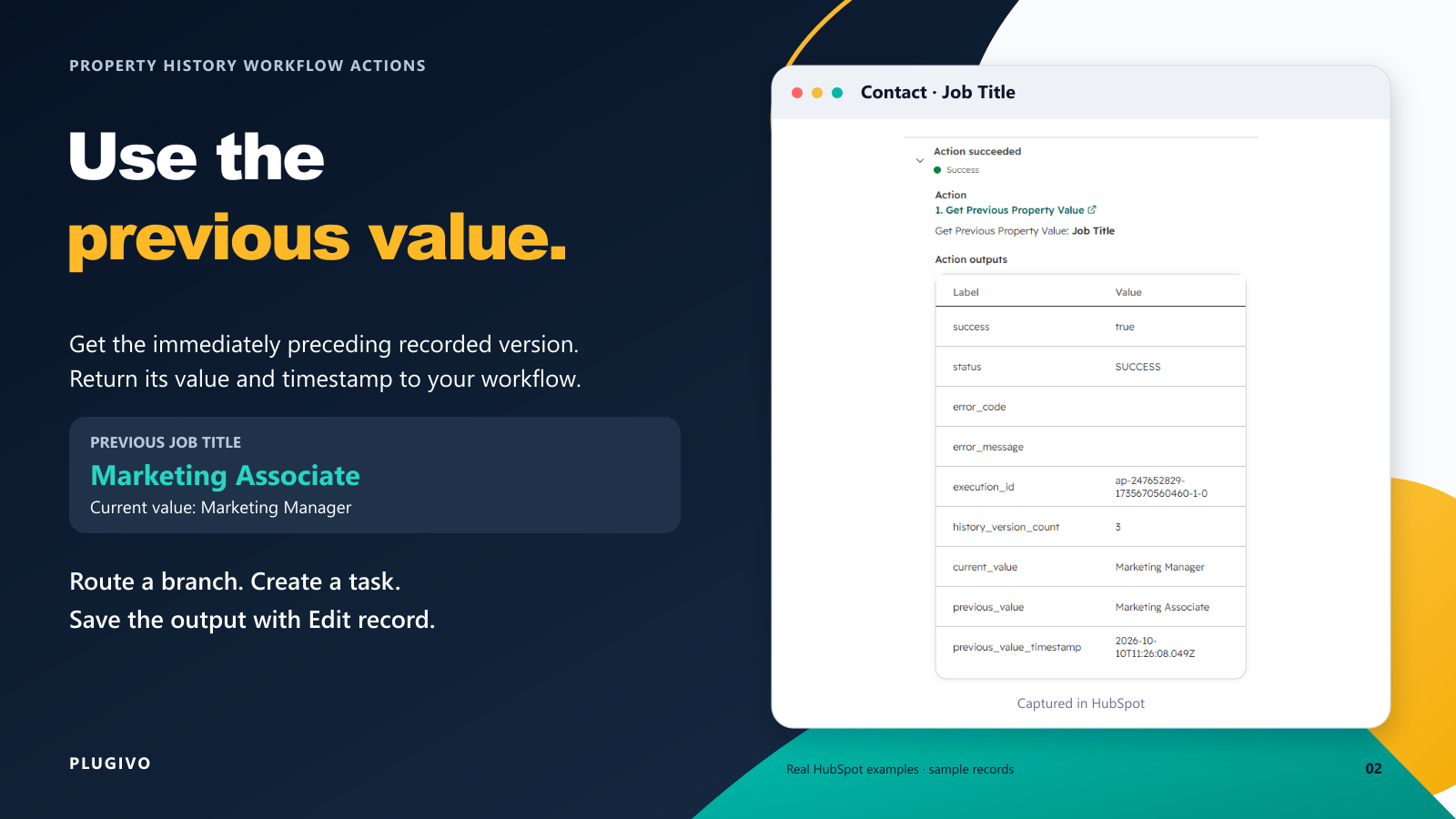
Get Previous Property Value
Read the immediately preceding recorded value of a selected property on the enrolled record. Return the current value, previous value, and previous version timestamp for later workflow steps. Useful for previous job titles, earlier deal stages, previous owners, and similar historical context.
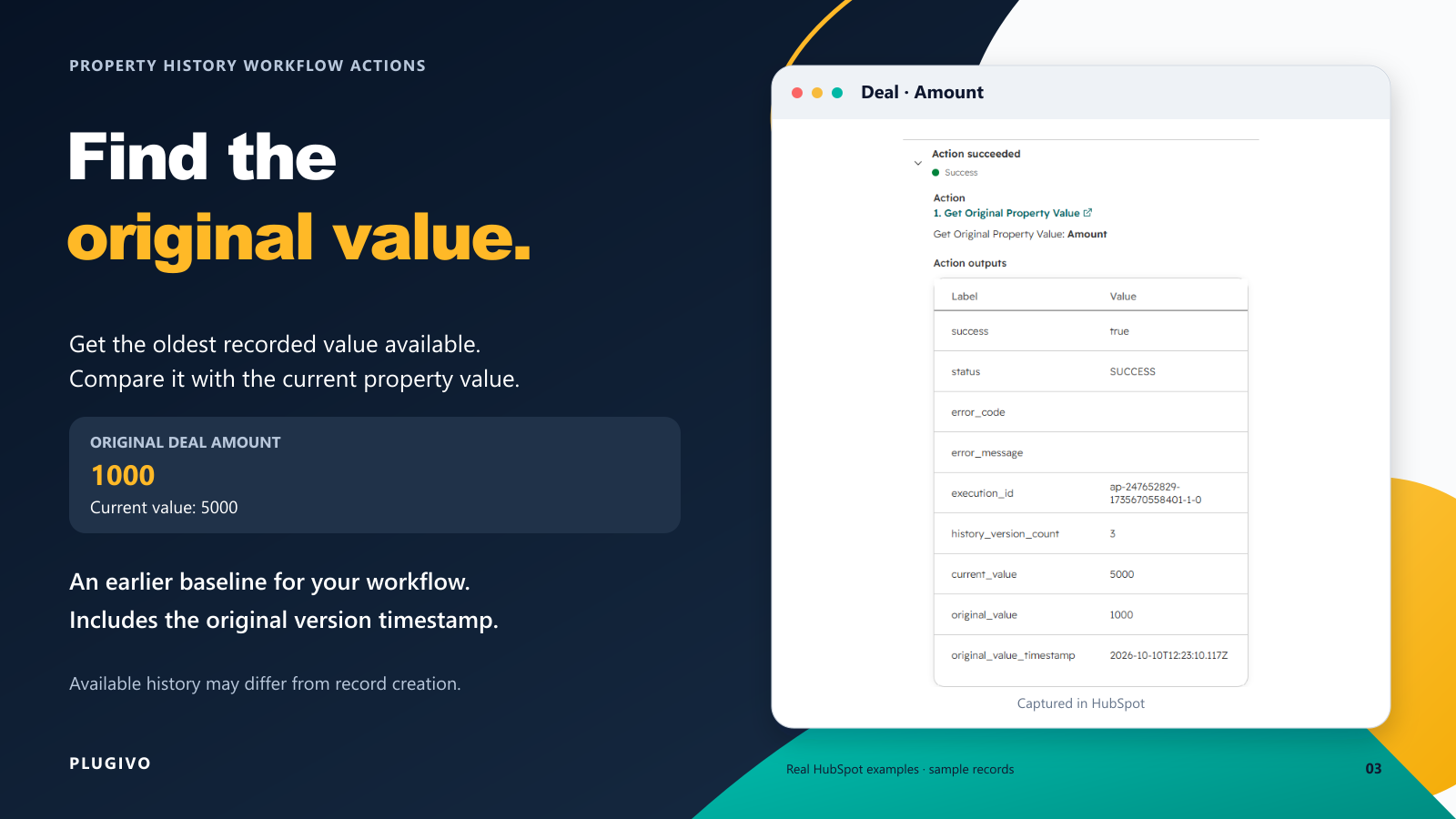
Get Original Property Value
Return the oldest recorded value available in HubSpot property history, together with its timestamp and the current value. Useful for original deal amounts or other historical baseline values.
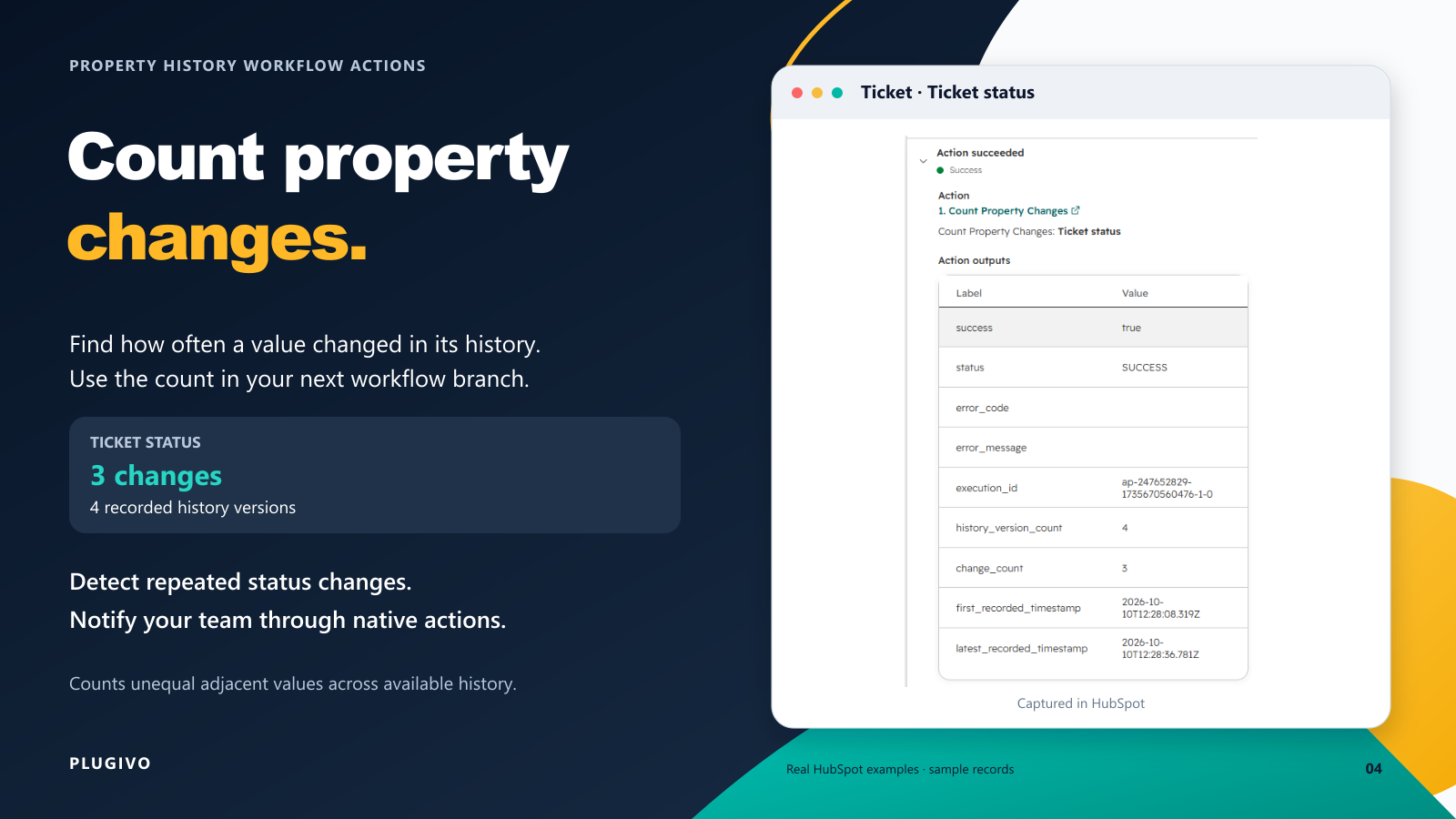
Count Property Changes
Count changes between adjacent recorded values across the available property history. Return the change count, history version count, and first/latest timestamps.
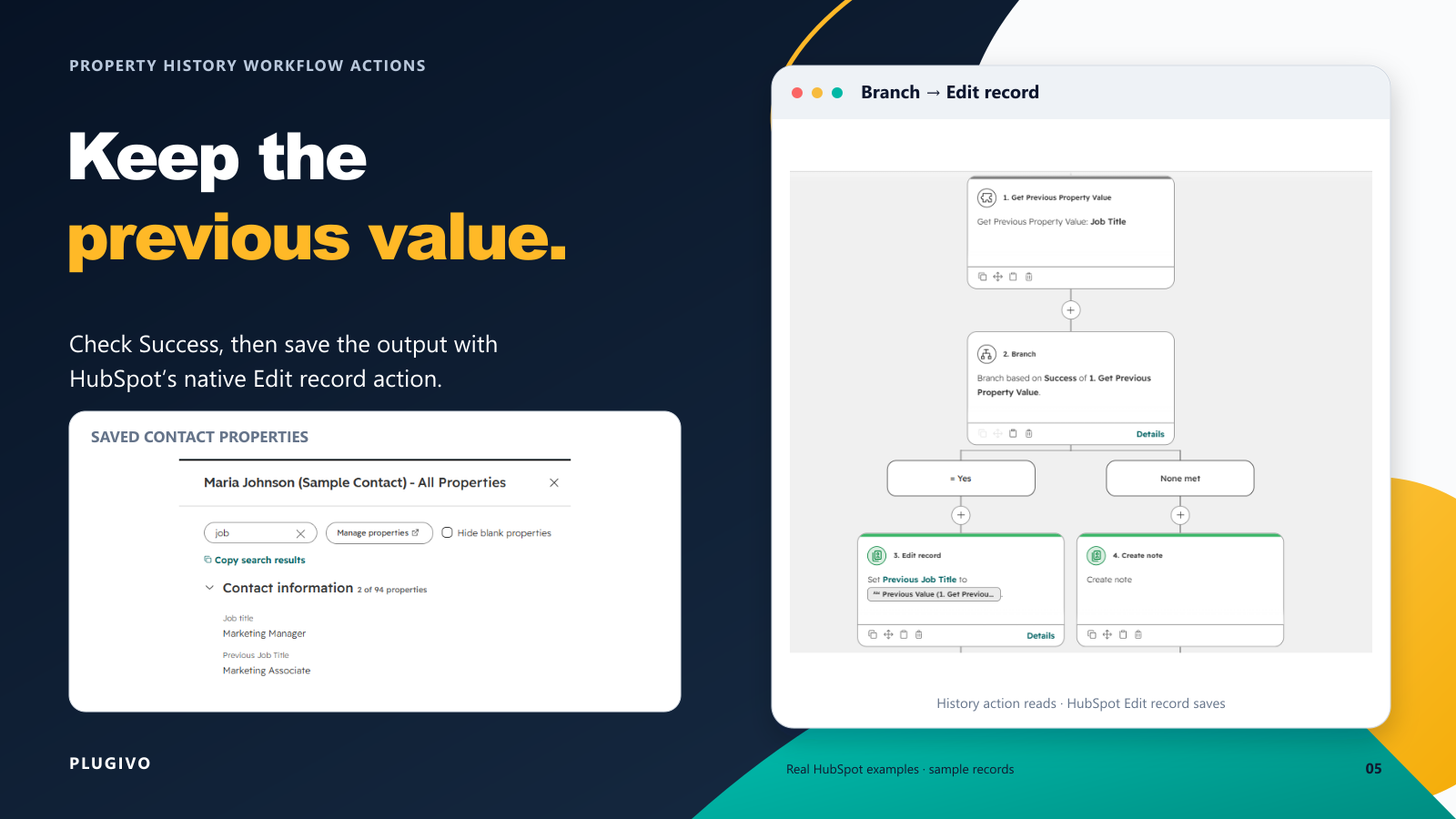
Save History Outputs with Edit Record
Use HubSpot's native Edit record action after Plugivo to save a previous or original value into another CRM property. Plugivo only reads history; HubSpot performs the write.
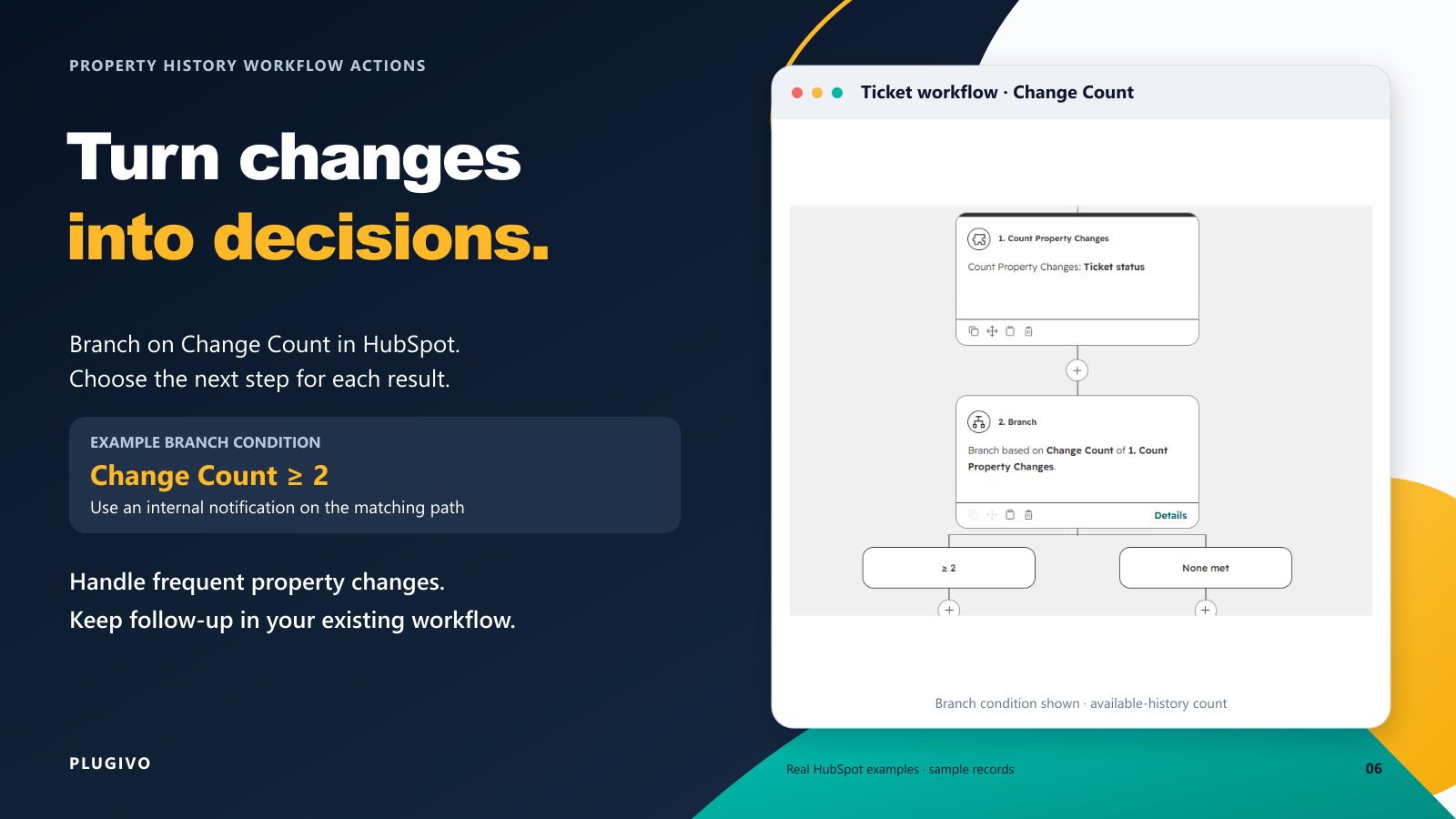
Branch on Property Change Count
Use the Change Count output in a HubSpot workflow branch. For example, trigger a notification when Ticket Status or Deal Stage has changed multiple times.
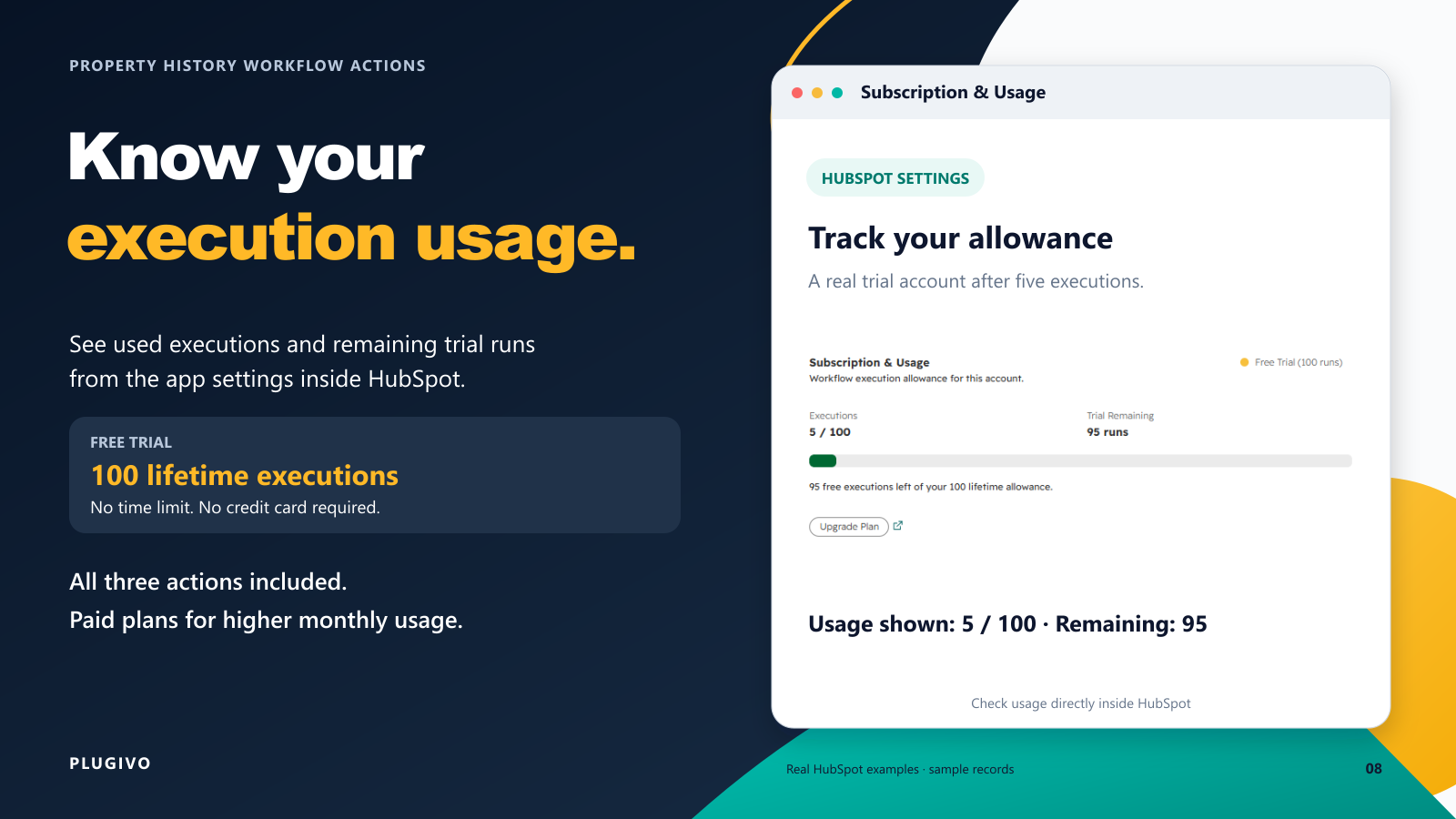
Monitor Your Execution Allowance
View the HubSpot connection, execution usage, remaining trial allowance, support links, and upgrade options from the app settings.
App Functionality
Contact Property History | ||
Company Property History | ||
Deal Property History | ||
Ticket Property History |
Plugivo accesses the enrolled CRM record only when a Property History Workflow Action is executed. The app reads the selected property's current value and the historical values and timestamps that HubSpot makes available for that property. Property definitions are also read so the selected property can be identified and processed correctly.
The historical CRM values are used only to calculate and return the requested workflow result, such as the previous value, oldest available value, or number of changes. The result is returned to HubSpot as workflow outputs.
Plugivo does not create or update CRM records, does not continuously synchronize property history, and does not maintain an external archive of historical CRM values. Operational information such as installation details, subscription status, usage counts, action name, property name, object type, enrolled record ID, and execution/error metadata may be retained for app operation, billing, troubleshooting, and support. Pasted markdown
Reviews
Pricing
Starter
$7.50
/monthProperty history for everyday workflow automation.
Standard support
No automatic overage charges
Execution usage tracking
Contacts, Companies, Deals & Tickets
All 3 property history actions
3,000 workflow executions/month
Starter
$7.50
/monthProperty history for everyday workflow automation.
Standard support
No automatic overage charges
Execution usage tracking
Contacts, Companies, Deals & Tickets
All 3 property history actions
3,000 workflow executions/month
* The pricing here is for display purposes only. All prices do not include taxes, incentives, discounts, or other pricing variables. You should contact the partner for the most up to date and correct pricing information. HubSpot does not take any responsibility for this pricing information, which is provided by our partners. Pricing last updated: 10/20/2026
Getting attention today

Slack
Manage CRM records, get AI-powered assistance from Breeze, send real-time notifications, and collaborate with your team — without leaving Slack.

Zoom
Use Zoom with HubSpot meetings, workflows, contact records and more.
