

Requirements
HubSpot Plan HubSpot Account permissions - View the required account permissions
Access Type Shared Relay.app Subscription - Free, Professional, Team, or Enterprise plans
Overview
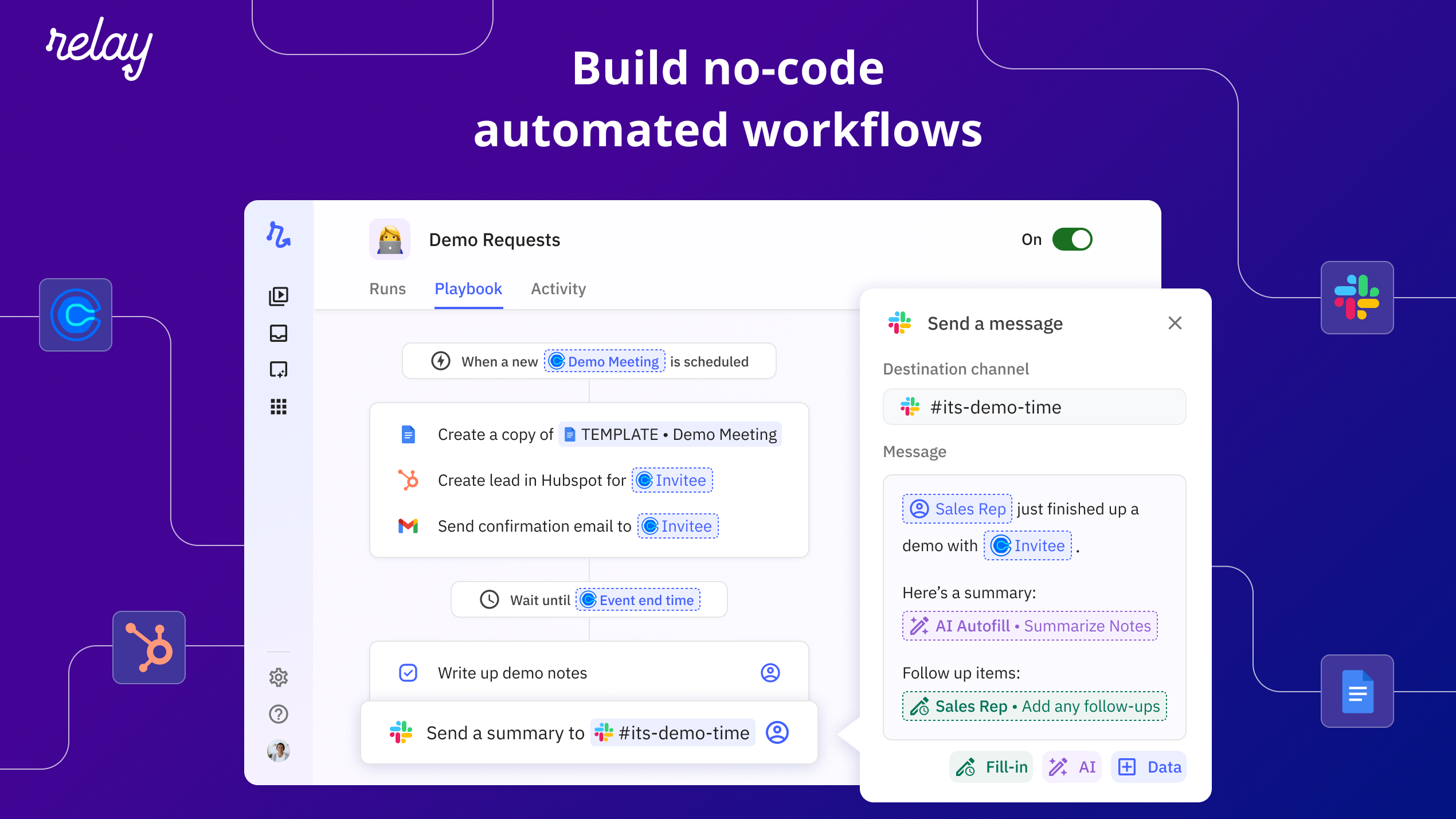
1/7 - Build no-code automated workflows
Workflow automation that goes beyond triggers and actions. If you have many apps and teammates, Relay will automate more of your work than any other tool by combining AI assistance, human-in-the-loop collaboration, and a multiplayer experience.
Relay is different from other automation tools:
One-click AI assistance anywhere — Leverage the power AI with any of your automations. Use AI to suggest content in a templated message, extract a piece of information from an incoming email, summarize user feedback, or classify a customer support ticket to automate the next steps. And the best thing is there’s no need to write your own prompts or bring your own ChatGPT account, it’s all built-in.
Human-in-the-Loop — Even though you’d want your workflows to be fully automated most of the time, sometimes you need a human in the loop. For example to give a quick go ahead after double checking an automation before it runs (e.g. a contract submission), or to make some final tweaks (e.g. a personalizing templated email message before it goes out to a new customer).
Multiplayer from the ground up — A playbook in Relay is like a Google Doc: build them alone or together. The unique concept of Roles lets you create workflows where multiple people in a team have a responsibility (e.g. for customer communications)
Creating automated playbooks in Relay.app is so easy, anyone can do it!
Create a free account at relay.app/signup to get started.
Features
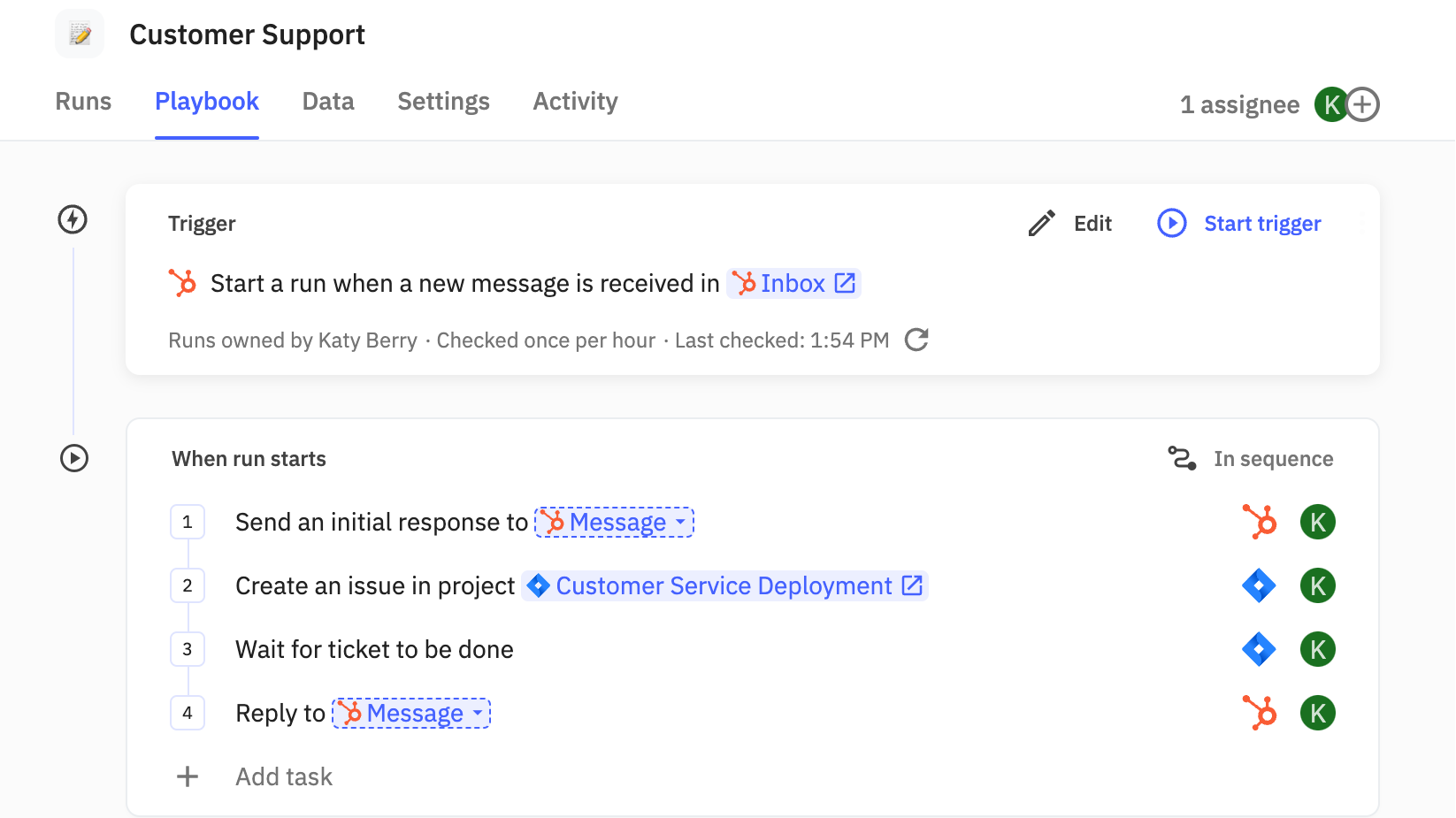
Send timely response to your customers
If you receive a message in your HubSpot Inbox, you can automatically send a response and track the issue (e.g. using Jira, Linear, Zendesk, etc). Once the ticket is addressed, you can close the loop by replying with an update.
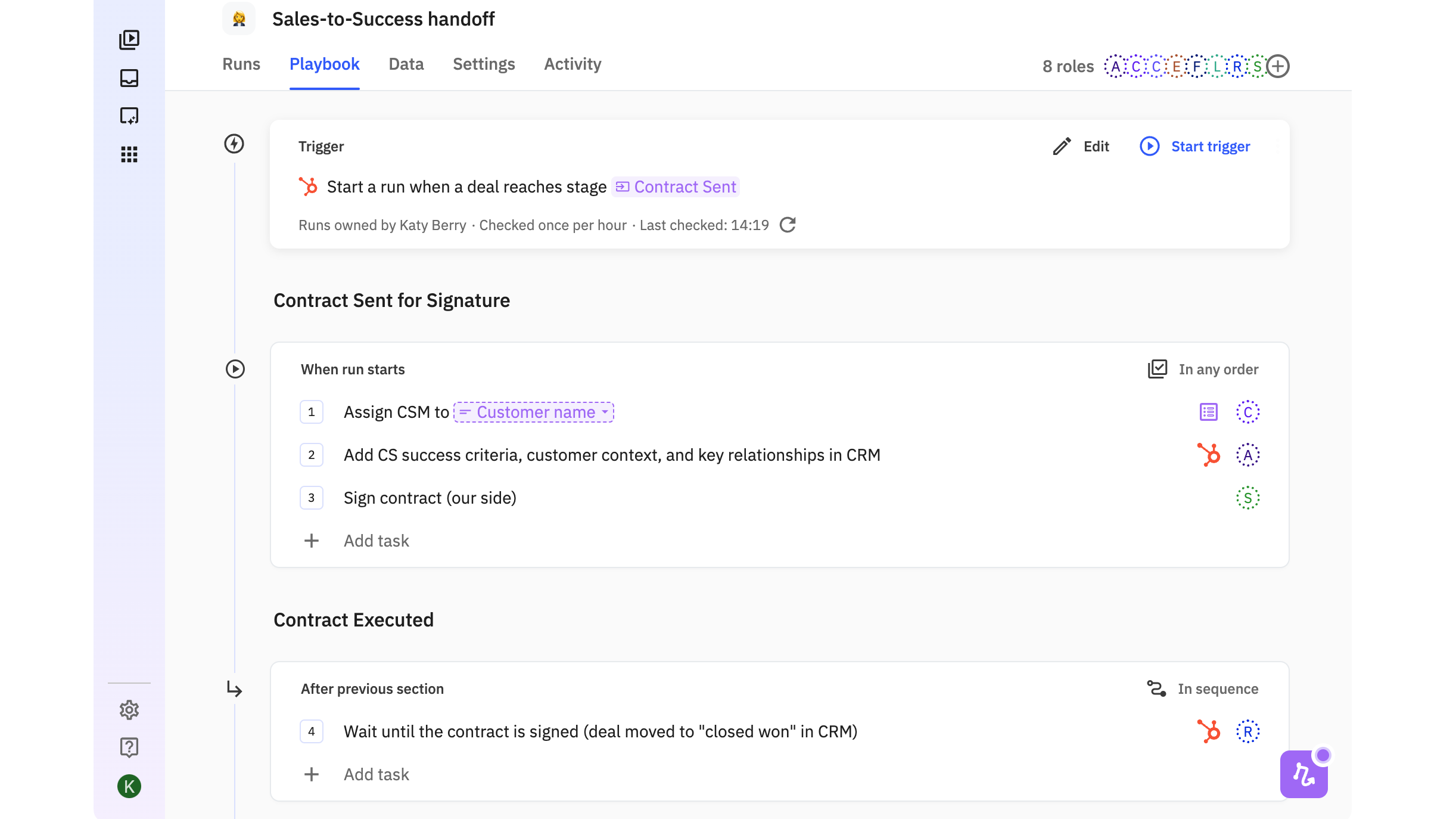
Keep HubSpot updated during Customer Onboarding
When a HubSpot Deal reaches a certain stage, you can automatically update the relevant information in HubSpot (Company, Contact, Deal information).
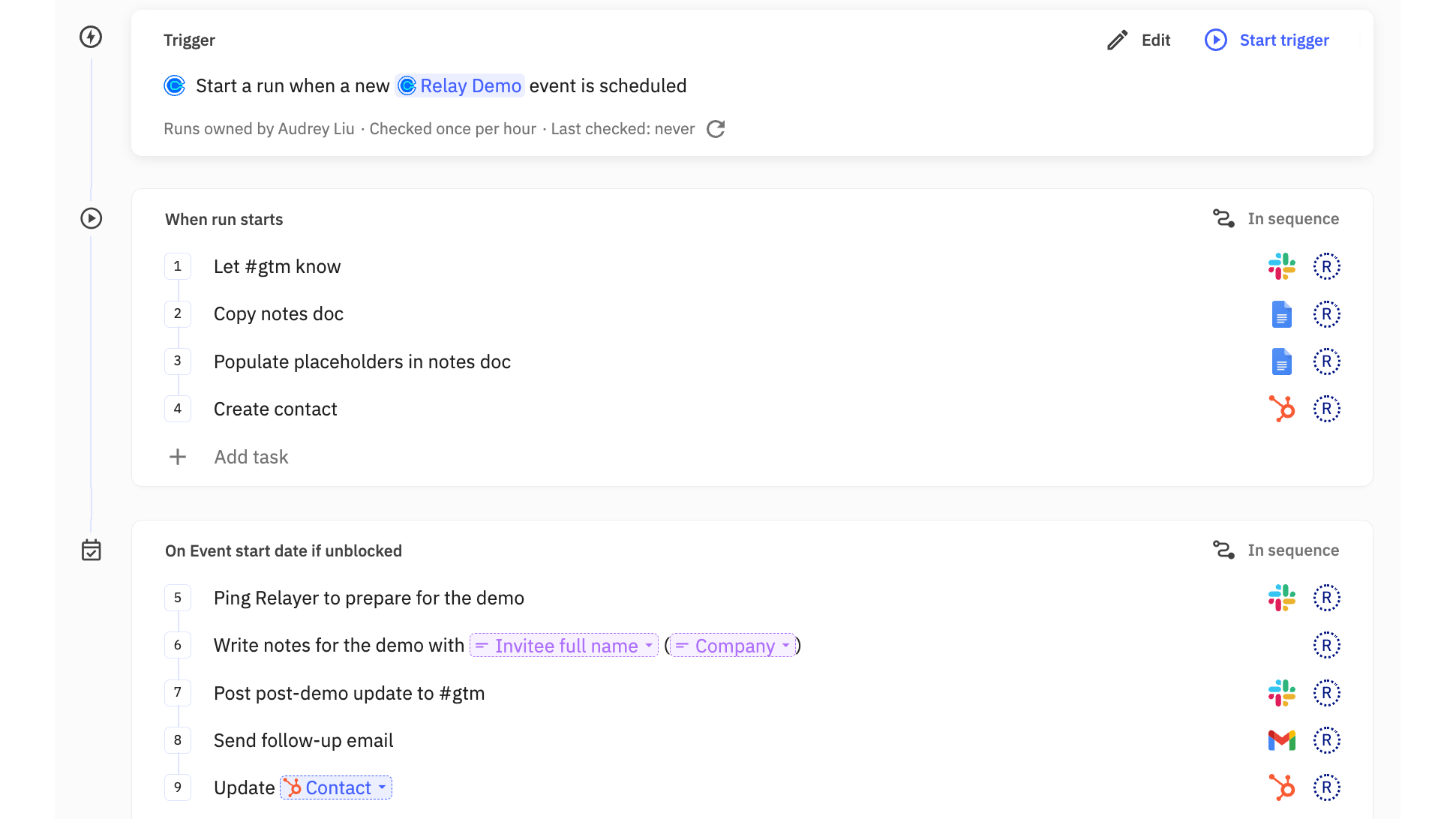
Update contacts in HubSpot for specific events
Need a way to automatically create a new contact in HubSpot when a new demo is requested on your website? Use Relay to automatically create the HubSpot contact, a new Google Doc for the demo meeting, keep your team informed on Slack, then update the HubSpot contact after the demo meeting.
App Functionality
Shared Data
(varies by connected app) | ||
(varies by connected app) | ||
(varies by connected app) | ||
(varies by connected app) | ||
(varies by connected app) | ||
(varies by connected app) | ||
(varies by connected app) | ||
(varies by connected app) | ||
(varies by connected app) | ||
(varies by connected app) | ||
(varies by connected app) | ||
(varies by connected app) | ||
(varies by connected app) |
Reviews
4.8
5
4.8
5
- May 13, 2026
Rittmeyer, F.
- Apr 9, 2026
Noll, B.
Pricing
Free
$0
Free for everyone
1 user
500 free AI credits per month
200 steps per month
Multi-step workflows
All features
Free
$0
Free for everyone
1 user
500 free AI credits per month
200 steps per month
Multi-step workflows
All features
* The pricing here is for display purposes only. All prices do not include taxes, incentives, discounts, or other pricing variables. You should contact the partner for the most up to date and correct pricing information. HubSpot does not take any responsibility for this pricing information, which is provided by our partners. Pricing last updated: 08/08/2025
More info
Built by - Relay.app Inc.
Installs - 1K installs
Categories Languages this app is available in English
New arrivals

Finale Composer
AI-generated web content, built for HubSpot.

Synder
Sync HubSpot invoices to QuickBooks, NetSuite, or Xero — with accrual + revenue recognition
