
Sigsync Email Signatures for Office 365
Built by - Shifttocloud Inc.
Installs - <10 installs
Requirements
HubSpot Plan HubSpot Account permissions - View the required account permissions
Access Type Shared Sigsync Email Signatures for Office 365 Subscription - Sigsync plan
Overview
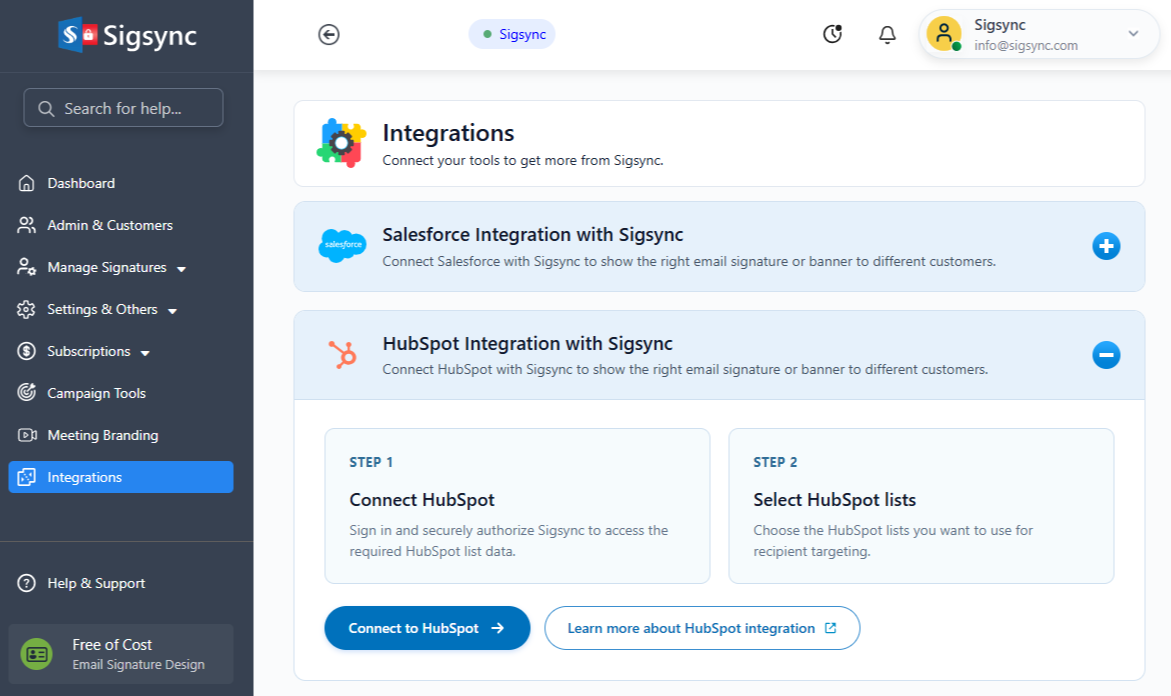
1/6 - Sigsync Integrations page showing how to connect a HubSpot account and sync HubSpot CRM Lists
Sigsync is an email signature management solution for Microsoft 365 and Exchange. With the HubSpot integration, you can automatically display the most relevant email signature or banner to each recipient based on your HubSpot data.
How it works
Connect HubSpot: Connect your HubSpot account to Sigsync.
Sync your data: Click Sync Lists to import your HubSpot contacts, companies, deals, and lists into Sigsync.
Create targeted rules: Set up rules in Sigsync using your HubSpot data to determine which email signature or banner each recipient should see.
Automate email personalization: Once configured, Sigsync automatically displays the appropriate signature and banner in every email your team sends, without requiring any additional action from your users.
With Sigsync and HubSpot working together, you can deliver more personalized and targeted email communications while keeping signature management effortless.
Features
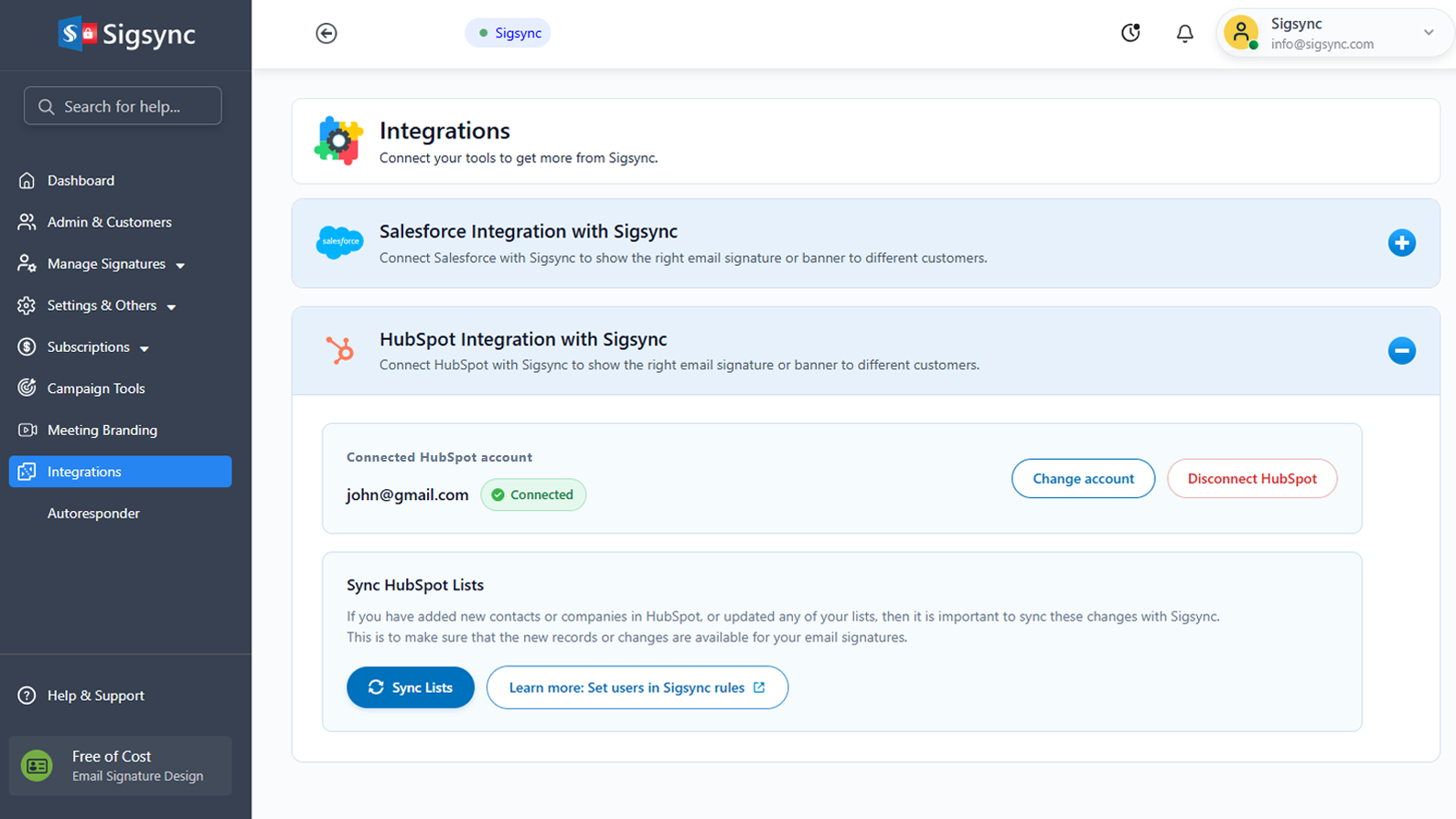
Sync HubSpot contacts, companies, deals and lists
Connect your HubSpot account to Sigsync in a few clicks and bring in your contacts, companies, deals and lists. Click Sync Lists any time to pick up new records and list changes, so your signature rules always use up-to-date HubSpot data. Sigsync only reads your data and never changes your HubSpot records.
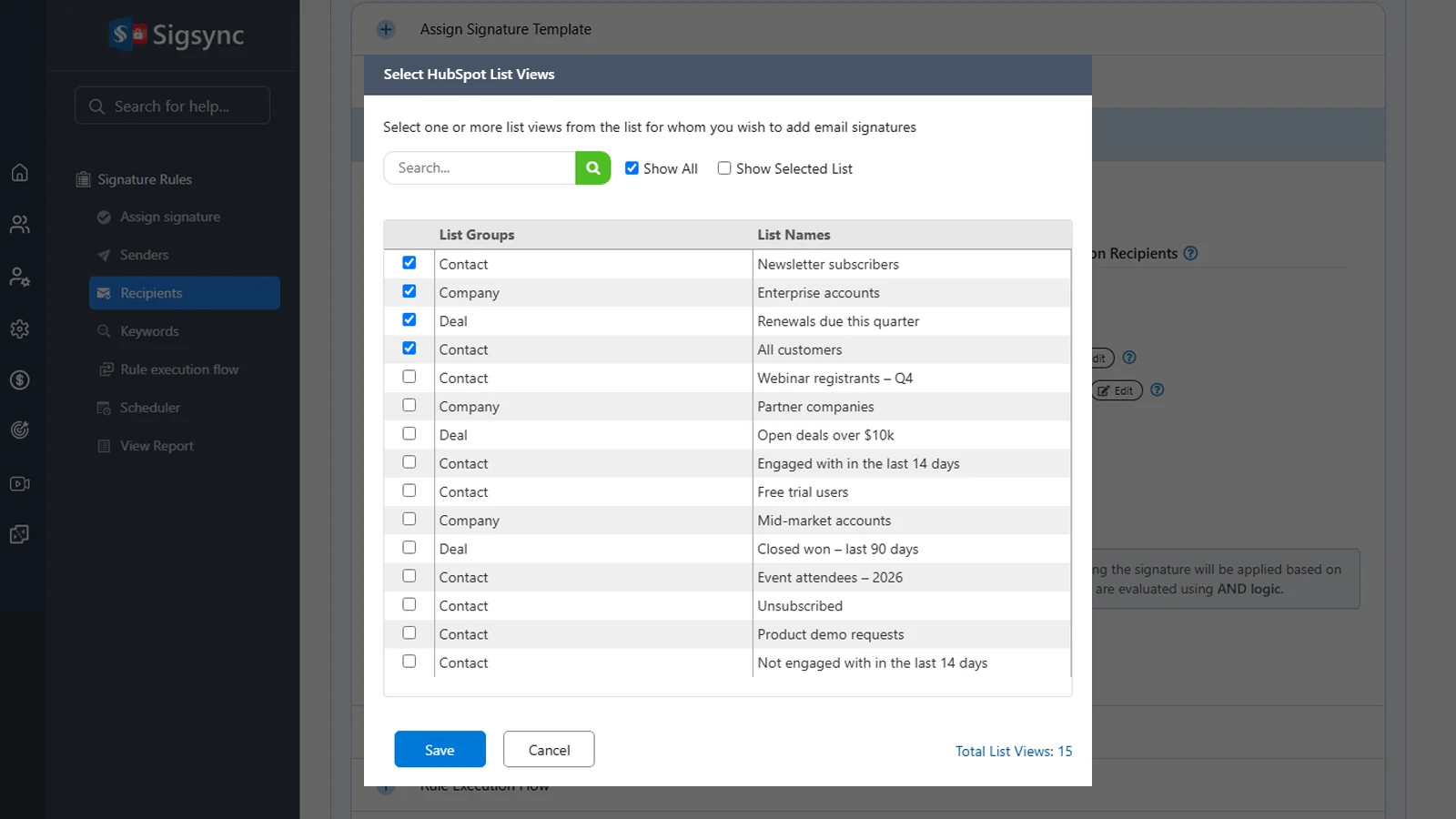
Personalize every signature for the right HubSpot audience
Turn your HubSpot CRM data into smarter emails. Pick a HubSpot list, company or deal in a Sigsync rule and choose the signature or banner those recipients see. Customers, prospects and partners each get a message made for them, while your team keeps sending email from Outlook as usual.
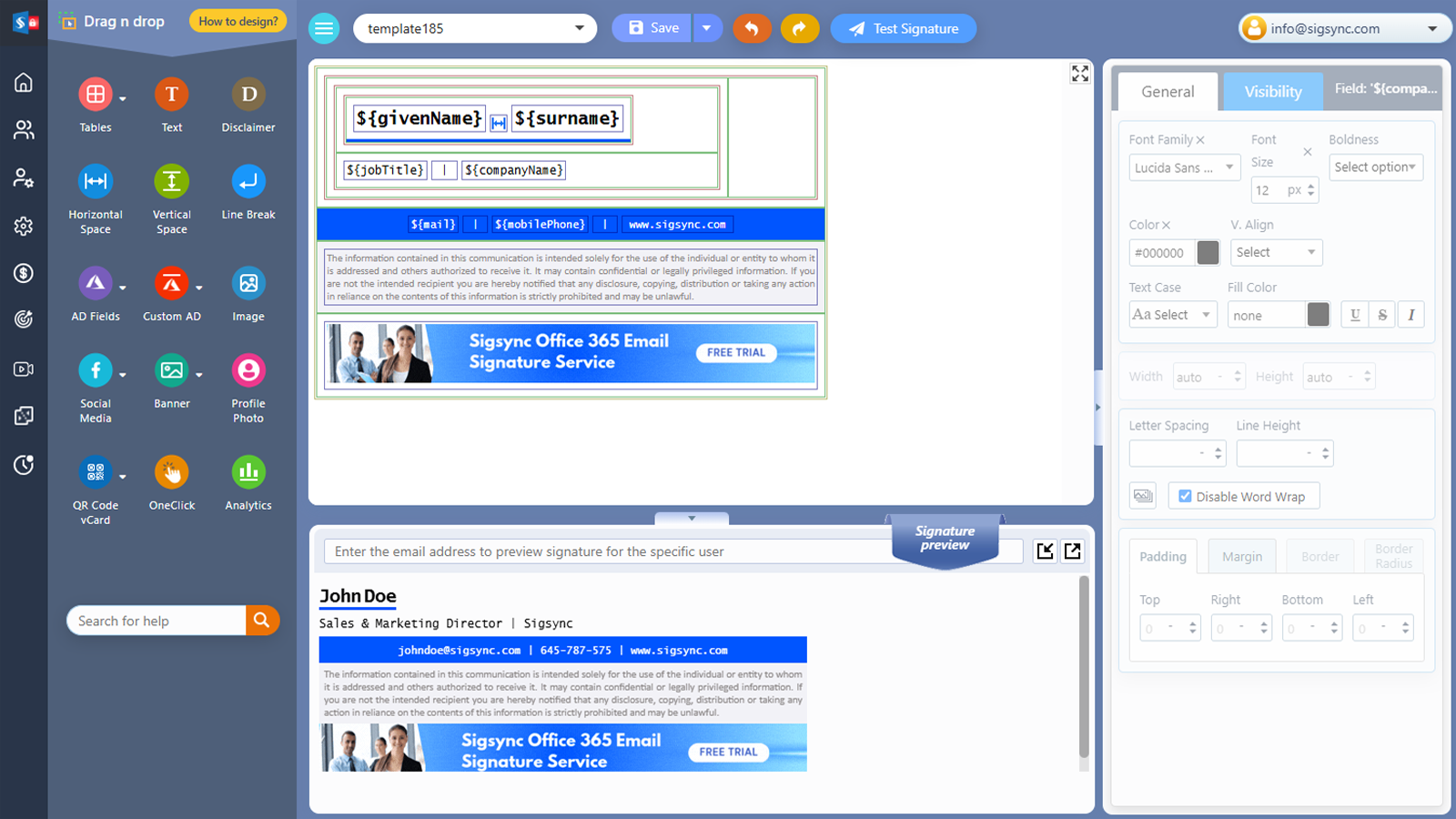
Design on-brand signatures with a drag-and-drop editor
Pick a design from the template gallery or start from scratch in the Sigsync drag-and-drop editor. Add Microsoft 365 user fields, your logo, social icons, banners and legal disclaimers, and see a live preview as you build. No design skills needed, and our team will design your signature for free if you prefer.
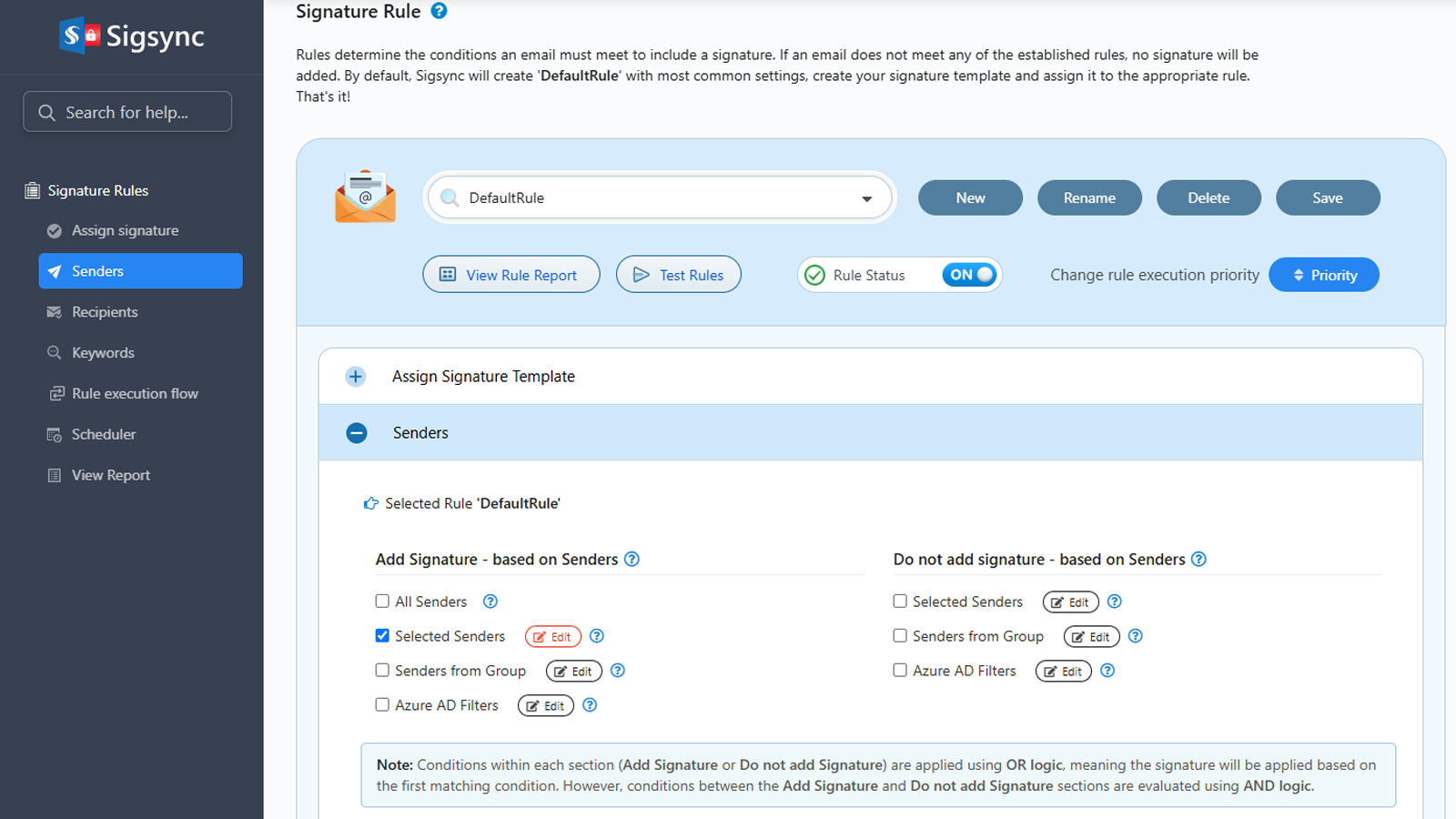
Automatically deploy signatures to specific teams or departments
Create rules to give each team or department its own signature, such as sales, support, HR or leadership. Sigsync syncs user details from Microsoft 365, so new starters get the right signature automatically and job title or phone changes update on their own. Keep every email consistent and on-brand, with no manual setup for IT.
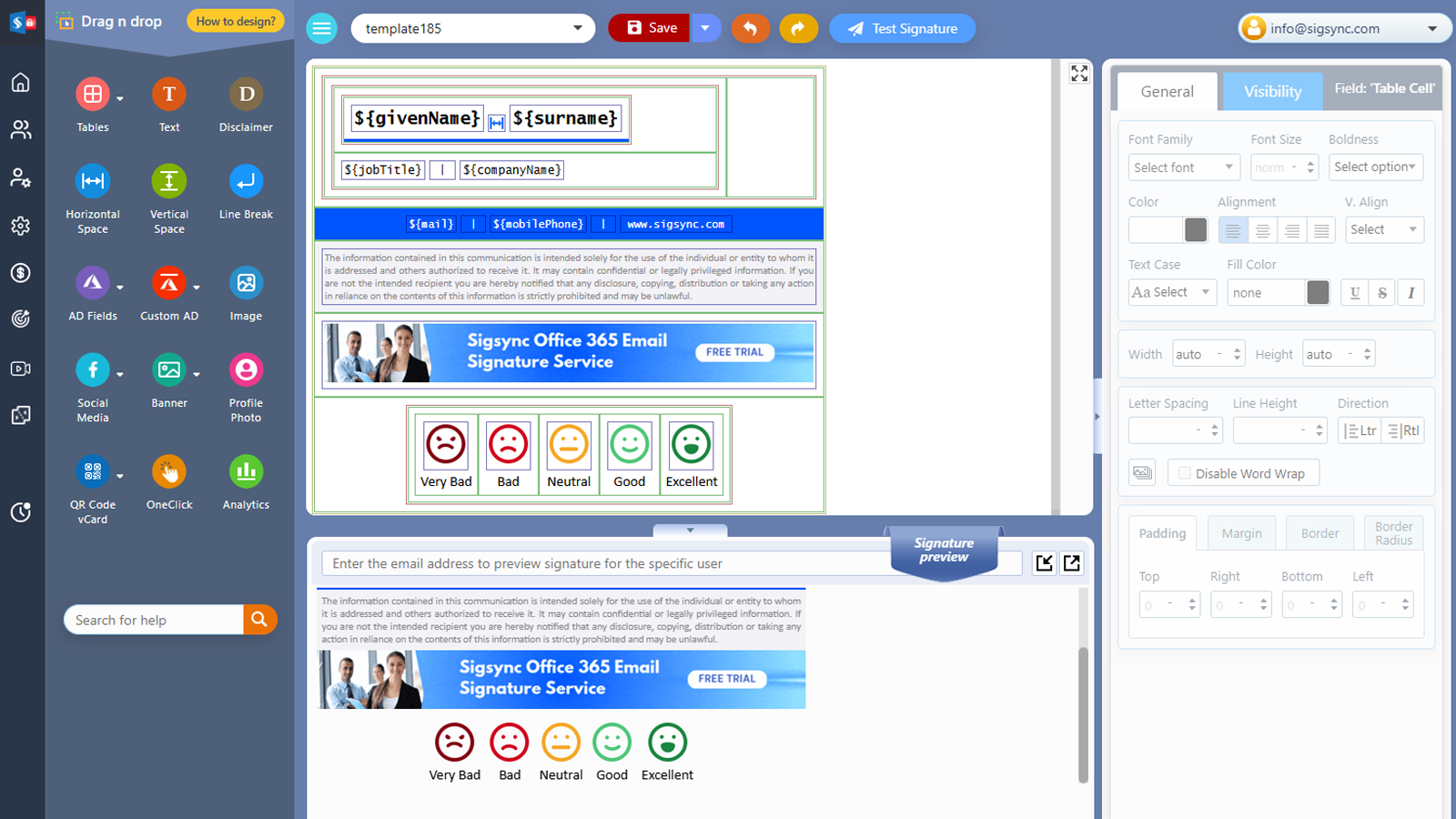
Collect customer feedback with CSAT surveys
Add a one-click satisfaction survey to support and service signatures. Customers rate their experience straight from the email, giving you continuous feedback without extra tools.
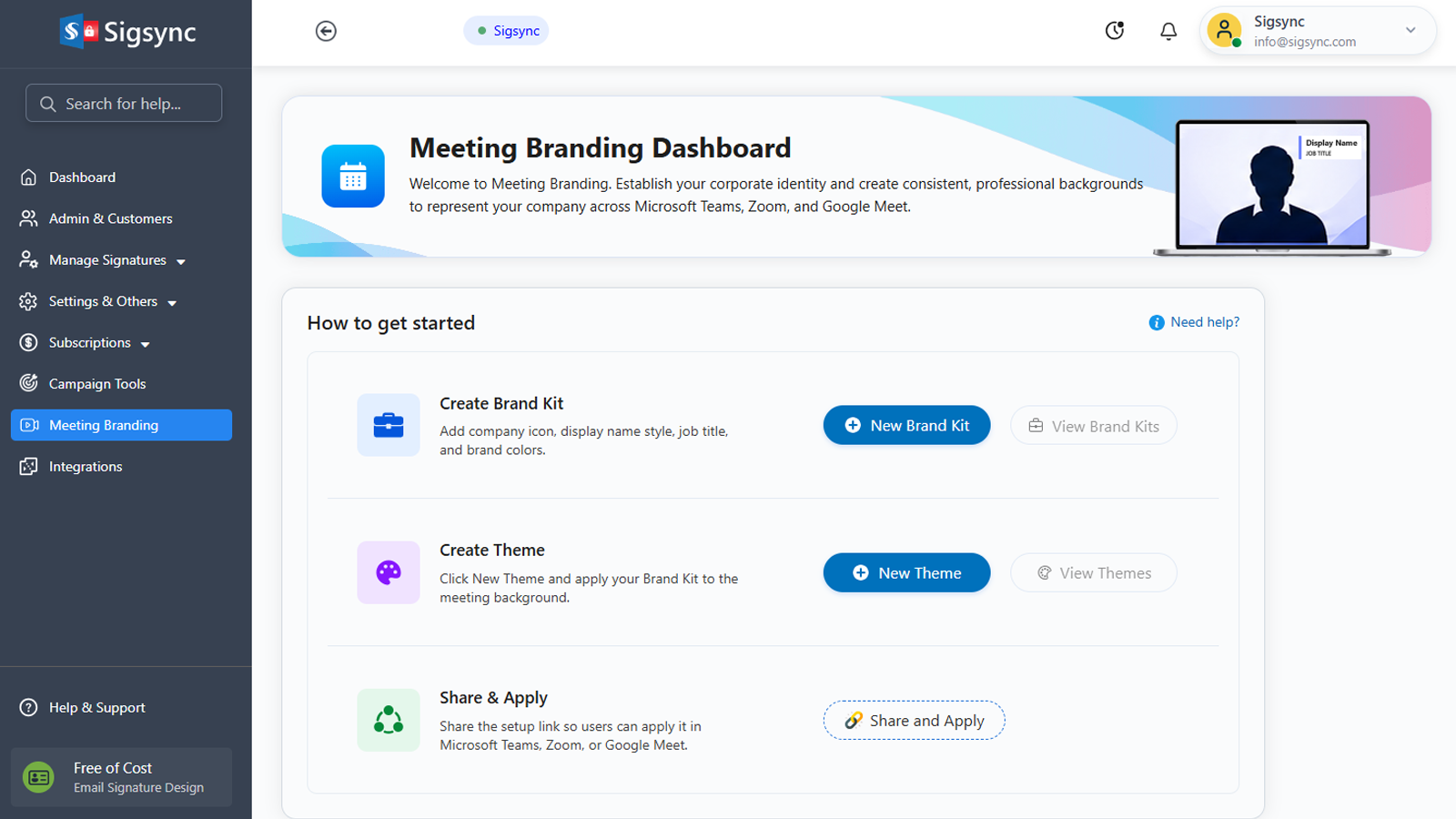
Brand every Teams, Zoom and Google Meet call
Extend your brand beyond email. Create a brand kit with your logo, colors and each person's name and job title, turn it into professional meeting backgrounds, and share one setup link so everyone applies them in Microsoft Teams, Zoom and Google Meet. Every call looks as polished and on-brand as your emails.
App Functionality
Shared Data
Contact | ||
Contact | ||
Company | ||
Deal |
Reviews
Sigsync
$0.73
/monthA Single Plan with Complete Feature Access
Centralized signatures for Microsoft 365 and Exchange
Server side signatures on every device and email client
Outlook and OWA add in to add signatures while composing
Signature rules by sender, recipient and keyword
Active Directory fields and Microsoft 365 user photos
Manage from Windows, Mac, Android and iOS
Professional signature templates or start from scratch
HTML signature editor with drag and drop components
Tables, banners, images, social icons and text fields
Deploy one signature template to every user
Delegate signature management to departments and groups
Scheduled banner campaigns with results tracking
Free 24x7 support by chat, phone and email
Free custom signature design service
Legal disclaimers added to every email
One click CSAT feedback surveys
Meeting branding for Teams, Zoom and Google Meet
Target audiences with HubSpot CRM Lists
Campaign Tools integration for signature marketing campaigns
Salesforce integration to target signatures by Salesforce data
* The pricing here is for display purposes only. All prices do not include taxes, incentives, discounts, or other pricing variables. You should contact the partner for the most up to date and correct pricing information. HubSpot does not take any responsibility for this pricing information, which is provided by our partners. Pricing last updated: 11/25/2026
More info
Built by - Shifttocloud Inc.
Installs - <10 installs
Categories Languages this app is available in English
New arrivals
Sigsync Email Signatures for Office 365
Sigsync Email Signatures for Office 365 is a Microsoft-approved, cost-effective, and user-friendly email signature management solution

DealCat
Deal roles and task packs on the HubSpot deal record.
