

Requirements
HubSpot Plan HubSpot Account permissions - View the required account permissions
Access Type Shared Strama AI Subscription - Starter or Growth plans
Overview
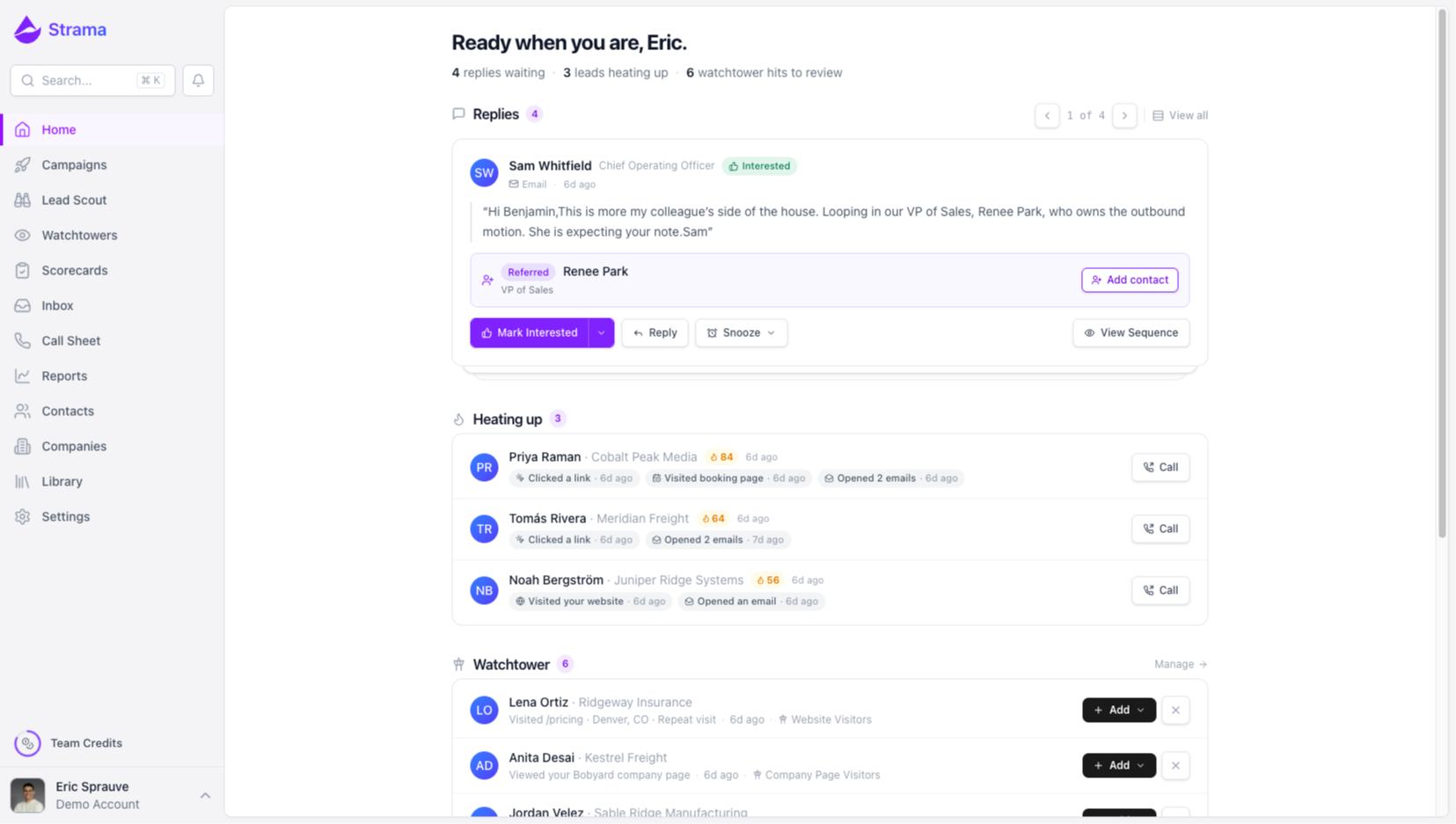
1/5 - Strama Dashboard
Outbound is scattered across too many tools, and most AI outreach gets ignored because it sounds generated. On top of that, the CRM falls behind because email and LinkedIn activity rarely makes it back without someone logging it by hand.
Strama runs your full SDR motion, sourcing, qualifying, engaging, and following up, in your team's actual voice. Outreach reads like a real person wrote it, and reps spend their time on conversations instead of busywork.
Connecting Strama to HubSpot keeps your CRM the source of truth. Pull contacts and companies from HubSpot into Strama, then let every email, LinkedIn touch, and reply sync back automatically. Your pipeline stays current without manual logging, and the accounts you already manage in HubSpot are exactly the ones Strama works.
Features
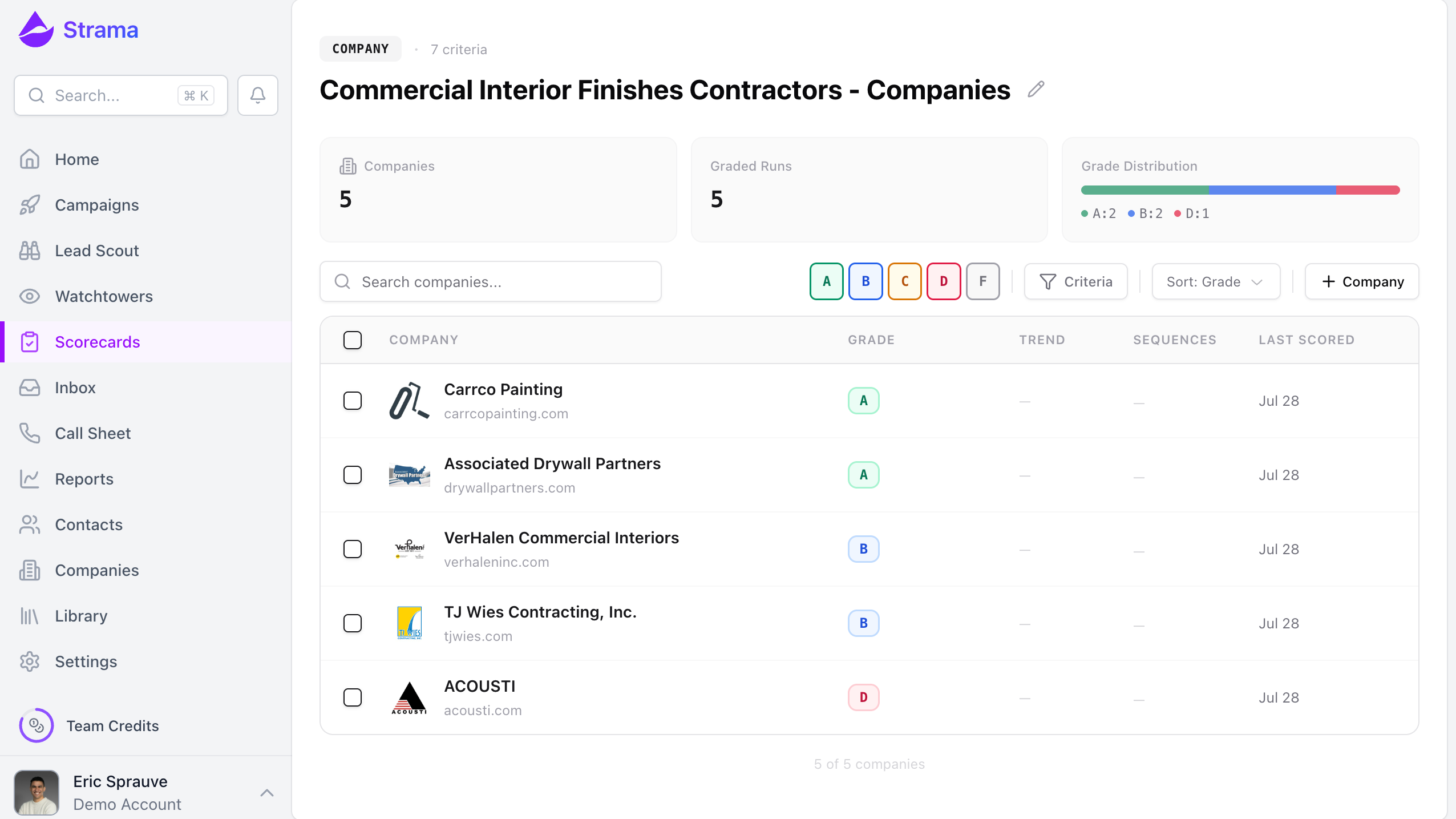
Import and score your HubSpot accounts
Select Companies and Contacts from HubSpot and import them into Strama for evaluation. Instead of working a list of thousands of open records, teams pull the segment they care about and let Strama assess it — no CSV exports or manual handoffs between tools.
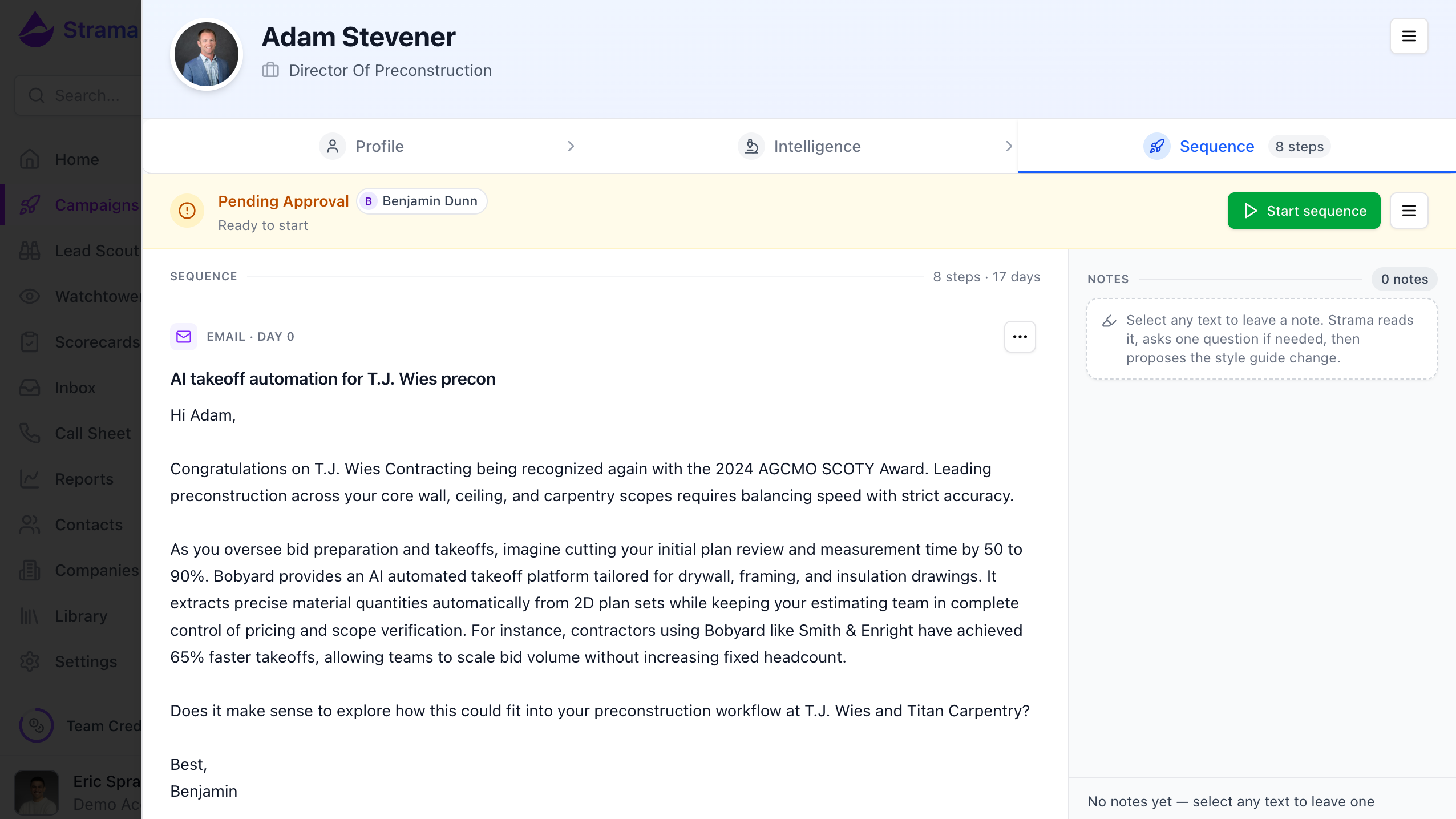
Multichannel outreach logged to the HubSpot timeline
Run email and LinkedIn sequences to your HubSpot Contacts from within Strama. Every message sent is logged as an activity on the associated Contact and Company record, so the HubSpot timeline stays complete without reps copying outreach over by hand.
.png)
Surface buying signals on your HubSpot records
Watchtowers monitor website visits, LinkedIn engagement, role changes, and funding rounds across the accounts you've imported from HubSpot, surfacing which existing records are showing intent right now — so reps re-engage on timing rather than on a static list order.
.png)
Find new prospects and add them to HubSpot
Lead Scout searches for companies and personas matching your target profile and brings them into Strama. Prospects that convert to real conversations can be created in HubSpot as new Contacts and Companies, so the CRM stays the system of record without manual data entry.
App Functionality
Shared Data
Company | ||
Contacts | ||
Emails | ||
Contact fields | ||
Owners | ||
Company fields | ||
Lead sources |
Strama connects to HubSpot to keep account, contact, and outreach data consistent between the two systems.
What data is shared. Contacts: first name, last name, job title, email address, phone number, and LinkedIn profile URL. Companies: company name, website domain, and LinkedIn company page URL. Activities: email subject and body, LinkedIn message content, and call task details, each associated to the relevant Contact and Company record. Strama writes only to these fields and does not modify other properties on a HubSpot record. Existing values are overwritten when Strama has newer data.
When syncing happens. Imports are user-initiated: a user selects which HubSpot Companies or Contacts to bring into Strama for scoring or to add to a campaign. Strama does not import records in the background. Emails, LinkedIn messages, and call tasks are written to HubSpot as they occur in Strama.
How records are matched. Contacts are matched to existing HubSpot Contacts by email address and LinkedIn profile URL, Companies by website domain. Strama creates a new HubSpot record when no match is found.
Duplicate prevention. Strama keeps a record of every activity it has written to HubSpot and logs each message once. Strama does not read existing Email Activities from HubSpot.
What isn't synced. Strama does not access Deals, Tickets, or marketing email performance data, and only reads the Companies and Contacts a user explicitly selects for import. It also reads property definitions, owners, and, with the optional lists permission, the lists a user imports from.
On disconnect. Disconnecting the integration stops all syncing. Records already written to HubSpot remain in place and are unaffected.
Reviews
Pricing
Starter
$250
/monthFor small teams running focused outbound experiments.
Voice style training
Prospect research
AI sequence generation
1 seat with 1 LinkedIn account, 4 managed inboxes, 2 domains, and 3 phone linesProspect research
2,300 credits per month
Starter
$250
/monthFor small teams running focused outbound experiments.
Voice style training
Prospect research
AI sequence generation
1 seat with 1 LinkedIn account, 4 managed inboxes, 2 domains, and 3 phone linesProspect research
2,300 credits per month
* The pricing here is for display purposes only. All prices do not include taxes, incentives, discounts, or other pricing variables. You should contact the partner for the most up to date and correct pricing information. HubSpot does not take any responsibility for this pricing information, which is provided by our partners. Pricing last updated: 09/08/2026
More info
Built by - Strama AI
Installs - <10 installs
Categories Languages this app is available in English
New arrivals

Revedge.ai
RevEdge translates revenue signals from across your business into executive-level insights — helping leaders act fast on revenue risks and opportunities.

Brreg Sync by Spring
Enrich HubSpot with official Norwegian company data and optional annual accounts.
