

Streamkap
Built by - Streamkap, Inc.
Installs - <10 installs
Requirements
HubSpot Plan HubSpot Account permissions - View the required account permissions
Access Type Shared Streamkap Subscription - Free, Starter, Scale, or Enterprise plans
Overview
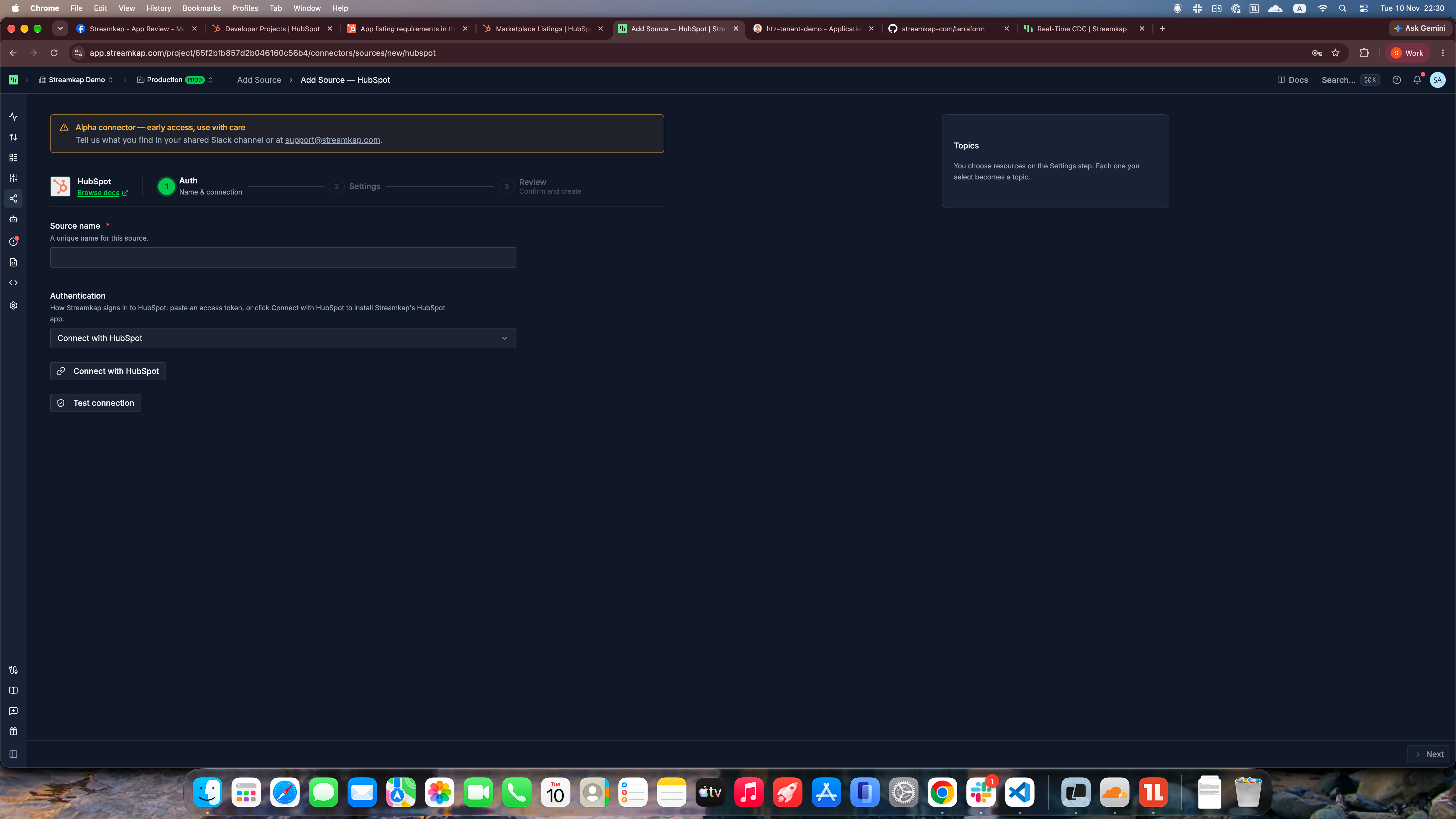
1/3 - Connecting HubSpot to Streamkap with one click
Streamkap keeps your data warehouse in sync with HubSpot, so your analytics, reporting and AI models always work from current CRM data without building or maintaining your own pipelines.
Connect your HubSpot account with one click, choose the objects you need (contacts, companies, deals, tickets, products, line items and more), and pick a destination such as Snowflake, BigQuery, Databricks or ClickHouse. Streamkap loads the existing records first, then keeps syncing new and changed records continuously, every few minutes. Schema changes, such as new custom properties, flow through automatically.
Why teams use it:
- Join CRM data with product, billing and support data in one place
- Power revenue dashboards and forecasting from the warehouse, not CSV exports
- Feed reverse ETL, data science and AI use cases with fresh customer data
- Replace brittle scripts and API-limit handling with a managed, monitored pipeline
Streamkap only reads from HubSpot. It never writes, changes or deletes your HubSpot data.
Features
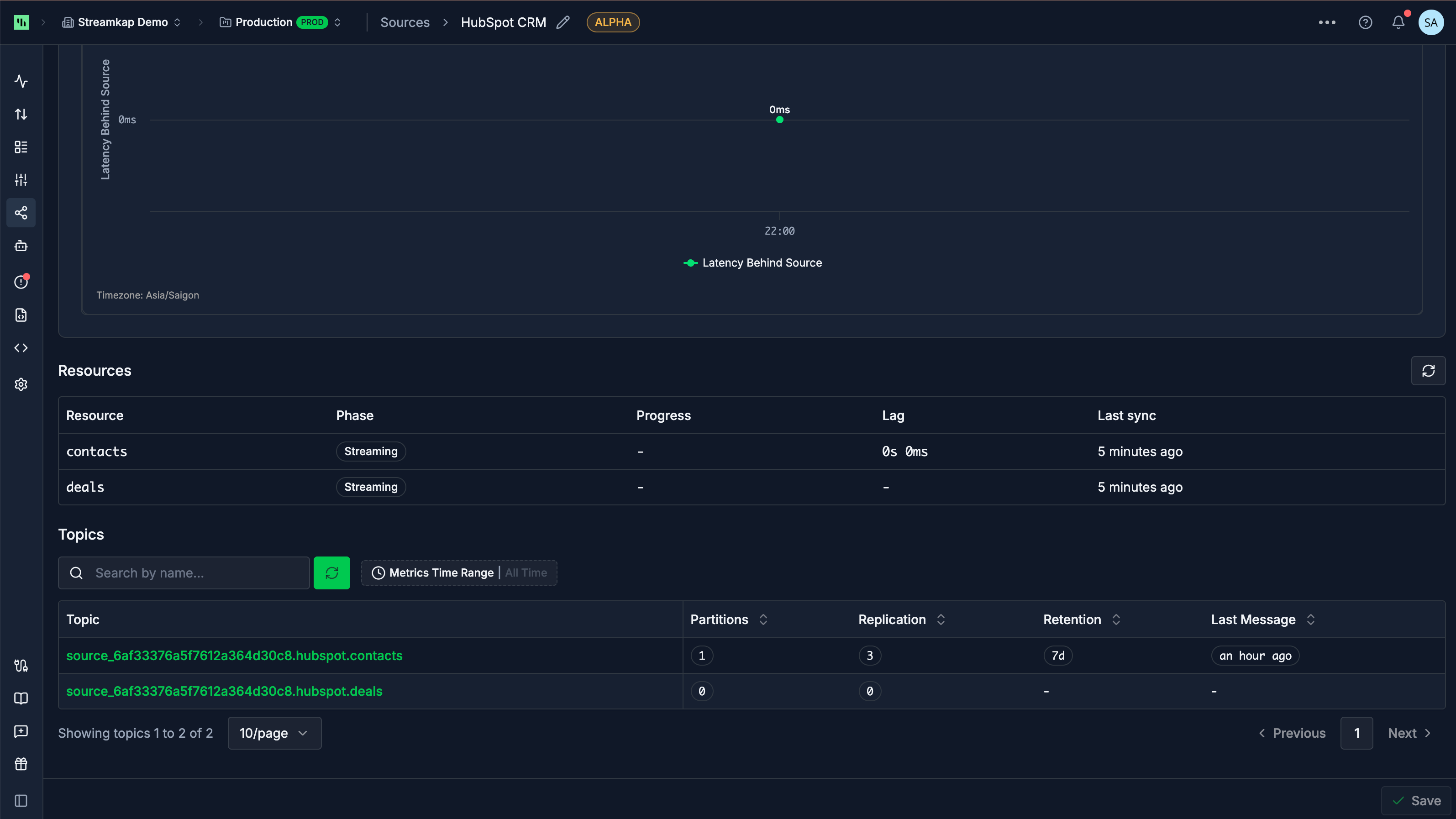
Continuous CRM sync to your warehouse
Connect HubSpot once and Streamkap keeps your data warehouse up to date. Existing records load first, then new and changed contacts, companies, deals and tickets sync every few minutes, with no scripts or CSV exports to maintain.
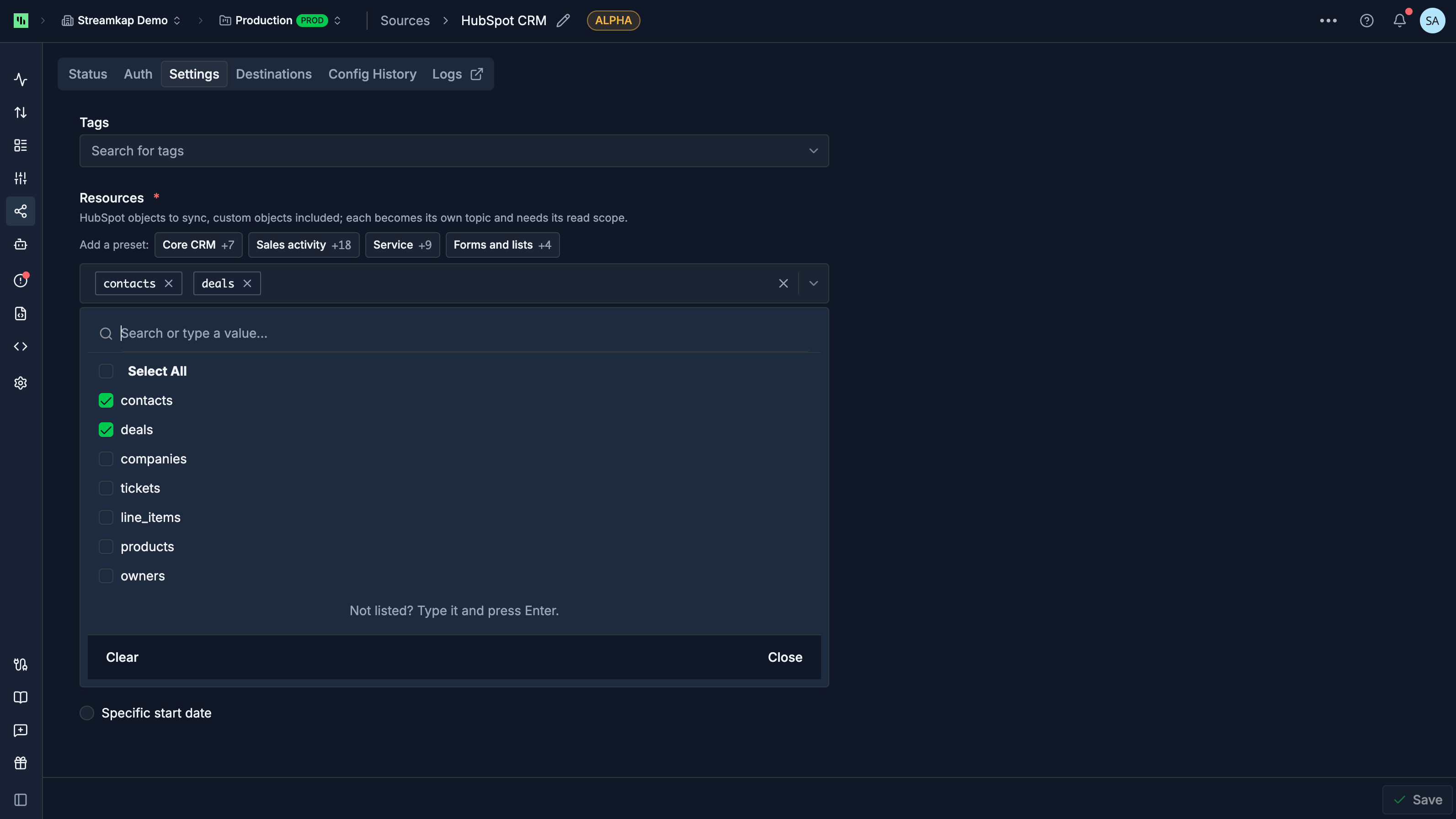
Choose exactly which objects to sync
Pick the HubSpot objects you need, including custom objects, and Streamkap creates a matching table for each in Snowflake, BigQuery, Databricks, ClickHouse or another destination. New custom properties are added to the tables automatically.
App Functionality
Shared Data
Contacts table | ||
Companies table | ||
Deals table | ||
Tickets table | ||
Products table | ||
Line items table | ||
Quotes table | ||
Contact properties table | ||
Company properties table | ||
Deal properties table | ||
Product properties table | ||
Custom object tables | ||
Owners table | ||
Users table | ||
Leads table | ||
Goal targets table | ||
Carts table | ||
Orders table | ||
Invoices table | ||
Subscriptions table | ||
Commerce payments table | ||
Marketing events table | ||
Campaigns table | ||
Lists table | ||
Subscription types table | ||
Listings table | ||
Courses table | ||
Services table | ||
Forms table | ||
Workflows table | ||
Marketing emails table |
Streamkap reads data from HubSpot and delivers it to the destination you choose, such as Snowflake, BigQuery, Databricks or ClickHouse. Each HubSpot object you select becomes a table in your destination, including its standard and custom properties. Streamkap loads existing records first, then keeps syncing new and changed records continuously.
If you disconnect or uninstall the app, syncing stops and Streamkap deletes its HubSpot access token. Data already delivered to your destination stays there under your control.
Reviews
Pricing
Free
$0
Try Streamkap with small data volumes
Community support
Up to 50 tables
All source and destination connectors
500 MB of data per month
Free
$0
Try Streamkap with small data volumes
Community support
Up to 50 tables
All source and destination connectors
500 MB of data per month
* The pricing here is for display purposes only. All prices do not include taxes, incentives, discounts, or other pricing variables. You should contact the partner for the most up to date and correct pricing information. HubSpot does not take any responsibility for this pricing information, which is provided by our partners. Pricing last updated: 11/18/2026
Getting attention today

Microsoft Teams
Use Microsoft Teams and HubSpot for meetings, conversations, and more!

WhatHub: WhatsApp Integration
Save WhatsApp conversations, access HubSpot contact info from WhatsApp
