

Task Momentum
Built by - Connected Crm Studio
Installs - <10 installs
Requirements
HubSpot Plan HubSpot Account permissions - View the required account permissions
Access Type Shared Task Momentum Subscription - Free plan
Overview
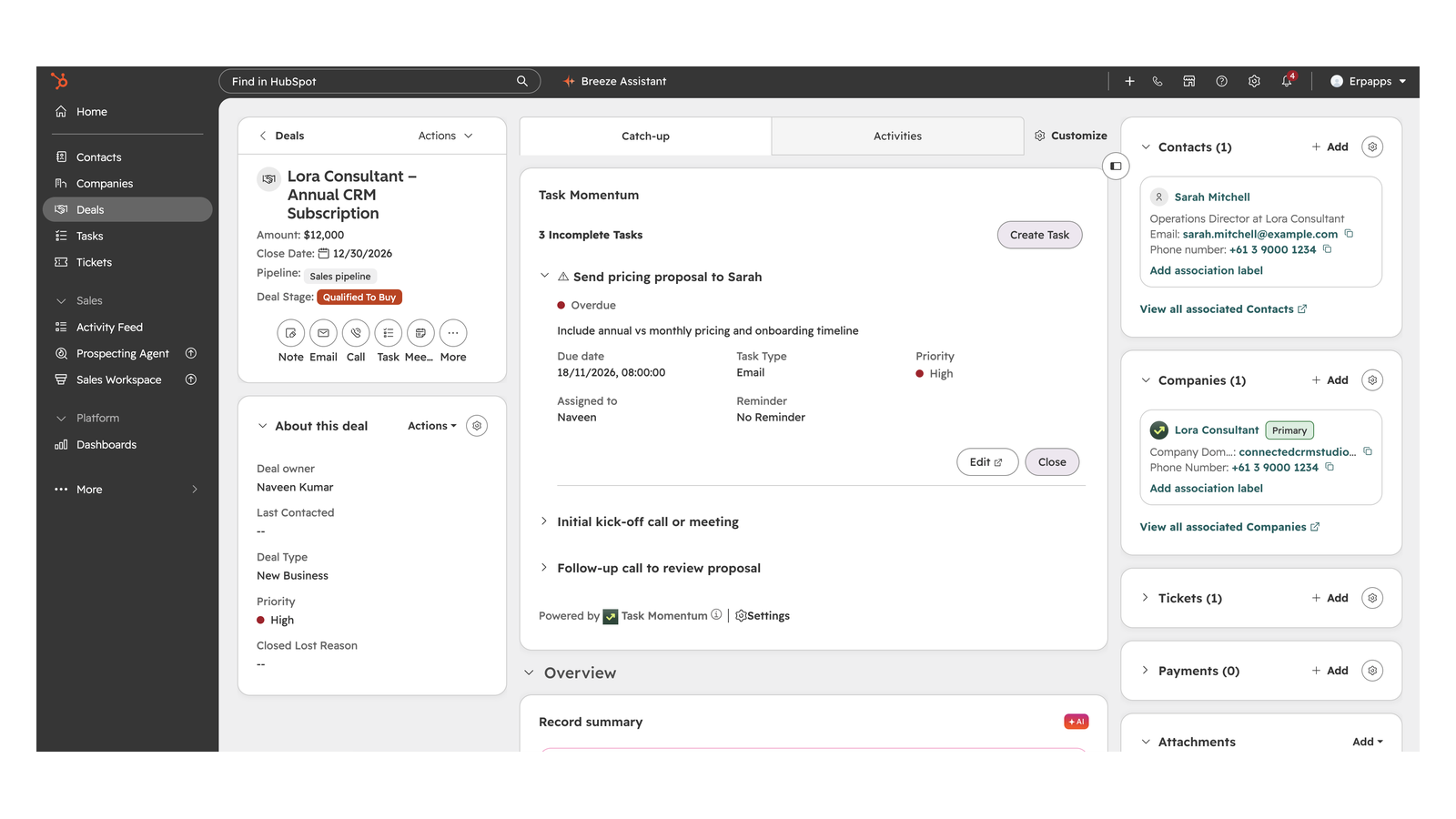
1/6 - task-list
Deals and tickets go quiet when nobody owns the next step. Task Momentum adds a Task Momentum tab to HubSpot deal and ticket records that shows every open follow-up task in one place, with overdue tasks flagged.
Reps can complete a task and schedule the next follow-up in a single step, using quick dates like "In 3 business days". When the last task on a record is closed, Task Momentum asks for the next step: create a follow-up task, or move the deal or ticket to its next pipeline stage. Records that have never had a task get a first follow-up task automatically.
The result is a pipeline where every open deal and ticket always has a next action, an owner and a due date, without reps leaving the record.
Features
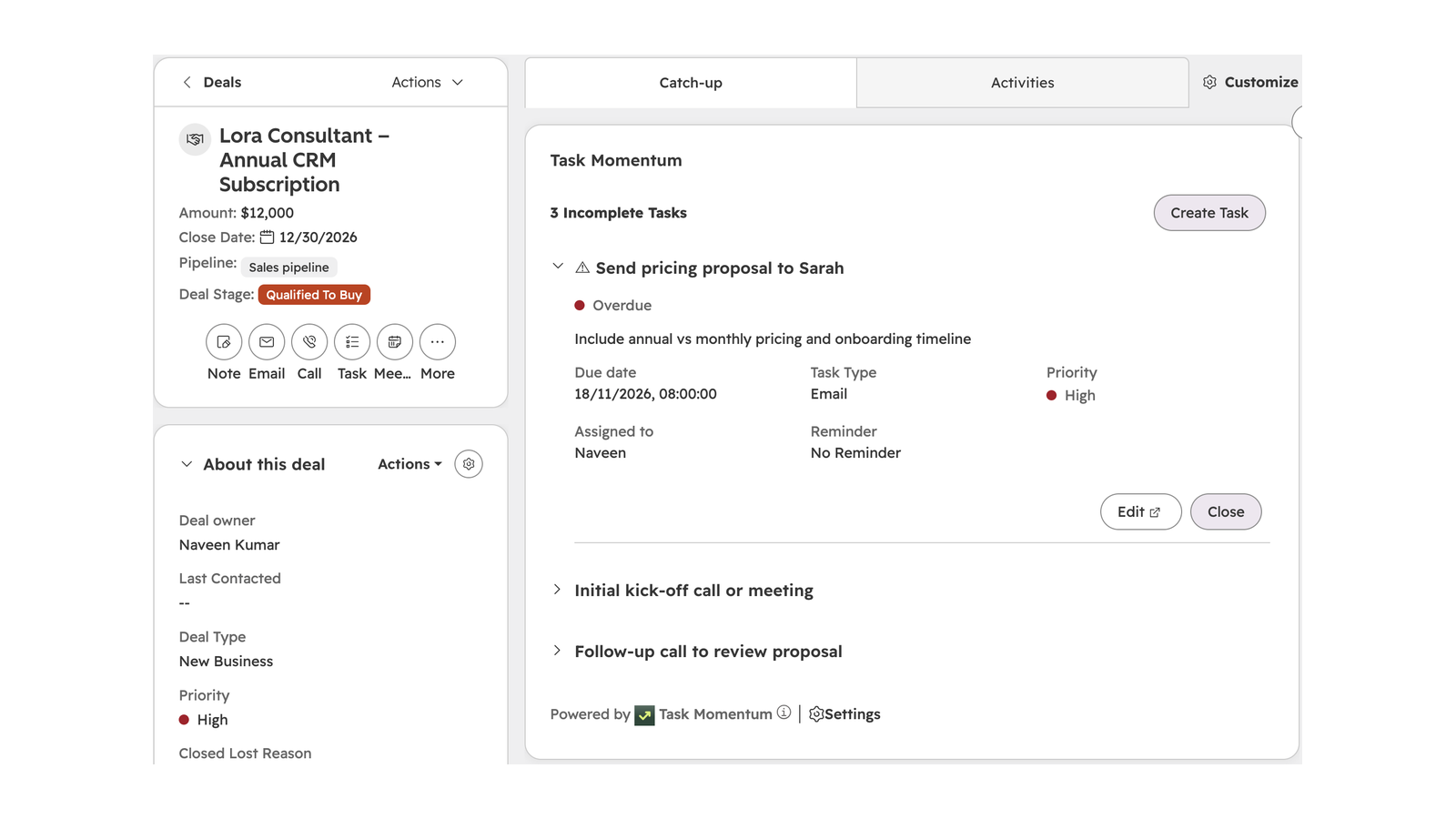
Open tasks on every record
See every open follow-up task on a deal or ticket in one tab, sorted by due date, with overdue tasks flagged so nothing slips.
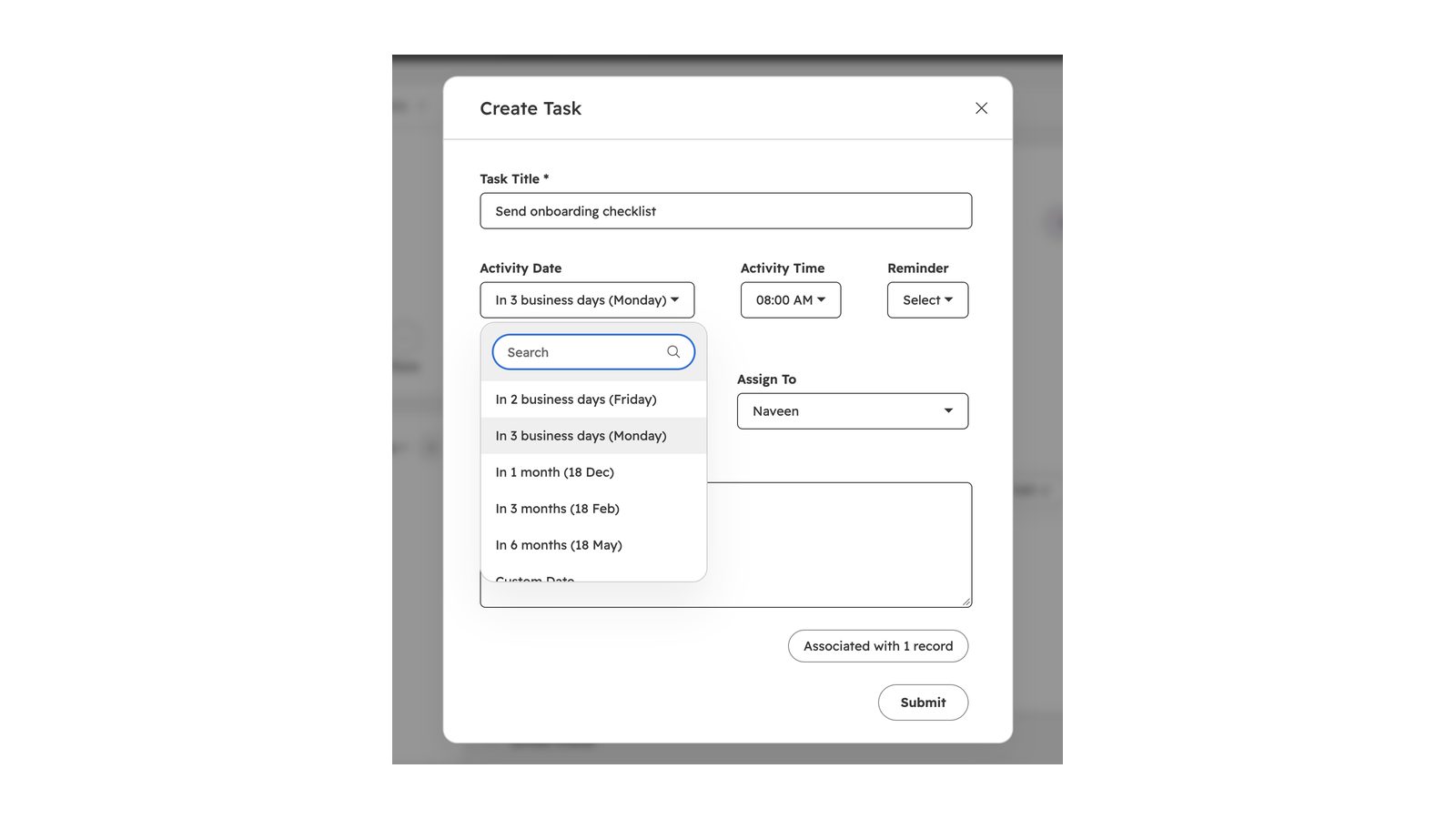
One-step follow-ups
Close a task and schedule the next one in a single step, with quick due dates like "In 3 business days" or "In 1 month".
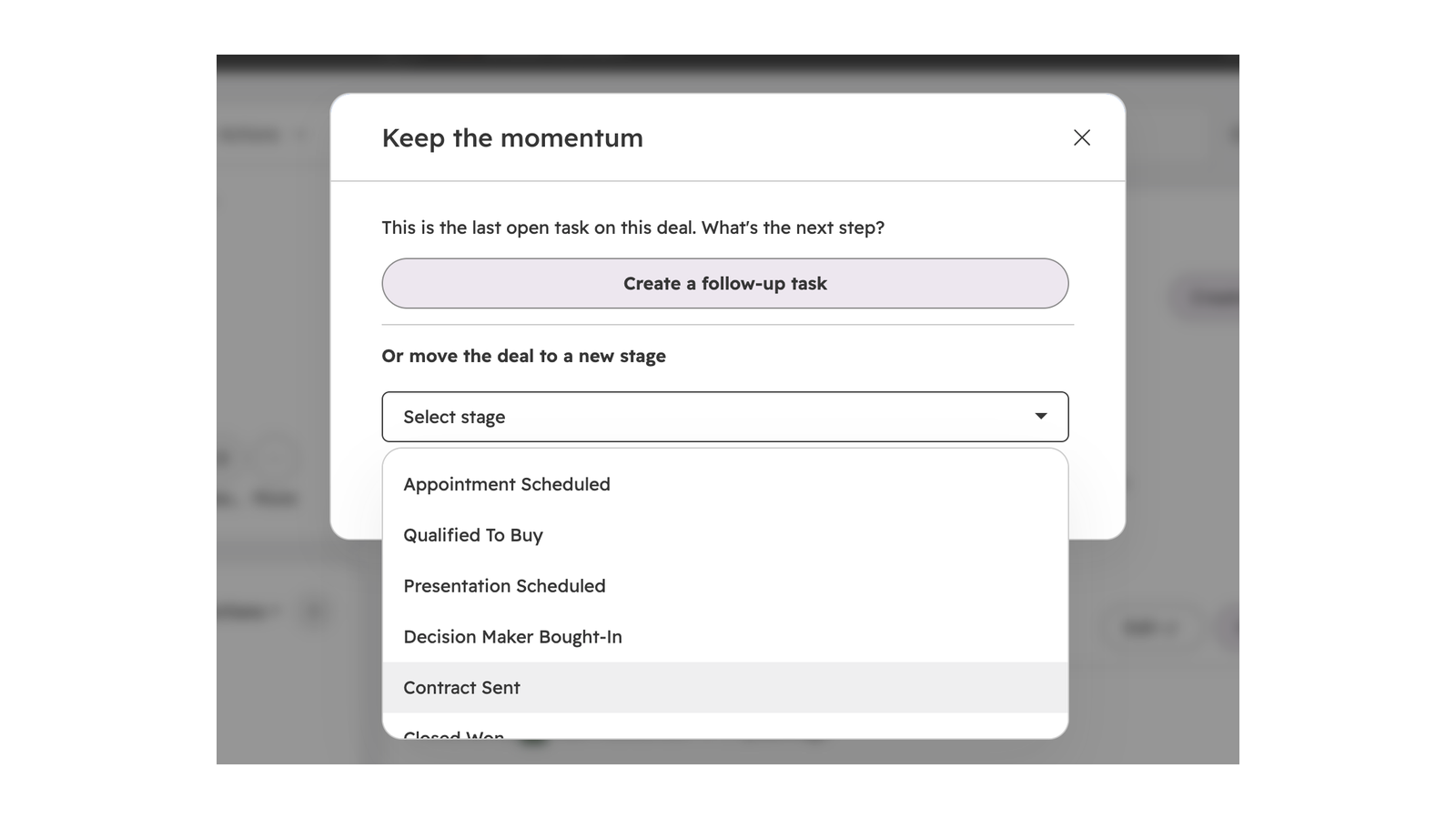
Move the stage
When the last task is done, move the deal or ticket to its next pipeline stage without leaving the record.
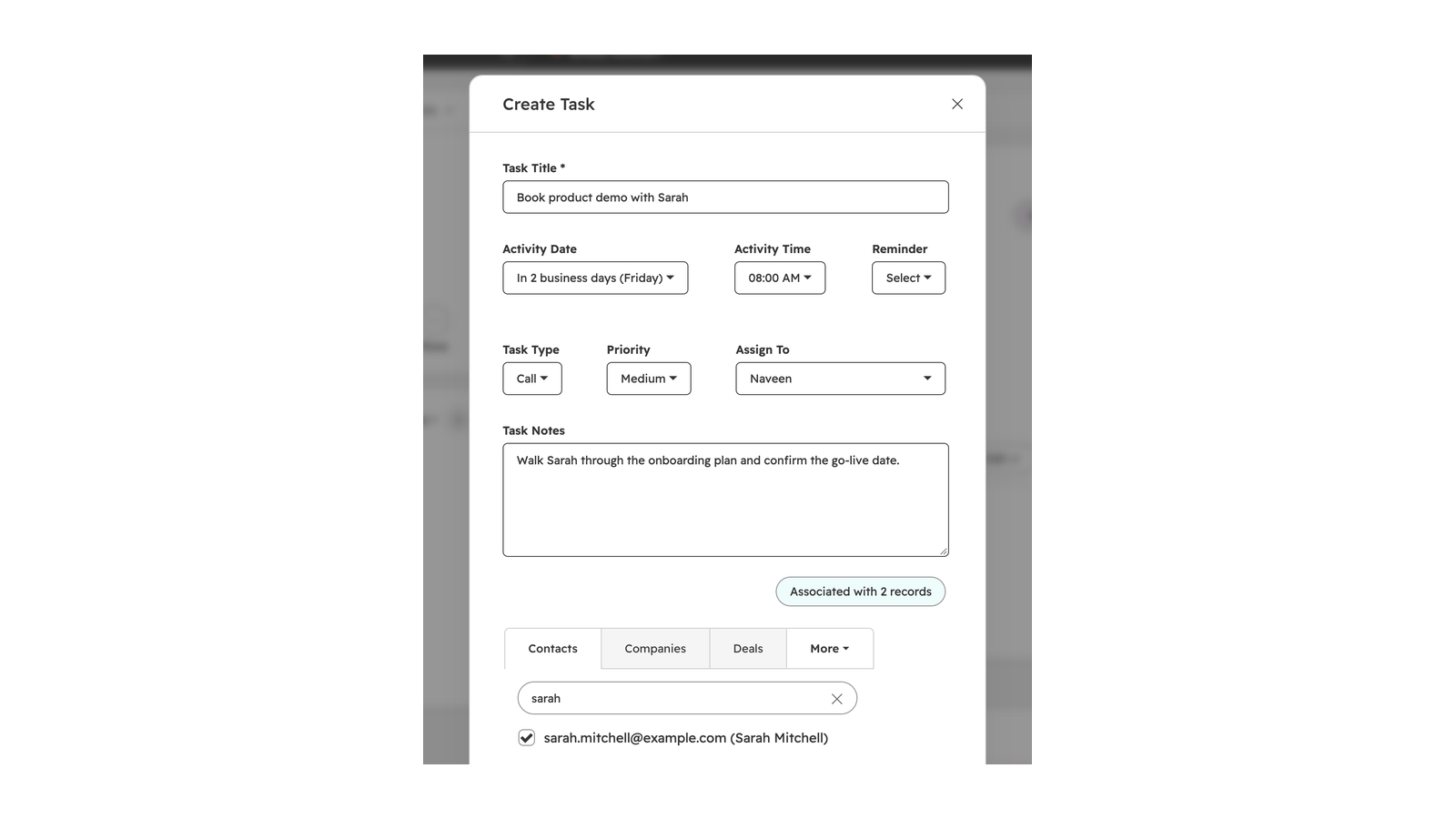
Link related records
Link each task to contacts, companies, tickets, leads and custom objects so it appears on every related record.
App Functionality
Shared Data
Ticket | ||
Contact | ||
Company | ||
Owner | ||
Custom object | ||
Deal |
Task Momentum works directly on your HubSpot data and does not keep a copy of your CRM records. Tasks, deals, tickets and their associations stay in HubSpot. The app reads and updates them through HubSpot's API only while a user is working in the Task Momentum card.
To keep the connection active, Task Momentum stores your HubSpot account ID, account domain, the permissions you granted, and the OAuth tokens HubSpot issues for the app. Every request from the card is signed by HubSpot and verified before it is processed, so each account can only reach its own data.
Access to custom objects is optional and is only used to link custom object records to a task.
Reviews
Pricing
Free
A$0
Everything you need to keep deals and tickets moving
Deal and ticket tasks Close and reschedule in one step Move deal or ticket stage Automatic first task Link related records
Free
A$0
Everything you need to keep deals and tickets moving
Deal and ticket tasks Close and reschedule in one step Move deal or ticket stage Automatic first task Link related records
* The pricing here is for display purposes only. All prices do not include taxes, incentives, discounts, or other pricing variables. You should contact the partner for the most up to date and correct pricing information. HubSpot does not take any responsibility for this pricing information, which is provided by our partners. Pricing last updated: 11/19/2026
More info
Built by - Connected Crm Studio
Installs - <10 installs
Categories Languages this app is available in English
Getting attention today
Microsoft SharePoint & OneDrive
Link files and folders from SharePoint & OneDrive to CRM records, and automate file management through workflows.

Gemini workflow action
Use your own LLM account when using AI-powered workflow actions
