

Template Manager
Built by - NetSpinner LLC
Installs - 10+ installs
Requirements
HubSpot Plan HubSpot Account permissions - View the required account permissions
Access Type Shared Template Manager Subscription - Free Access plan
Overview
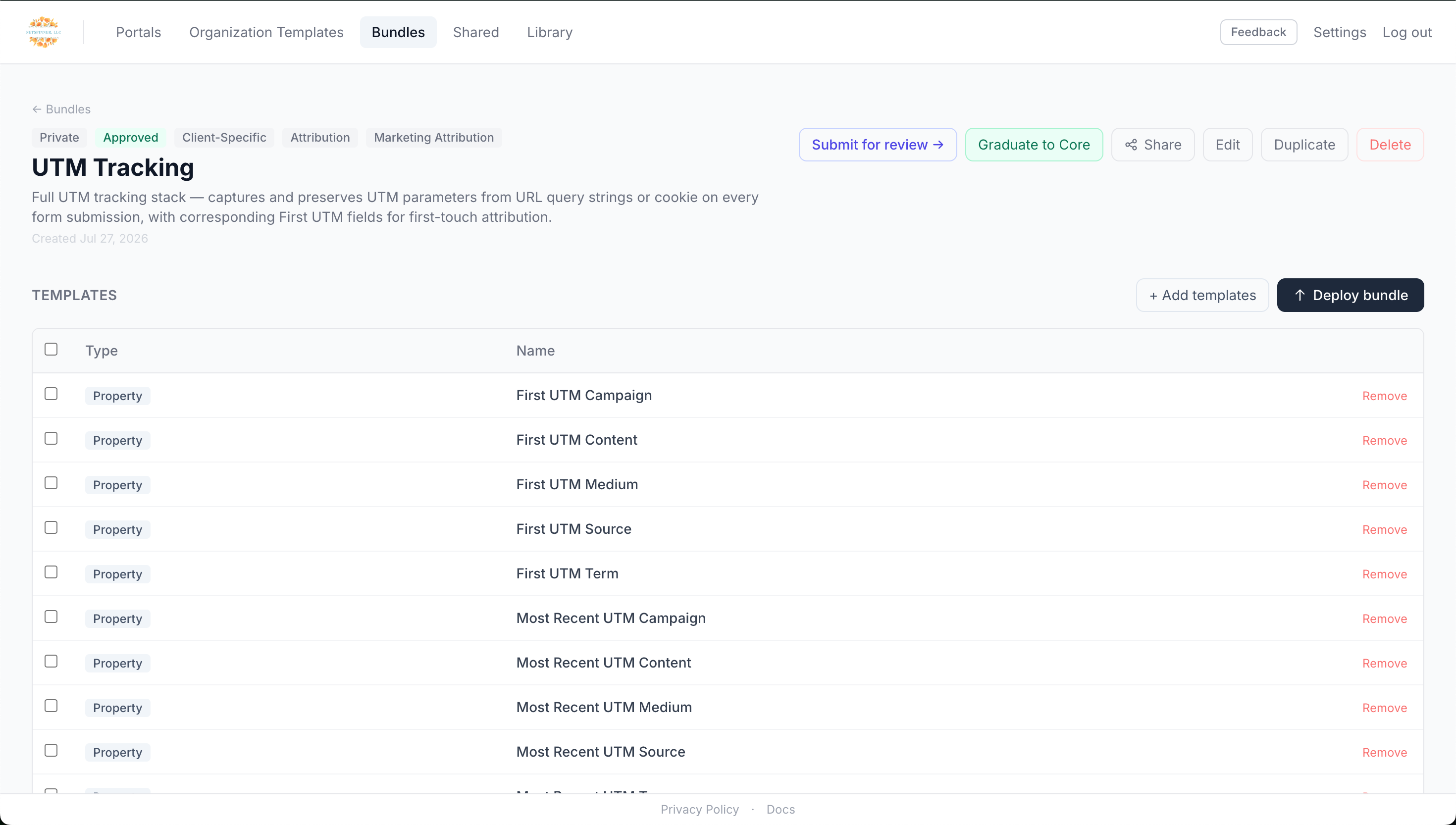
1/4 - Template Manager Bundle
Template Manager gives administrators powerful tools to control their HubSpot instance beyond what's possible within the platform itself: bulk creation of properties, deployment of bundles for repeatable campaign launches, and access to a growing library of configurations from top agencies and consultants. Additionally, Template Manager users can share templates and bundles (workflows, segments, property sets) with one another, allowing you to show off your best work or redeploy it to different HubSpot instances within your organization.
For consultants and agencies, Template Manager allows you to standardize architecture across your client base. Build your personal library of interdependent workflows, segments, and custom objects, save them as a bundle, then deploy them repeatedly to any client you work with. One-click deployment for attribution properties, on-create lifecycle automation, baseline nurture workflows — take your best work with you and use it again and again. And if you're particularly proud of something you've built, publish it to the shared library and share the link with your audience to showcase your thinking and approach.
Template Manager also offers a fully-featured MCP compatible with the AI tool of your choice. Got an idea for a new set of workflows or a new way to handle lead routing? Handle it through the MCP and ensure you're happy with what you've built before pushing it live in HubSpot. All deployments are logged so you can easily review what's been pushed through Template Manager, allowing you to track, audit, and change anything you've deployed.
Features
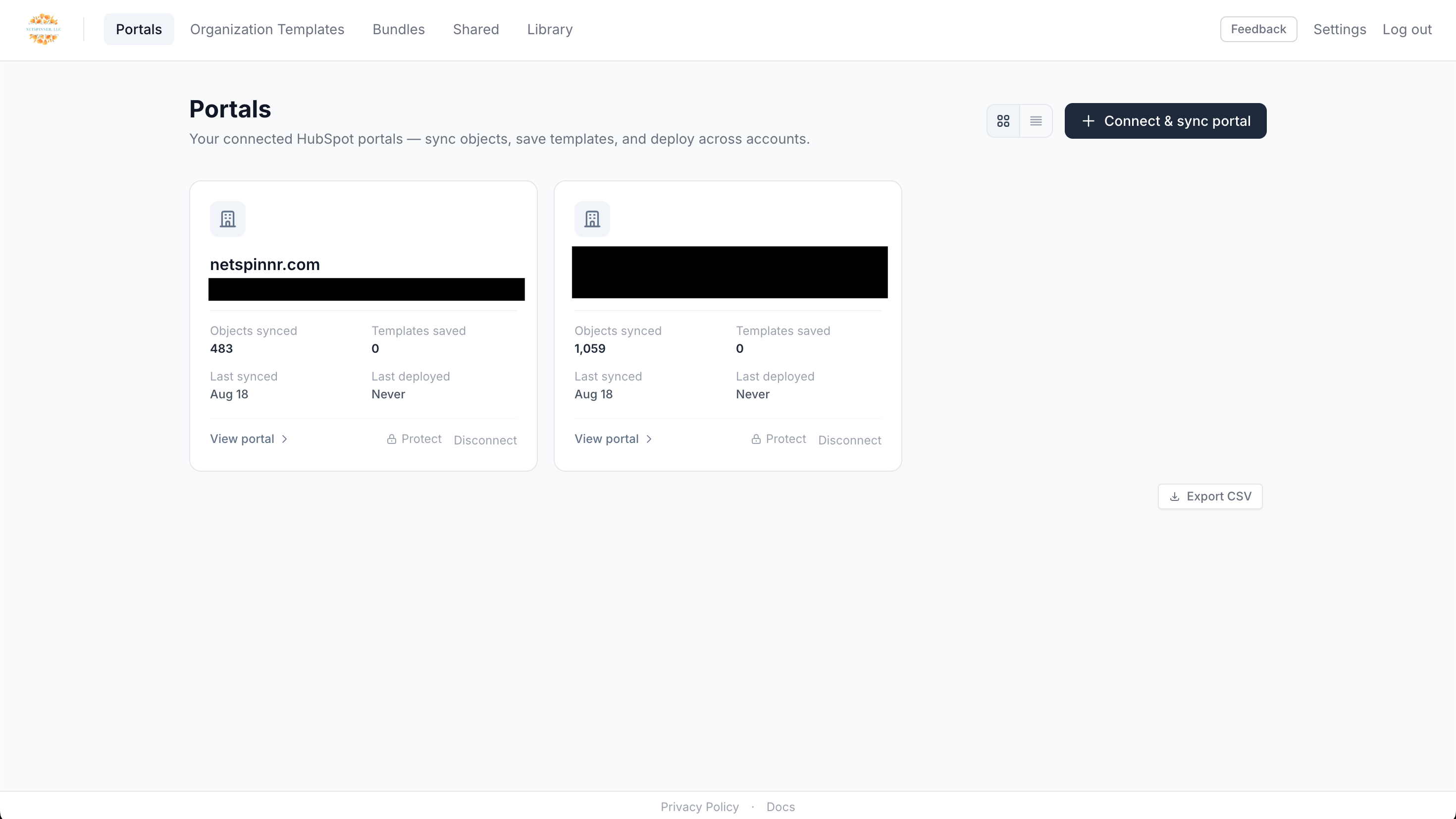
Bulk Portal Management
Manage multiple HubSpot portals from one location, including Properties, Workflows, Forms, Segments, and Custom Objects.
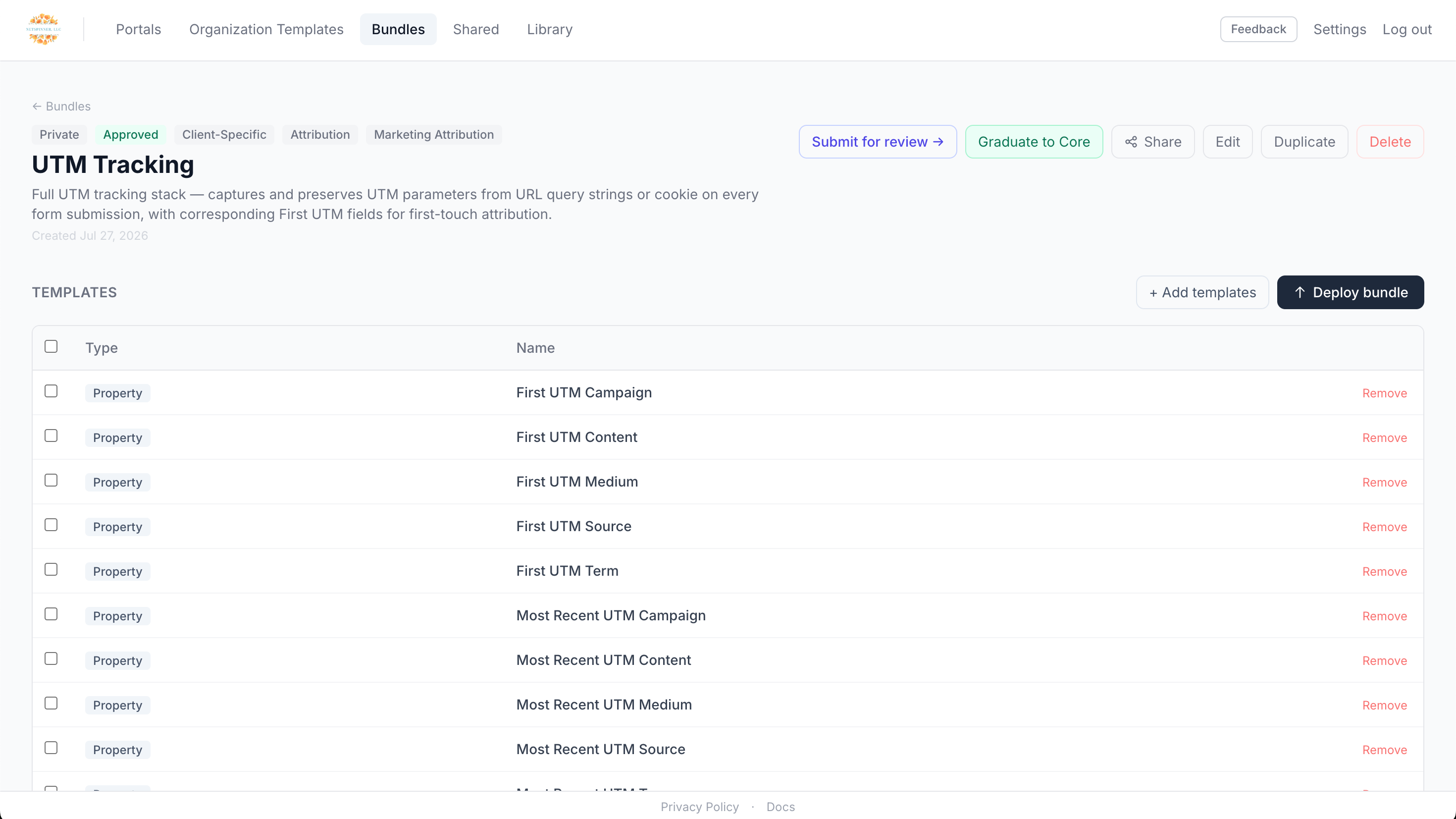
Bundle Creation
Create a bundle of Properties, Custom Objects, Segments, Forms, and Automation and deploy it to different portals from one central location.
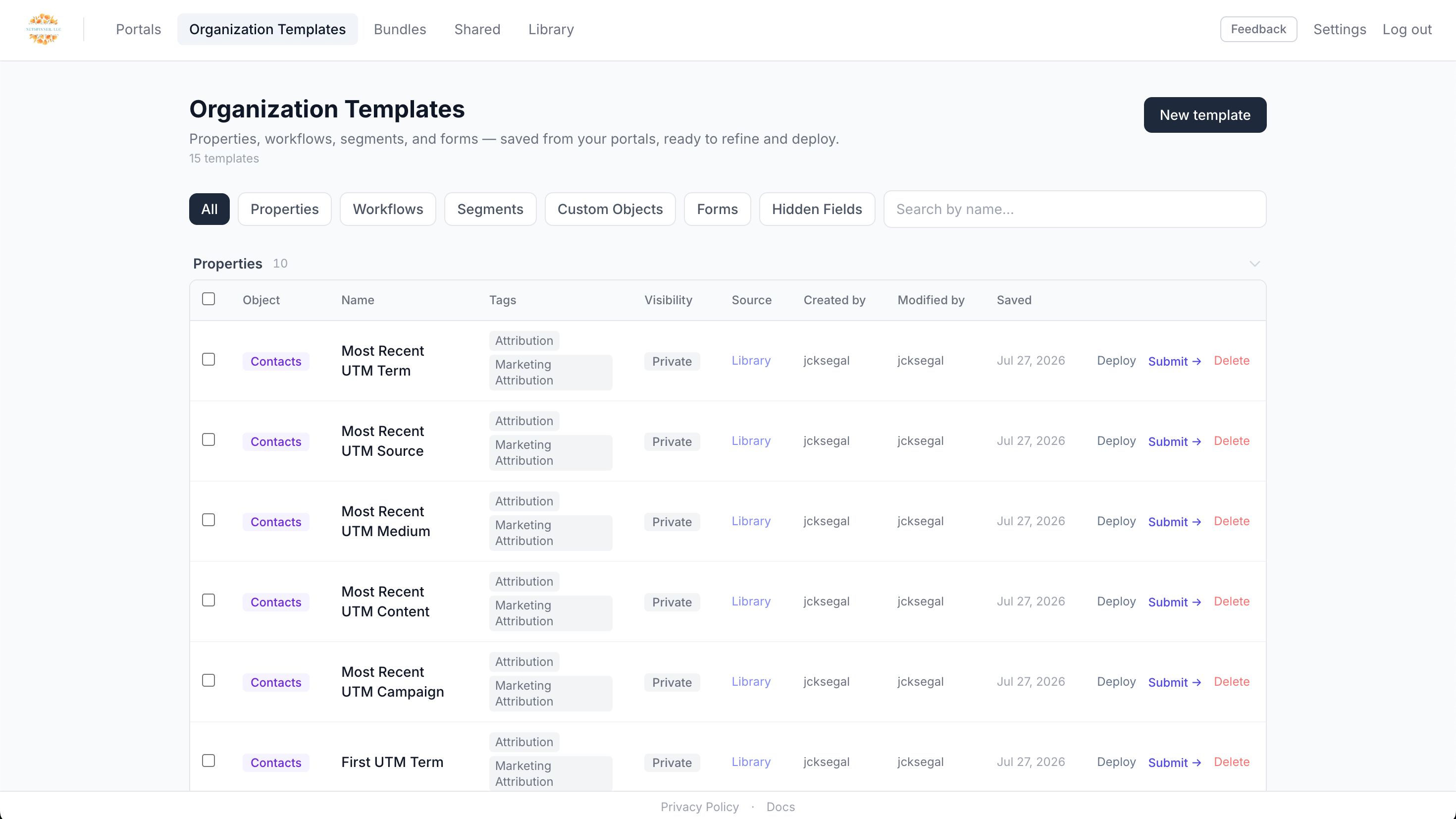
Template Management
Save Properties, Workflows, Segments, Forms, and Custom Objects from any HubSpot instance and make them your own, creating a curated library of your best work. Then add them to a bundle to re-use them with any connected HubSpot instance.
App Functionality
Shared Data
Contact Properties | ||
Company Properties | ||
Deal Properties | ||
Forms | ||
Segments | ||
Custom Objects | ||
Workflows |
Reviews
Pricing
Free Access
$0
For anyone
Tokenized campaign bundle deployment
Bulk-editing of forms
Bundle creation & template sharing
Multi-portal deploy engine
HubSpot portal sync & template library
Free Access
$0
For anyone
Tokenized campaign bundle deployment
Bulk-editing of forms
Bundle creation & template sharing
Multi-portal deploy engine
HubSpot portal sync & template library
* The pricing here is for display purposes only. All prices do not include taxes, incentives, discounts, or other pricing variables. You should contact the partner for the most up to date and correct pricing information. HubSpot does not take any responsibility for this pricing information, which is provided by our partners. Pricing last updated: 09/25/2026
More info
Built by - NetSpinner LLC
Installs - 10+ installs
Categories Languages this app is available in English
New arrivals
Template Manager
Capture properties, workflows, segments, and forms from any portal. Deploy them in the right order, every time — or let your AI assistant do it via MCP. Pull from a growing library of proven setups and utilize dynamic variables to set values like CampaignName, EventDate, and ContentName within your workflows, forms, and segments. If you're a consultant or agency, save your core architecture and deploy it across your client base, ensuring consistent delivery and allowing you to perfect your approach.

Pipedrive Migration via MigrateMyCRM
Pipedrive to HubSpot Migration, Made Simple
