
Untanggy
Built by - HS Simple
Installs - 10+ installs
Requirements
HubSpot Plan HubSpot Account permissions - View the required account permissions
Access Type Shared Untanggy Subscription - Free, Pro, or Agency plans
Overview
1/7 - Untanggy demo video - see why your HubSpot workflows are a mess
You need to turn off an old workflow, but you have no idea what else depends on it. A client asks why a contact got the wrong email, and finding the answer means opening thirty workflows one by one. Your portal has grown for years, and every change feels like a risk.
Untanggy gives you the full picture in minutes. Connect your portal and see all your workflows, properties, lists, forms and emails on one interactive map, connected exactly the way your automations actually use them. Before you change anything, test it safely: simulate turning a workflow off or editing its triggers, and instantly see what would break, what would be affected, and what new connections would appear. Then share the answer: one click produces a clear impact report you can paste straight into an email to your client or your team.
Untanggy never changes anything in your HubSpot account. It only reads. RevOps teams use it to clean up their own portals with confidence. Agencies and consultants use it to audit client portals in minutes instead of days, and to back every recommendation with a written impact analysis. The free plan takes two minutes to set up.
Features
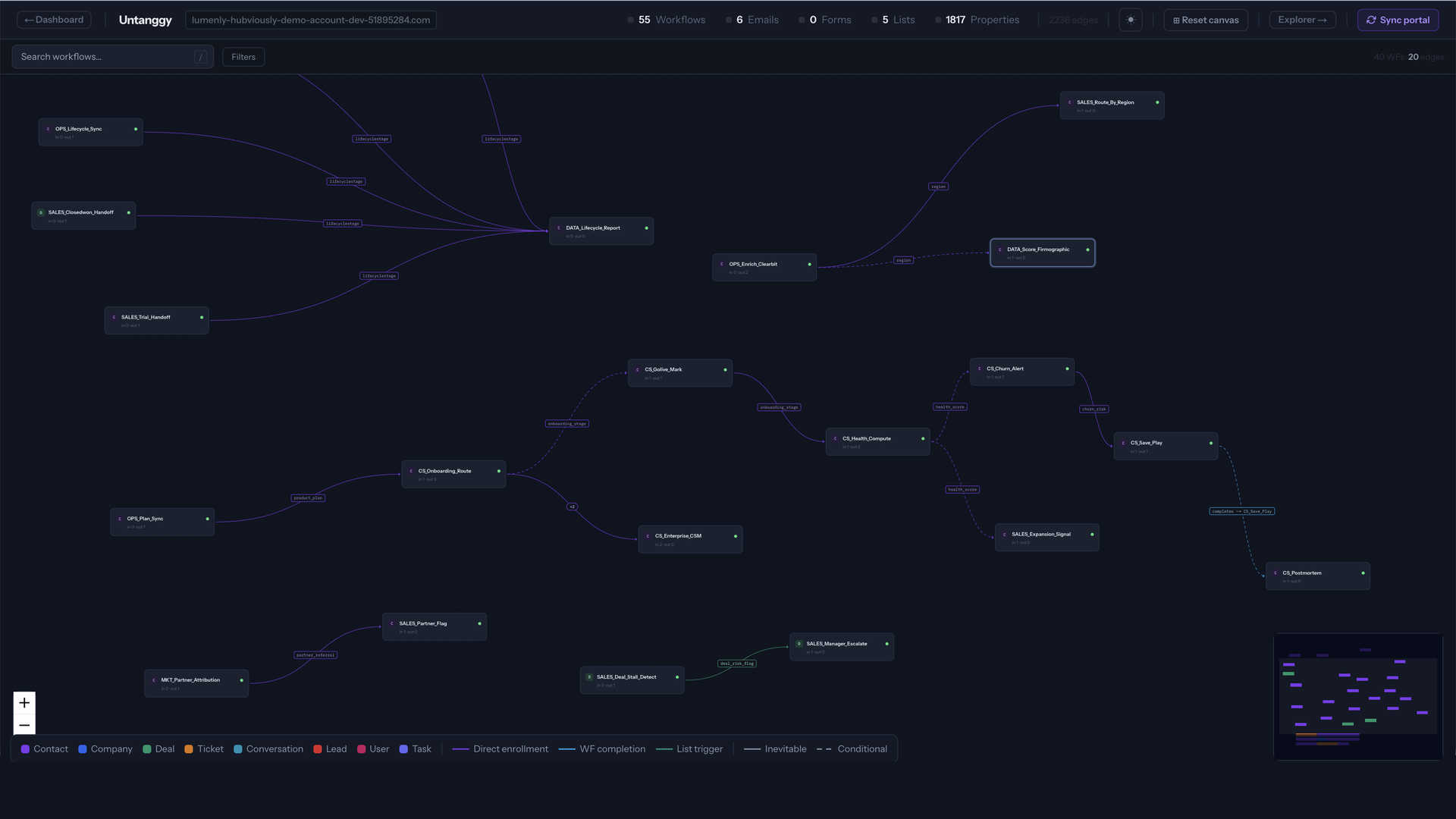
Canvas
See every workflow, property, list, form and email in your portal on one interactive map, connected exactly the way your automations use them. Click anything to see what it writes, what reads it, and what depends on it.
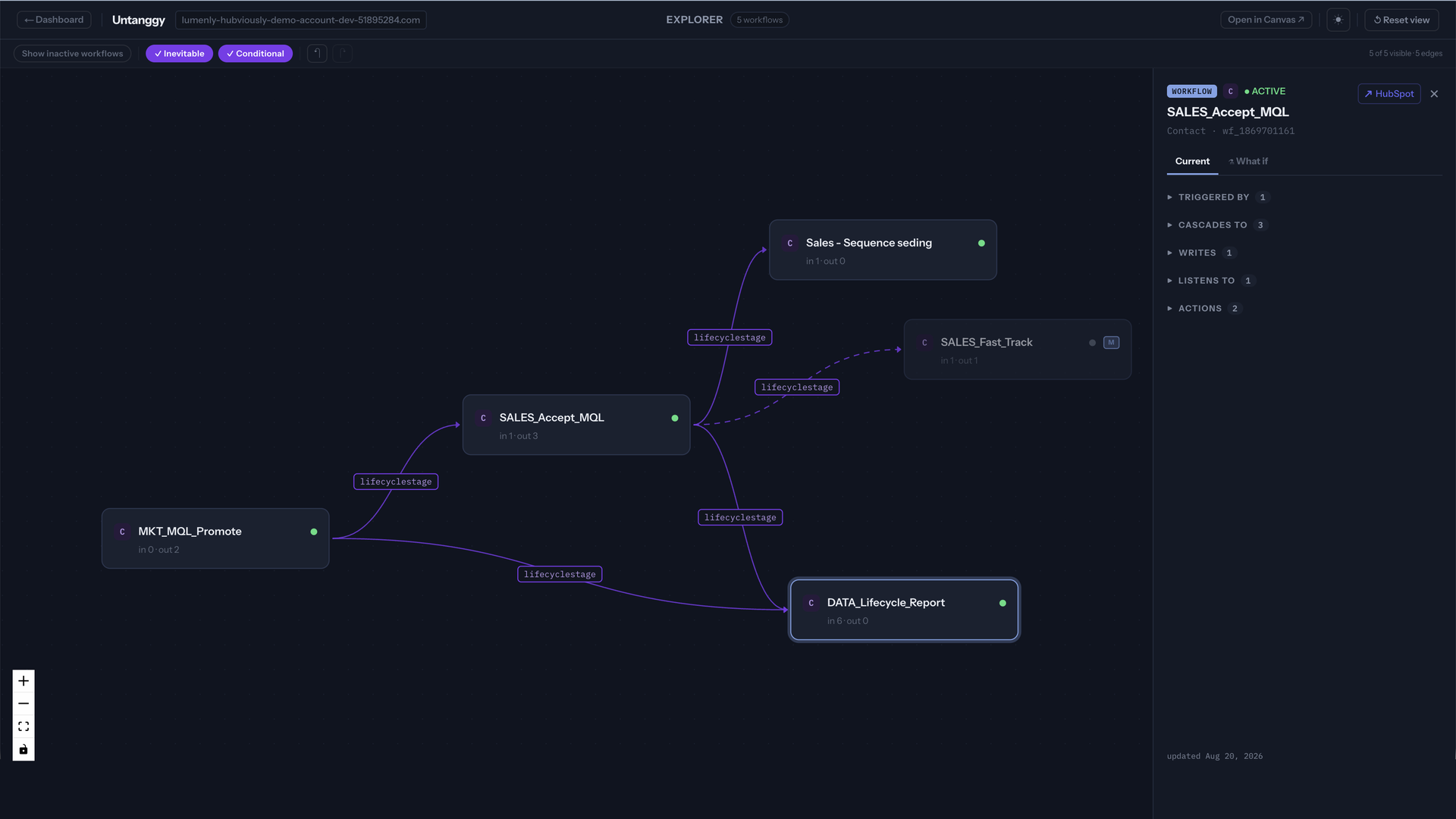
Explorer
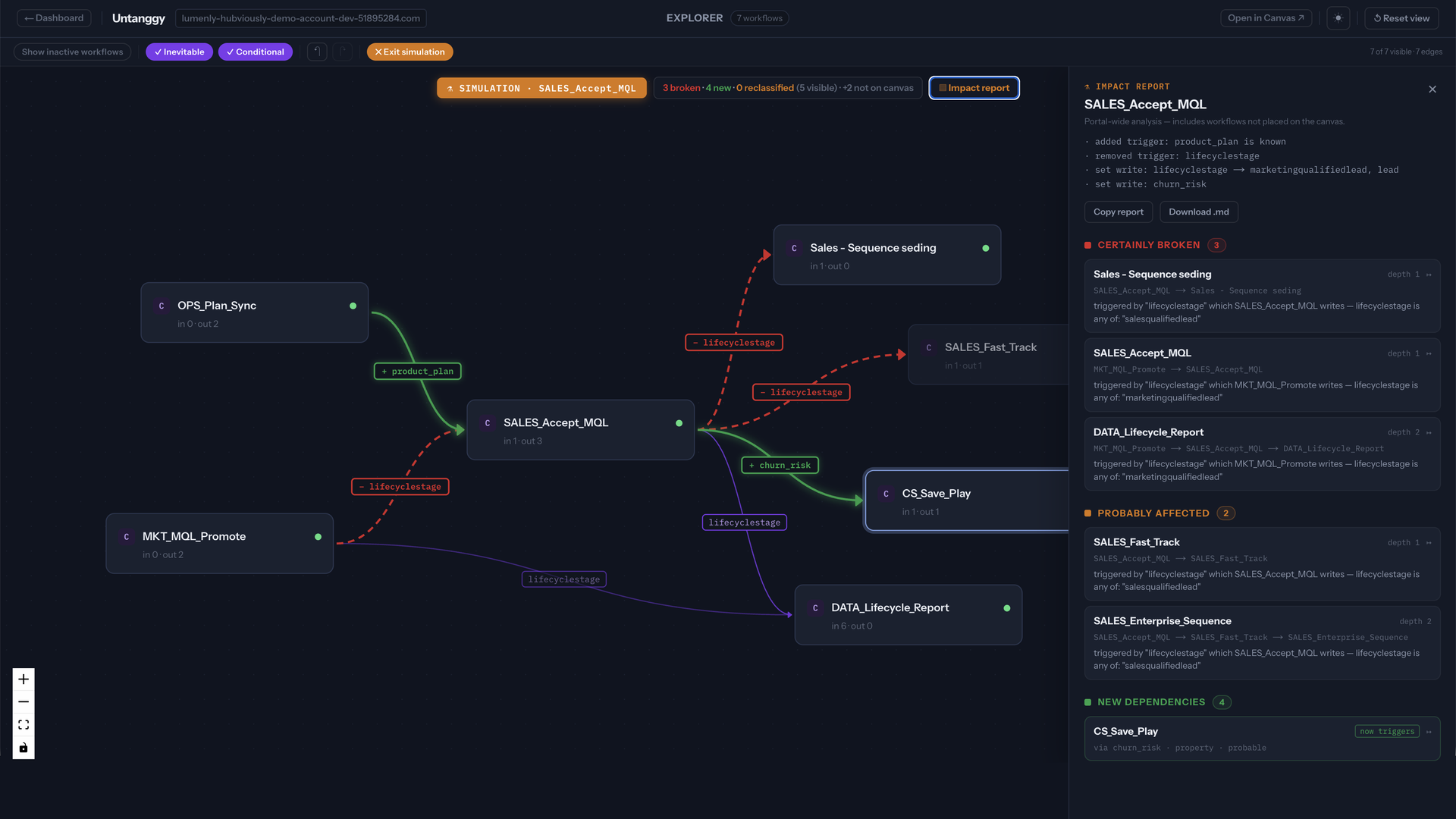
A focused workbench for investigating one change at a time. Start from a single workflow, pull in only its dependencies, expand step by step, and keep your own view of the portal. This is where What-if simulations and impact reports live.
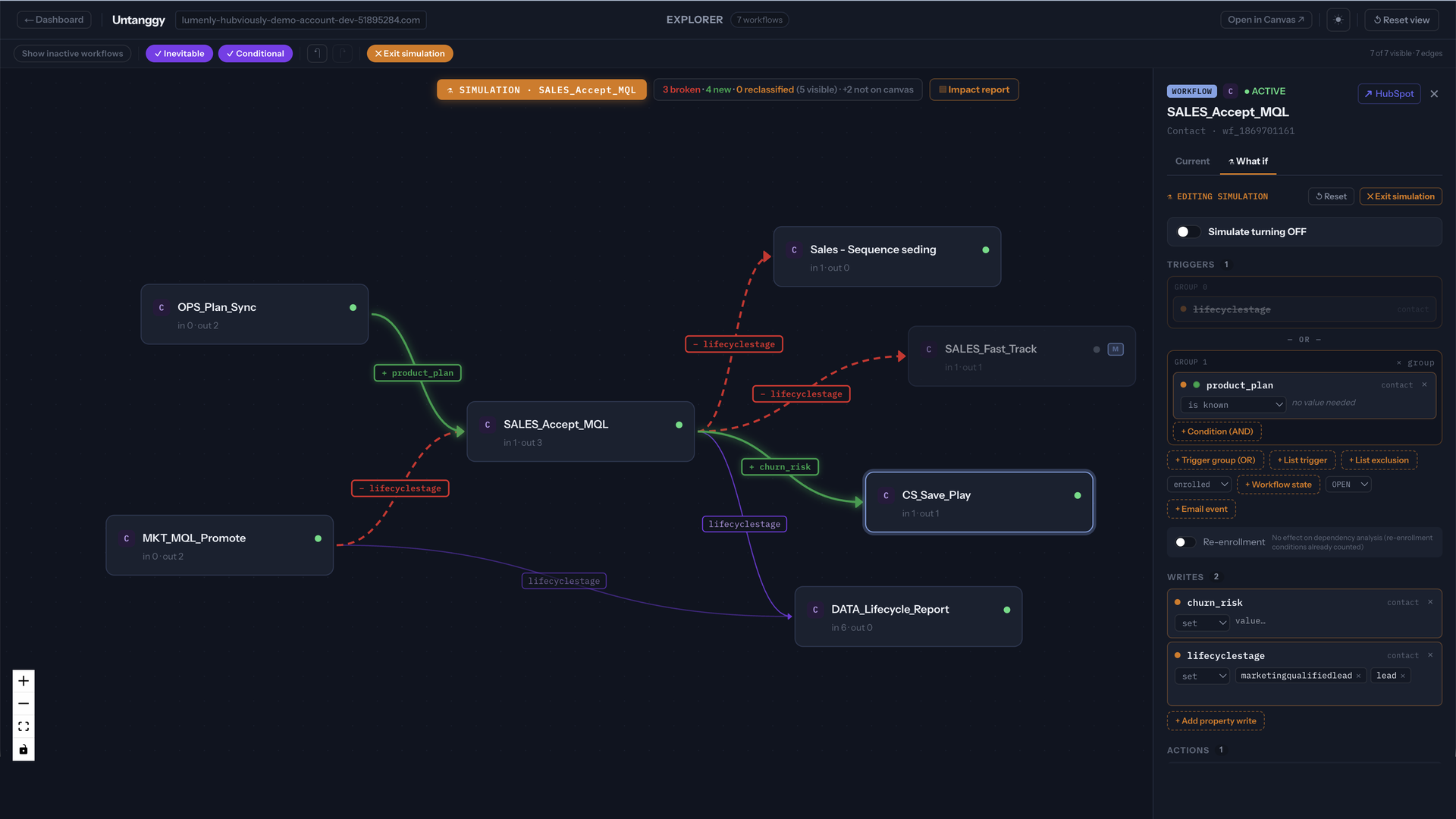
What-if Simulation
Test a change before making it. Simulate turning a workflow off or editing its triggers and actions, and instantly see which dependencies break, appear or change class, before you touch production.
Impact Reports
One click on any workflow produces a client-ready impact report: what certainly breaks, what is probably affected, and which assets go orphan. Copy it straight into an email to your client or your team.
App Functionality
Shared Data
Dependency map | ||
Dependency map | ||
Dependency map | ||
Dependency map | ||
Dependency map | ||
Dependency map | ||
Dependency map | ||
Dependency map | ||
Dependency map | ||
Dependency map | ||
Dependency map | ||
Dependency map | ||
Dependency map |
Untanggy is strictly one-way and read-only: data flows from HubSpot to Untanggy, never back. The app never creates, edits, or deletes anything in your portal.
What Untanggy reads: workflow definitions (triggers, actions, enrollment criteria), list definitions, form definitions, marketing email names, sequence names, team names, and property definitions for every object a workflow can act on: contacts, companies, deals, tickets, custom objects, quotes, line items, leads, appointments and projects. Sequences, teams and projects have no entry in the table above because the listing form does not offer them as objects. This structural information is what powers the dependency map.
What Untanggy does not read: your contact records, company records, deals, tickets, or any personal data stored in your CRM. For a few objects HubSpot only offers a record-level scope (leads, users); the app still reads only the property definitions and user names, never the records. The app works entirely from the structure of your automation, not from the data flowing through it.
Synced information is stored encrypted and is deleted when you disconnect your portal. On disconnect the app also revokes its own HubSpot access. You can remove the app at any time from your HubSpot account settings.
Reviews
Pricing
Free
$0
See your portal clearly
2 syncs per day
Unlimited workflows
Full dependency canvas
1 user
1 portal
Free
$0
See your portal clearly
2 syncs per day
Unlimited workflows
Full dependency canvas
1 user
1 portal
* The pricing here is for display purposes only. All prices do not include taxes, incentives, discounts, or other pricing variables. You should contact the partner for the most up to date and correct pricing information. HubSpot does not take any responsibility for this pricing information, which is provided by our partners. Pricing last updated: 09/29/2026
More info
Built by - HS Simple
Installs - 10+ installs
Categories Languages this app is available in English
Getting attention today

Microsoft Teams
Use Microsoft Teams and HubSpot for meetings, conversations, and more!
Google Meet
meeting links, recordings & transcripts for Google Meet in HubSpot
