
-1.png)
WoodsTrust
Built by - digitalwoods
Installs - 10+ installs
Rating 5
(1)
Requirements
HubSpot Plan HubSpot Account permissions - View the required account permissions
Access Type Shared WoodsTrust Subscription - Free or Premium plans
Overview
1/2
WoodsTrust solves a critical problem for HubSpot users: Google Reviews live on Google, not on your website where potential customers actually make decisions.
Most businesses manually copy-paste reviews into their website code or use widgets that require complex setup. This wastes hours of developer time and often breaks when websites update.
WoodsTrust eliminates this friction by bringing Google Reviews directly into your HubSpot portal. Once connected, you can display beautiful, customizable review widgets on any HubSpot page with drag-and-drop simplicity - no coding required.
The result? Website visitors see authentic social proof instantly, building trust and increasing conversion rates without slowing down your development team.
Features
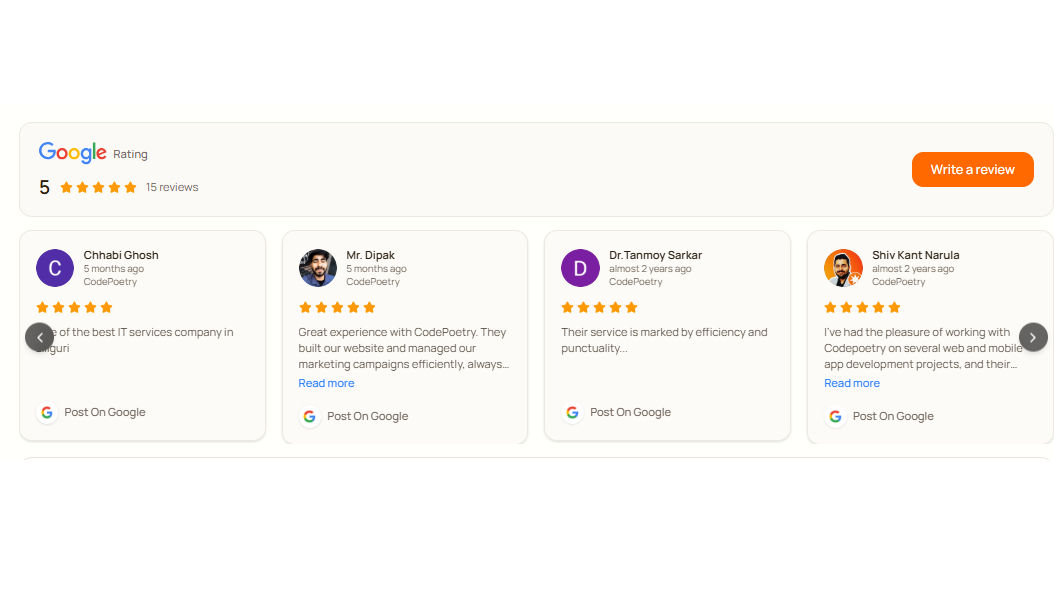
Displays Google Reviews
Display Google Reviews directly inside HubSpot and on your website. Build social proof, manage feedback, and boost trust without coding.Display Google Reviews directly inside HubSpot and on your website. Build social proof, manage feedback, and boost trust without coding.
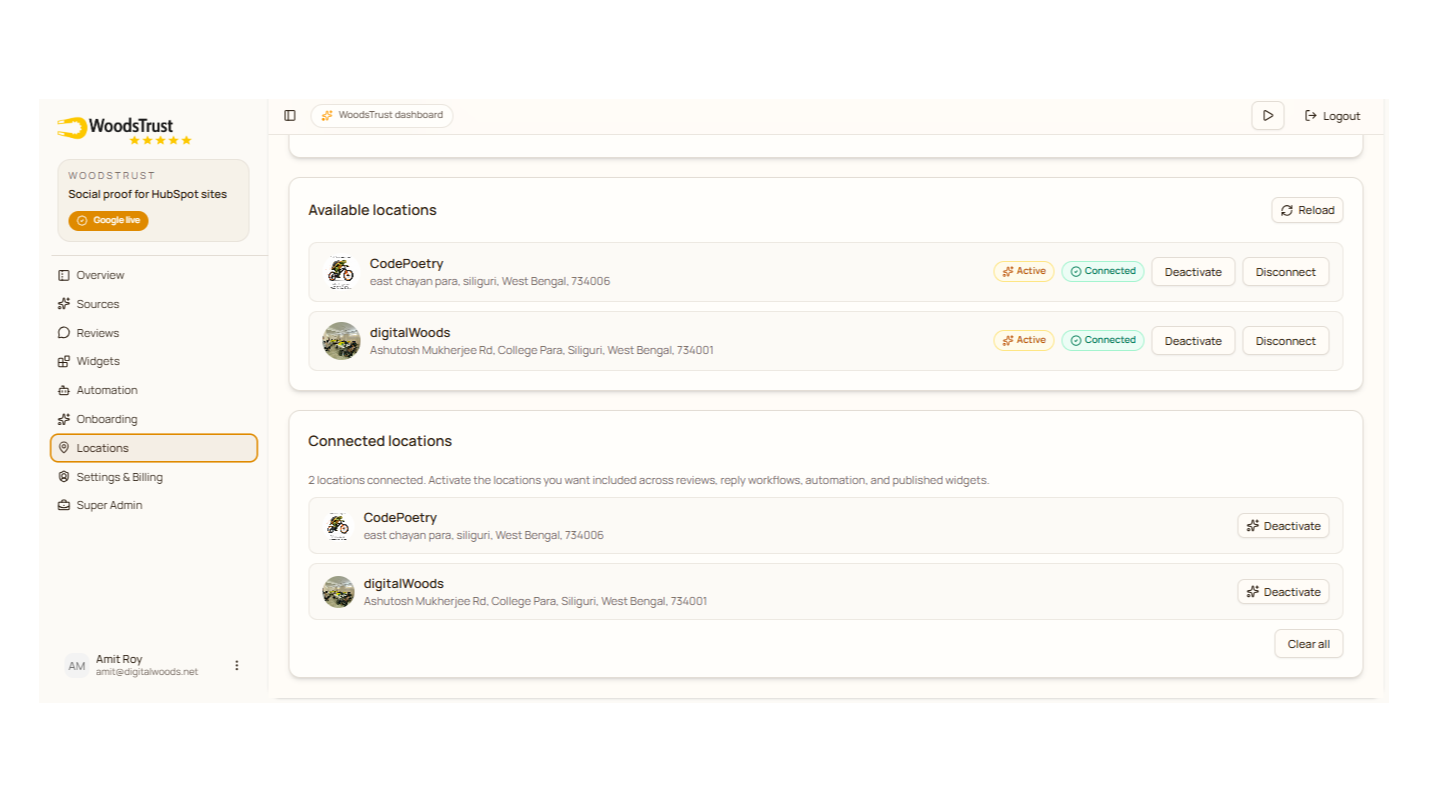
Manage and publish reviews from all workspaces in one place
You can display all of your business account's reviews at once.
App Functionality
Shared Data
Contacts | ||
CMS Module | ||
Domains |
WoodsTrust uses the minimum required HubSpot permissions to provide its core functionality. Data is only accessed after the customer authorizes the application through HubSpot OAuth.
OAuth Authentication
WoodsTrust uses HubSpot OAuth to securely authenticate users and connect their HubSpot account with the WoodsTrust platform.
Contact Data
WoodsTrust reads the authenticated user's contact information (name, email, and phone number) to create and manage their WoodsTrust account. Users can update their profile within WoodsTrust, and those changes are synchronized back to the corresponding HubSpot contact.
CMS Layouts
WoodsTrust creates, configures, and uploads the WoodsTrust Review Module to the customer's HubSpot CMS. After installation, customers can add the module to their HubSpot-hosted website pages to display Google Reviews managed through the WoodsTrust platform.
CMS Domains
WoodsTrust retrieves the customer's connected HubSpot CMS domains to verify where the Review Module can be deployed. This ensures the module is available only on authorized HubSpot-hosted domains.
Data Security
WoodsTrust follows the principle of least privilege and only accesses the data required to provide its features. Customer data is processed securely using HubSpot OAuth and is never accessed beyond the permissions explicitly granted by the customer.
Reviews
- Aug 4, 2026
Excellent app to show Google reviews in HubSpot pages
This app makes it incredibly easy to showcase Google reviews on HubSpot pages. The setup process is simple, the widget looks professional, and it helps build trust with website visitors by displaying authentic customer reviews. It's reliable, easy to manage, and works exactly as expected. A great addition for any business using HubSpot.
1. Easy to install and configure 2. Clean and professional review display 3. Seamless HubSpot integration 4. Auto review reply 5. Auto sync latest reviews feature
More layout customization options would make it even better.
Ghosh, S.
Pricing
Free
$0
Email support
Supports 200 Review API Requests
5 syncs per month
Single workspace Google reviews
Free
$0
Email support
Supports 200 Review API Requests
5 syncs per month
Single workspace Google reviews
* The pricing here is for display purposes only. All prices do not include taxes, incentives, discounts, or other pricing variables. You should contact the partner for the most up to date and correct pricing information. HubSpot does not take any responsibility for this pricing information, which is provided by our partners. Pricing last updated: 08/24/2026
More info
Built by - digitalwoods
Installs - 10+ installs
Categories Languages this app is available in English
Getting attention today

Microsoft Teams
Use Microsoft Teams and HubSpot for meetings, conversations, and more!

Slack
Manage CRM records, get AI-powered assistance from Breeze, send real-time notifications, and collaborate with your team — without leaving Slack.
