
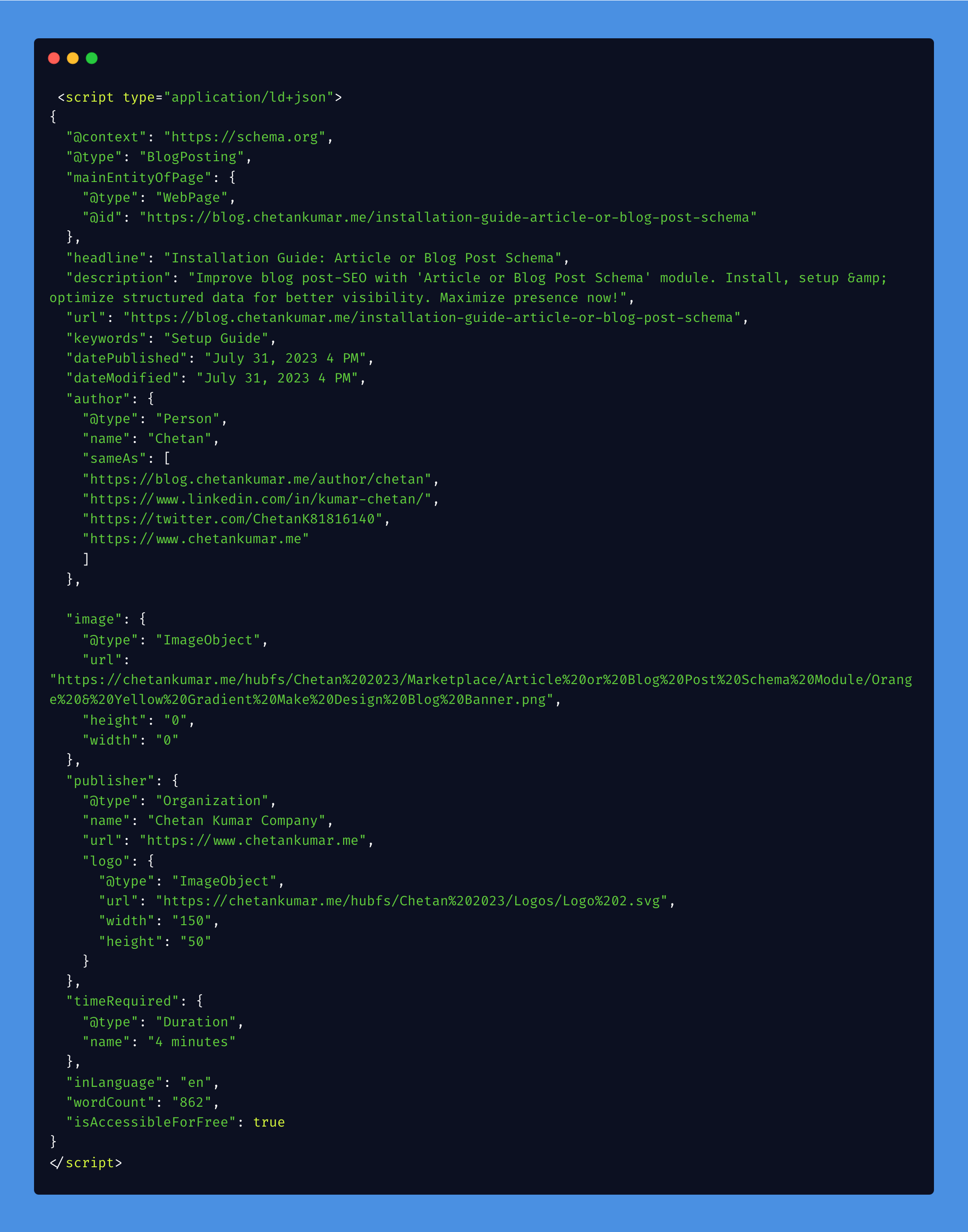
1/4 - Source code of your structured data for Article Schema will look like this.
Overview
🚀 Boost Your Content to New Heights with Schema Markup for SEO! 🚀
Ready to take your online presence to the next level? Introducing the game-changing Schema Markup for the SEO module! 🌟🚀
Prior to implementing this schema, it is recommended to disable the structured data toggle button. This can be done by navigating to settings > website > blog > general and scrolling to the bottom to find the structured data toggle button.
- 🔍 Enhance Visibility: Unlock the secret to dominating search engine results! By implementing structured data, your content will stand out with eye-catching rich search results. Say goodbye to being buried in search pages and hello to top rankings! 💥
- 🎯 Targeted Content: Tailor your content for the right audience! With targeted language and word count specifications, you'll capture the hearts of your ideal readers. No more guesswork - just laser-focused content that converts! 💡
- 💪 Authority and Trust: Establish your brand as an industry leader with author credibility. Showcase your experts' credentials, social media links, and comprehensive branding. Boost your authority and earn your audience's trust! 🏆
- 🕒 Engaging Reading Experience: Keep readers hooked with an automatic reading time display. Set clear expectations and let your audience devour your content without hesitation! 📚
- 🚀 Easy Setup, No Fuss: Say goodbye to complex coding! Our user-friendly module makes setup a breeze. You'll have structured data working its magic in no time! 🚀
- 🌍 Open and Inclusive: Spread your message far and wide! By marking your content as accessible and free, you'll attract a global audience and skyrocket your reach! 🌐
Seize this opportunity to skyrocket your content's success. Don't be left behind - join the content revolution with Schema Markup for SEO and watch your content go viral! 🚀🔥
Have a question? Contact me🤙
https://www.chetankumar.me/contact
My other HubSpot Assets:
https://app.hubspot.com/ecosystem/40818146/marketplace/modules?eco_providers=Chetan Kumar
Features
🔎 Auto-Fetch Relevant Info
This module works its magic even if you don't provide all the details. It automatically fetches relevant information to create powerful structured data.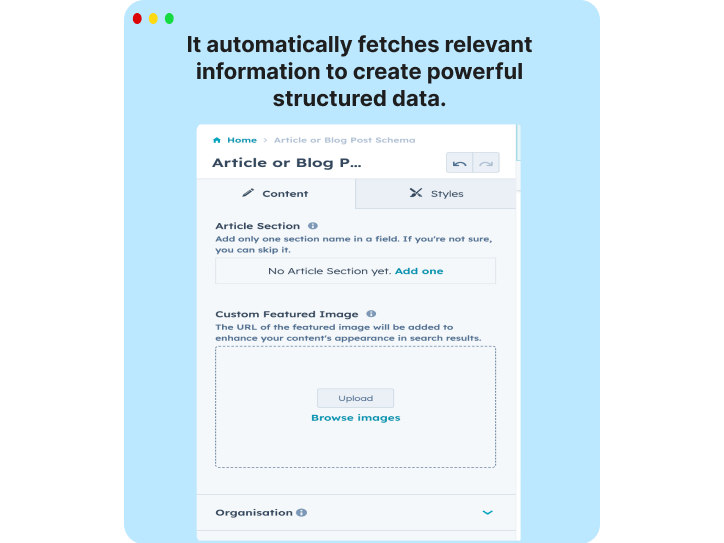
🏆 Author Credibility
Establish authority and build trust with readers by showcasing your expert authors' credentials and social media links.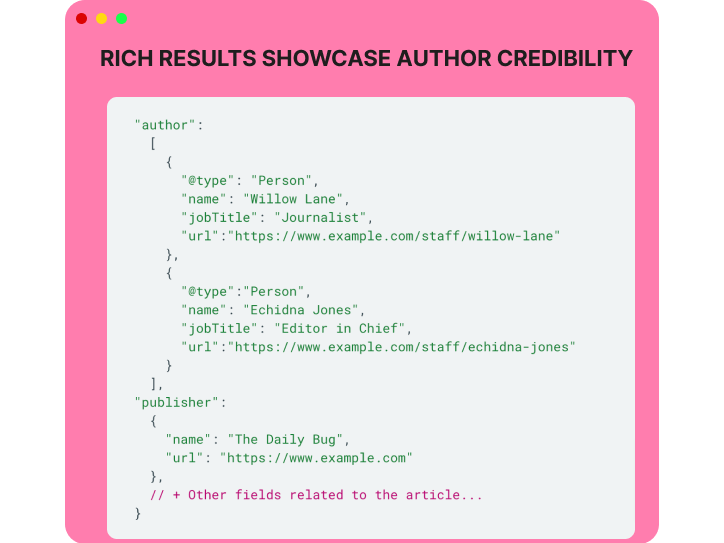
🌟 Rich Search Results
Stand out from the crowd with eye-catching rich search results, featuring enticing elements like featured images and author information.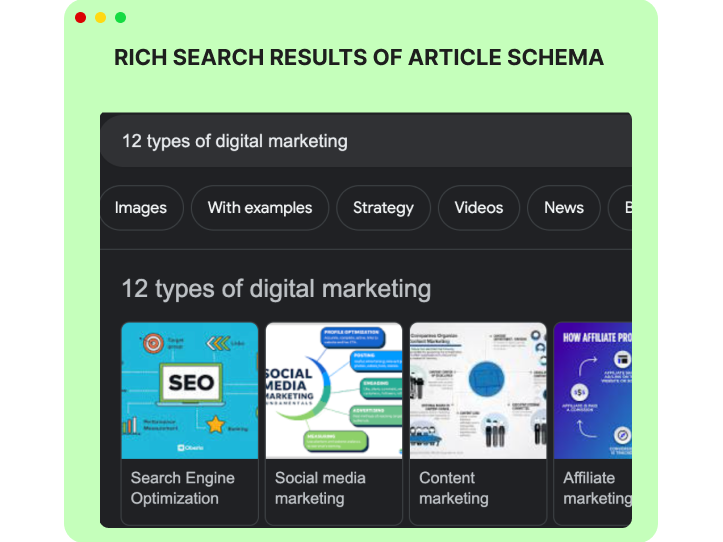
🚀 Enhanced Search Visibility
Boost your content's visibility in search results and outshine your competitors with structured data.
About Module
Total installs Fewer than 10 Created - Aug 14, 2023
Version 1 - Aug 14, 2023
Categories Tags
Requirements
HubSpot Subscription

Contact Chetan Kumar
Legal Stuff
Please refer to the developer's Privacy Policy and Terms for more information.
Support
Chetan Kumar
- India
Visit website
Freelance FullStack Developer
1 Hour Free Support
Chetan Kumar typically responds in
- Sunday
8:00 AM - 6:00 PM (EST) - Monday
8:00 AM - 6:00 PM (EST) - Tuesday
8:00 AM - 6:00 PM (EST) - Wednesday
8:00 AM - 6:00 PM (EST) - Thursday
8:00 AM - 6:00 PM (EST) - Friday
8:00 AM - 6:00 PM (EST) - Saturday
8:00 AM - 6:00 PM (EST)

