
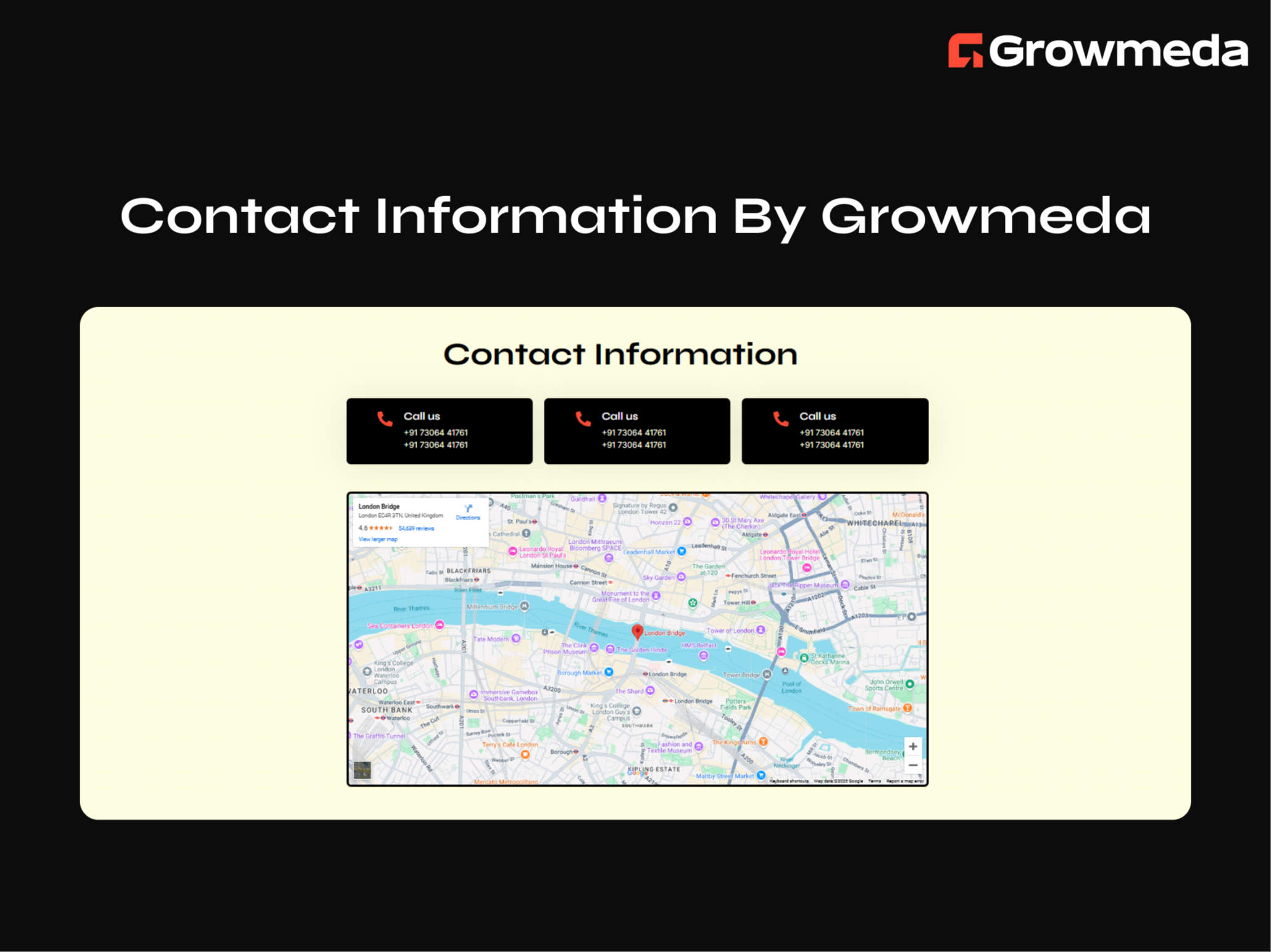
1/4 - Advanced Contact Information By Growmeda
Overview
Introducing the Contact Information Module by Growmeda—a simple yet highly effective solution to display your contact details and location. This module is ideal for making it easy for your audience to reach you while adding a professional and organized touch to your website.
Key Features of the Contact Information Module:
Main Heading: Start with a clear and engaging heading to introduce your contact section.
Contact Info Boxes: Showcase multiple contact methods such as email, phone, or website links, with a title and clickable link for user convenience.
Google Map Integration: Display your location with an embedded Google Map, making it easier for visitors to find you.
Fully Customizable: Personalize every aspect of the module, including colors, fonts, box styles, and map settings, to suit your branding.
Responsive Design: Optimized for flawless performance on all devices, ensuring an exceptional user experience across desktops, tablets, and mobile phones.
Make it effortless for your audience to connect with you using the Contact Information Module by Growmeda—a professional, customizable, and responsive solution for your website.
Features
Advanced Content Fields
Advanced Content Customization Fields With Repeater Items For Seamless Content Addition & Updations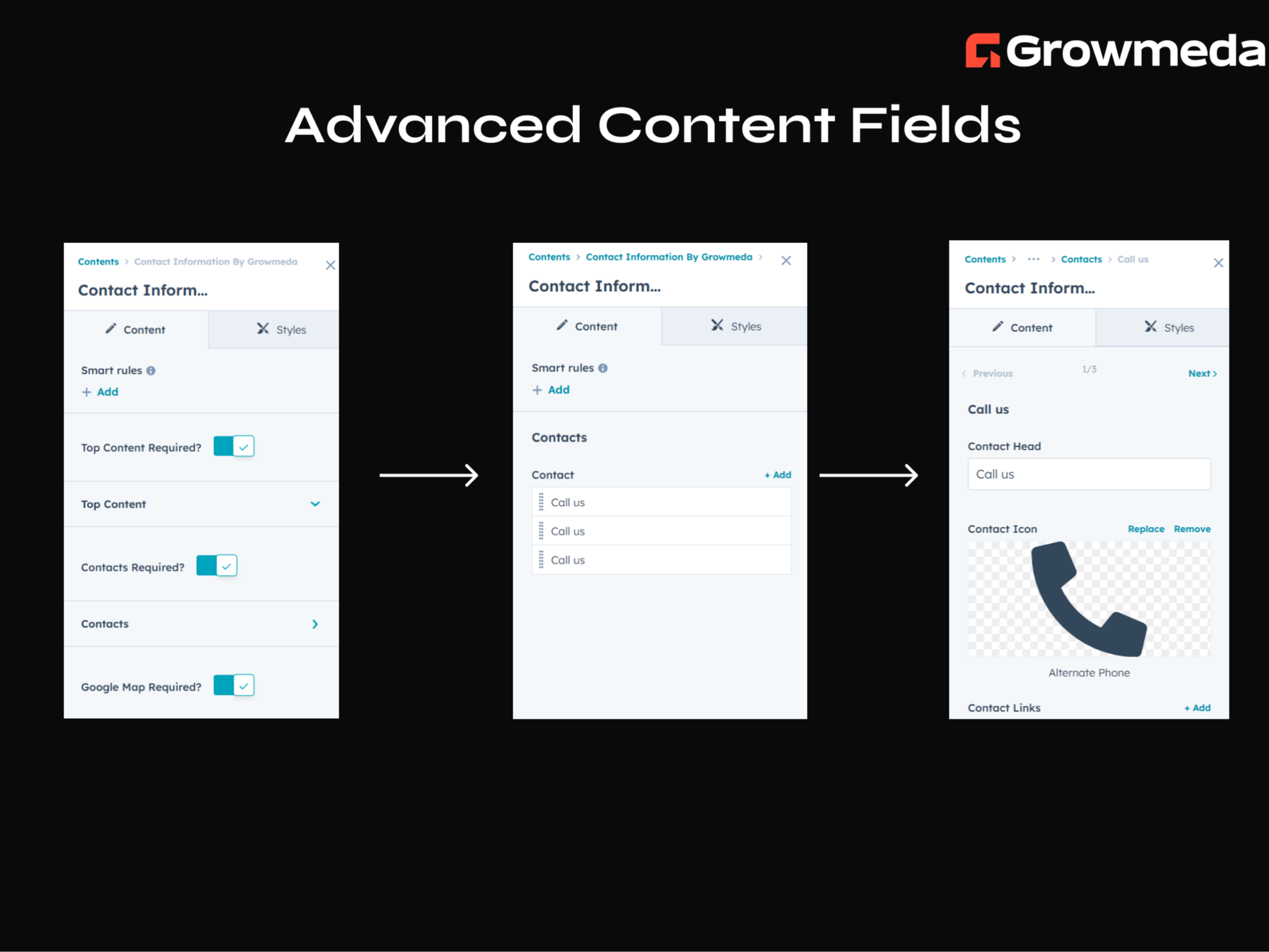
Advanced Style Customization Fields
Advanced Style Customization Fields for Customize the Module Style That Tailors To Your Needs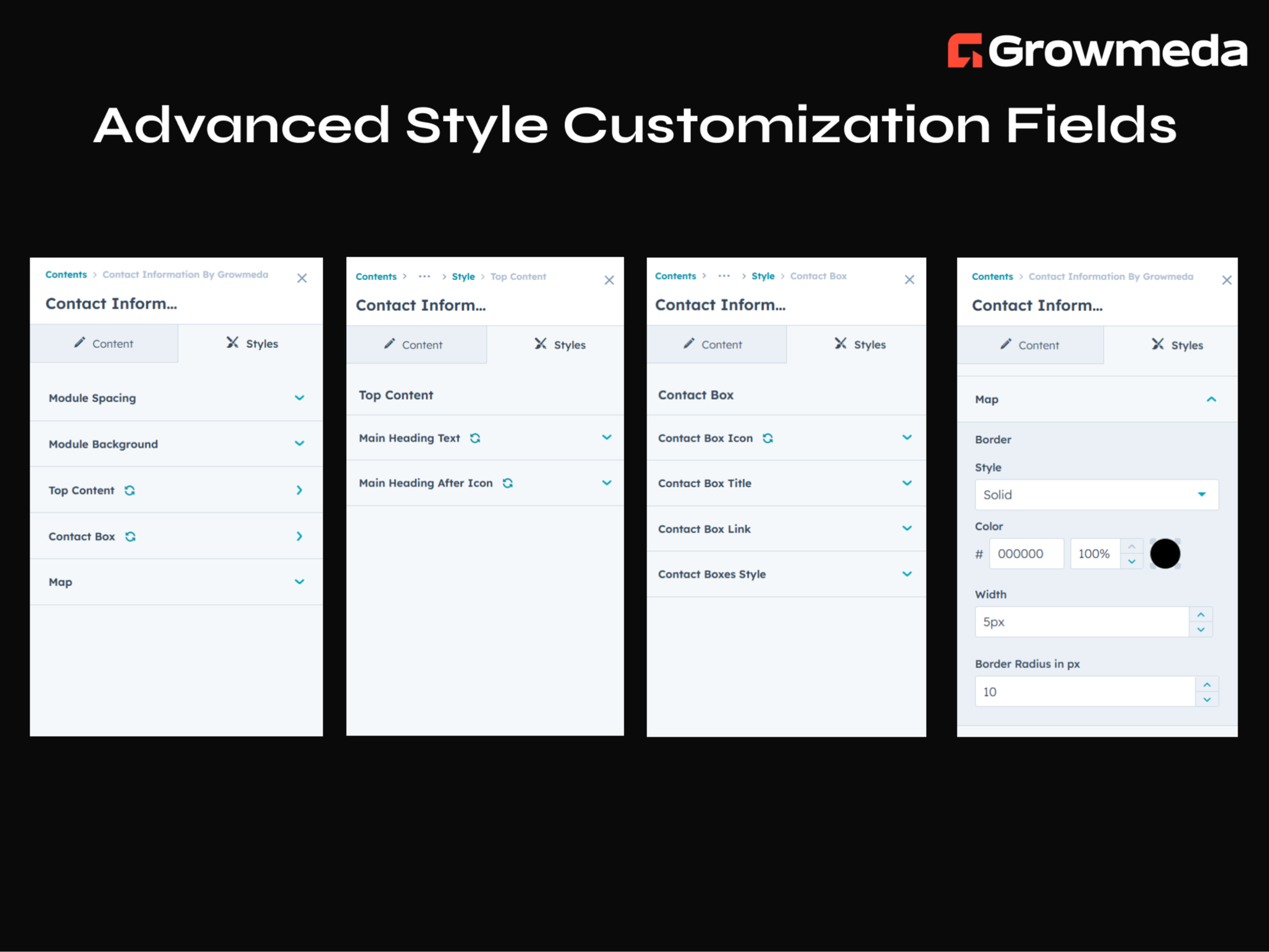
100% Responsive Design
Fully Responsive. Optimized to look great on all devices.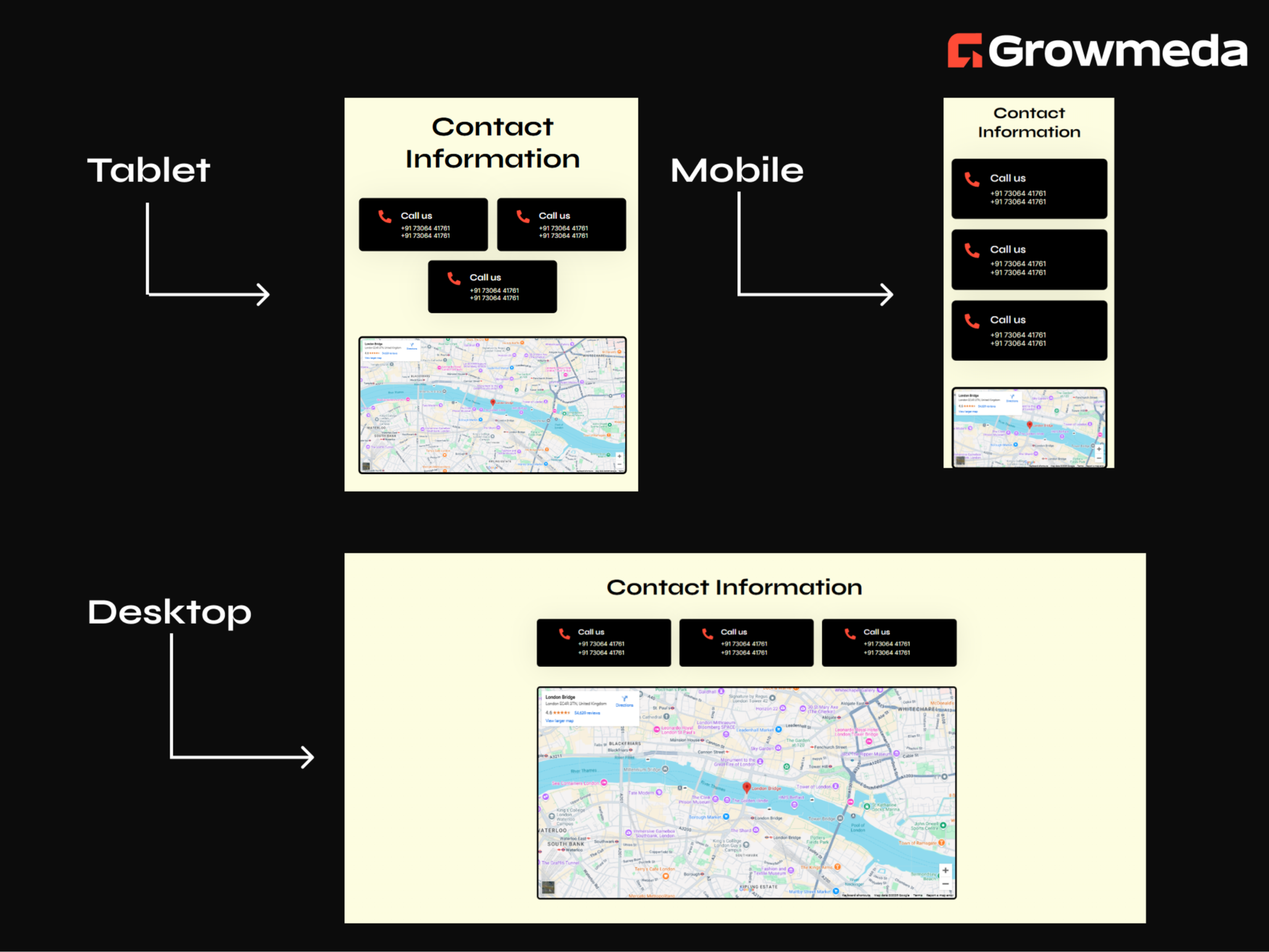
About Module
Total installs - 50+
Created - Feb 13, 2025
Version 1 - Feb 13, 2025
Categories Tags
Requirements
HubSpot Subscription Works with all HubSpot plans

Contact Growmeda
Legal Stuff
Please refer to the developer's Privacy Policy and Terms for more information.
Support
Growmeda
- India
Visit website
Our team’s enthusiasm is infectious! We are a group of techs with long working experience in Hubspot. We joined together to form a team to work solely on Hubspot. We are Hubspot oriented, Hubspot thinking Hubspot developers who will be the answer to all your Hubspot based developments. We are growing very fast in strength and resources. We are here to help your business to grow and flourish with inbound marketing and will do everything possible to your organization to succeed.

Contact Information Customer Reviews
- Jun 5, 2025
Works with 3 or more columns only. Tough luck if you need two or need a couple of words per line.
It works if you need exactly 3 contact boxes with no more than 16 characters per line. Side padding in the boxes is ludicrous, can't be adjusted. If you have two boxes, when in full page desktop width, the boxes are placed in a 3 column setup with a gap in the middle where the third box would otherwise be. With 1 box, it just puts it on the left most column of the 3 column setup, it won't stretch. It's sad because it looks PERFECT in tablet mode, but make the page a bit wider and it adheres to the 3 column madness. I don't know if these issues are a result of the confines of building a HubSpot module or if HubSpot updated their backend, breaking this module, but if that isn't the case, this module is a pure embarrassment and I would not use any of this companies products if they can't produce a bare minimum functional module.
Yes
It works if you have exactly 3 boxes with less than 16 characters per line
padding is too big and can't be adjusted stays in 3 columns on full page width it really can be done so easily with css flexbox but this is just redundant.
Cortinovis, Z.
Version 1