
1/12
Overview
Custom Filter – Overview
A powerful, responsive filtering system for HubSpot that helps visitors instantly find the right content — improving usability, engagement, and conversions. Whether you're building a product catalogue, real estate listings, a blog archive, or a resource library, the Custom Filter Module delivers a clean, high-converting browsing experience with zero coding required.
Key Features
Multi-Factor Filtering – Combine category, tags, price range, and keyword search to deliver precise, relevant results.
Flexible Layout Options – Choose from Left Panel, Right Panel, and Top Bar layouts, each fully optimized for desktop, tablet, and mobile.
Display Modes – Supports both Pagination and Load More modes to match your content strategy.
Dynamic Search – Instant keyword-based filtering for faster, smoother content discovery.
Sorting Options – Sort by A–Z, Z–A, Newest or Oldest — individually toggleable from module settings.
Dynamic Price Range Slider – Automatically adapts min, max, and step values based on your actual card prices.
Custom Tag & Category System – Fully independent of HubSpot blog or CMS structures — total flexibility.
Customizable Filter Logic – Switch between Match ANY (OR) for broad results or Match ALL (AND) for strict, precise filtering.
URL Deep Linking – Filters are reflected in the URL, making filtered views shareable and bookmarkable.
Smart "All" Filter Toggle – Automatically collapses irrelevant tag lists when "All" is selected, keeping the UI clean.
Flexible Component Placement – Control where dates, tags, titles, and descriptions appear on each card with a single click.
Accessibility Ready – Built with ARIA labels, keyboard navigation, and screen reader support.
Modular Card Setup – Full control over images, titles, descriptions, pricing, dates, tags, categories, and button links.
Performance Optimized – Fast, smooth filtering with optimized rendering for large content sets.
Content Scheduling – Schedule content to appear at a specific date and time automatically, perfect for teams across different time zones.
Features
Flexible Layout Control
Switch between card, grid, or list layouts to match your content structure and user experience goals.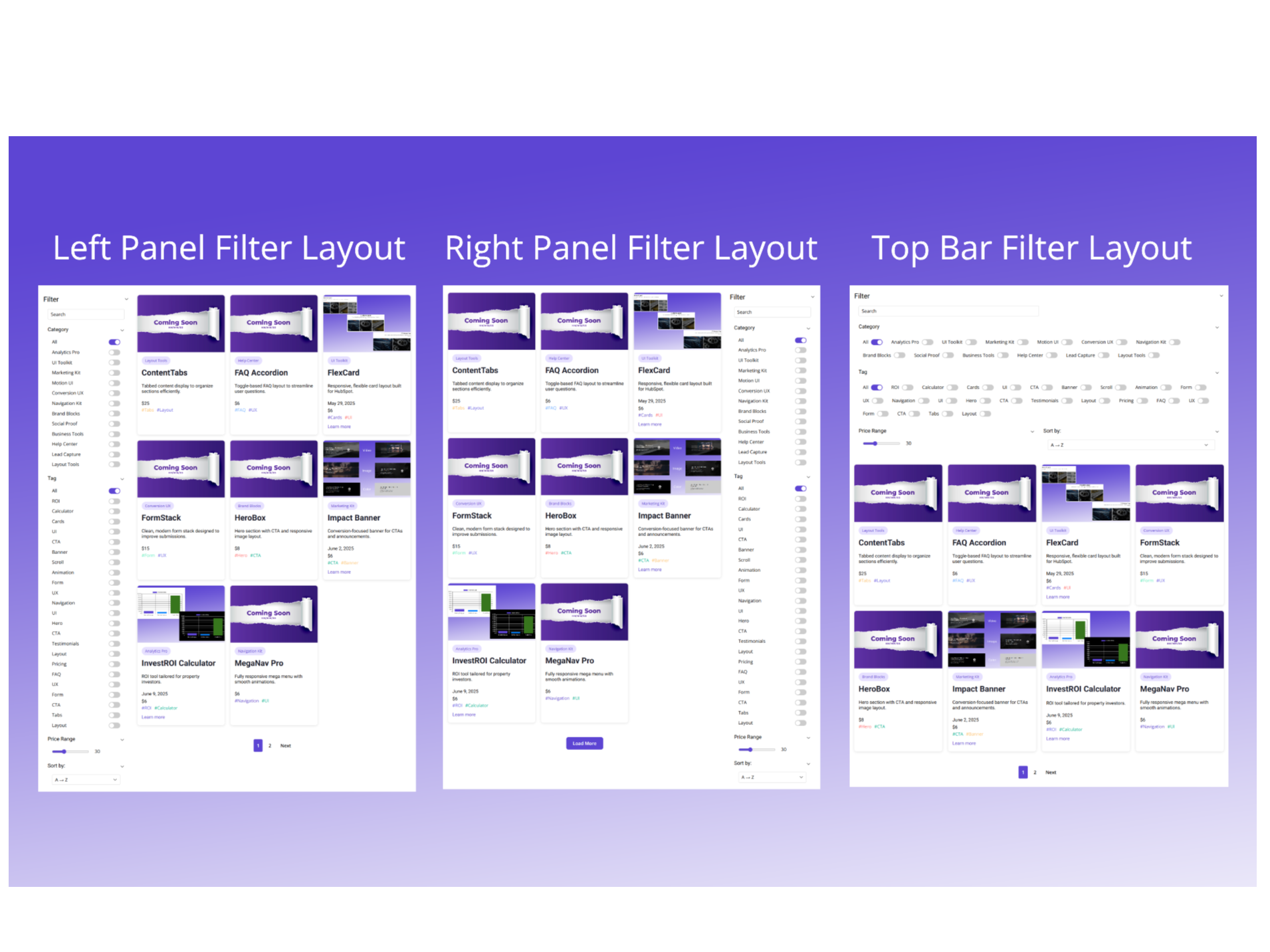
Smart Filter Visibility
Dynamically show or hide filters based on available content, keeping the interface clean and relevant.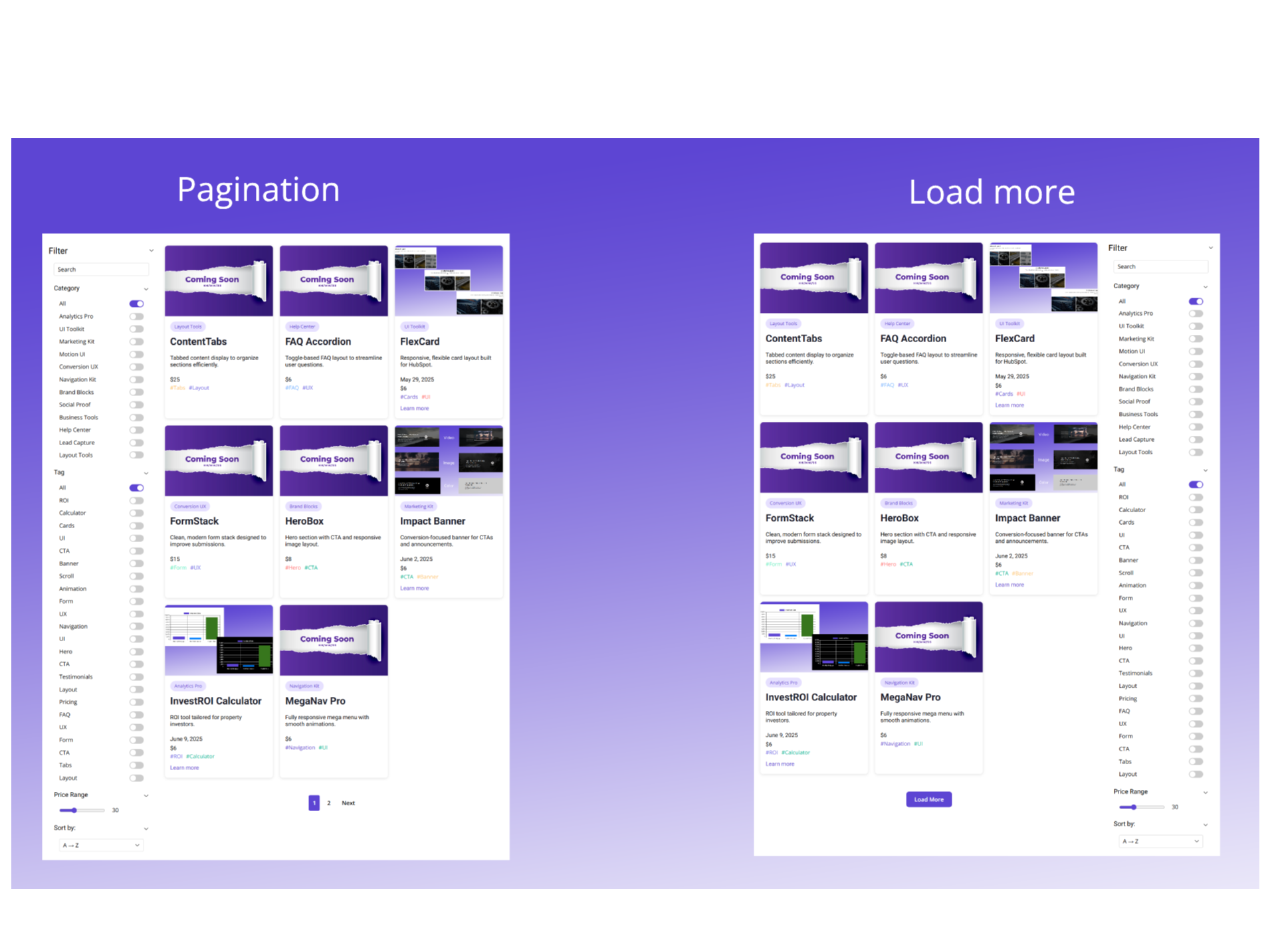
Advanced Tag & Category Filtering
Filter content by tags, categories, price, date, and more—with full control and no dependency on HubSpot blog data.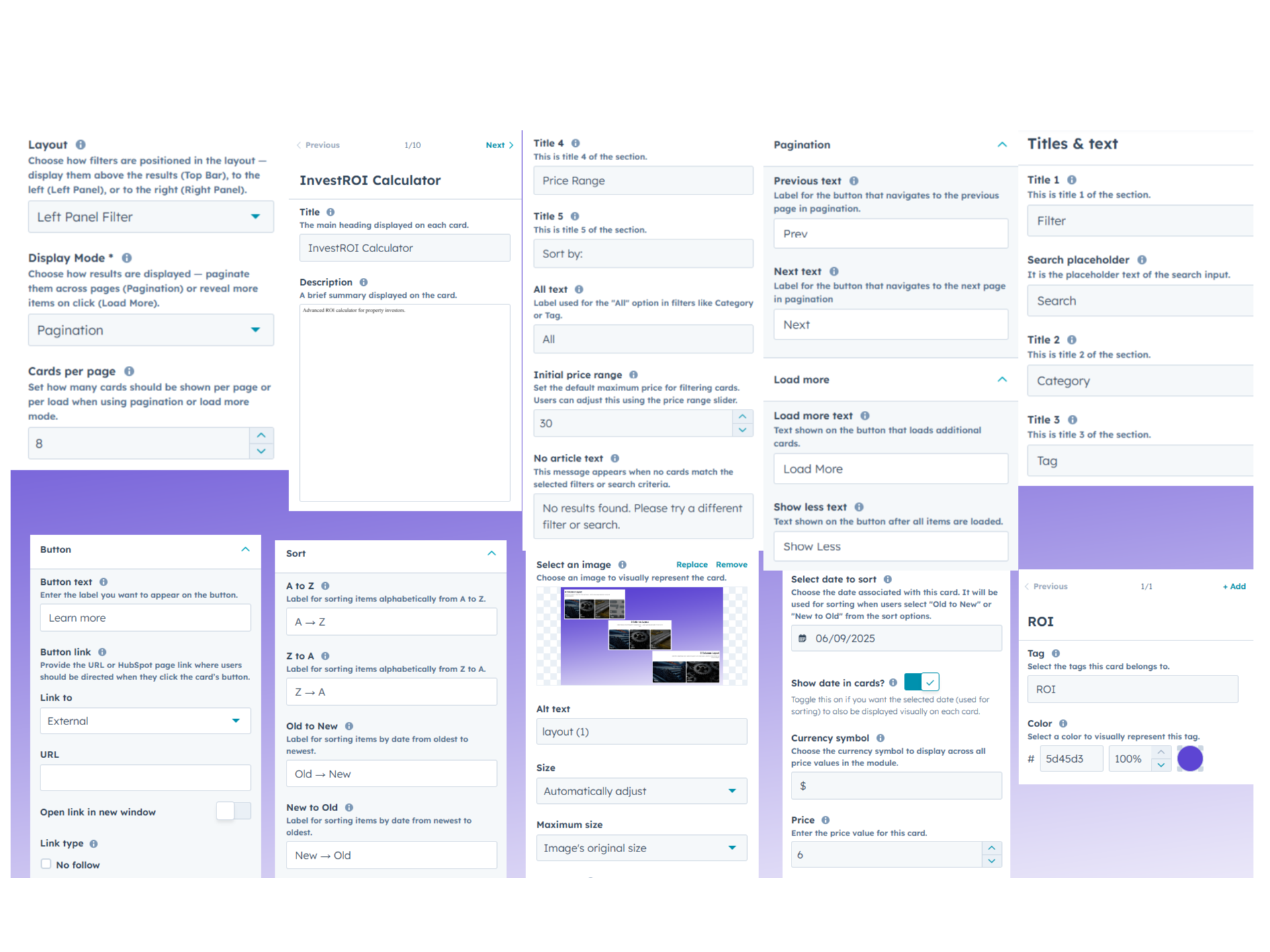
Full Design Customization
Customize colors, typography, spacing, and layout styles to seamlessly match your brand design.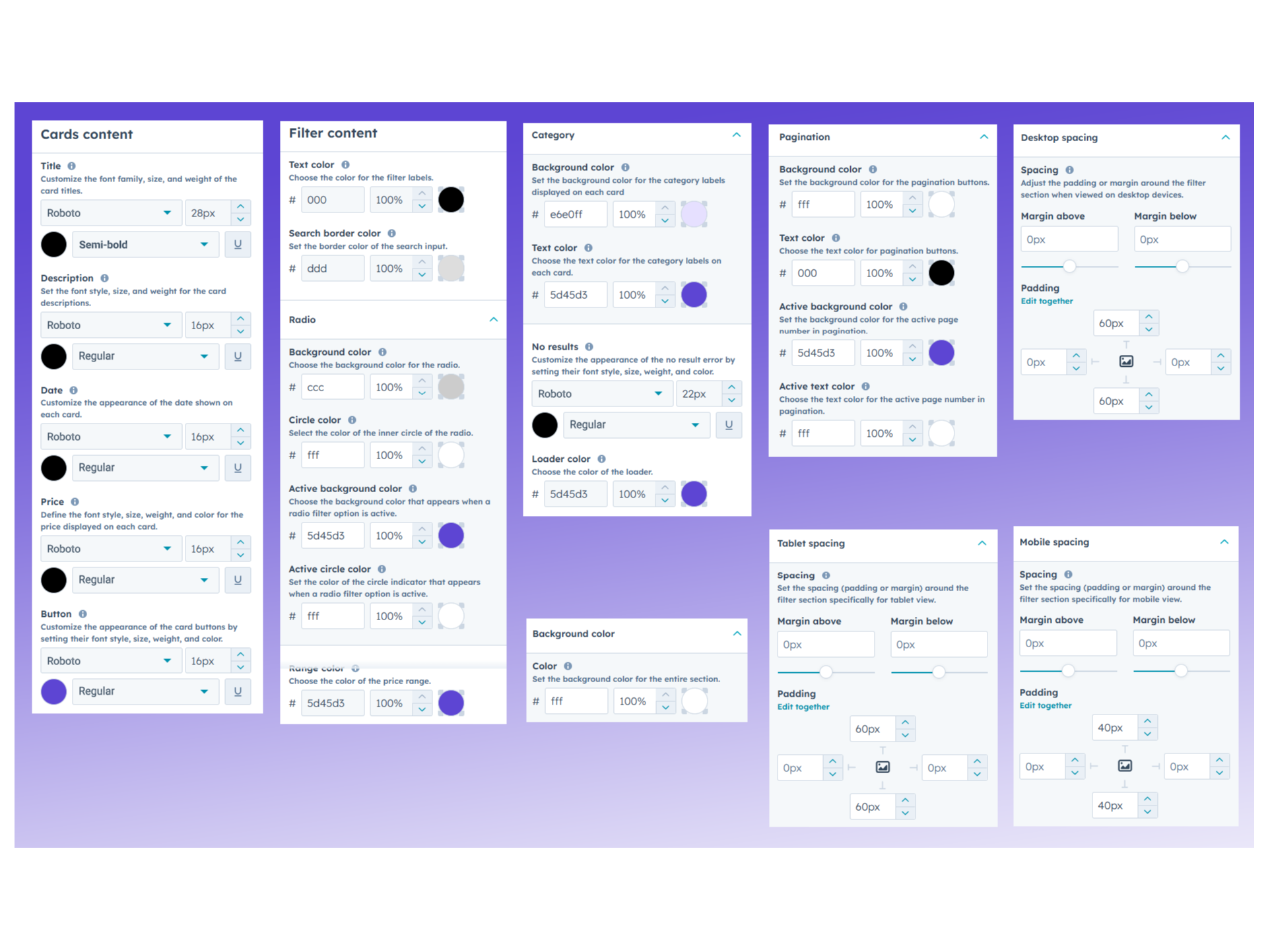
Responsive by Default
Fully responsive across desktop, tablet, and mobile for a consistent, high-quality user experience.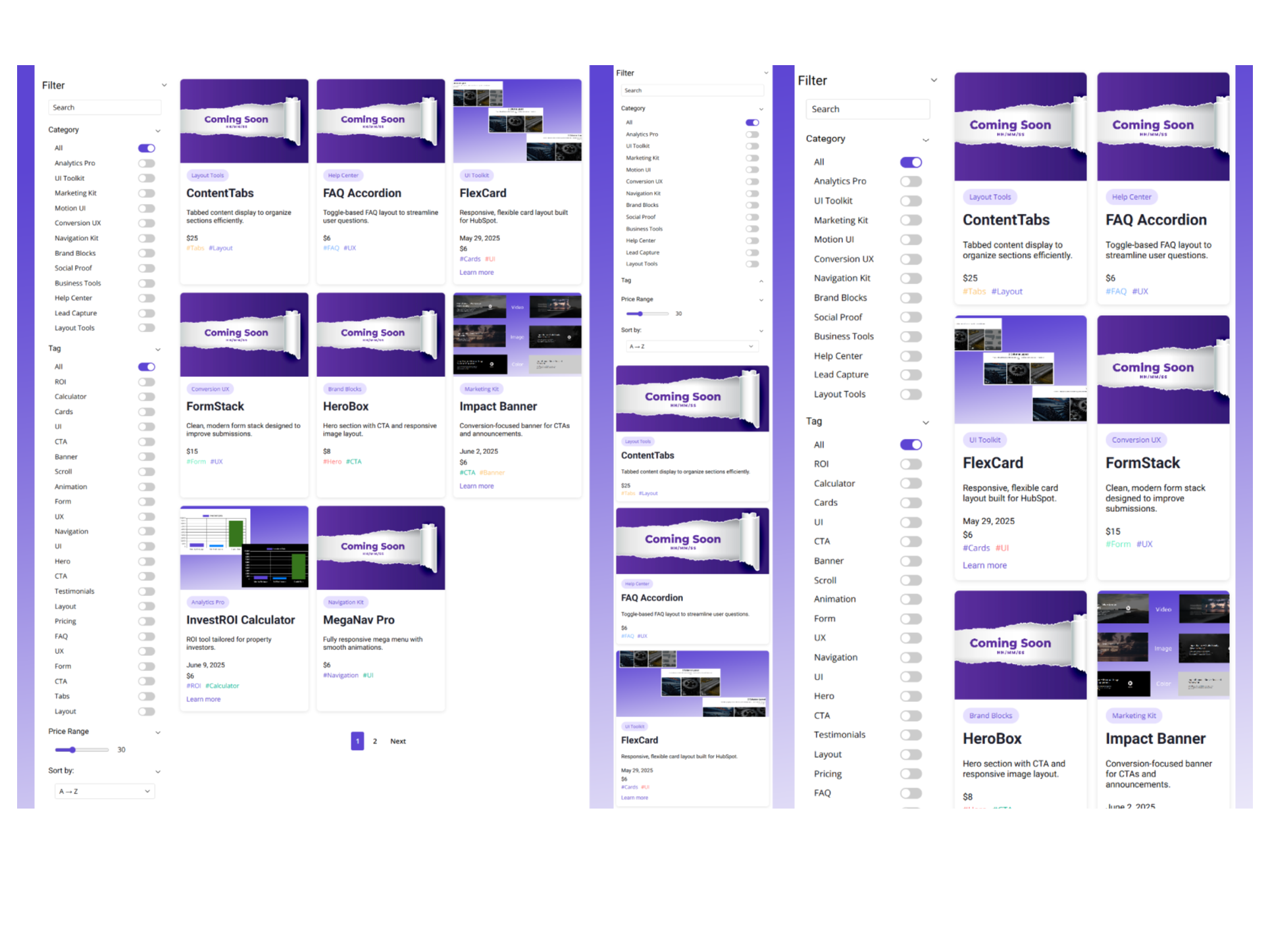
About Module
Total installs - 10+
Created - Jun 20, 2025
Version 11 - May 26, 2026
Categories Tags
Requirements
HubSpot Subscription Works with all HubSpot plans
Contact K Technology
Legal Stuff
Please refer to the developer's Privacy Policy and Terms for more information.
Support
K Technology
- Gurugram, Haryana, India
Visit website
K Tech is a premier HubSpot Solutions Partner specializing in high-performance CMS development and digital experience design. We empower businesses to scale by building sophisticated, responsive landing pages and high-conversion custom modules tailored to the HubSpot ecosystem. Beyond development, our expertise spans advanced automation workflows and actionable data insights through custom reporting. Whether you are optimizing an existing portal or launching a new campaign, K Tech is your trusted partner for scalable, high-performing HubSpot solutions that drive measurable growth.
Assistance with installing and configuring the module on your HubSpot pages
Help with adjusting module styling to align with your brand guidelines
Quick fixes for any issues or errors related to the module’s functionality
Guidance on best practices for using filters and layouts effectively
K Technology typically responds in
- Sunday
10:00 AM - 10:00 PM (IST) - Monday
10:00 AM - 10:00 PM (IST) - Tuesday
10:00 AM - 10:00 PM (IST) - Wednesday
10:00 AM - 10:00 PM (IST) - Thursday
10:00 AM - 10:00 PM (IST) - Friday
10:00 AM - 10:00 PM (IST) - Saturday
10:00 AM - 10:00 PM (IST)
Custom filter Customer Reviews
- Apr 27, 2026
Highly Customizable
This module allowed me to segment my content perfectly. I operate within the real estate industry an often times I need a filter where a visitor to my website can sort through the available listings quickly to find the option that is best suited for them. This Custom Module Filter provided that solution! Not to mention the fact that K Technology is also highly responsive to emails and provides great support! Really great Module!
It was easy to navigate and customize to my needs within the Real Estate industry
The biggest advantages of having this filter is website visitors can now sort through the available listings to find the best option for them. The can sort by for sale/for rent, Property type example, apartment, vacant land etc. and by price
Louis, B.
Version 10
- Feb 5, 2026
Highly Flexible!
We are utilizing this module to showcase partnership solutions. I love the flexibility this module has to dynamically display or remove filterable features, based on content.
All elements are customizable which is great
Casady, C.
Version 2