
1/5
Overview
A sortable, searchable data table for HubSpot pages. Each column carries a data type — text, number, currency, date or boolean — and sorting runs on that type, so figures order by value and dates order by calendar.
Rows are built from editor fields, so anything your team can type becomes a table: price lists, spec comparisons, invoice and contract registers, service status boards, fee schedules, timetables, release histories.
Cells can link through, carry emphasis, or render as a status pill with a dot colour set per value. A footer row holds totals. Search filters as you type, with a result count and an empty state you write yourself. Paging runs as numbered pages or a load-more button, with a rows-per-page control your visitors can change.
Long tables stay readable: the header can follow you down the page, the first column can stay put while the rest scrolls sideways, rows can be striped, and row height can be comfortable or compact. On a phone each row becomes a stacked card, or the table keeps its shape and scrolls sideways — set per instance.
Every colour, size, weight, letter spacing and radius is a field, grouped on the Style tab: typography, section and container, heading and eyebrow, search bar, table surface, header row, cells, status pills, footer and pager. Fonts and accent colour inherit from your HubSpot theme settings.
Accessibility is built in: column header semantics, aria-sort on sortable columns, labelled controls, and reduced-motion support.
Works on any HubSpot page template. No theme required.
Features
Sorting that follows the data type
Each column is typed — text, number, currency, date or boolean — and sorting runs on the type, so figures order by value and dates by calendar. Columns can opt out of sorting, and you can set the column and direction the table loads with.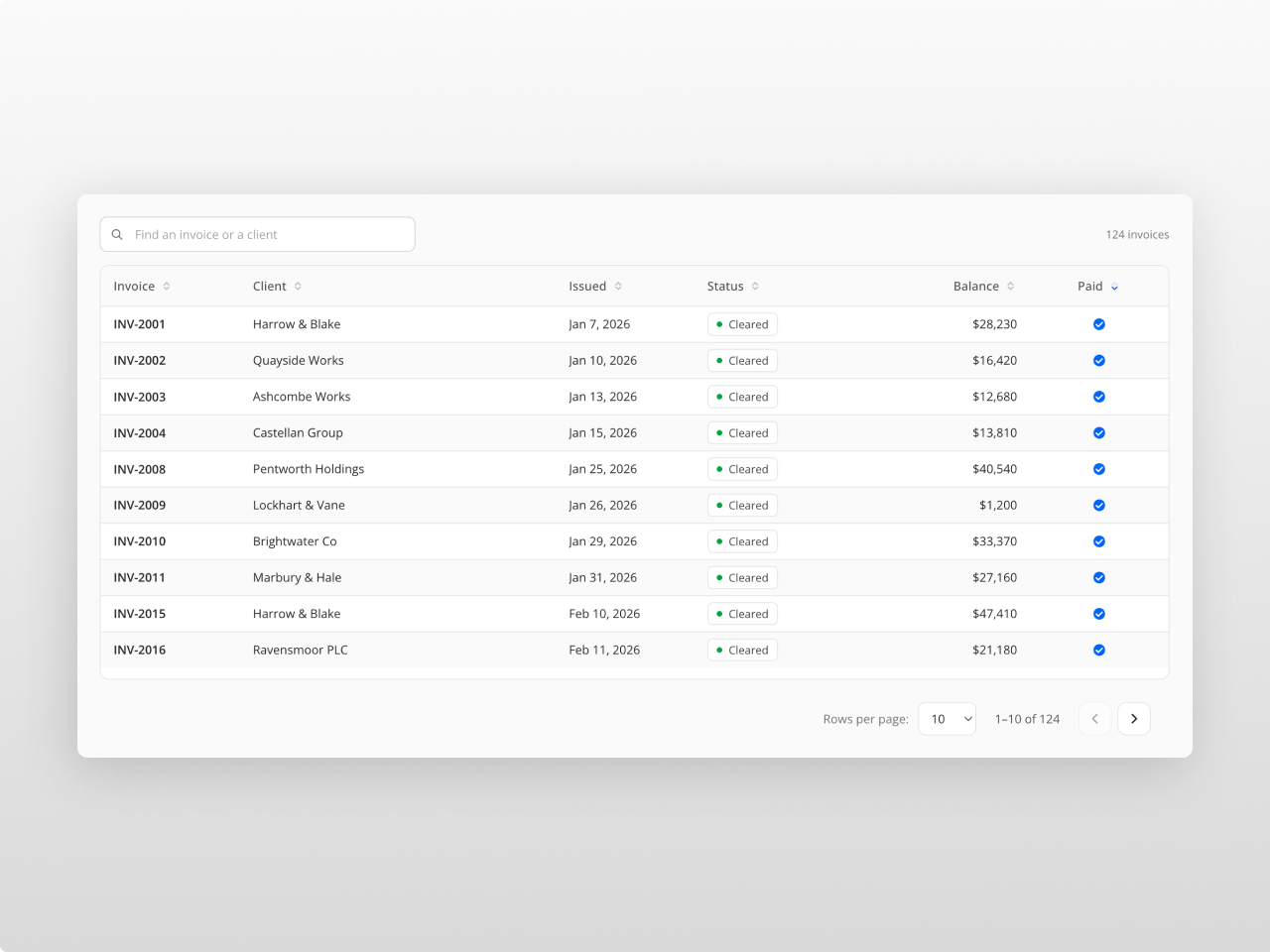
Search, paging and small screens
Search filters as you type, with a live result count and an empty state you write yourself. Paging runs as numbered pages or a load-more button, with a rows-per-page control. On a phone each row becomes a stacked card, or the table scrolls sideways with the first column pinned.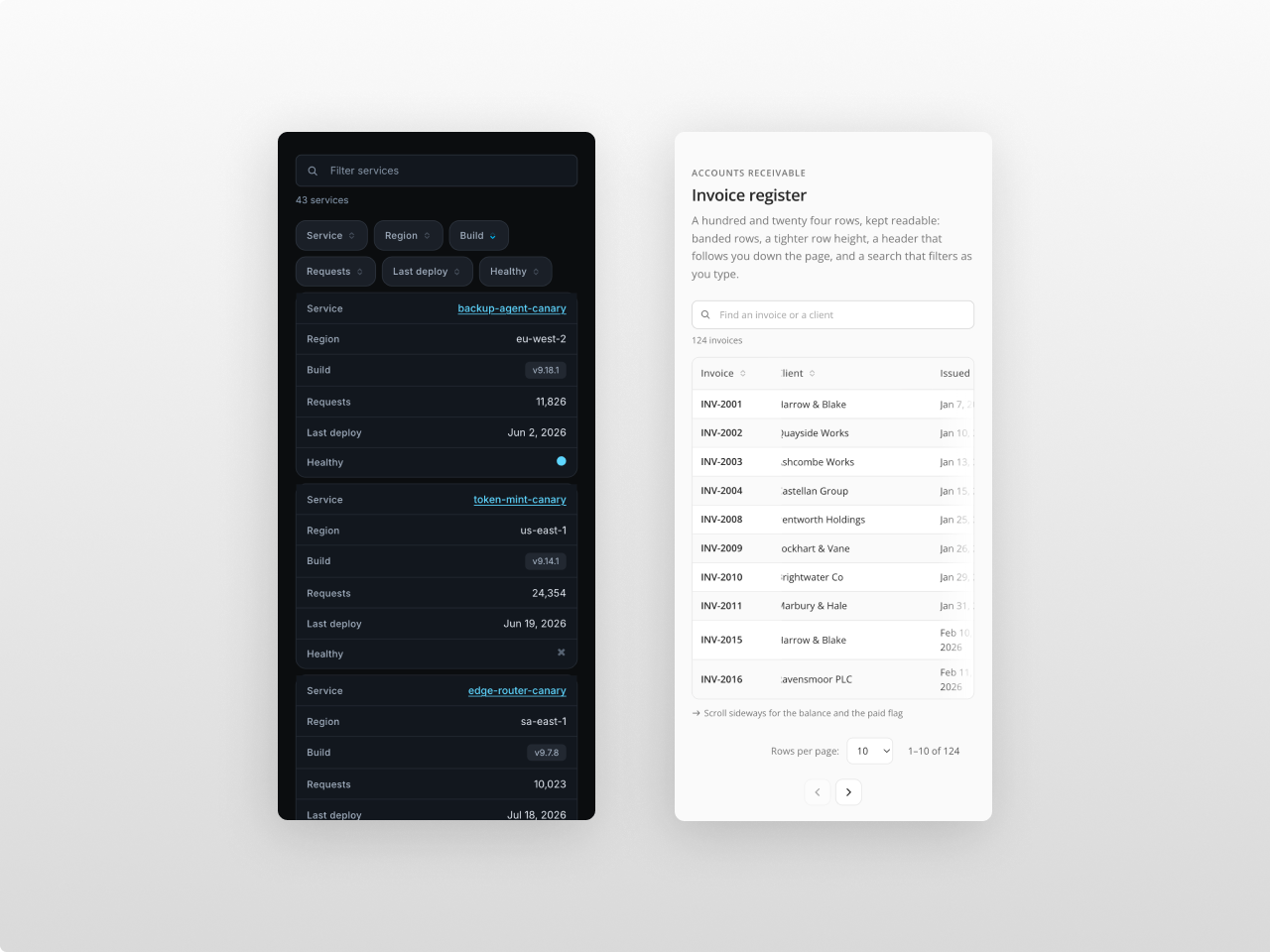
About Module
Total installs Fewer than 10 Created - Aug 14, 2026
Version 1 - Aug 14, 2026
Categories
Requirements
HubSpot Subscription Works with all HubSpot plans

Contact Studio Nope
Legal Stuff
Please refer to the developer's Privacy Policy and Terms for more information.
Support
Studio Nope
- Romania
Visit website
Studio Nope designs and builds fast, clean HubSpot CMS websites and custom themes for teams that care about performance, editing experience, and reliable tracking.
Unlimited email support
Studio Nope typically responds in
- Monday
9:00 AM - 5:00 PM (EET) - Tuesday
9:00 AM - 5:00 PM (EET) - Wednesday
9:00 AM - 5:00 PM (EET) - Thursday
9:00 AM - 5:00 PM (EET) - Friday
9:00 AM - 5:00 PM (EET)