
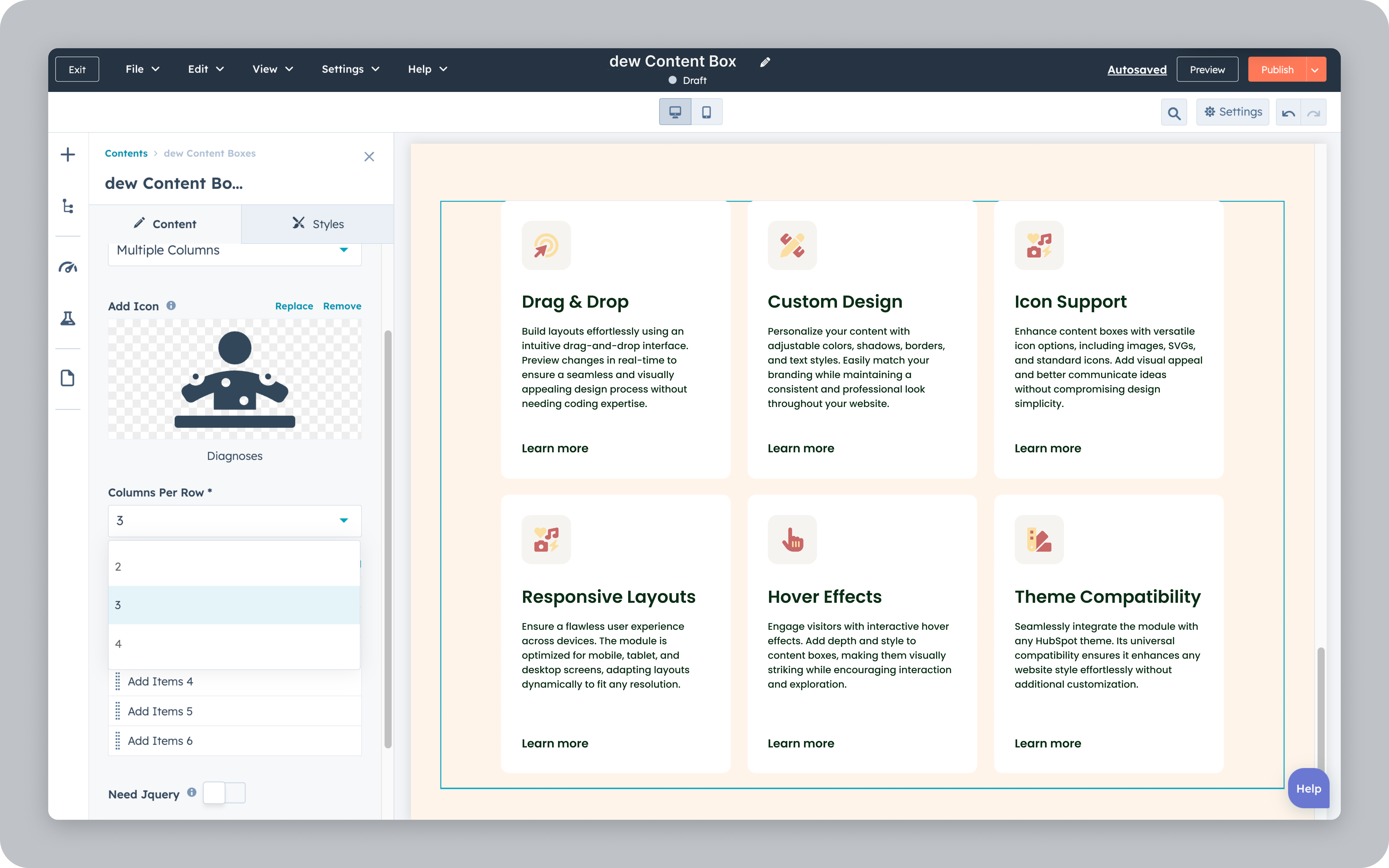
1/6 - Three Columns Layout
Overview
The Content Boxes module provides customizable layouts for creating single or multi-column content boxes. Users can adjust content alignment, add icons, images, headings, descriptions, and buttons, and make boxes fully clickable. Style settings allow for personalized background colors, shadows, borders, and animations. Users can also define box icon shapes, text styles, and manage visibility controls for different devices. The module enhances content presentation and interactivity, allowing both functional and aesthetic adjustments.
Features
Unlimited Box Creation
The Unlimited Box Creation feature, based on the Content Boxes module, would allow users to generate an unlimited number of content boxes, each with fully customizable layouts. Users can easily create multiple boxes in a single or multi-column structure and adjust each box individually with features-1.png)
Create complex Layouts without coding
The Create Complex Layouts Without Coding feature in the Content Boxes module allows users to build intricate, multi-column layouts without the need for technical expertise-1.png)
Various Layout Control
The Various Layout Control feature in the Content Boxes module provides users with flexible tools to manage and customize the arrangement of content boxes for tailored layouts.-1.png)
About Module
Total installs - 300+
Created - Oct 24, 2024
Version 4 - Feb 6, 2025
Categories Tags
Requirements
HubSpot Subscription Works with all HubSpot plans







Contact webdew
Legal Stuff
Please refer to the developer's Privacy Policy and Terms for more information.
Support
webdew
- Canada
Visit website
webdew is helping Businesses grow with HubSpot ecosystem by offering HubSpot CMS Templates, Modules & Integrations
10 hours of free customization & HubSpot support
Installation support
Unlimited email and chat support
webdew typically responds in
- Monday
5:00 AM - 7:00 PM (EST) - Tuesday
5:00 AM - 7:00 PM (EST) - Wednesday
5:00 AM - 7:00 PM (EST) - Thursday
5:00 AM - 7:00 PM (EST) - Friday
5:00 AM - 7:00 PM (EST)


dew Content Boxes Customer Reviews
- Sep 12, 2025
Exactly what I was looking for
I need a box that animated when you hovered over it and was entirely clickable. I looked through a ton of tools and this one was the only one that did it. PLUS it was very easy to put together. My only complaint is that I wish you could build them in rows as well as columns. I ended up doing 1 off boxes to avoid any issue. Highly recommend
Very easy
Liporace, M.
Version 4
- Dec 18, 2024
Super simple way of adding boxed content to our website
The dew Context Boxes did it's job and was exactly what we needed. We wanted a tile format for our testimonials and case study snippets. The module was easy to use and make changes to.
Very easy, even for non-technical people like myself.
Easy to use, ability to customize.
No cons.
Ku, D.
Version 2