
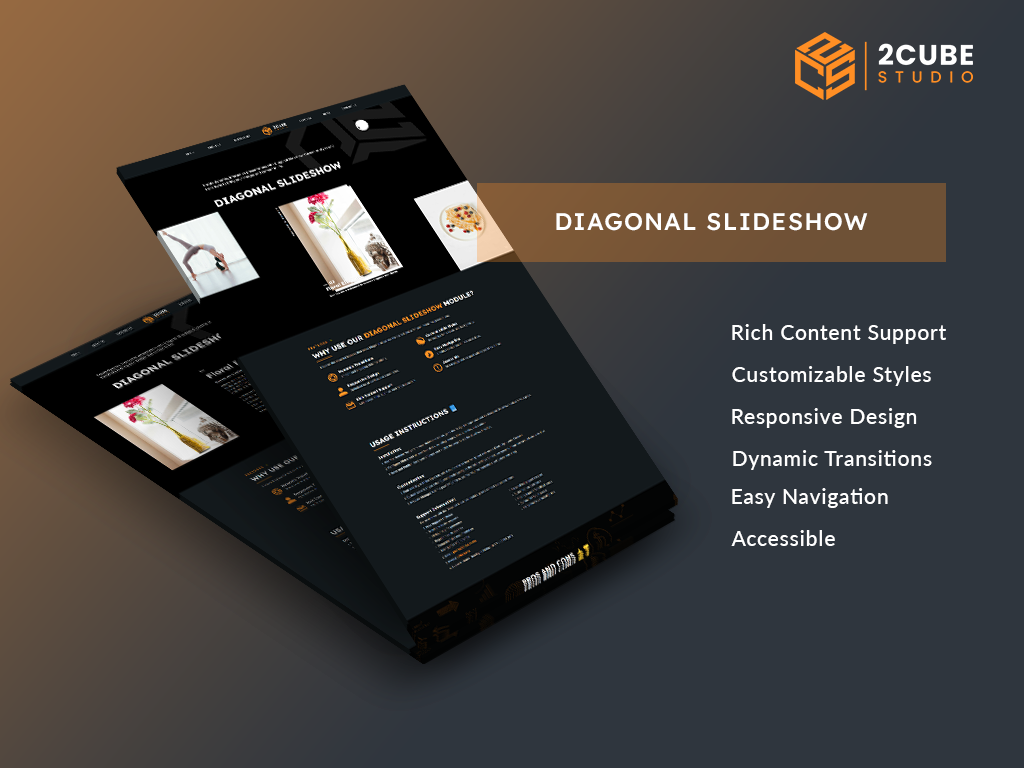
1/2 - Dynamic transitions in action: Smooth and engaging slide animations that captivate your audience.
Overview
Create dynamic, interactive presentations with Diagonal Slideshow. Customize styles and transitions to bring your images and content to life.
USAGE INSTRUCTIONS 📘
Installation:
Add the Module: Navigate to your HubSpot account, go to the Design Manager, and add the Diagonal Slideshow module to your page.
Configure Slides: Add at least four slides, including images, titles, subtitles, and content.
Save and Publish: Save your changes and publish the page to see the slideshow in action.
Customization:
Font and Style: In the Style tab, select your preferred font family and style mode (Dark, Light, Auto, Custom).
Custom Colors: If you select Custom mode, configure the color settings for text, background, image background, and side slide.
Preview Changes: Use the preview option to see how your customizations look before publishing.
PROS AND CONS 👍👎
Evaluate the Benefits and Drawbacks
Pros:
Engaging Visuals: Captivating slide transitions and layouts.
Customizable: Easily personalize fonts, colors, and styles.
Responsive Design: Looks great on all devices.
User-Friendly: Intuitive navigation and setup.
Rich Content Support: Accommodates various types of content.
SEO-Friendly: Enhances accessibility and search engine ranking.
Cons:
Learning Curve: May take time to master all features.
Content Requirements: Needs at least four slides to function.
Browser Compatibility: Some features may not work on older browsers.
Limited Free Support: Advanced support might require a subscription.
Performance: Heavy content can affect loading times.
Features
Rich Content Support
Intuitive navigation with clickable slides. Add images, titles, subtitles, and detailed content. SEO-friendly and designed with accessibility in mind.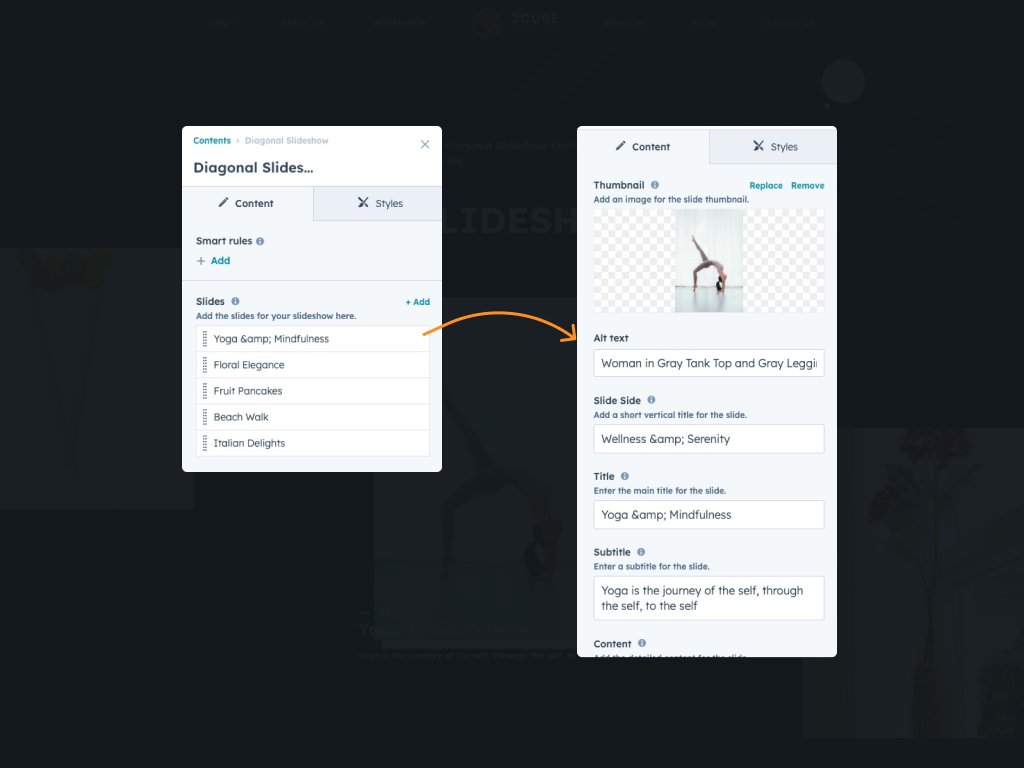
Customizable Styles
In the Style tab, select your preferred font family and style mode (Dark, Light, Auto, Custom). If you select Custom mode, configure the color settings for text, background, image background, and side slide. Use the preview option to see how your customizations look before publishing.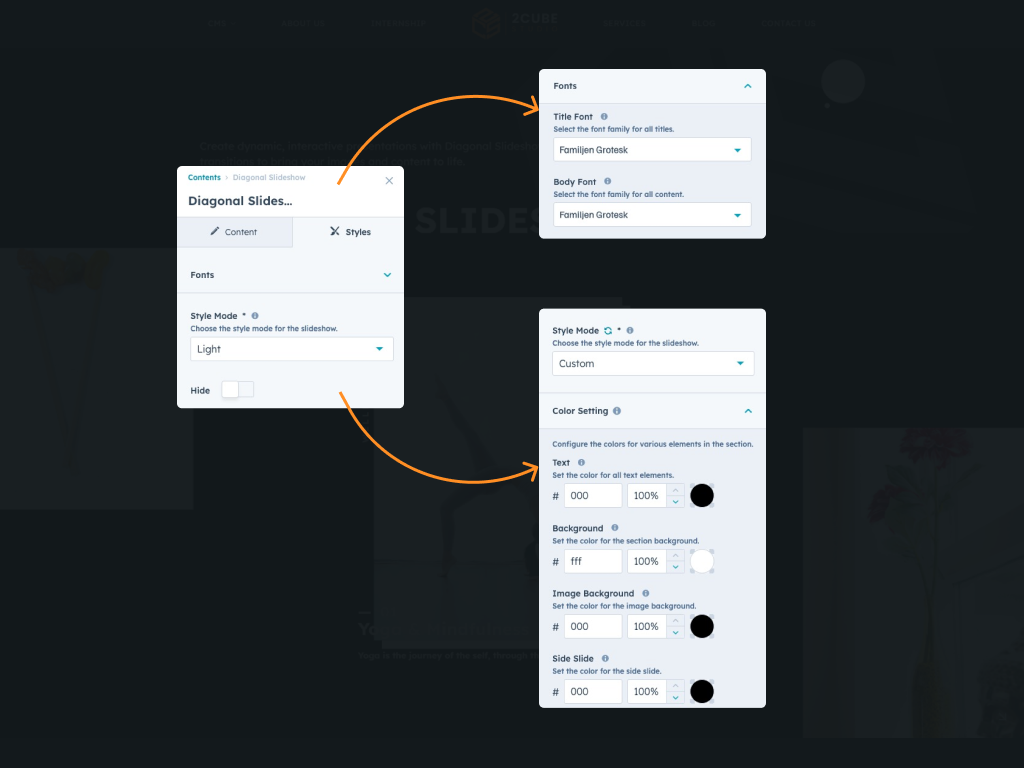
About Module
Total installs - 100+
Created - Jul 15, 2024
Version 1 - Jul 15, 2024
Categories Tags
Requirements
HubSpot Subscription Works with all HubSpot plans









Contact 2CUBE Studio
Legal Stuff
Please refer to the developer's Privacy Policy and Terms for more information.
Support
2CUBE Studio
- India
Visit website
2CUBE.Studio is an Startup inbound agency with a focus on HubSpot web design and development. If you need custom web design & development, template development, or site optimization, 2CUBE.Studio is your friend to ask to. FREE 2 hour consultation at pratik@2cube.studio
Quick and faster response
Personalized support sessions
48-hour bug fix guarantee
Priority support for critical issues
Regular module updates
Performance optimization tips
2CUBE Studio typically responds in
- Monday
10:00 AM - 10:00 PM (CST) - Tuesday
10:00 AM - 10:00 PM (CST) - Wednesday
10:00 AM - 10:00 PM (CST) - Thursday
10:00 AM - 10:00 PM (CST) - Friday
10:00 AM - 10:00 PM (CST)
