
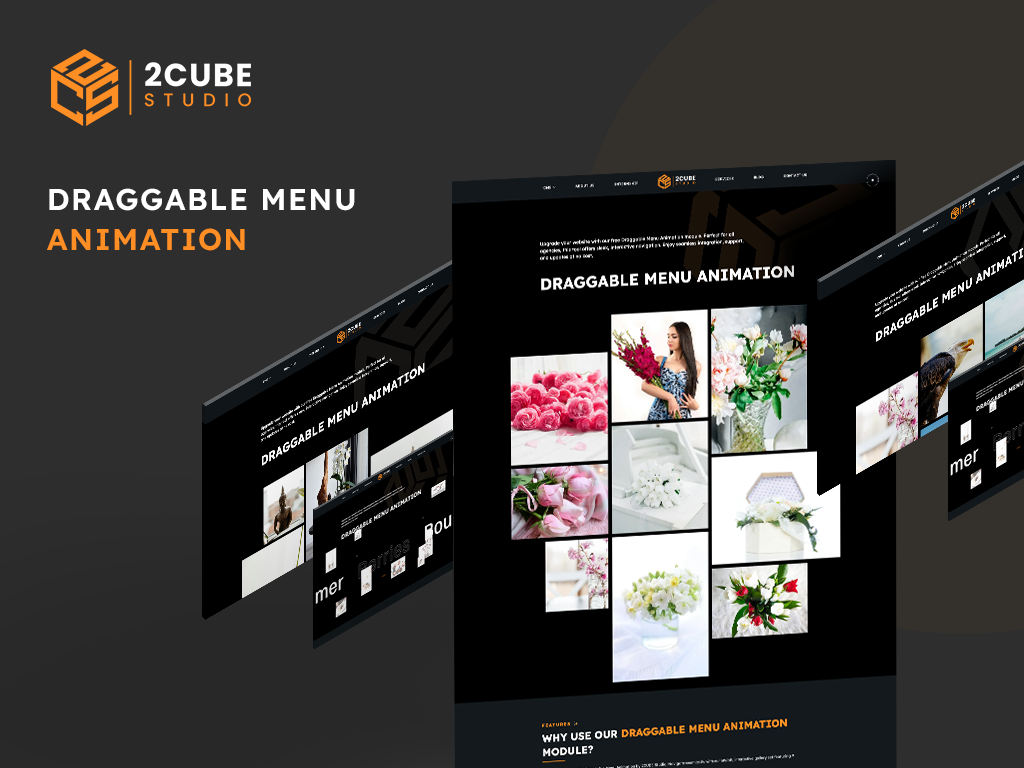
1/2 - The Draggable Menu Animation is a sleek, interactive tool designed to enhance website's navigation.
Overview
Looking to jazz up your website's navigation?
🚀 Our Draggable Menu Animation module is here to save the day!
🎉 With its sleek and interactive design, this module lets you manage menu links and navigate to other pages with a simple drag-and-drop.
Whether you're a solo digital agency owner, a small-to-midsize agency, or a big player in the industry, this module offers a customizable solution to elevate your website's user experience. And guess what?
It's absolutely free! Plus, you'll get ongoing support and updates at no extra cost. So why wait? Spice up your site today! 😎
Features ✨
Interactive Drag-and-Drop Navigation: Easily rearrange menu items with a simple drag-and-drop interface.
Customizable Design: Adjust colors, fonts, and styles to match your brand’s aesthetic.
Responsive Layout: Ensures a seamless experience across all devices.
Sleek Animations: Smooth and visually appealing animations for a modern look.
Easy Integration: Simple setup process with comprehensive documentation.
Support and Updates: Free support and regular updates to keep your module running smoothly.
Pros and Cons 👍👎
Pros
User-Friendly: Easy to implement and use, even for those with minimal technical skills.
Free of Charge: No cost for the module, including support and updates.
Customizable: Highly flexible to suit various design preferences and requirements.
Enhanced User Experience: Makes website navigation engaging and interactive.
Cons
Requires Exact Image Count: Must have exactly 9 thumbnail images per slide, which may require additional image sourcing.
No Image Addition/Deletion: Images can only be changed, not added or deleted, limiting flexibility in certain scenarios.
Benefits 🌟
Enhanced Aesthetics: Transform your website with a modern, visually appealing menu.
Improved User Engagement: Interactive navigation keeps users engaged and encourages exploration.
Cost-Effective: Free module with professional support, saving on development costs.
Increased Efficiency: Quick setup and easy management save time and resources.
Future-Proof: Regular updates ensure compatibility with the latest web standards and trends.
Features
Content Tab 📄
1. Repeater Options: Easily add multiple menu sections within the Content tab. 2. Thumbnail Flexibility: Configure each menu with exactly 9 thumbnails. 3. Link Options: Each thumbnail can be linked to different pages, enhancing navigation flexibility.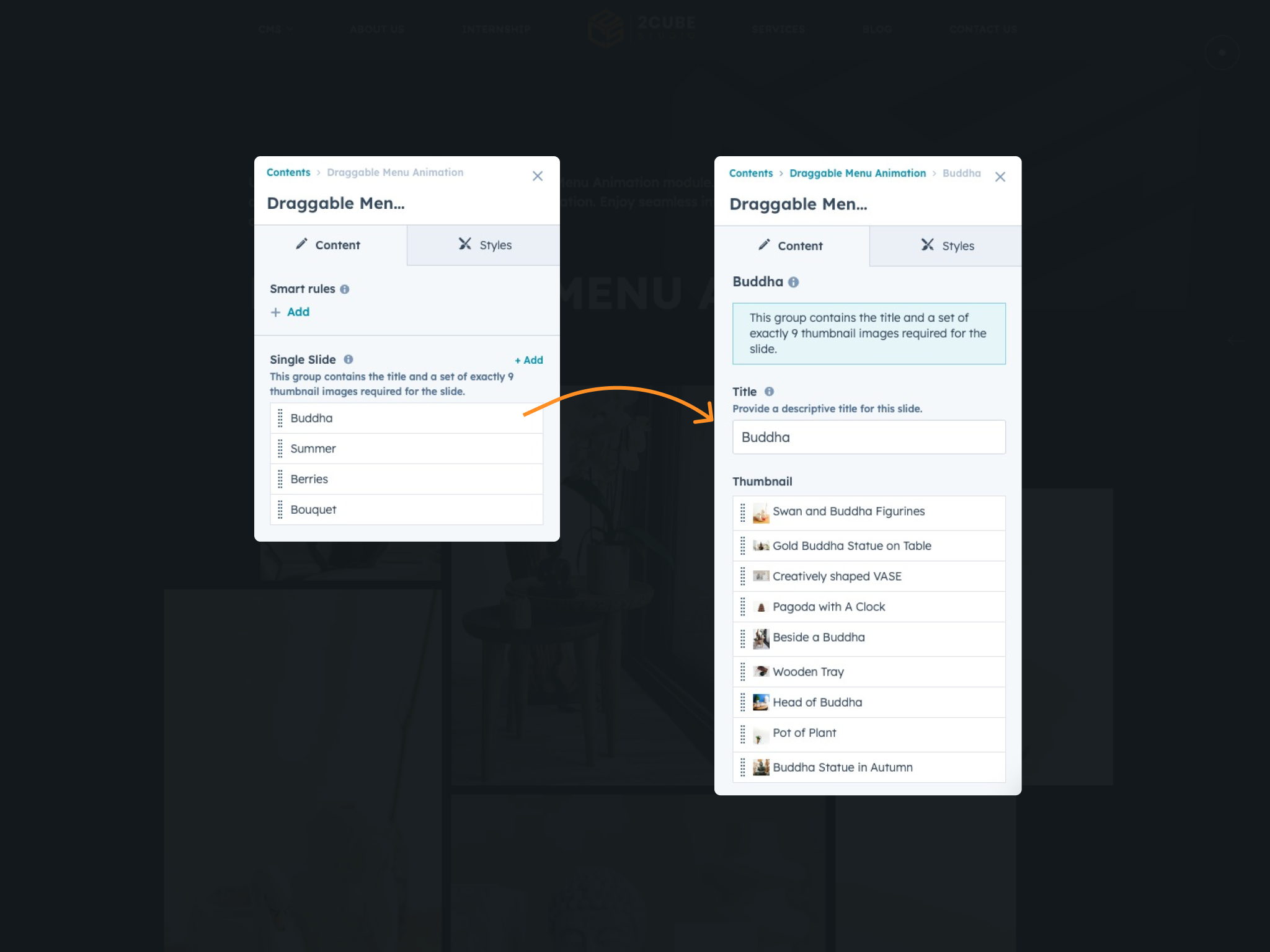
Style Tab 🎨
Choose Light for a clean look, Dark for elegance, Auto for system colors, or Custom for branding. In "Custom" mode, tailor your design with precision. Adjust background, link, hover, menu stroke, and SVG fill colors to match your brand's style.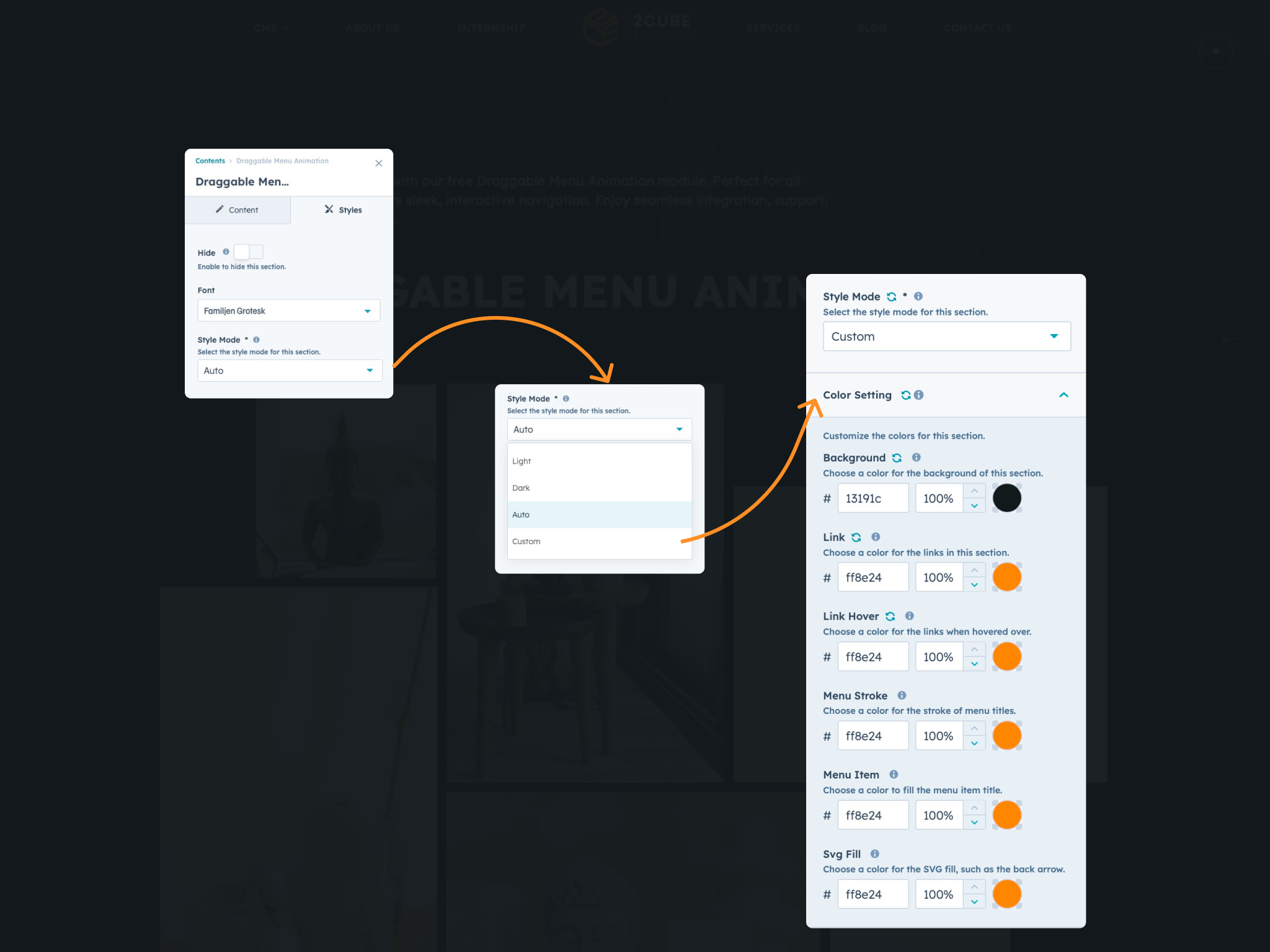
About Module
Total installs - 300+
Created - Jul 19, 2024
Version 1 - Jul 19, 2024
Categories Tags
Requirements
HubSpot Subscription Works with all HubSpot plans









Contact 2CUBE Studio
Legal Stuff
Please refer to the developer's Privacy Policy and Terms for more information.
Support
2CUBE Studio
- India
Visit website
2CUBE.Studio is an Startup inbound agency with a focus on HubSpot web design and development. If you need custom web design & development, template development, or site optimization, 2CUBE.Studio is your friend to ask to. FREE 2 hour consultation at pratik@2cube.studio
Quick and Faster Response
48-Hour Bug Fix Guarantee
Regular Module Updates
Personalized Support Sessions
Customization Assistance
Priority Support for Critical Issues
Performance Optimization Tips
2CUBE Studio typically responds in
- Monday
10:00 AM - 10:00 PM (IST) - Tuesday
10:00 AM - 10:00 PM (IST) - Wednesday
10:00 AM - 10:00 PM (IST) - Thursday
10:00 AM - 10:00 PM (IST) - Friday
10:00 AM - 10:00 PM (IST)


