
1/6
Overview
Event Calendar Module - Overview
Module Description
A professionally designed, fully customizable event calendar module for HubSpot CMS that displays upcoming events in an engaging, filterable list view. Perfect for organizations hosting conferences, workshops, community events, webinars, and more.
Key Features
Dynamic Filtering System
Search Functionality: Real-time search across event titles, descriptions, venues, and locations
Location Filter: Dropdown to filter events by location
Type Filter: Dropdown to filter events by event type (Conference, Workshop, Webinar, etc.)
Auto-Generated Filters: Automatically extracts unique locations and types from your event data
Debounced Search: Optimized search performance with 150ms debounce
Customizable Design
Complete Color Control: Customize colors for cards, dates, titles, descriptions, buttons, and controls
Flexible Spacing: Adjustable padding, margins, and gaps throughout the module
Card Styling: Configurable border radius, shadows, and hover effects
Button Customization: Full control over button colors, padding, font weight, and letter spacing
Image Support: Optional event images with smart loading optimization
Performance Optimized
Server-Side Rendering: All HTML rendered with HubL for instant visual content
Smart Image Loading: Eager loading for above-fold images, lazy loading for below-fold
requestIdleCallback: Non-blocking JavaScript initialization
Minimal JavaScript: Client-side code only handles filtering and animations
SEO-Friendly: Fully crawlable HTML content
Mobile Responsive
Adaptive Layouts: Optimized display for desktop, tablet, and mobile devices
Stacked Filters: Filters stack vertically on mobile for better touch interaction
Flexible Card Layout: Grid-based cards adapt to different screen sizes
Date Overlay: On mobile with images, date displays as overlay; without images, stretches full width
Engaging Animations
Three Animation Options: Fade In, Slide Up, or Scale In
Customizable Delay: Adjustable delay between card animations
Scroll-Triggered: Animations trigger as cards enter viewport using Intersection Observer
Smooth Transitions: CSS transitions for hover states and filter changes
Easy Content Management
Repeater Field: Add unlimited events through HubSpot's intuitive group field interface
Inline Editing: Edit event titles, descriptions, venues, and locations directly in the page editor
Sortable Events: Automatically sorts events by date
Rich Event Data: Supports title, description, date, location, venue, type, image, and link
Technical Specifications
CSS Namespacing
All CSS classes use the blk_ prefix to prevent conflicts with theme styles or other modules.
Browser Compatibility
Modern browsers (Chrome, Firefox, Safari, Edge)
Uses progressive enhancement for features like requestIdleCallback
Fallbacks for older browsers
Performance Metrics
Optimized for Core Web Vitals (LCP, FID, CLS)
Minimal JavaScript execution
Efficient DOM manipulation with visibility toggling
No client-side rendering or template generation
Module Settings
Content Tab
Events Repeater: Add and manage events
Event Title
Event Description
Event Date (Unix timestamp)
Event Location
Venue Name
Event Type
Event Image (optional)
Event Link (optional)
Settings Tab
Search & Filters
Show Search (toggle)
Search Placeholder Text
Show Location Filter (toggle)
Show Type Filter (toggle)
Filter Labels (All Locations, All Types)
Animations
Card Animation Style (None, Fade In, Slide Up, Scale In)
Animation Delay (milliseconds between cards)
UI Messages
No Results Message
Style Tab
Colors: 15+ customizable color fields
Card backgrounds and hover states
Date section colors
Title and description colors
Control backgrounds
Button colors (background, text, hover states)
Detail icons and no results message
Spacing & Padding: Control gaps, margins, and padding
Card Styles: Border radius, shadows, dimensions
Button Styles: Padding, font weight, letter spacing, border radius
Controls Styles: Input padding, gap, border radius
Use Cases
Conference Websites: Display upcoming industry conferences with registration links
Community Organizations: Showcase local events and gatherings
Educational Institutions: List workshops, seminars, and training sessions
Corporate Sites: Highlight company events, webinars, and product launches
Event Venues: Feature scheduled events at your location
Professional Associations: Promote member events and networking opportunities
Gotchas & Important Notes
Case-Sensitive Filtering
Event type filtering is case-sensitive. Ensure consistent capitalization when entering event types (e.g., always use "Conference" not "conference"). The filter dropdown will display values exactly as entered in your event data.
Image Optimization
For best performance, use appropriately sized images and enable lazy loading for events below the fold.
Filter Auto-Generation
Location and type filters are automatically generated from your event data. There's no need to configure filter options separately - they're extracted dynamically from the events you create.
Customization Services
Need help customizing this module for your specific needs? A Design Link offers professional HubSpot development services. Whether you need custom styling, additional features, or integration with other systems, our team can help.
Module Version: 1.0
Last Updated: 12 / 18 / 2025
Developer: A Design Link
HubSpot Compatibility: CMS Hub (all tiers)
Features
Dynamic Filtering & Search
Quickly find relevant events with real-time search and smart filtering by location and event type, reducing the time visitors spend looking for the information they need.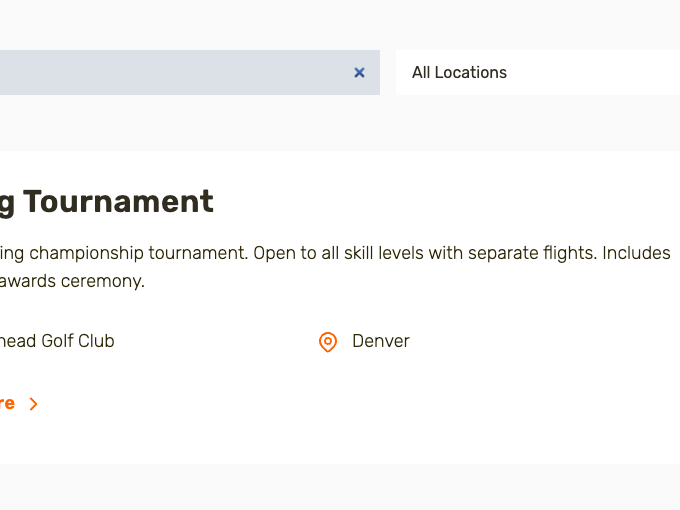
Fully Customizable Design
Match your brand perfectly with comprehensive styling controls including colors, spacing, typography, shadows, and border radius—all editable directly in HubSpot without touching code.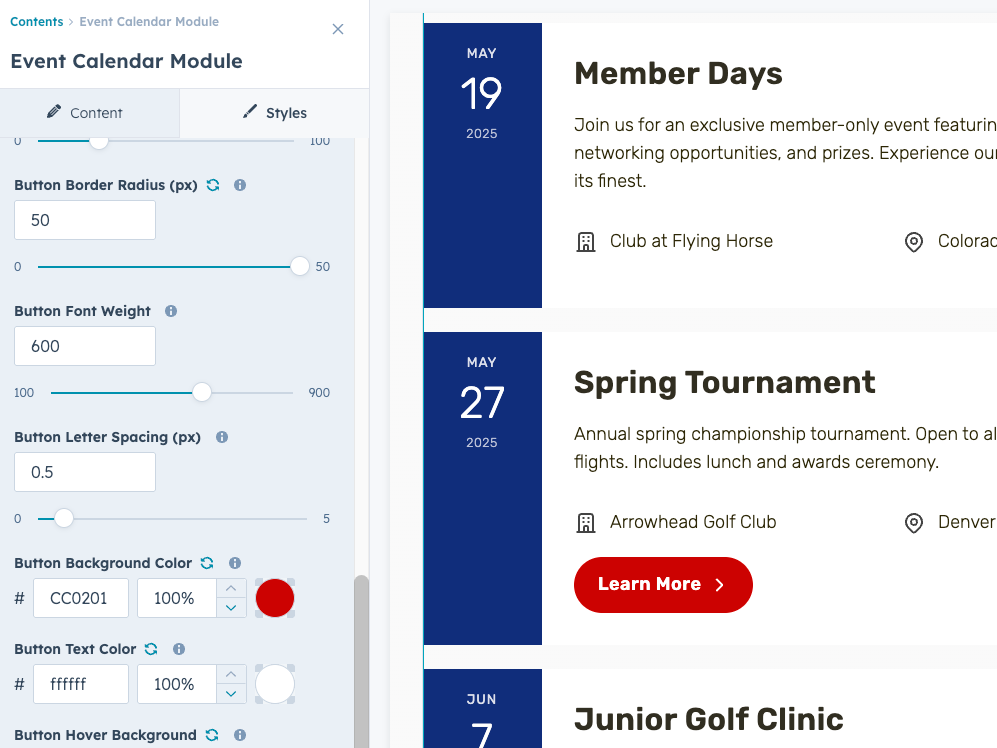
Optimized Performance
Built with server-side rendering and smart image loading techniques that improve Core Web Vitals scores, resulting in faster page loads and better SEO rankings.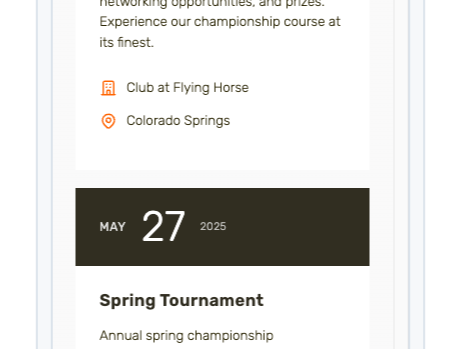
Mobile-Responsive Layout
Events look stunning on all devices with an adaptive layout that automatically adjusts card structure, image placement, and date displays for optimal mobile viewing.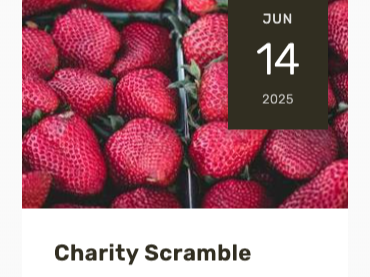
Easy Content Management
Add unlimited events with a user-friendly repeater interface featuring inline text editing, optional images, registration links, and automatic chronological sorting—no technical expertise required.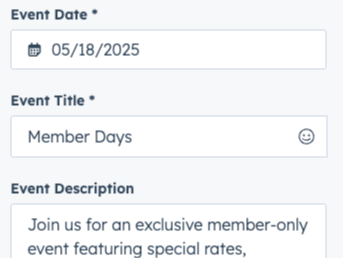
About Module
Total installs Fewer than 10 Created - Jan 7, 2026
Version 1 - Jan 7, 2026
Categories Tags
Requirements
HubSpot Subscription Works with all HubSpot plans
Contact A Design Link
Legal Stuff
Please refer to the developer's Privacy Policy and Terms for more information.
Support
A Design Link
- Tampa , FL
Visit website
Finding a great Hubspot Developer is super hard to find. That is where we come in. A Design Link has over 12+ years of HubSpot community experience. That translates to an amazing amount of knowledge when it comes to the Hubspot Marketing platform as-well-as designing and development on the Hubspot CMS plus everything in between!
30 Minutes of Free Support
Extra support offered at additional cost.
A Design Link typically responds in
- Monday
10:00 AM - 5:00 PM (EST) - Tuesday
10:00 AM - 5:00 PM (EST) - Wednesday
10:00 AM - 5:00 PM (EST) - Thursday
10:00 AM - 5:00 PM (EST) - Friday
10:00 AM - 5:00 PM (EST)
