
1/3
Overview
The Event List Module is a modern and interactive solution for displaying multi-day event schedules, conferences, workshops, seminars, webinars, and corporate programs in a clean and organized timeline layout.
Visitors can easily navigate between different event days using interactive tab-based navigation without leaving the page, creating a seamless browsing experience.
Each event session includes customizable time slots, titles, speaker information, descriptions, registration buttons, and sharing options, allowing organizers to present schedules in a professional and engaging format.
Flexible repeatable content fields make it easy to create multiple event days, unlimited sessions, and multiple speakers for each session directly within the HubSpot editor.
Speaker profiles support images, names, designations, and social media links, making it simple to showcase keynote speakers, panelists, trainers, and presenters.
Built-in Load More and Load Less functionality helps organize lengthy schedules while allowing visitors to reveal additional sessions only when needed.
Responsive layouts ensure an optimized viewing experience across desktop, tablet, and mobile devices, while extensive styling controls allow complete customization of colors, typography, spacing, borders, backgrounds, and section appearance to match any brand.
The module is ideal for conferences, business summits, educational events, networking sessions, workshops, training programs, webinars, product launches, and corporate events.
With its clean visual hierarchy, flexible content management, and interactive user experience, the Event List Module provides a scalable and professional solution for presenting event schedules of any size.
Features
Multi-Day Event Navigation
Easily organize and display event schedules across multiple days using interactive tabs. Visitors can switch between days instantly for a seamless browsing experience.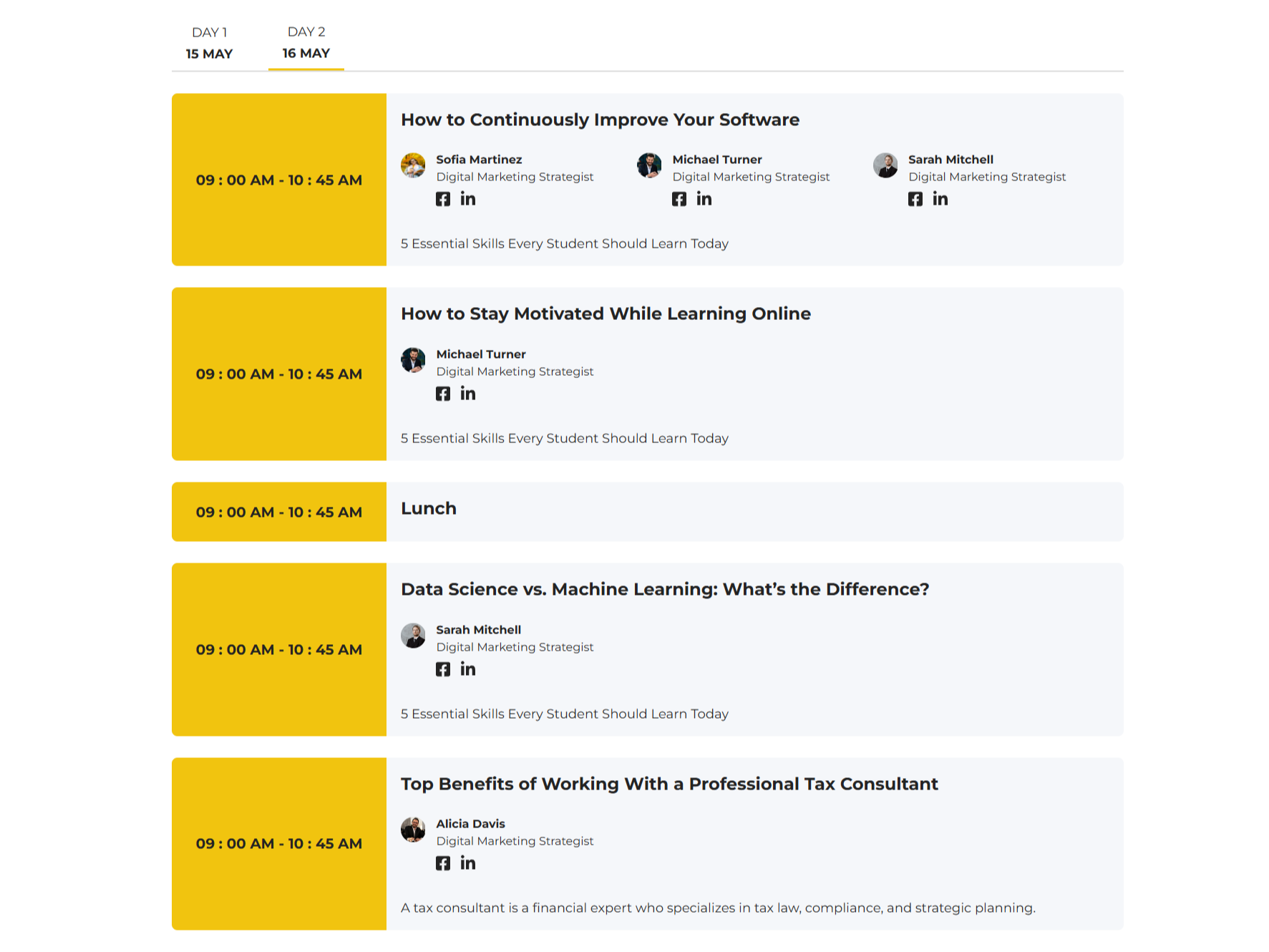
Responsive Mobile Experience
The layout automatically adapts to mobile, tablet, and desktop screens. Visitors enjoy a smooth experience regardless of device size.-1.png)
Design Customization Controls
Customize typography, colors, spacing, and layout settings to match your brand identity. Easily adjust fonts, backgrounds, text styles, and section spacing for a consistent and professional appearance.-1.png)
Event Time with Custom Icons
Display each session with customizable icons alongside event timings for improved visual presentation.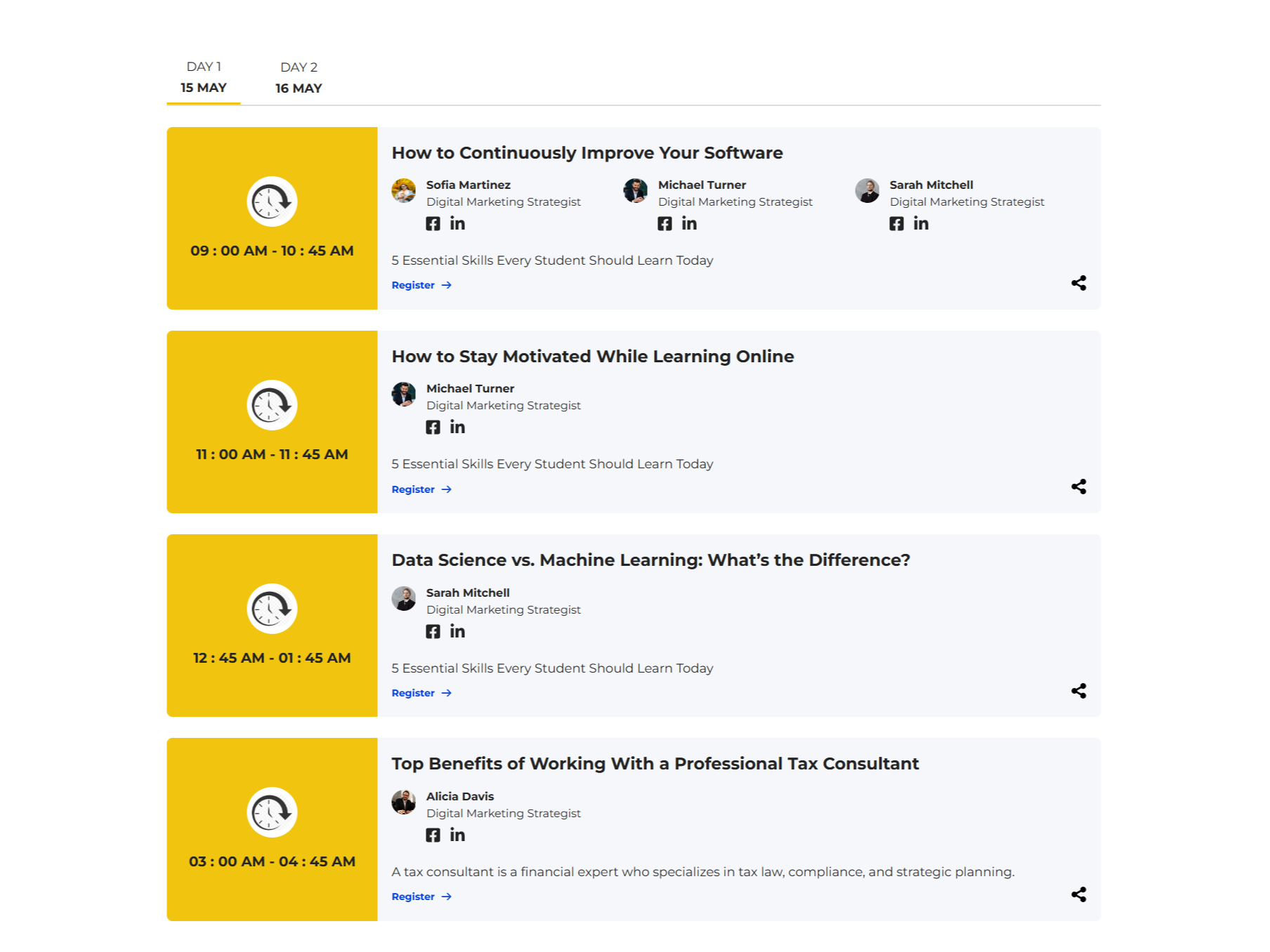
About Module
Total installs Fewer than 10 Created - Jun 29, 2026
Version 1 - Jun 29, 2026
Categories Tags
Requirements
HubSpot Subscription Works with all HubSpot plans
Contact Crowdvolley It Solutions
Legal Stuff
Please refer to the developer's Privacy Policy and Terms for more information.
Support
Crowdvolley It Solutions
- Sector 74, Sahibzada Ajit Singh Nagar, Punjab 140308, India
Visit website
A top-notch HubSpot asset provider. We're just "you" on the provider side of the equation. This is a human-to-human business, so it's all about delivering a good experience to you.