
1/6
Overview
As a website owner, you may face the challenge of providing quick and accurate answers to your visitors' questions. Failing to do so can lead to frustrated users, prolonged decision-making, and an influx of support requests.
Presenting the FAQ Pro Module – it's like having a super helper for your website!
This powerful tool enables you to deliver lightning-fast, precise responses to frequently asked questions.
The result? An enhanced user experience and faster decision-making.
Here’s what you will get with the FAQ Pro Module:
Improve the user experience by simplifying information access, making it easy for users to find the answers they seek.
Boost your website's visibility on search engines like Google, effortlessly reaching a broader online audience.
Unleash your creativity with a variety of layouts, allowing you to craft a unique and captivating design.
Seamlessly adapt to any device, providing a consistent and delightful experience on computers, tablets, and smartphones.
Enjoy complete customization freedom, tailoring design elements to create an FAQ section that perfectly reflects your brand.
Take control of content organization, arranging FAQs according to your preferences, whether displaying them by default or allowing individual selection.
Maintain an organized and visually appealing presentation with a stylish two-column layout that leaves a lasting impression.
Ready to elevate your web page? Secure your Free 1-hour Consultation now.
Connect with us on Skype: makewebbetter
Shoot us an email at support@makewebbetter.com
Check out more such HubSpot themes at: https://makewebbetter.com/hubspot-themes
Features
Categorization: Organize FAQs Effortlessly
With categorization, you can neatly organize frequently asked questions into user-friendly sections. This helps users navigate your FAQs easily and find the right answers.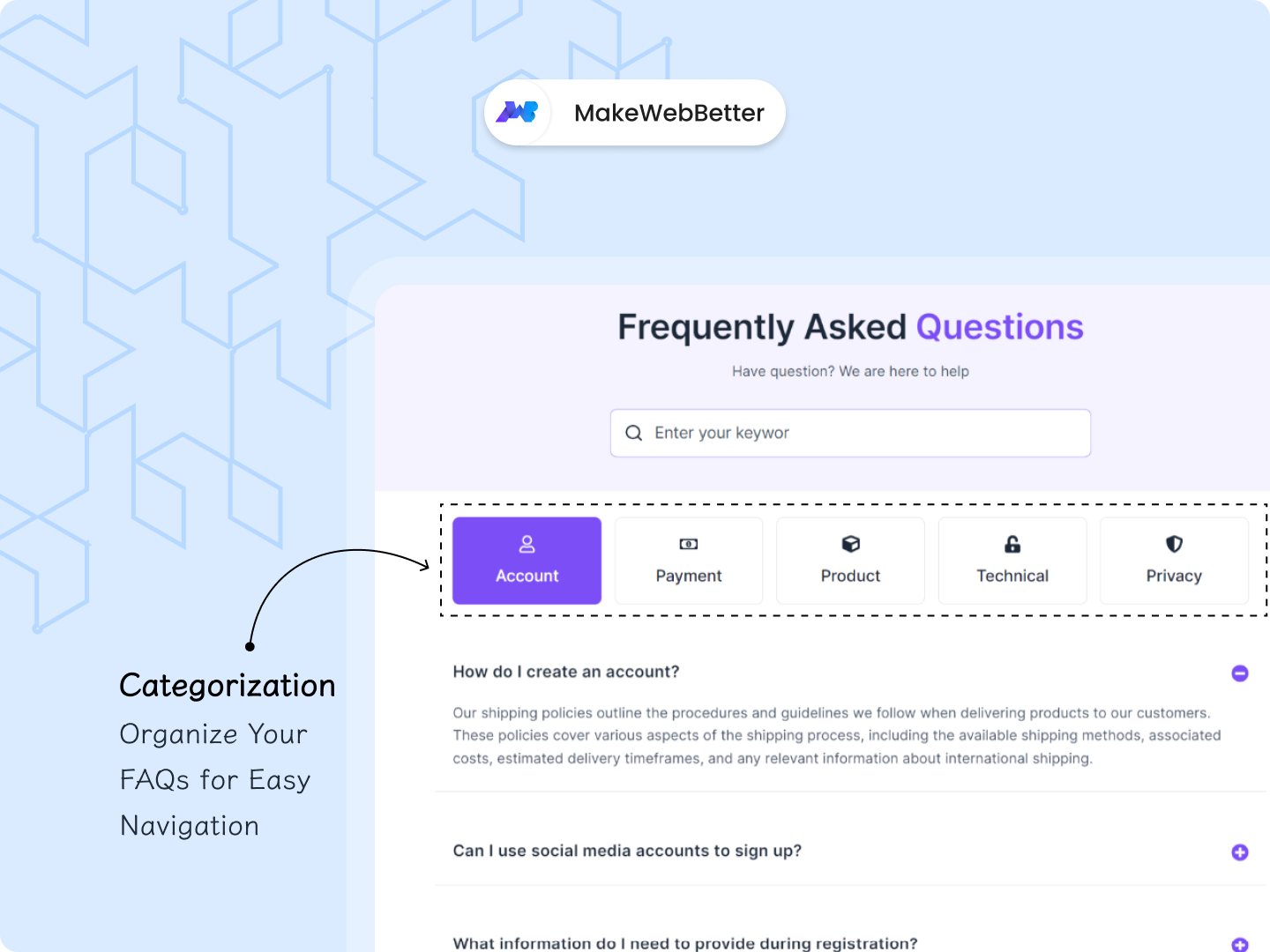
FAQ Schema: Supercharge Your SEO
FAQ Schema uses special markups to make your FAQs appear as featured snippets on Google, increasing your website's visibility. It's the key to attracting more traffic and providing instant answers to user inquiries!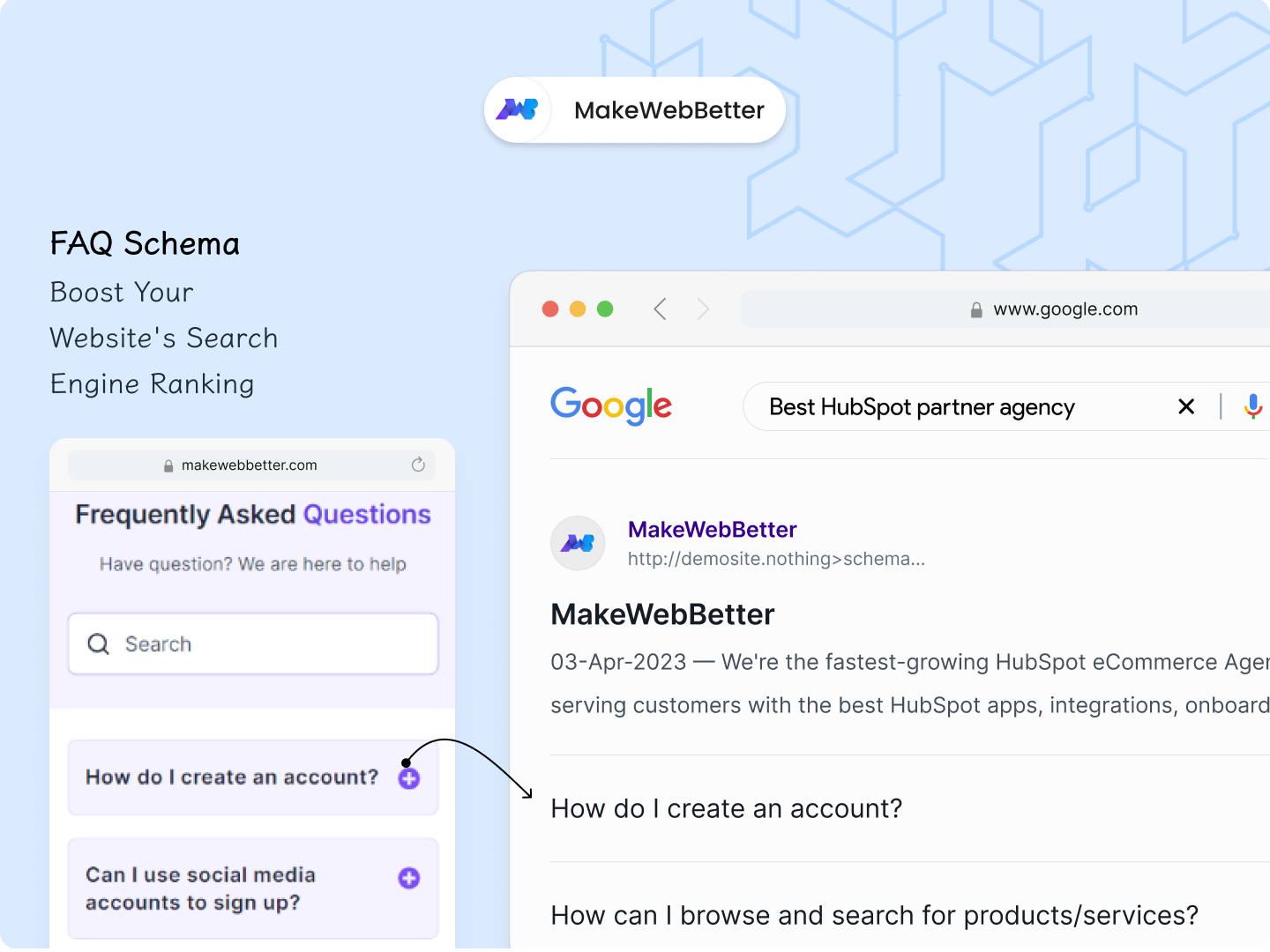
Search: Find Answers Quickly and Easily
Our search feature enables users to quickly find answers by entering keywords. The search bar provides instant access to the information they're looking for – no more digging, just rapid, relevant answers.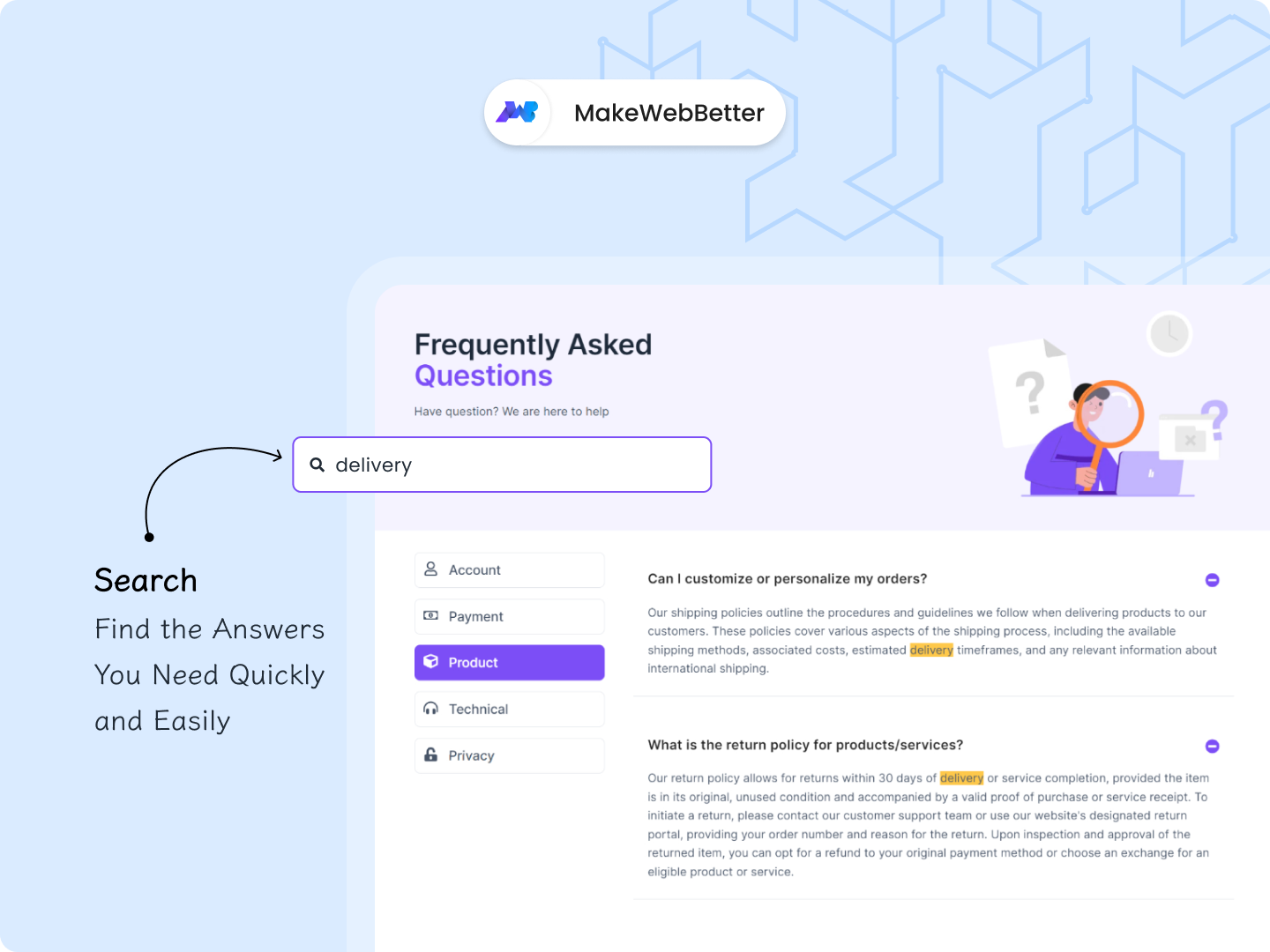
About Module
Total installs - 50+
Created - Sep 22, 2023
Version 5 - Apr 22, 2025
Categories Tags
Requirements
HubSpot Subscription Works with all HubSpot plans












Legal Stuff
Please refer to the developer's Privacy Policy and Terms for more information.
Support
MakeWebBetter
- Portland
Visit website
We are a team of developers, designers, bloggers and creative artists working together to make utilities, plugins, themes that would enhance overall user experience and make life much easier. Our goal is to make web better for everyone and we try to add a small contribution to the world :)
email
live chat
MakeWebBetter typically responds in
- Monday
9:30 AM - 4:30 PM (+05) - Tuesday
9:30 AM - 4:30 PM (+05) - Wednesday
9:30 AM - 4:30 PM (+05) - Thursday
9:30 AM - 4:30 PM (+05) - Friday
9:30 AM - 4:30 PM (+05)


FAQ Pro Customer Reviews
- Apr 4, 2025
Great Concept but Not a Realistic Search Function
The search functionality on this FAQ module only searches the current tab a user has selected, not the whole FAQ. This really hinders the user functionality since on any website search it searches the whole website and not just the one page you're on for user experience purposes. If someones using the search on the FAQ page it's likely because they haven't been able to find the question by searching through the tabs already. So it would be nice to have the ability for them to search all at once for that reason. In my case, we have lots of tabs to search through so it doesn't make sense for us the way it is now. It might be good to let your developers know that as an experienced UX/UI designer myself.
Easy to Customize and Set Up
Great Modern Design
Search Functionality is not User Friendly at all
Hauswirth, J.
Version 4