
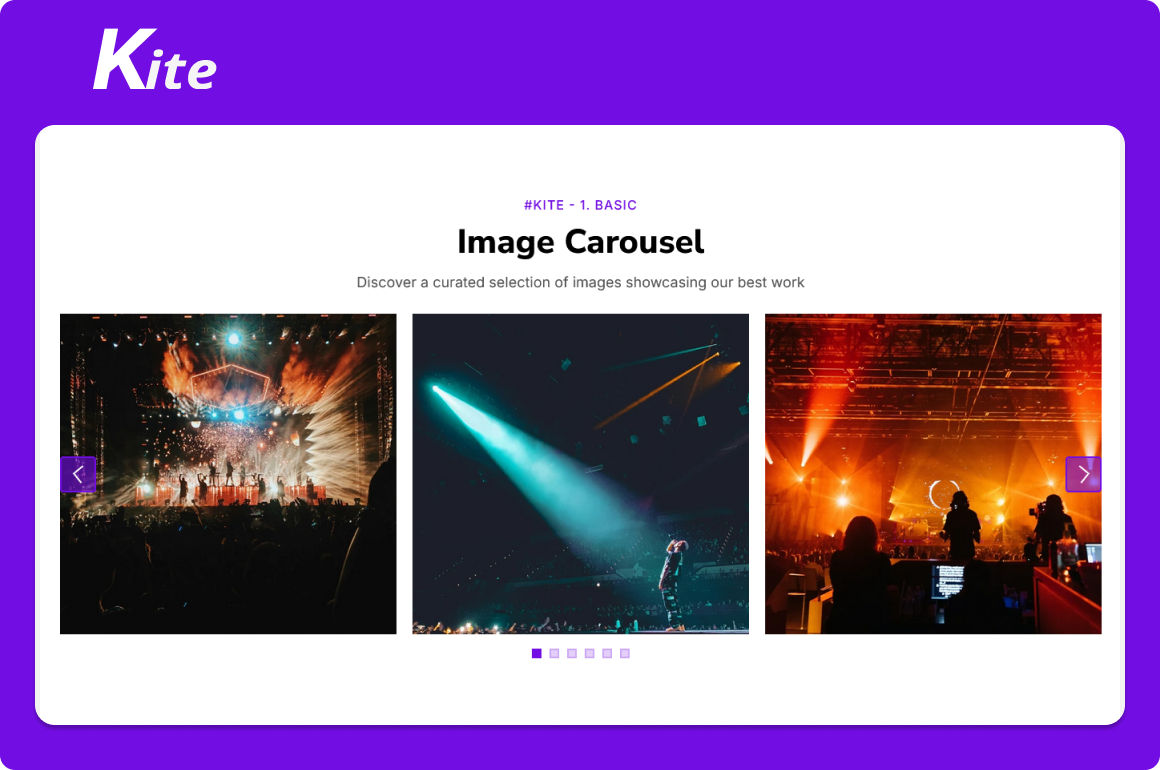
1/7 - #Kite - 1. Basic
Overview
An ImageCarousel module is a user interface component or module used in web and mobile applications to display a collection of images in a slideshow-like format. It allows users to navigate through multiple images using navigation controls like arrows, dots, or swipe gestures. It is commonly used in galleries, product showcases, portfolios, and landing pages to present visual content in an engaging and compact format.
Here are key features:
1) 7+ Unique Layouts & Styles, Seamless Integration, No Coding Needed
2) Manual Navigation Controls
3) Auto Slide Playback
4) Slides Captions [ Title, Short Description and Links ]
5) Captions Display Options [ Top Left, Top Center, Top Right, Center Center, Bottom Left, Bottom Center and Bottom Right ]
6) Loop & Pause Options
7) Easy to Customize styles
8) Slides Gap Setting
9) Slides Custom Height
10) Fully Responsive Layout
The ImageCarousel module is a versatile and practical UI component that enhances the display and organization of job-related content on websites, improving both user engagement and visual appeal.
Features
7+ Unique Layouts & Styles, Seamless Integration, No Coding Needed
7+ Image Carousel styles like 1. Basic, 2. Slides Heading with Background color, 3. On Hover Heading with Slides Link, 4. Two Columns Slides with Center Heading, 5. On Hover Slide Heading Fade Top, 6. One Column Center Heading with Image Overlay Color and 7. Full Width with Auto play Slides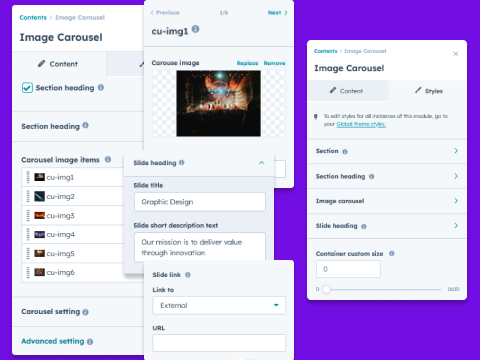
Manual Carousel Controls [Desktop, Tablet and Mobile]
Customize the behavior and appearance of your carousel, including autoplay, speed, loop, navigation, slidesToShow, slidesToScroll, infinite, pauseOnHover, autoplaySpeed, slide gap, slide height and more. All settings are fully responsive, with support for tablet and mobile devices.![Manual Carousel Controls [Desktop, Tablet and Mobile]](https://22360598.fs1.hubspotusercontent-na1.net/hubfs/22360598/__hs-marketplace__/Feature-ic-2-1.png)
Slides Captions [Title and Short Description & Links]
These captions are versatile — great for marketing banners, product showcases, or feature highlights.![Slides Captions [Title and Short Description & Links]](https://22360598.fs1.hubspotusercontent-na1.net/hubfs/22360598/__hs-marketplace__/Feature-ic-3-1.png)
Captions Display Options [Top Left, Top Center, Top Right & so on..]
Slide heading position options such as "Top Left", "Top Center", "Top Right", "Center Center", "Bottom Left", "Bottom Center" and "Bottom Right".![Captions Display Options [Top Left, Top Center, Top Right & so on..]](https://22360598.fs1.hubspotusercontent-na1.net/hubfs/22360598/__hs-marketplace__/Feature-ic-4-1.png)
Fully Responsive Layout
Adapts seamlessly across mobile, tablet, and desktop. Maintains visual quality on all screen sizes.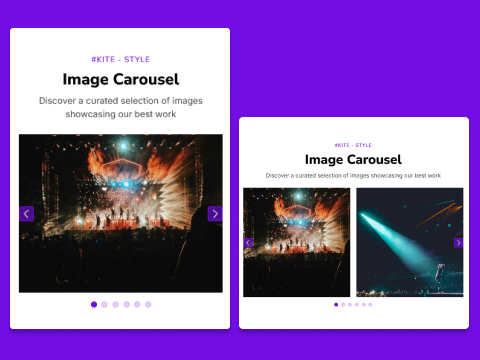
About Module
Total installs Fewer than 10 Created - Oct 23, 2025
Version 1 - Oct 23, 2025
Categories Tags
Requirements
HubSpot Subscription Works with all HubSpot plans
Contact GAN Creative
Legal Stuff
Please refer to the developer's Privacy Policy and Terms for more information.
Support
GAN Creative
- Ahmedabad, India
Visit website
GAN Creative building state-of-the-art, easy to use, user-friendly websites and applications is truly excellent development of new HubSpot CMS. Our services and solutions include: Scratch theme development, Existing Theme Customize, Responsive Redesign, Website Customize, Redesign Website, Landing Pages, Web Pages, New Module, Module Customize, Hub DB, Custom Object, Local Development, Blog Listing and Blog Post, System Pages, Email Templates Development and Problem-solving ability. In our development, you don't need any coding skills. Our aim to provide creative tools to make your job easier, less stressful, and you will enjoy our services and solutions with lower cost and better efficiency.