
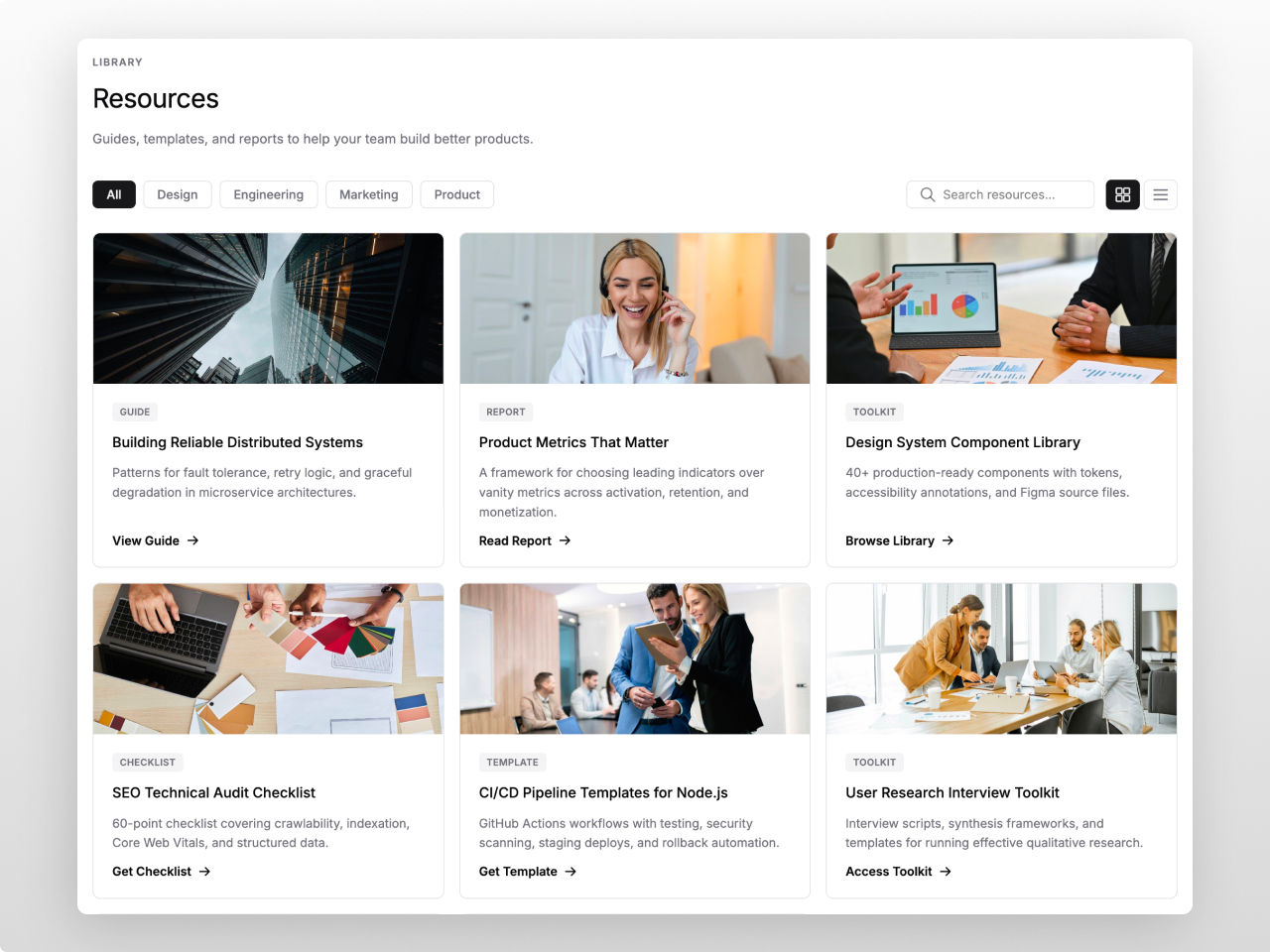
1/3 - Monochrome Minimal — Developer Resource Hub
Overview
A filterable, searchable resource grid that turns any HubSpot page into a content hub. Add guides, reports, templates, webinars, and case studies as repeater items. Visitors browse, filter by category, search by keyword, and toggle between grid and list views. No HubDB required. Works on CMS Starter.
Each resource has a title, description, thumbnail, category, type badge, gated/free indicator, custom CTA text, author, date, file info, and a rich text drawer description. All fields are optional. Up to 100 resources per instance.
Click a card to open a slide-in detail drawer with the full description, metadata, and download link. Or set cards to link directly to the resource URL. Or disable clicks entirely for CTA-only layouts.
Category filters generate automatically from your data. Search matches titles, descriptions, and types in real time. Every label, placeholder, and badge text is editable for any language.
70+ style fields cover every visual detail: colors, fonts, card styling, badge appearance, filter pills, search bar, toolbar layout, spacing, shadows, hover states, and responsive breakpoints. Two font pickers with theme inheritance. CTA renders as a text link or filled button. Header supports H1 through H4 with left, center, or right alignment.
Fully responsive. Grid collapses from configurable columns to 2 on tablet to 1 on mobile. Keyboard accessible with ARIA roles and focus-visible indicators.
Works on any HubSpot template, no theme required.
Features
Filterable Grid with Live Search
Auto-generated category filters, real-time keyword search, grid and list view toggle. All labels and placeholder text editable for any language.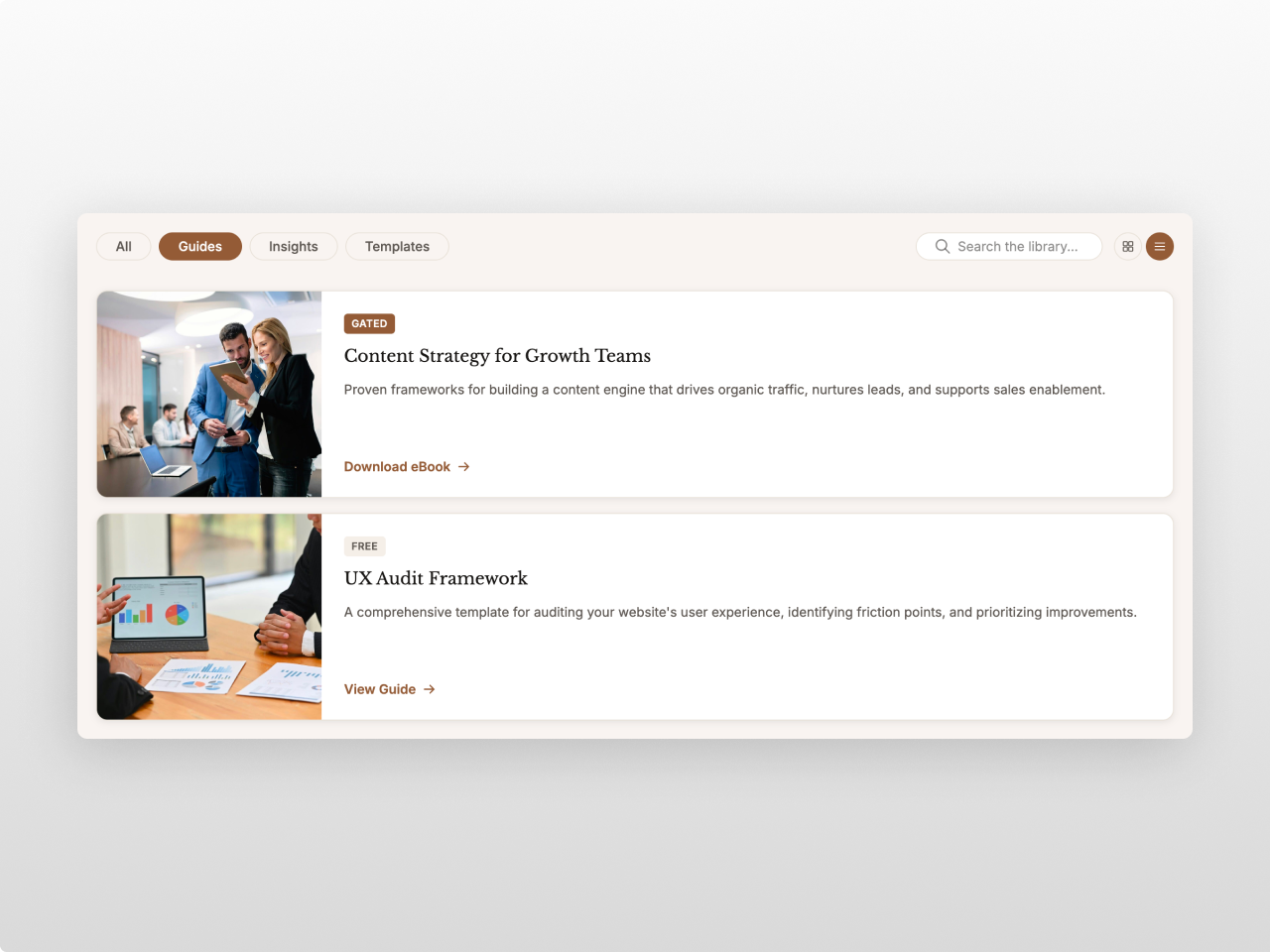
Detail Drawer with Rich Content
Slide-in panel with full description, metadata grid, thumbnail, badges, and CTA button. Supports rich text. Three click modes: drawer, direct link, or disabled.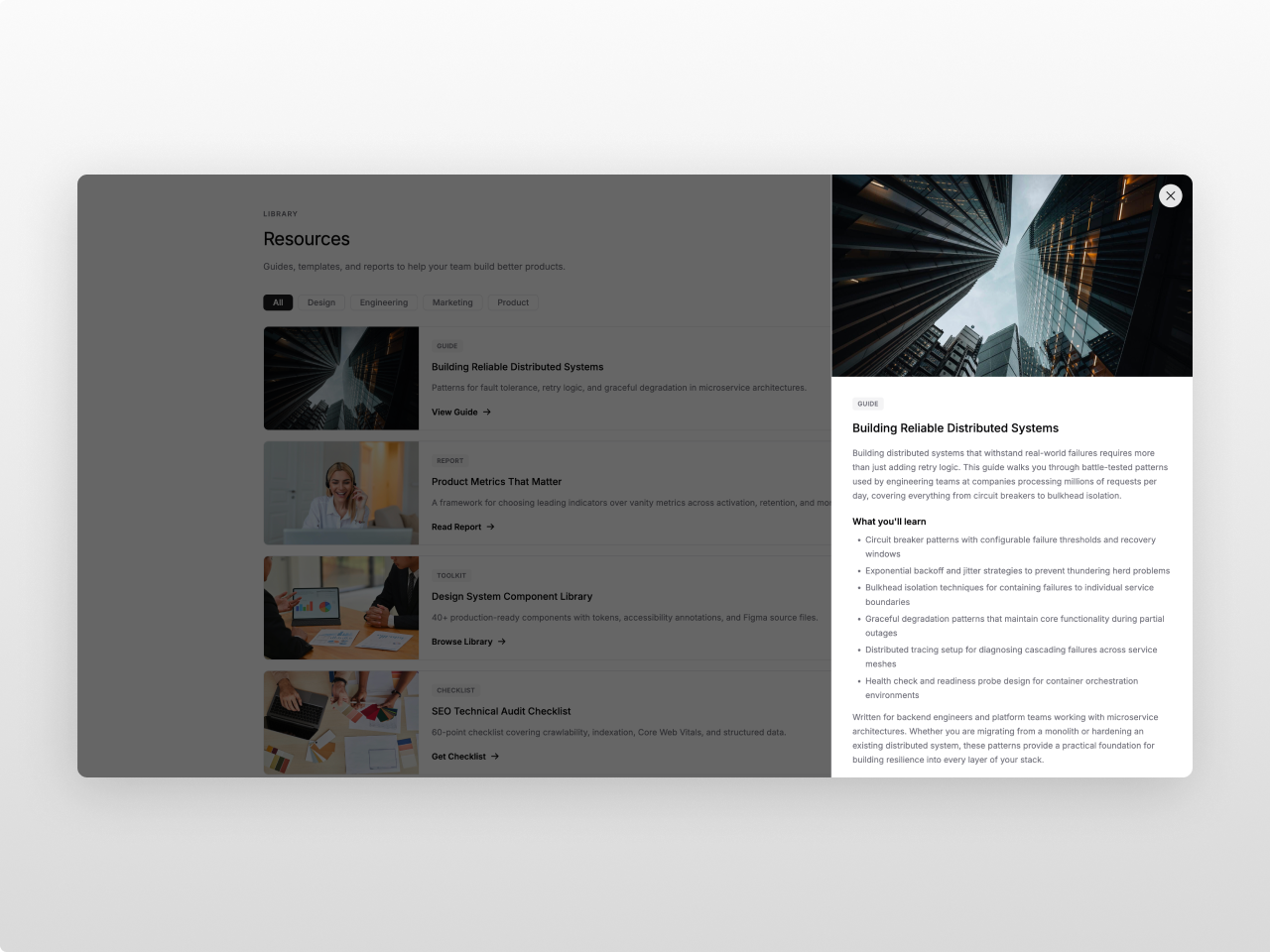
70+ Style Controls, Zero Code
Cards, badges, filters, search bar, typography, spacing, shadows, hover states, and breakpoints. All from the editor. Two font pickers with theme inheritance.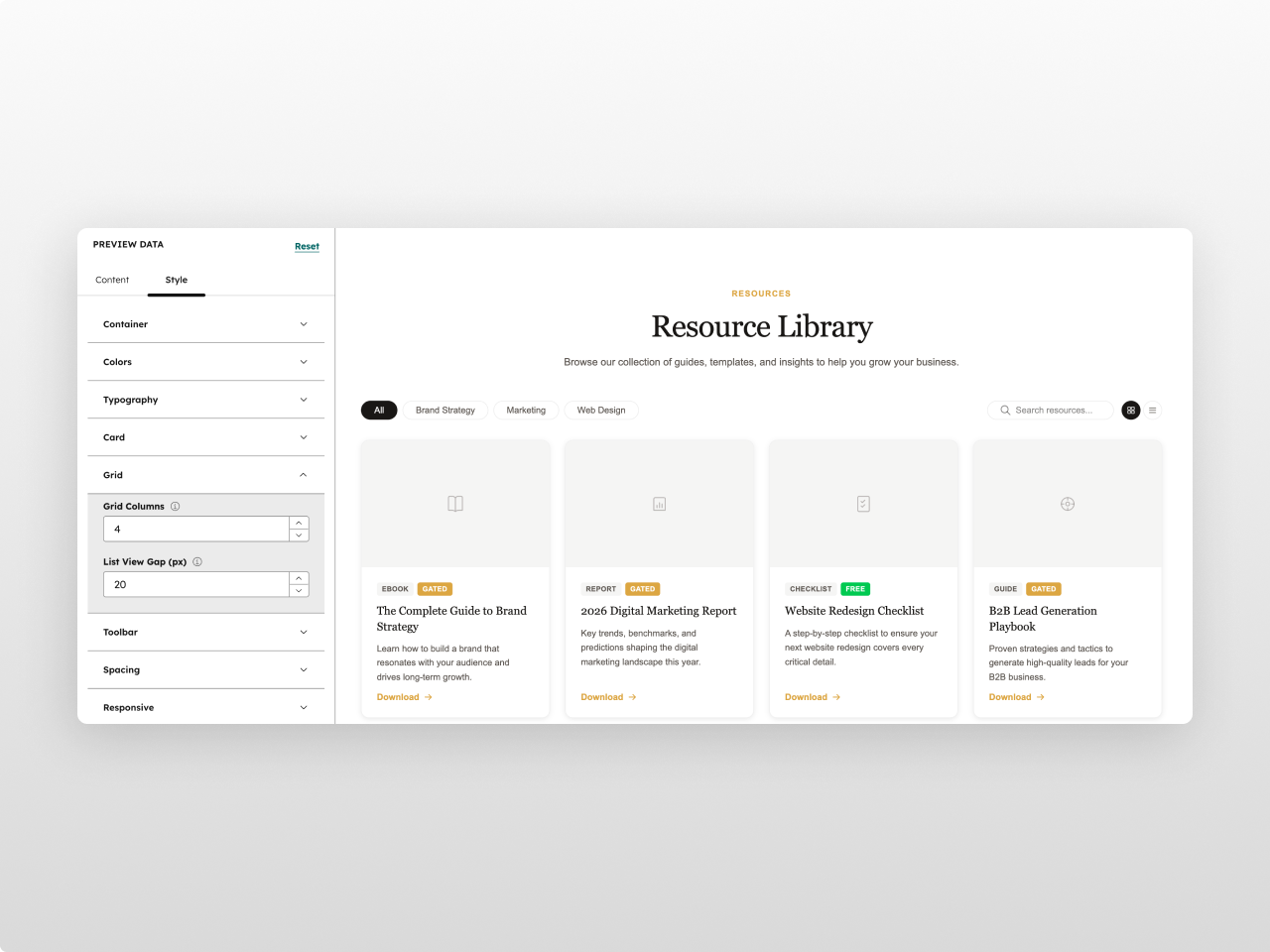
About Module
Total installs - 10+
Created - Apr 6, 2026
Version 4 - Jul 28, 2026
Categories Tags
Requirements
HubSpot Subscription Works with all HubSpot plans

Contact Studio Nope
Legal Stuff
Please refer to the developer's Privacy Policy and Terms for more information.
Support
Studio Nope
- Romania
Visit website
Studio Nope designs and builds fast, clean HubSpot CMS websites and custom themes for teams that care about performance, editing experience, and reliable tracking.
Unlimited email support
Studio Nope typically responds in
- Monday
9:00 AM - 5:00 PM (EET) - Tuesday
9:00 AM - 5:00 PM (EET) - Wednesday
9:00 AM - 5:00 PM (EET) - Thursday
9:00 AM - 5:00 PM (EET) - Friday
9:00 AM - 5:00 PM (EET)

Resource Library Pro Customer Reviews
- Jul 21, 2026
Easy to use/Looks great
Super well organized, easy to use. Results are awesome. Highly recommend, very easy to update with brand colors and fonts.
Very easy.
Quick implementation: you are not going back and forth trying to figure out where an element is.
None.
Quigley, M.
Version 3
- May 18, 2026
Organized, customizable, and looks great!
We tried a few different options for our resource library and this was by far the best one!
Able to adjust almost all elements to blend seamlessly with other elements on our webpages that were branded for our company
Looks and works great!
We haven't found any cons yet
Tretsven, C.
Version 2