
-1.png)
1/10 - Everything you need to launch a site in one premium theme, 30+ ready-made modules, fully editable.
Overview
Most HubSpot themes give you a homepage and a handful of sections. Flexoraa gives you a website.
Flexoraa is a multi-purpose HubSpot CMS theme built for marketers, founders, and small agencies who want a polished, modern site live in days. without hiring a developer. Every section, every button, every spacing value is controlled from the page editor and theme settings. You don't read documentation. You don't open a CSS file. You drag, drop, and publish.
44 modules across the entire site lifecycle: Hero, blog, navigation, social proof, pricing, careers, portfolio, contact, footer.
Twin layouts on one module, switched by a single dropdown: Content Card and Image Box flip between grid and slider with one field. Logo, Testimonial, Single Column Banner, and Multi Column Banner each ship as a Simple + Slider pair. You change layout without rebuilding the section.
A real megamenu, not a styled dropdown: Per-menu-item choice between simple dropdown, multi-column mega panel, or mega panel with featured image + heading + CTA + bottom footer bar. Three header view types, two navigation modes, mobile sidebar, search icon, and language switcher all configured from theme settings.
Five blog post layouts, nine footer compositions, three header layouts: Switched from a single theme setting field. Buyers get the visual variety of multiple themes without owning multiple themes.
HubSpot-native, not just HubSpot-compatible: Forms (3 reusable skins), blog engine (contents, blog_recent_posts, tags, pagination), site search (content_search + search-results page), simple menus, custom modules with full editor support, and per-breakpoint editor fields. Everything plays nicely with HubSpot Smart Content, multi-language sites, and the HubSpot CMS preview.
What is included?
44 production-ready modules covering hero banners, content sections, blog, navigation, social proof, pricing, careers, contact, and footers.
5 page templates: Home, Landing Page 01, Blog Listing, Blog Post, and Search Results.
9 footer layouts, 5 blog post layouts, 3 header view types, and 8 button styles, all switched from theme settings.
3 form style presets that re-skin every HubSpot form on your site automatically.
A fully wired-up megamenu with single-column dropdowns, multi-column mega panels, featured-content blocks, and a bottom-of-menu CTA bar.
Modules breakdown
Flexoraa's 44 modules are organized into the categories below. Pick what you need; ignore what you don't.
Hero & Banners: Single Column Banner (Simple and Slider variants), Multi Column Banner (Simple and Slider variants), Banner with Form. Five hero modules in total, with built-in support for forms, video buttons, particle effects, and parallax.
Content & Storytelling: Content, Content and Media, Content Card (grid OR slider), Section Title, Quote, Counter, Steps, Timeline, Tab, Accordion. Build long-form pages without writing custom HTML.
Social Proof: Testimonial Grid, Testimonial Slider, Logo Grid, Logo Slider, Quote. Two testimonial layouts and two logo layouts means you swap form factor without rebuilding the section.
Commerce & Conversion: Pricing (with monthly/yearly filter, badges, and feature lists), Call to Action, Buttons, Form. Pricing supports up to 8 button styles per card.
Showcase: Portfolio (with Isotope category filter), Image Box (gallery in grid OR slider, with lightbox zoom), Video Embed (YouTube / Vimeo / HubSpot Video, inline or in modal), Features, Team, Contact Card, Job Listing.
Blog system: Blog Listing (5 card view types), Blog Pagination, Blog Tags (list or dropdown), Blog Section (recent / popular / by-tag), Blog Post – Recent Post (4 design types).
Navigation & Footer: Megamenu, Simple Navigation, Navigation, Search Input (with modal), Search Results, Footer – Brand Info, Footer – Nav Link Columns, Footer – Image and Link Columns, Bottom Footer.
Built for non-technical users
Flexoraa treats the HubSpot page editor as a first-class environment. Every visual decision is exposed as a field:
Per-breakpoint controls: font sizes, paddings, column counts, and spacings have separate desktop / tablet / mobile inputs in most modules.
No code, ever: colors, fonts, button shapes, form skins, container widths, shadows, border radii, animations, and parallax are all dropdowns and color pickers in theme settings.
Reusable theme tokens: primary, secondary, tertiary, dark, light, and transparent-white color slots inherit from HubSpot's brand kit, so site-wide rebrands take seconds.
Twin layouts: Content Card and Image Box each ship as one module that toggles between grid and slider with a single dropdown. No need to swap modules to change layout.
Smart defaults: Drop any module on a page and it looks finished immediately. No empty states.
Features
30+ Flexible Drag and Drop Modules
Build any page with more than 30+ ready-made modules including banners, sliders, pricing tables, counters, testimonials, teams, and videos. Every module comes with deep style controls for colors, spacing, typography, and hover effects, so you can match your brand without touching code.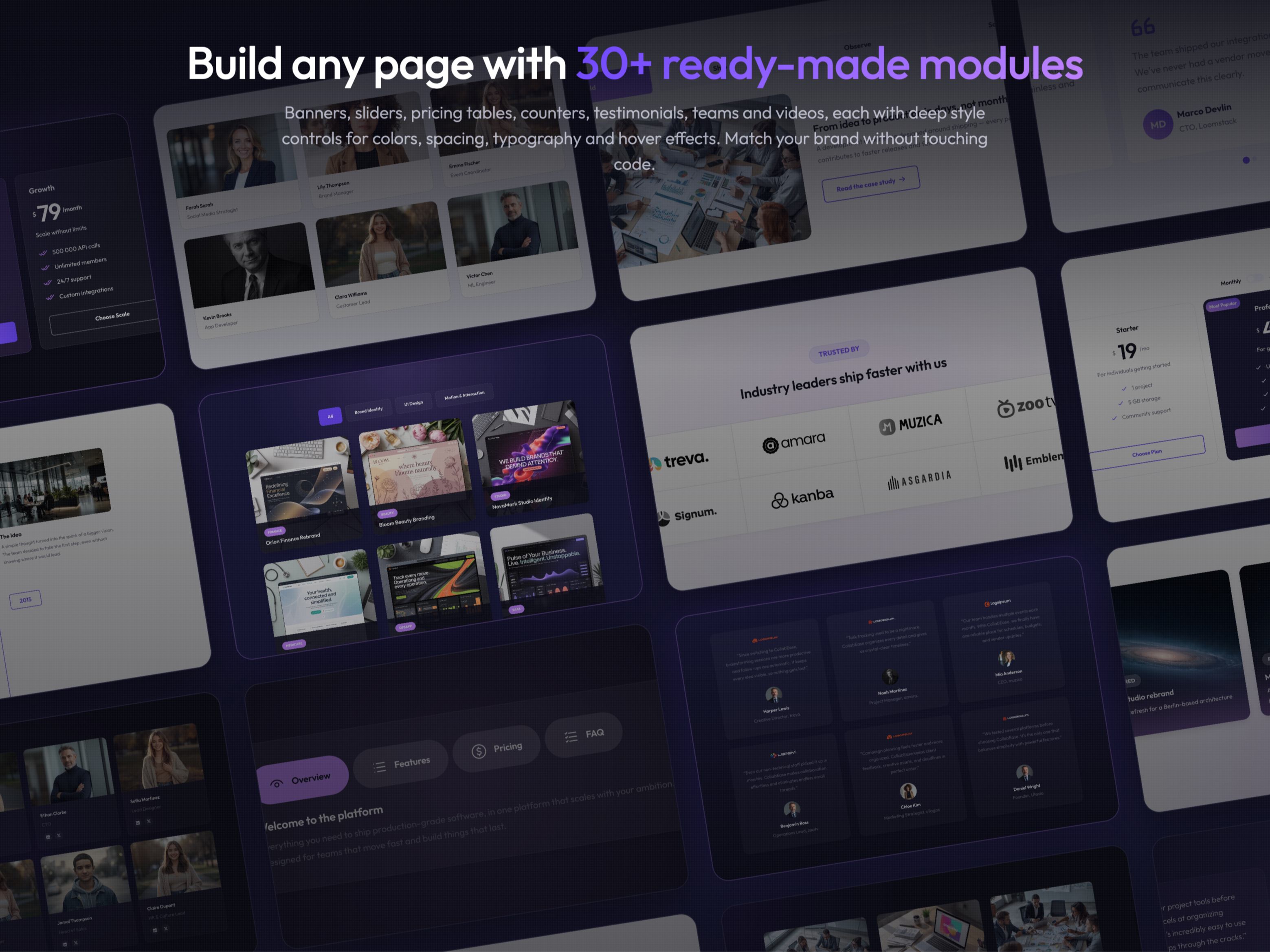
Smart Header with Sticky and Overlay Modes
Choose from six header behaviors combining normal or overlay positioning with sticky scroll options. Switch between light and dark header schemes per page, add a language switcher, and fine-tune every color, dropdown, and spacing value from theme settings.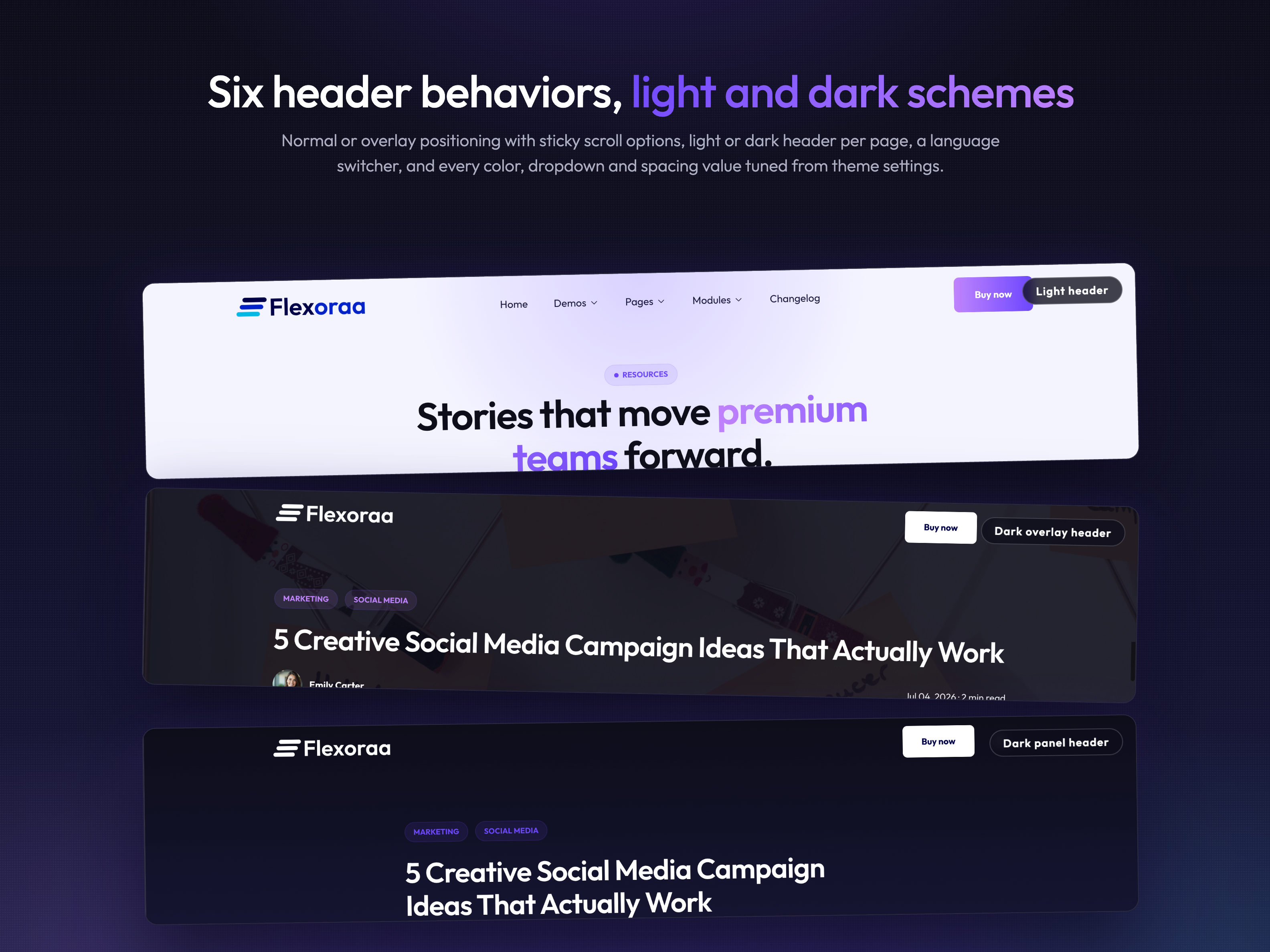
Complete Blog System with 5 Post Layouts
Pick from five distinct blog post designs, styled author and tag listing pages, and a built-in subscribe form with three form styles. Control field visibility, dates, read time, and sidebars from theme settings to create a publication that feels custom built.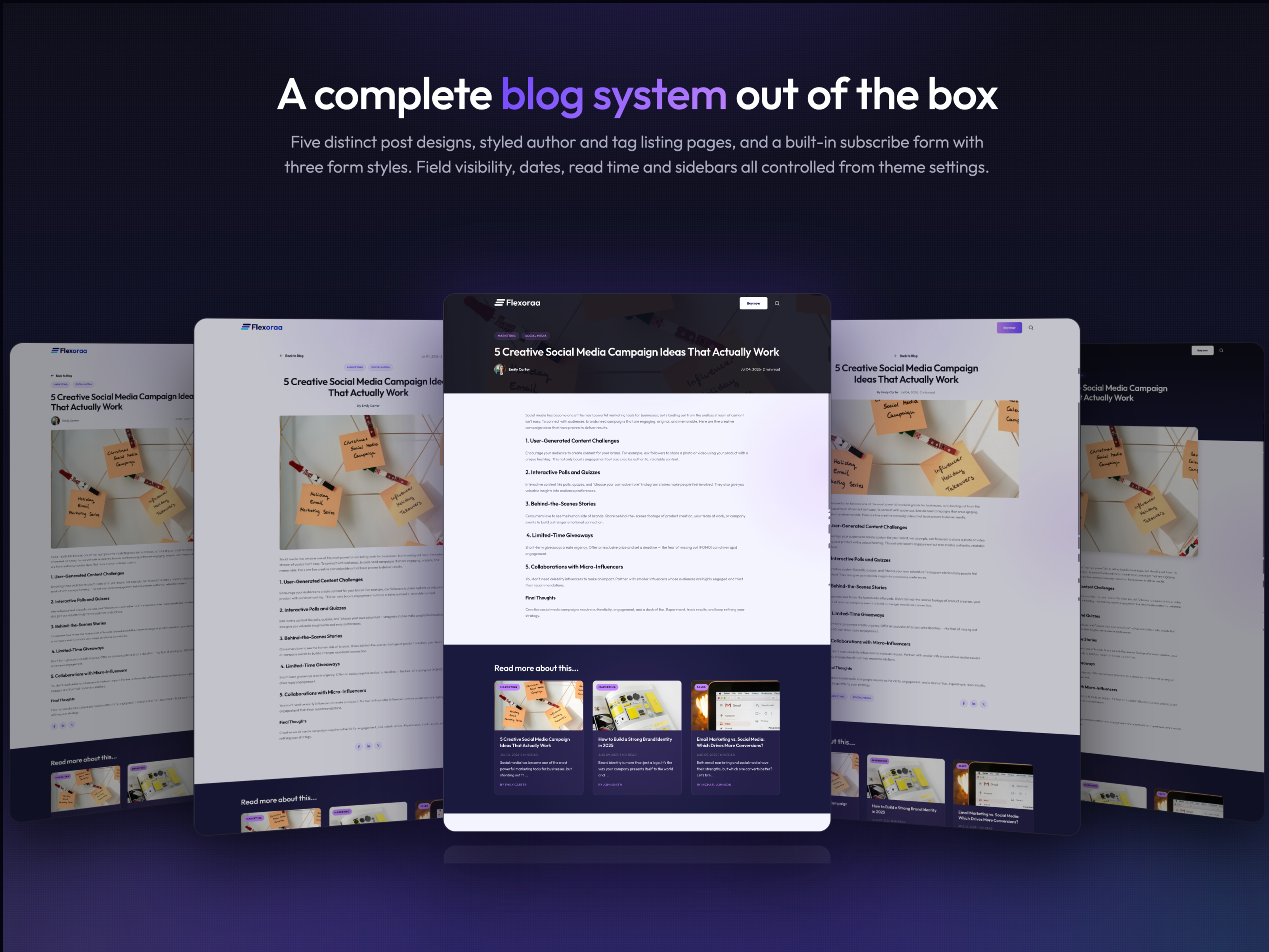
Ready to Launch Templates and Global Styles
Launch fast with 15+ prebuilt page templates covering home, services, pricing, portfolio, team, careers, landing pages, and custom 404 and 500 error pages. Set your fonts, colors, and buttons once in global theme settings and watch the entire website update in a single click.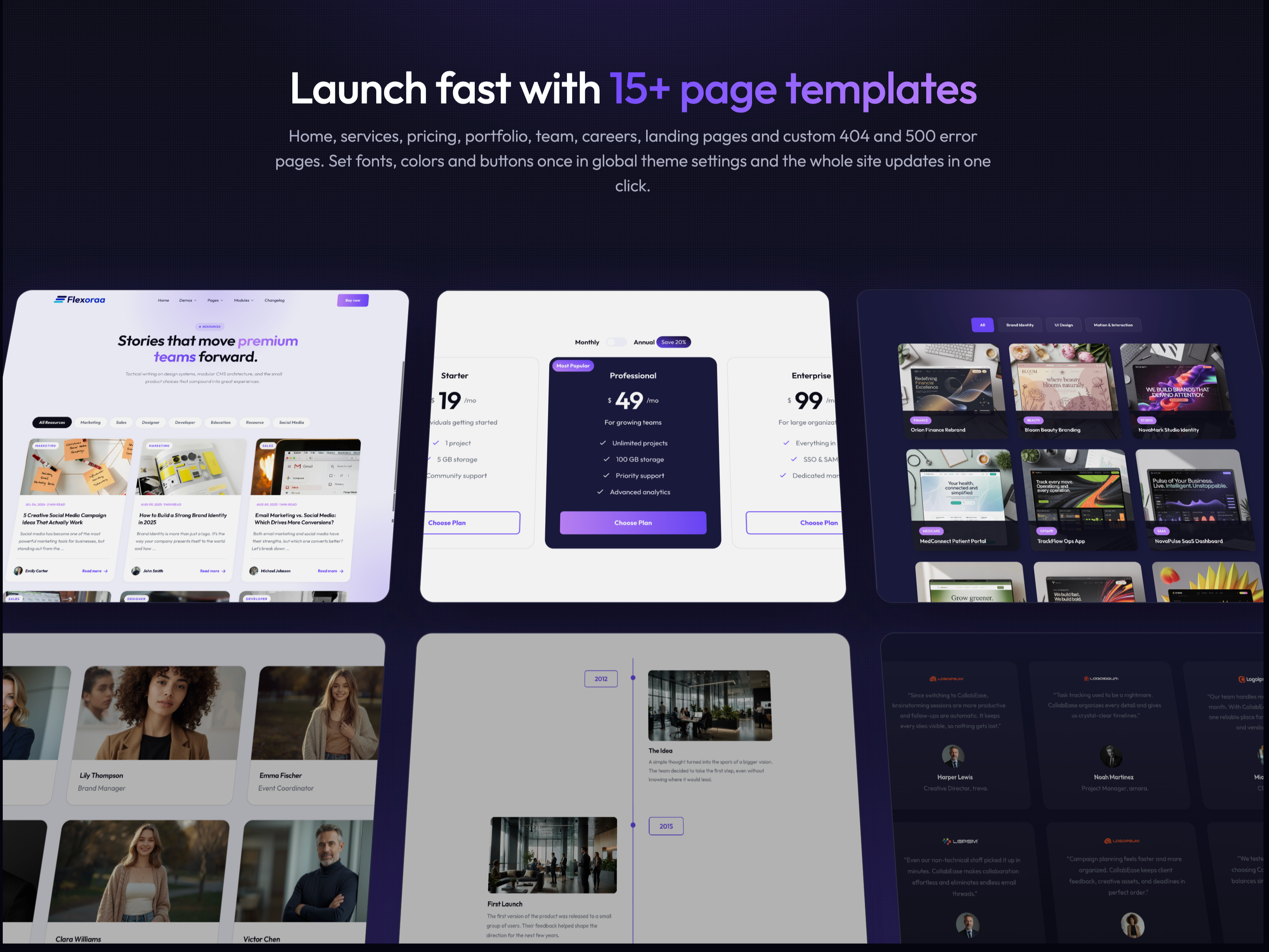
What's included
About Theme
Total installs Fewer than 10 Created - Aug 24, 2026
Version 1 - Aug 24, 2026
Page types Page features Business types Tags
Requirements
HubSpot Subscription
Contact Flexoraa
Legal Stuff
Please refer to the developer's Privacy Policy and Terms for more information.
Support
Flexoraa
- Canada
Visit website
Flexoraa is a clean, flexible, and fully responsive HubSpot theme built for any industry. With 30+ easy-to-use modules, you can create stunning websites for startups, agencies, SaaS, services, and more without writing code. Perfect for building fast, modern, and high-converting websites on HubSpot.
Unlimited email
2 Hours of free support
Flexoraa typically responds in
- Sunday
8:00 AM - 12:30 PM (EST) - Monday
8:00 AM - 12:30 PM (EST) - Tuesday
8:00 AM - 12:30 PM (EST) - Wednesday
8:00 AM - 12:30 PM (EST) - Thursday
8:00 AM - 12:30 PM (EST) - Friday
8:00 AM - 12:30 PM (EST)