

Email Validation & Enhancement
Krav
HubSpot-abonnement HubSpot-kontotillatelser - Vis nødvendige kontotillatelser
Tilgangstype Delt Email Validation & Enhancement-abonnement - Get Started-abonnement
Oversikt
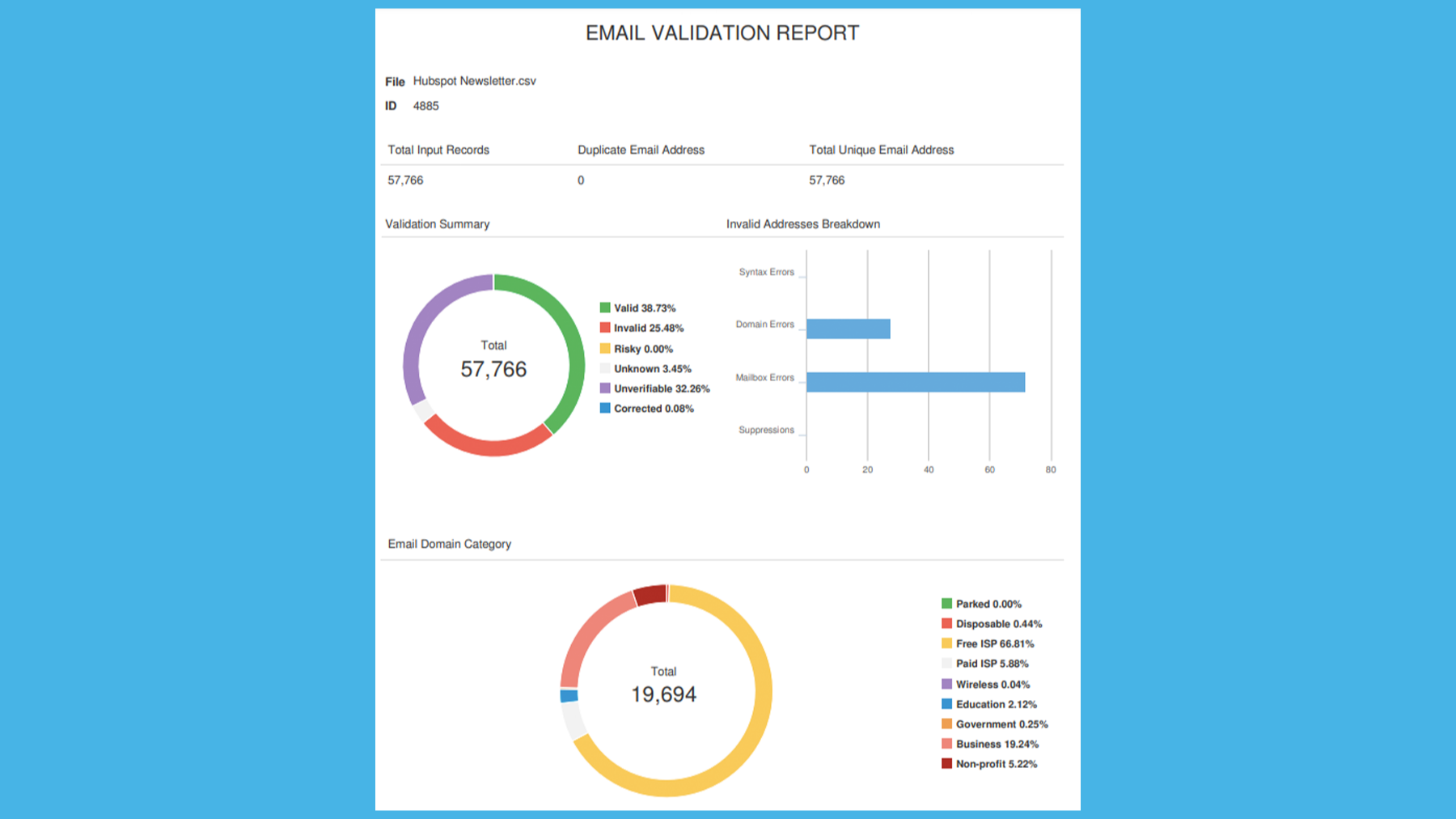
1/8 - View your custom Email Validation report
Improve deliverability and reduce spam rates
We make it easy with our self-service portal to identify and remove up to 99% of undeliverable email addresses in your database.
Optimize segmentation and personalization
Gain key insights on up to 80% of your customers, including demographics, household data, purchase intent, life stage, lifestyle, and buyer type.
Keep your database clean and validated
Catch and correct misspelled, fake, and toxic email addresses in your database before sending your next campaign.
Feel confident in the quality and security of your data
TowerData is ISO 27001 certified and uses multiple layers of security to keep your customer information confidential and secure.
Funksjoner
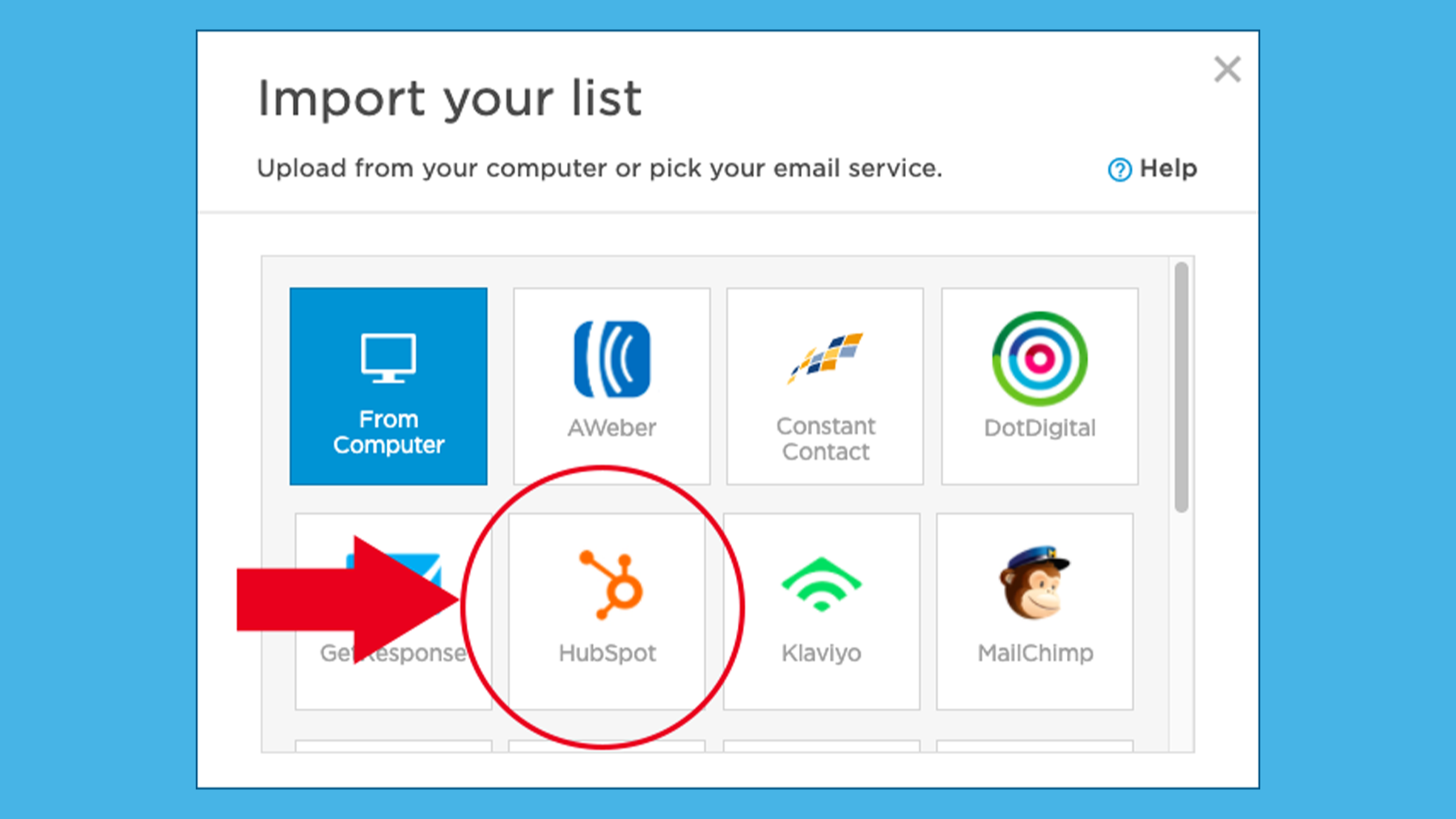
Select the HubSpot Integration
HubSpot is just one of the many integrations available with TowerData's InstantData platform. After creating your free InstantData account, you will see the option to upload a list from your computer or select an integration. Scroll through the integration icons until you find the HubSpot logo.
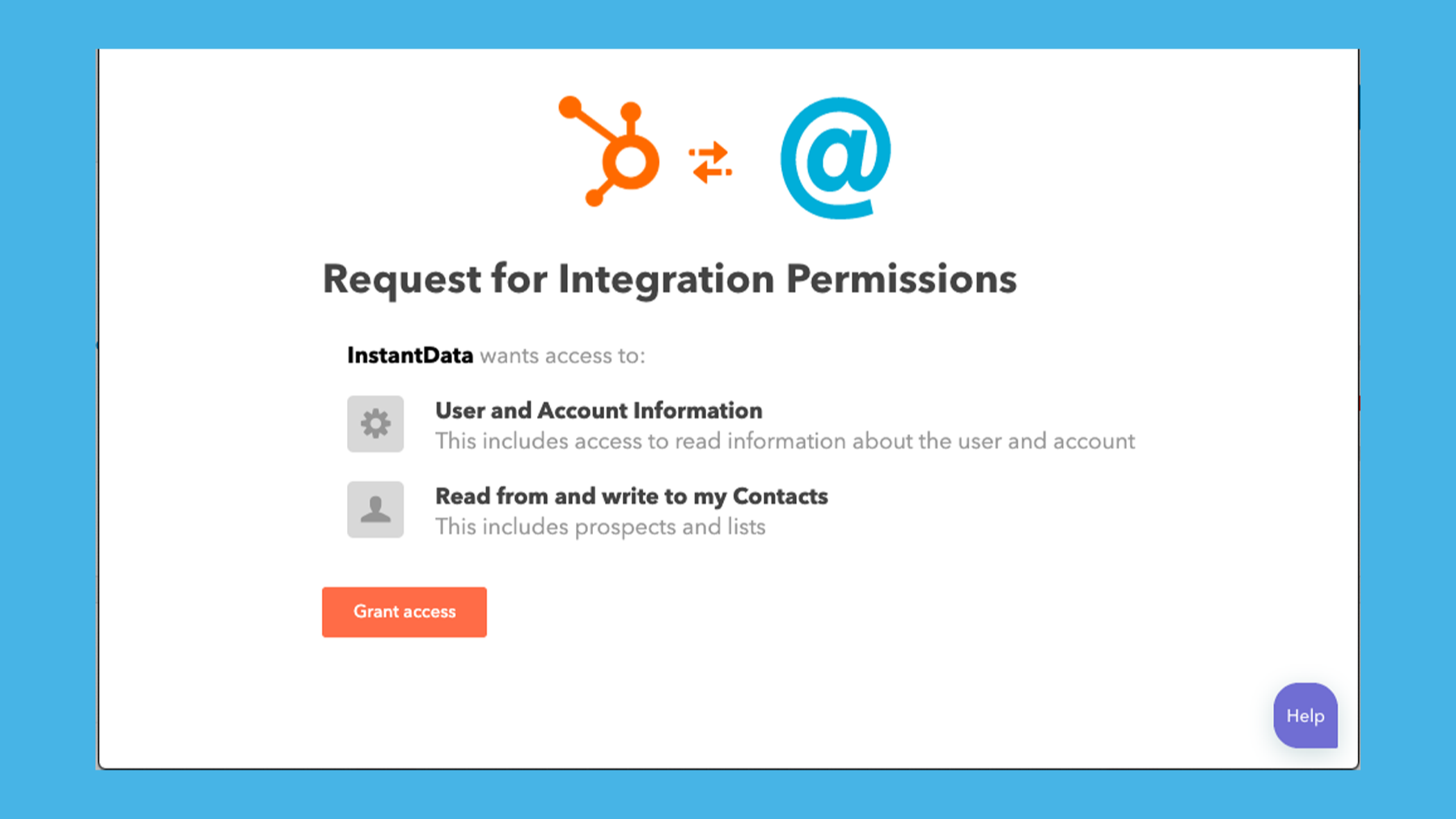
Allow InstantData to Access Your HubSpot CRM
It's easy to set up the integration between HubSpot and InstantData. After clicking the HubSpot logo, you'll see a screen that requests you grant access permissions between the two platforms. Click the Grant Access button and, if necessary, provide the requested login information.
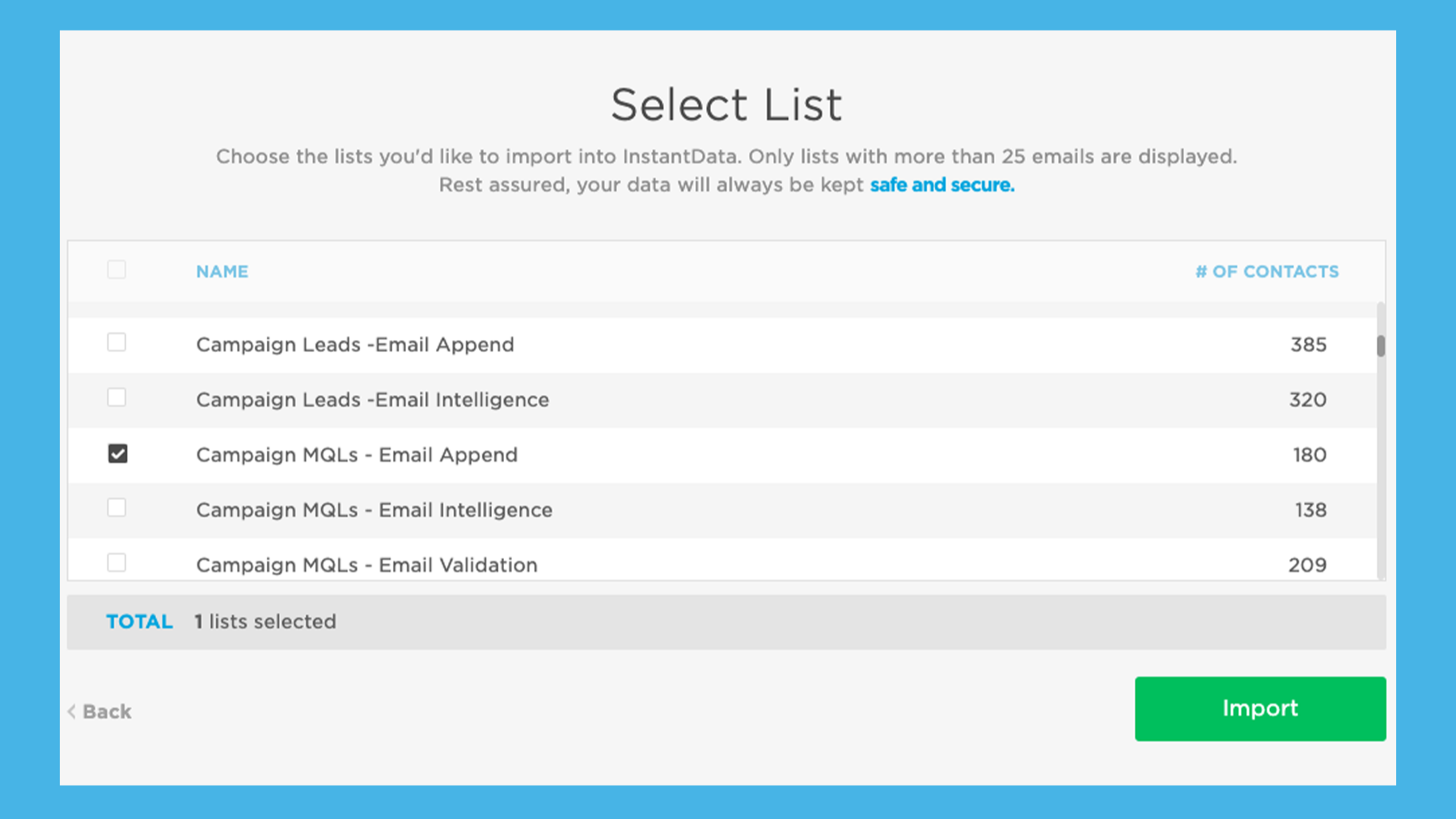
Select your list to run through InstantData
After connecting HubSpot and InstantData successfully, you will be taken to a screen with your HubSpot lists in InstantData. Simply select the checkbox next to the list you'd like to upload to InstantData for Validation and/or Intelligence.
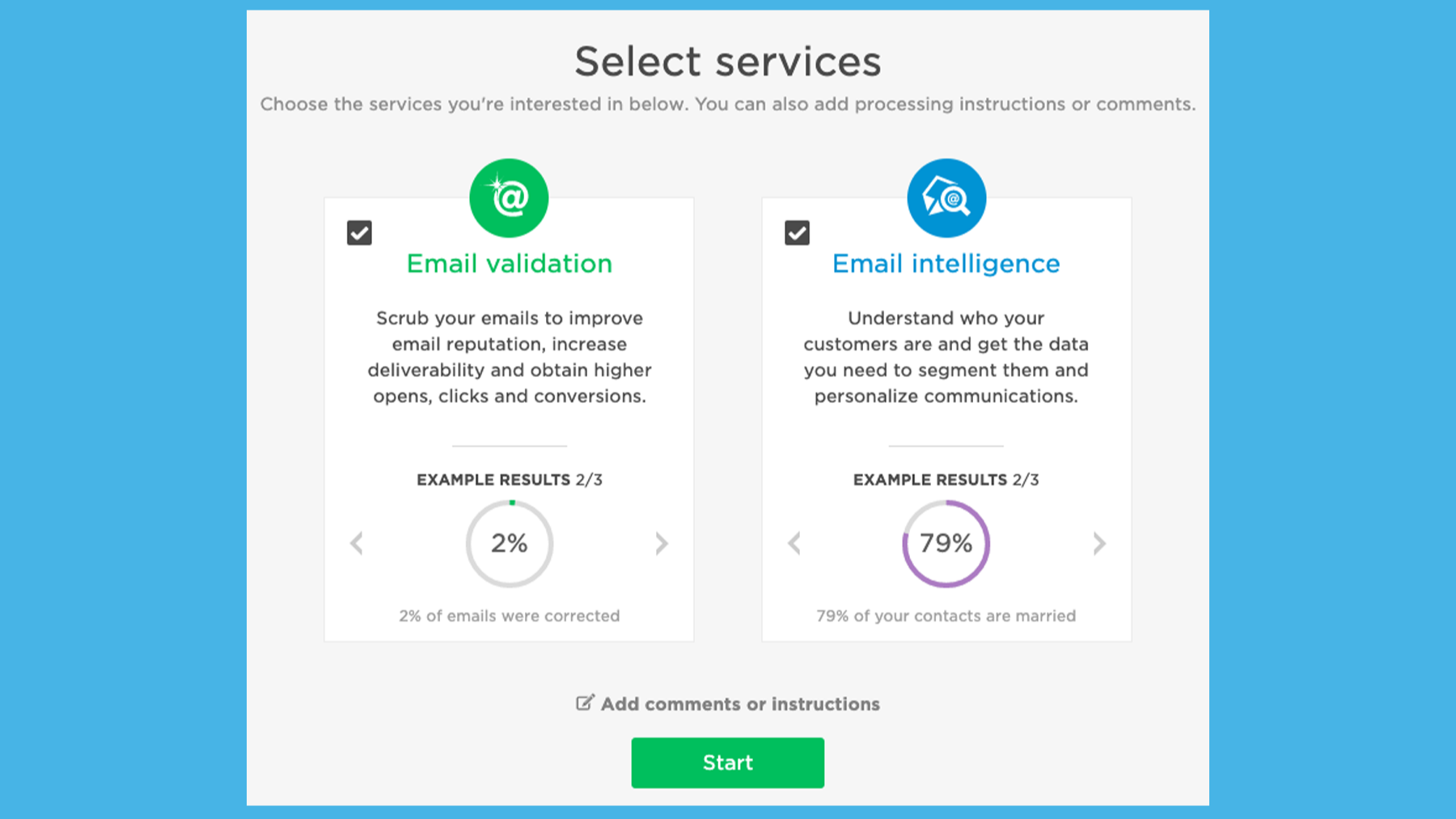
Run Validation, Intelligence or both!
After uploading your list, you now get to select the services you wish to run on that particular list. You have three options: Email Validation, Email Intelligence (Data Enhancement) or both Validation and Intelligence.
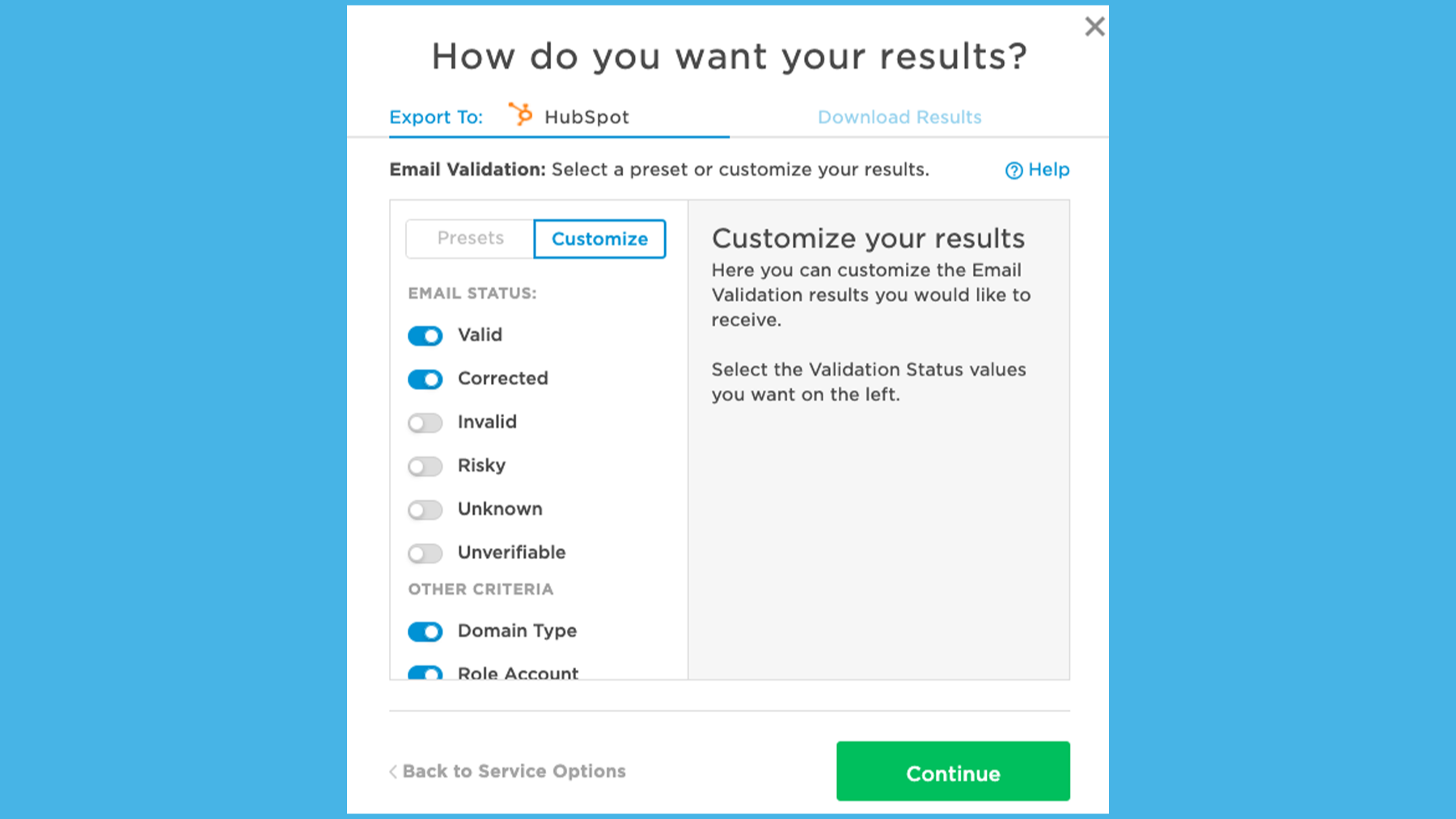
View, Select and Export Results Directly to HubSpot’s CRM
After running your selected services and purchasing your desired data results, it's time to export it back to HubSpot. Click Get Results to view your purchased results. Then choose the results you'd like to export to your HubSpot CRM, and click Export Results for a quick and easy direct data export.
Appfunksjonalitet
Delt data
Contacts | ||
Lists |
Gjennomganger
- 2. sep. 2022
Disappointing pricing, documentation, and customer service
The documentation for the product is almost non-existent. If it were more clear, I would have learned ahead of time that the "$50 Minimum" doesn't involve any sort of credit system. If you spend less than $50, you get charged $50 regardless of how many emails you are validating. So uploading a list of 2,500 contacts doubled my cost under that pricing scheme. Given that Marketing Pro includes just 2,000 marketing contacts, validating marketing contacts will cost double or more in most instances. When I reached out to ask about the details of the pricing structure, I was met with lukewarm customer service and after a couple attempts to resolve my problem was told that I would need to purchase credits which can only be purchased by emailing the company and telling them how many credits you would like to purchase. This is, to me, severely inefficient. I don't recommend this for anyone outside of Enterprise users and even then the customer service would likely be lacking based on my experience.
Validation of contact lists for SMBs. Typically 2-3 thousand, but sometimes smaller batches of a few hundred at a time. Was considering using it for the "Enhancement" portion until my 1-star experience with the validation service.
Kauffman, R.
Markedsføringstjenester - 2 til 5 ansatte
- 10. okt. 2021
email validation
The bounce rate was decrease significantly and I got more leads than before.
validate email database
Mishanin, I.
Teknologi - programvare - 6 til 10 ansatte
Get Started
USD 0,01
/matchGreat for testing our services
Free first 100 validations
Free match report with Intelligence
Pricing starts at $0.010 per email for Validation
Pricing starts at $0.010 per matched field for Intelligence
Live chat support
No list upload limit
Direct results export to HubSpot CRM
Reporting
Get Started
USD 0,01
/matchGreat for testing our services
Free first 100 validations
Free match report with Intelligence
Pricing starts at $0.010 per email for Validation
Pricing starts at $0.010 per matched field for Intelligence
Live chat support
No list upload limit
Direct results export to HubSpot CRM
Reporting
* Prissettingen her er kun for illustrasjonsformål. Prisene inkluderer ikke avgifter, insentiver, rabatter eller andre prissettingsvariabler. Kontakt partneren for å få oppdatert og riktig prissettingsinformasjon. HubSpot tar ikke ansvar for denne prissettingsinformasjonen, som gis av våre partnere. Prissetting sist oppdatert: 09.08.2025