

Krav
HubSpot-abonnement HubSpot-kontotillatelser Ingen HubSpot-tillatelser kreves. Nexadata kan be om ekstra tillatelser ved tilkobling. Tilgangstype Delt Nexadata-abonnement - Base, Starter, Standard eller Enterprise-abonnementer
Oversikt
1/6 - Five-minute overview video explaining what Nexadata is and how it integrates with HubSpot and other enterprise applications.
Nexadata solves the challenge of fragmented, inconsistent data by enabling teams to harmonize and align information across HubSpot and any other system in their ecosystem. It eliminates manual data wrangling by allowing users to transform, map, and validate data bidirectionally using natural language and AI-driven intelligence. Business and operations teams gain a single source of truth that improves forecasting, reporting accuracy, and workflow automation across sales, finance, and planning applications. By connecting Nexadata to HubSpot, organizations unlock faster insights, cleaner pipelines, and seamless integration with tools like Salesforce, Anaplan, and Pigment.
Funksjoner
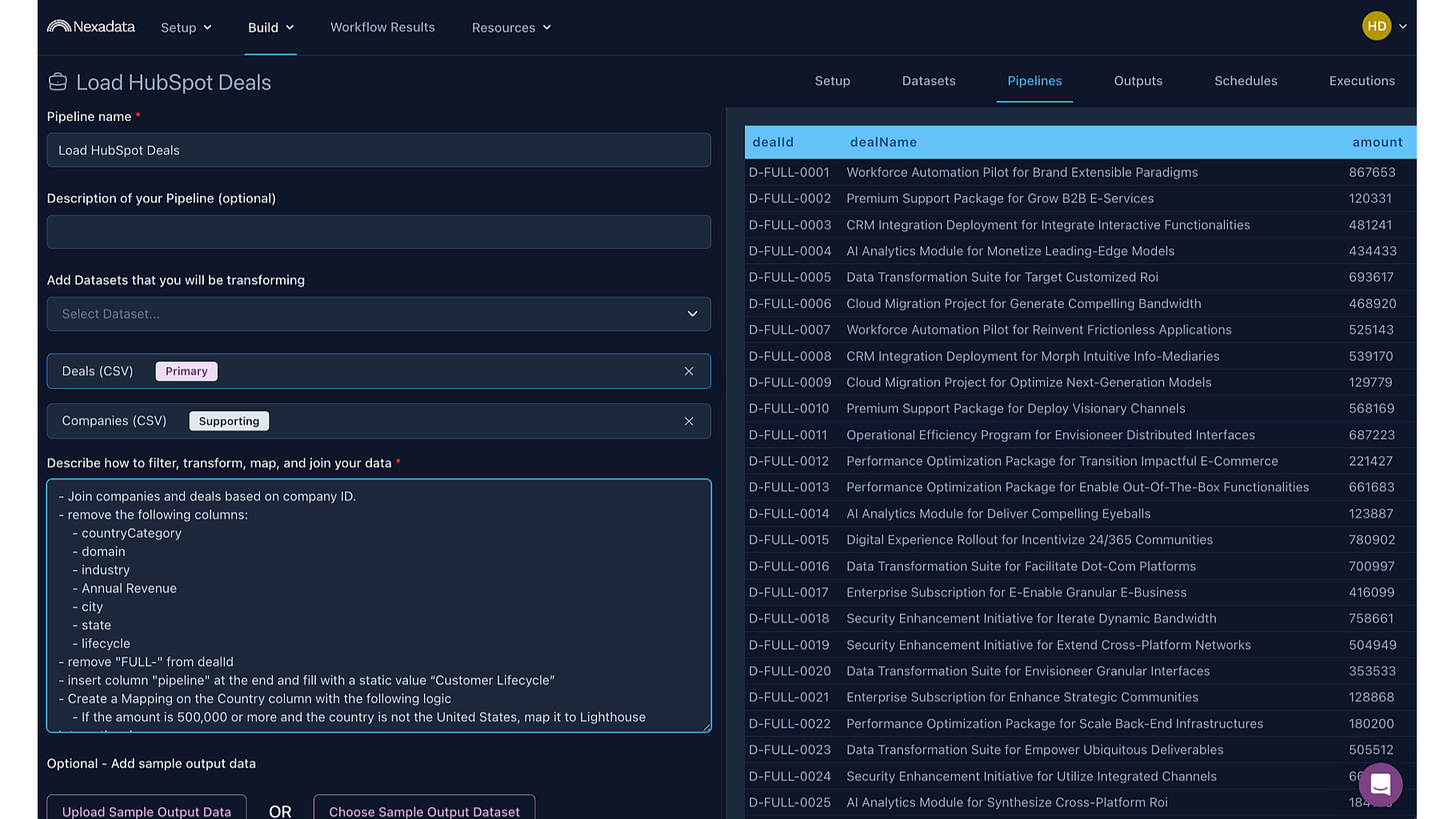
Build Pipelines in Natural Language with AI Copilot
Nexadata enables users to set up flexible transformation and mapping pipelines for HubSpot using everyday language. Instead of writing formulas or dealing with technical configuration, teams can describe what they need and let the AI Copilot build the logic for them.
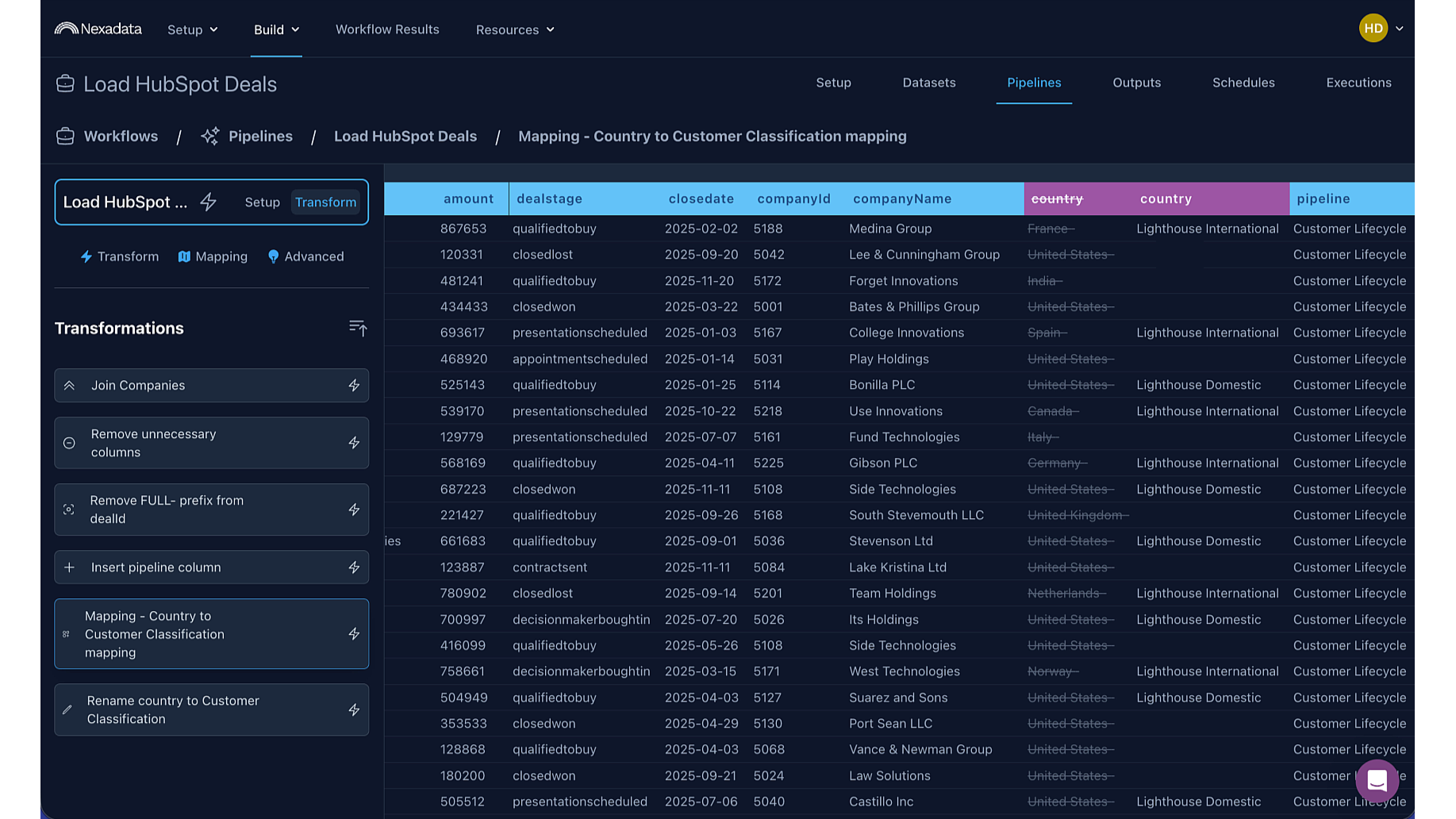
Real-Time, Human-in-the-Loop Pipeline Review
Nexadata lets users click into any pipeline step and immediately preview the transformation or mapping results, enabling a transparent, human-guided review process that ensures HubSpot data is aligned accurately and confidently with other enterprise systems.
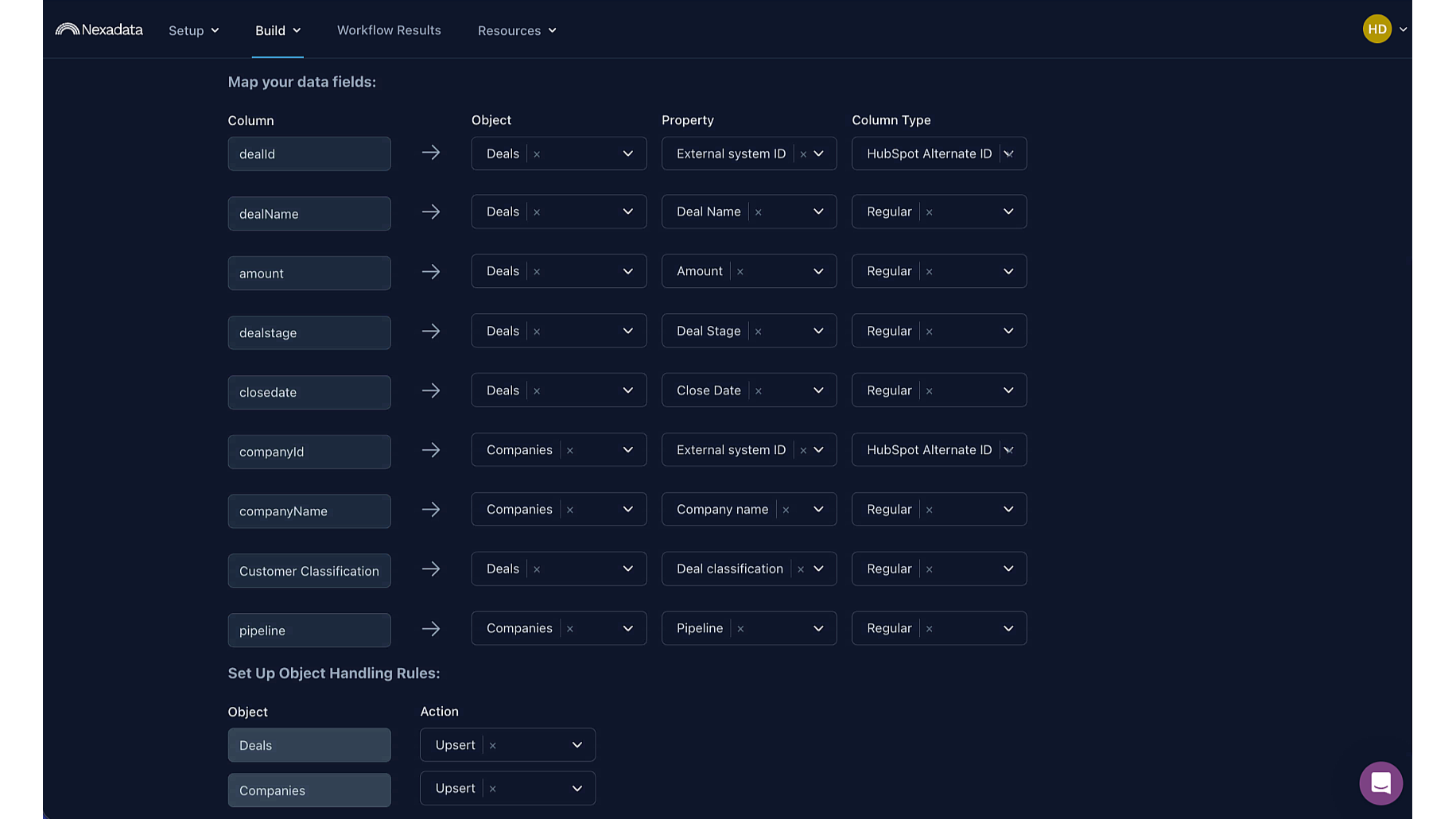
Flexible Mapping from Nexadata Pipelines to HubSpot Objects
Nexadata makes it easy to bring external data into HubSpot by mapping pipeline outputs to HubSpot objects and properties. Users can align transformed data to Deals, Companies, and more, and choose whether records are updated, inserted, or upserted. This keeps HubSpot accurate and in sync with the rest of your business systems.
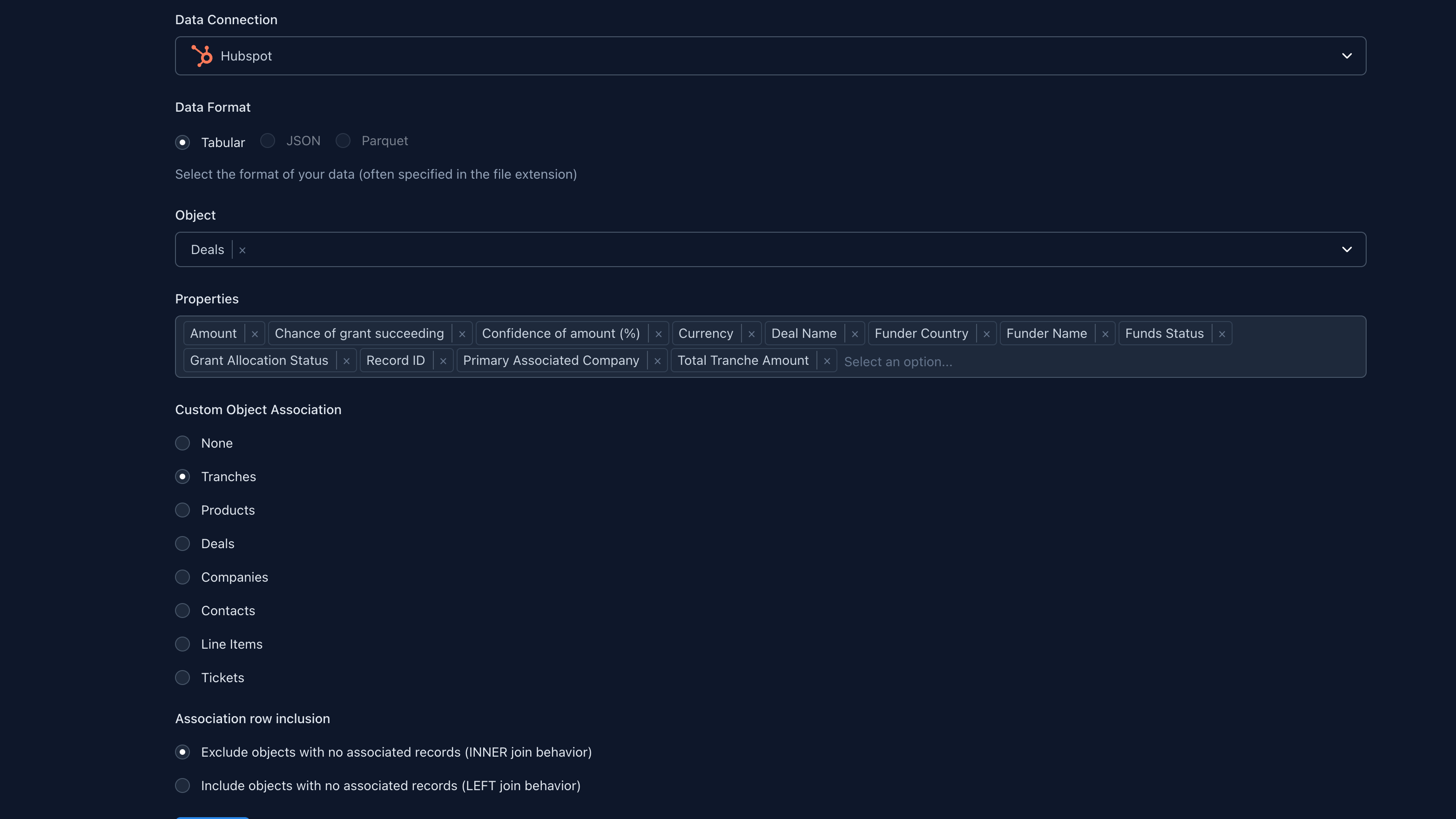
Build and Preserve HubSpot Associations, Including Custom Objects
Nexadata lets users define and carry forward associations between HubSpot objects, including custom objects. Users can link Deals, Companies, Contacts, Line Items, Tickets, and more so those relationships stay intact through transformation and analysis. This preserves HubSpot context for cleaner models, richer reporting, and accurate syncing.

SOC 2 Type II
Nexadata is SOC 2 Type II certified, validating its security, availability, and confidentiality controls through an independent audit.
Appfunksjonalitet
Delt data
Sync to & from HubSpot (for scope: "crm.objects.companies.read" and "crm.import") | ||
Sync to & from from HubSpot (for scope: “crm.objects.contacts.read” and "crm.import") | ||
Sync to & from HubSpot (for scope: “crm.objects.custom.read” and "crm.import") | ||
Sync to & from HubSpot (for scope: “crm.objects.leads.read” and "crm.import") | ||
Sync to & from HubSpot (for scope: “crm.objects.deals.read” and "crm.import") | ||
Sync from HubSpot (for scope: “crm.schemas.companies.read”) | ||
Sync from HubSpot (for scope: “crm.schemas.contacts.read”) | ||
Sync from HubSpot (for scope: “crm.schemas.deals.read”) | ||
Sync from HubSpot (for scope: “crm.lists.read”) |
Nexadata only accesses the HubSpot data that users choose to include in their workflows, and it uses this information to harmonize, transform, and map data bi-directionally across systems. This may include objects such as Companies, Contacts, Deals, or Custom Objects, depending on the user's selection. Shared data is used exclusively to align records, improve data quality, and support integrations with platforms such as Salesforce, Anaplan, and Pigment. Nexadata does not store any in-transit data, does not retain HubSpot data outside of HubSpot, and does not share customer data with third parties.
Gjennomganger
Base
USD 0
For small teams and trials
Anaplan Integration
Pigment Integration
Salesforce Integration
Workflows
Pipelines
Mapping Groups
Transformation AI Copilot
Mapping AI Copilot
Connector AI Copilot
Base
USD 0
For small teams and trials
Anaplan Integration
Pigment Integration
Salesforce Integration
Workflows
Pipelines
Mapping Groups
Transformation AI Copilot
Mapping AI Copilot
Connector AI Copilot
* Prissettingen her er kun for illustrasjonsformål. Prisene inkluderer ikke avgifter, insentiver, rabatter eller andre prissettingsvariabler. Kontakt partneren for å få oppdatert og riktig prissettingsinformasjon. HubSpot tar ikke ansvar for denne prissettingsinformasjonen, som gis av våre partnere. Prissetting sist oppdatert: 07.01.2026
Mest populært

Gmail
Bring HubSpot to your inbox with the HubSpot integration for Gmail.

Google Calendar
Book meetings quickly and easily with HubSpot and Google Calendar.
