

QR Invoice
Bygget av - evendigo.com
Installeringer - 20+ installasjoner
Krav
HubSpot-abonnement HubSpot-kontotillatelser - Vis nødvendige kontotillatelser
Tilgangstype Delt QR Invoice-abonnement - Demo eller Premium-abonnementer
Oversikt
1/6
After creating a deal, you can make an invoice within HubSpot. The official's Knowledge base entry describes how to do it. After creating an invoice, the documents are provided without an invoice slip. The "QR Invoice" app takes all the information from the invoice and generates an official Swiss QR invoice on the fly. No data or invoices are stored somewhere else.
Funksjoner
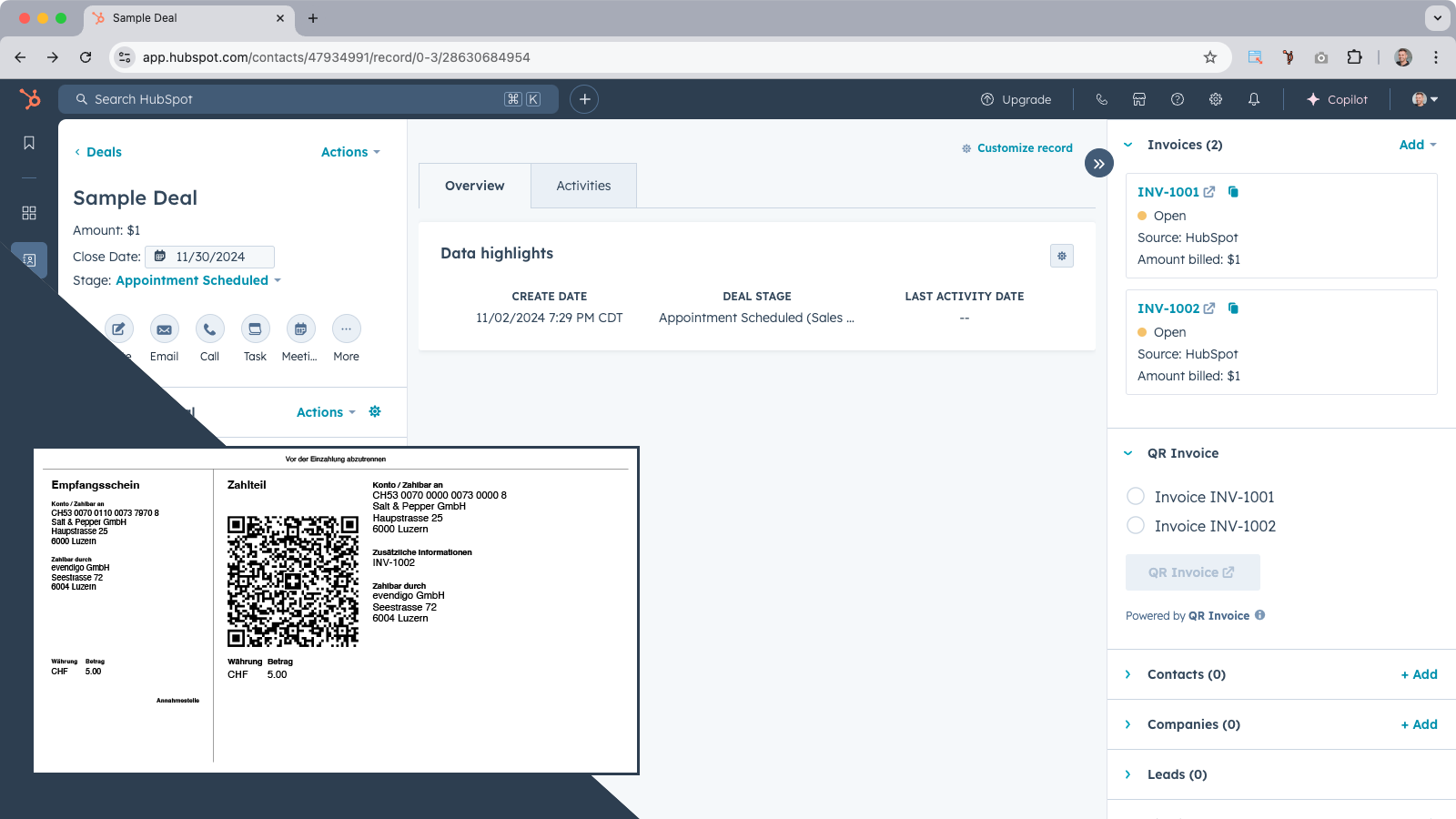
Create QR invoices within HubSpot
After creating a deal, you generate an invoice within HubSpot. The documents are provided without an invoice slip, which Switzerland needs. The "QR Invoice" app takes all the information from the invoice and generates an official Swiss QR invoice on the fly.
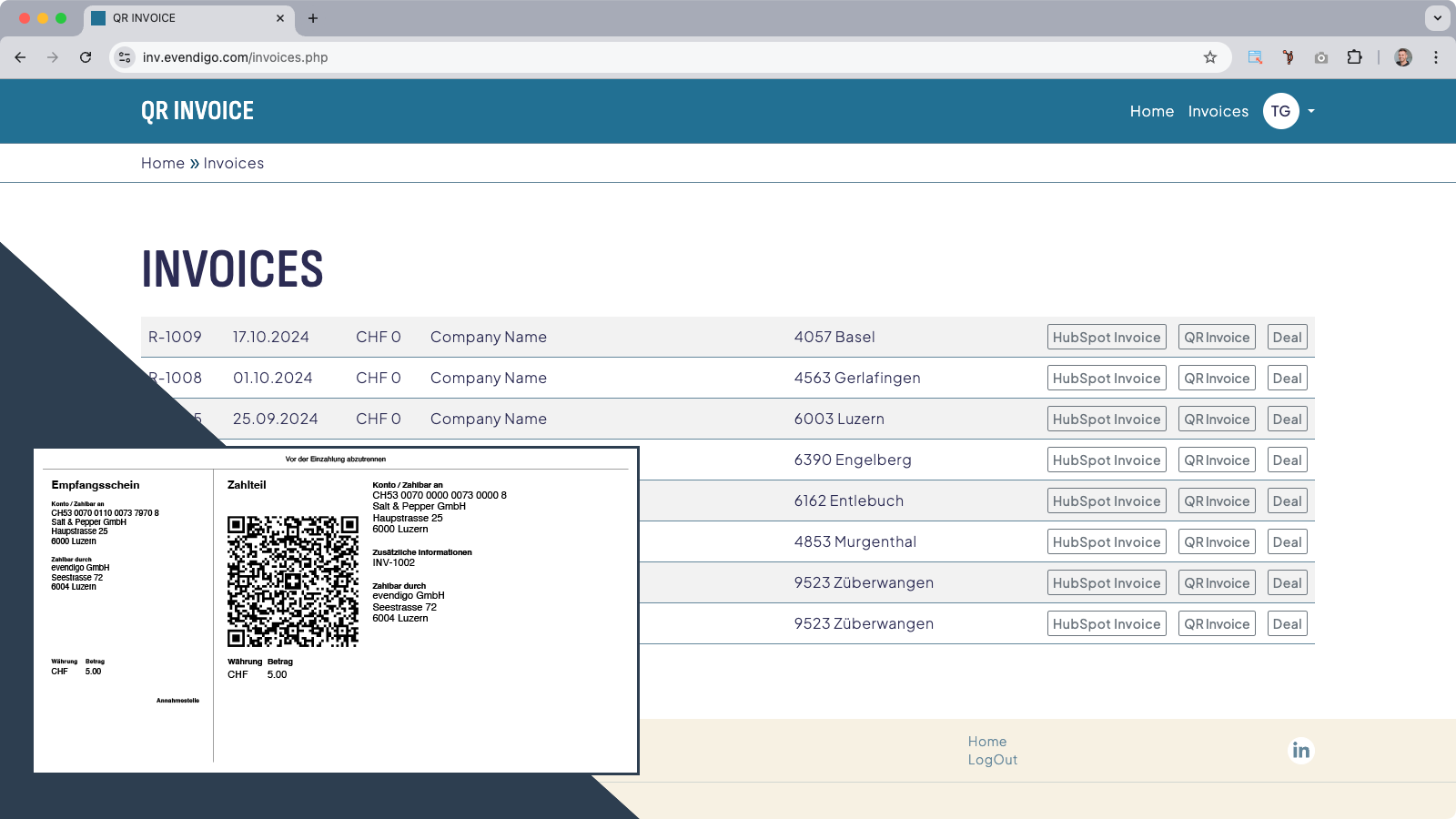
Invoice Overview
The "QR Invoice" Portal shows you all the invoices instantly. From there, you can open up the invoices generated from HubSpot, create the QR invoice, or look at the deals.
Appfunksjonalitet
Delt data
QR Invoice | ||
QR Invoice |
Gjennomganger
Priser
Demo
CHF 0
Demo Version
The demo version has no limitations except the text "DEMO" on the QR invoice. A subscription is necessary to remove this text.
Demo
CHF 0
Demo Version
The demo version has no limitations except the text "DEMO" on the QR invoice. A subscription is necessary to remove this text.
* Prissettingen her er kun for illustrasjonsformål. Prisene inkluderer ikke avgifter, insentiver, rabatter eller andre prissettingsvariabler. Kontakt partneren for å få oppdatert og riktig prissettingsinformasjon. HubSpot tar ikke ansvar for denne prissettingsinformasjonen, som gis av våre partnere. Prissetting sist oppdatert: 11.08.2025
Mer info
Bygget av - evendigo.com
Installeringer - 20+ installasjoner
Kategorier Språkene appen er tilgjengelig på Engelsk ogTysk
Nye produkter

&Open Gifting App
Gjør et flott øyeblikk til en ekte gave – enten fra kontaktoppføringen eller i arbeidsflyter.

Atnimo
La forretningssamtalene dine skape nye muligheter for deg.
