
Square
Krav
HubSpot-abonnement HubSpot-kontotillatelser Ingen tillatelse nødvendig Tilgangstype Delt Square-abonnement - Review Square's Pricing Page-abonnement
Oversikt
1/2
Sync Square clients without manual data entry or messy, time-consuming imports.
Here’s what you get with Data Sync by HubSpot:
- Two-way sync: Data is shared between Square and HubSpot in real time
- Default field mappings: Set-up is quick with out-of-the-box field mappings already created for you
- Historical syncing: Your existing data will sync right away, and updates will sync as they happen
Note: this is a customer sync only. It does not sync transactions.
Funksjoner
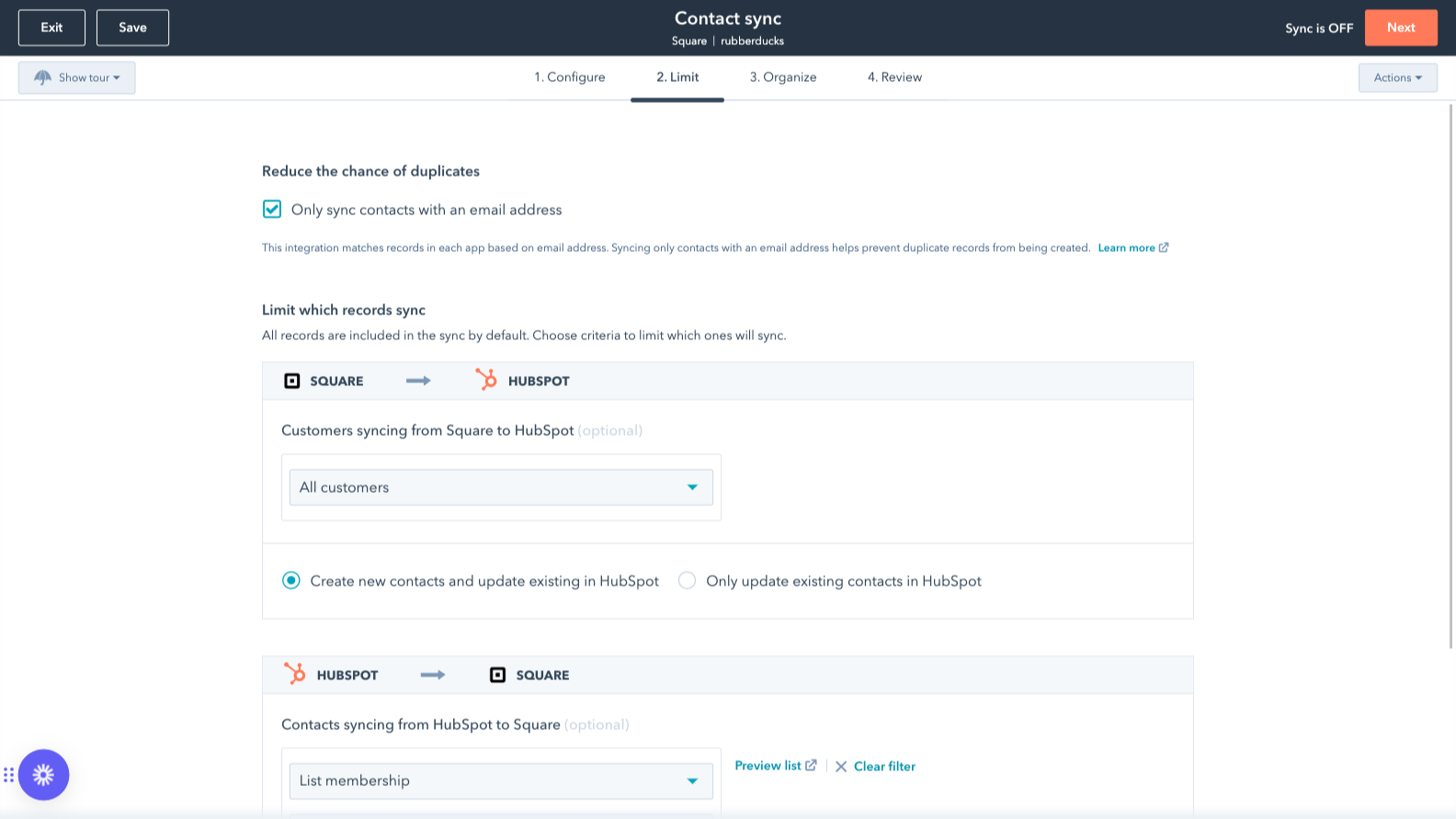
Sync Square and HubSpot data
Make manual data entry a thing of the past by syncing Contacts between HubSpot and Square. When records are created or updated in either app, that information will be automatically shared with the other one.
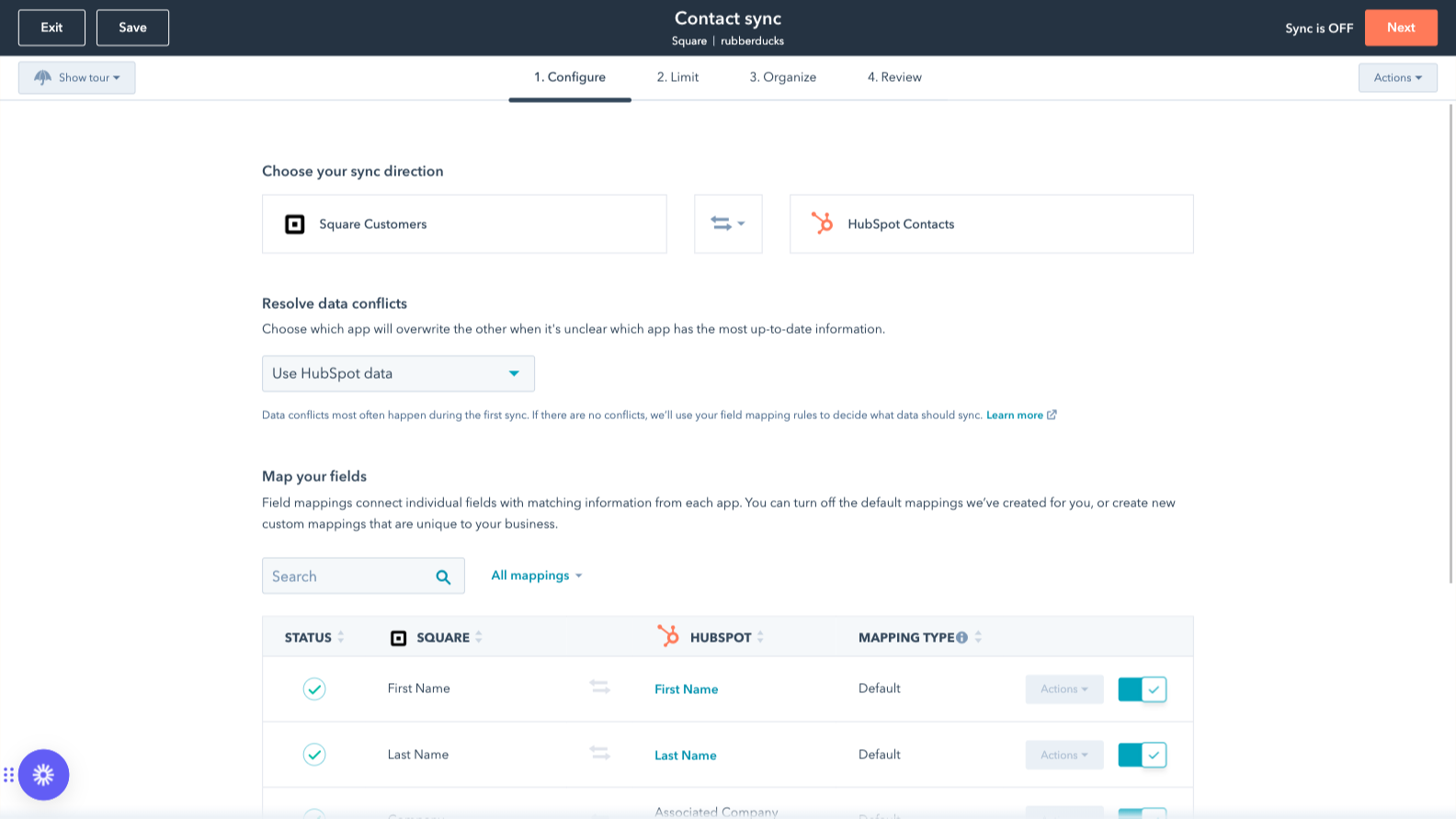
Custom field mappings
Custom field mappings are available with Data Hub Starter or Professional plans. Custom mappings add the flexibility to create your own mappings or make changes to your default ones.
Appfunksjonalitet
Delt data
Each object has field mappings that connect matching information from each app. Default mappings are listed below. If you want to change these default mappings or create your own, custom field mappings are available with Data Hub Starter and up. Payments need to sync into a custom object (Enterprise required).
Customers | ||
Items | ||
Payments |
Gjennomganger
2,3
13
2,3
13
- 29. april 2026
Easy to download and easy to work in one single system.
Using HubSpot, I have everything I need in one place; no need to get out and go to Square. HubSpot has a great selection of products. I wish I would have known about this CRM.
It's free and no need to spend time jumping from program to program; I save a lot of time with HubSpot and have more for my business.
Automation it's to expensive for a small business.
Perez, A.
- 24. feb. 2026
review
Quite well
Osobukola-Abubu, O.
Review Square's Pricing Page
USD 0
Use the 'See all pricing options' link on the righthand side
Make sure to confirm the HubSpot subscription and the Square subscription needed to install this integration
Note: "Free" is referring to the cost of the integration, not the app subscriptions
Review Square's Pricing Page
USD 0
Use the 'See all pricing options' link on the righthand side
Make sure to confirm the HubSpot subscription and the Square subscription needed to install this integration
Note: "Free" is referring to the cost of the integration, not the app subscriptions
* Prissettingen her er kun for illustrasjonsformål. Prisene inkluderer ikke avgifter, insentiver, rabatter eller andre prissettingsvariabler. Kontakt partneren for å få oppdatert og riktig prissettingsinformasjon. HubSpot tar ikke ansvar for denne prissettingsinformasjonen, som gis av våre partnere. Prissetting sist oppdatert: 03.09.2025
Nye produkter

Finale Composer
AI-generert nettinnhold, utviklet for HubSpot.

Synder
Synkroniser HubSpot-fakturaer med QuickBooks, NetSuite eller Xero – med periodisering og inntektsføring
