
HubSpot for WordPress
Krav
HubSpot-abonnement HubSpot-kontotillatelser Ingen tillatelse nødvendig Tilgangstype Delt HubSpot for WordPress-abonnement - Har du et WordPress-nettsted? eller Trenger du WordPress-hosting?-abonnementer
Oversikt
1/6
Kontaktadministrasjon
Synkroniser e-postadressene og informasjonen til kontaktene dine med HubSpot CRM, der du kan administrere og segmentere målgruppen din.
Skjemaer og popup-vinduer
Lag enkelt skjemaer og popup-vinduer ved hjelp av dra-og-slipp-verktøyet, og publiser dem raskt på nettstedet ditt.
Live chat og chatbots
Chat med besøkende på nettstedet ditt og svar på spørsmål i sanntid.
Enkel e-postautomatisering
Send en automatisert e-post når noen fyller ut et skjema eller sender en melding via live chat.
Innebygd analyse
Se hvilke sider og trafikkilder som gir flest konverteringer, slik at du kan fortsette med det som fungerer og finne områder som kan forbedres.
Funksjoner
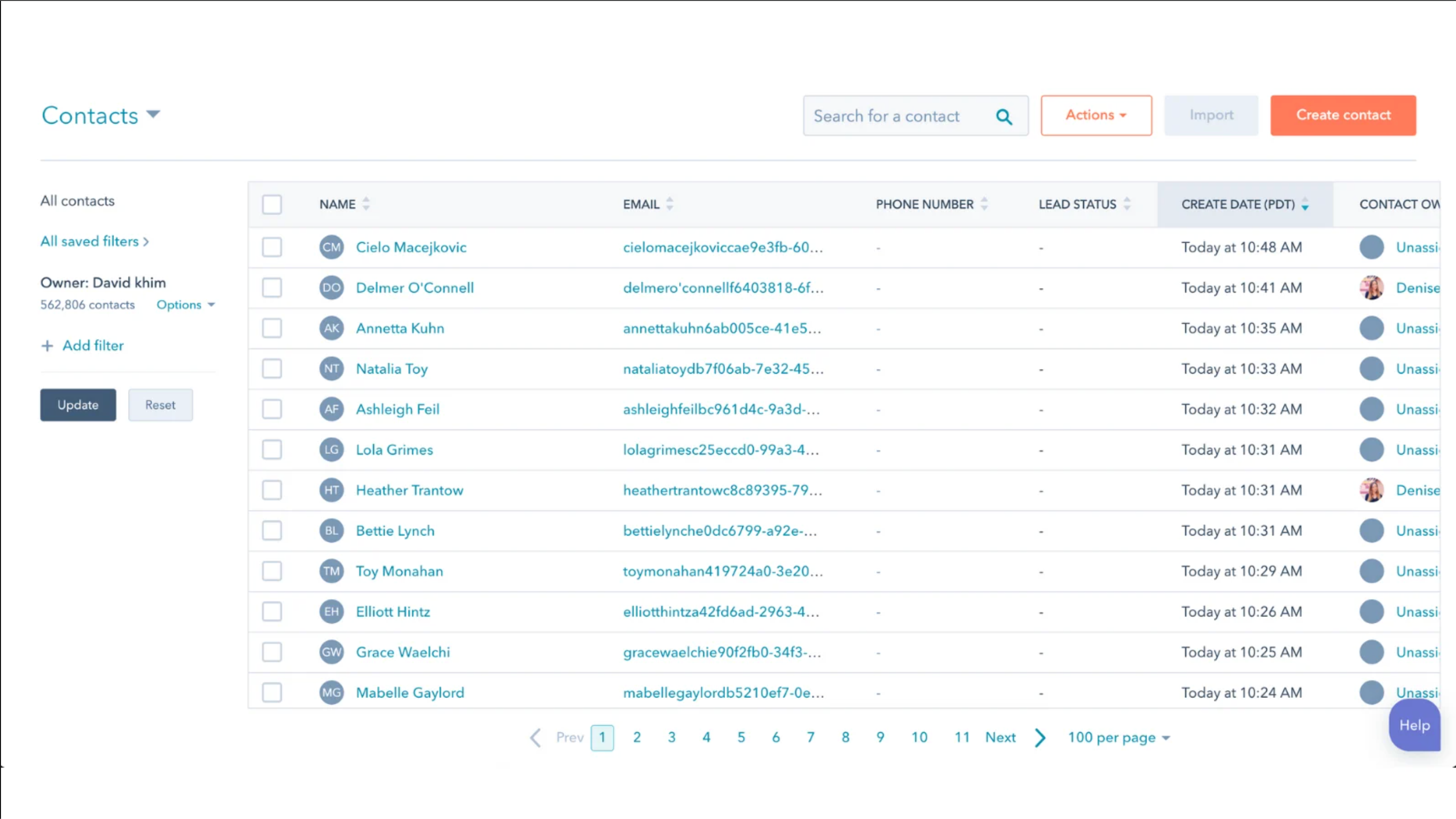
Enklere kontaktadministrasjon.
Uansett om du bruker HubSpots verktøy for å samle inn kundeemner eller fortsetter å bruke dine eksisterende verktøy (Gravity Forms, Contact Form 7, Ninja Forms og flere), vil e-postadressene du samler inn på nettstedet ditt automatisk synkroniseres med ditt gratis CRM-system.
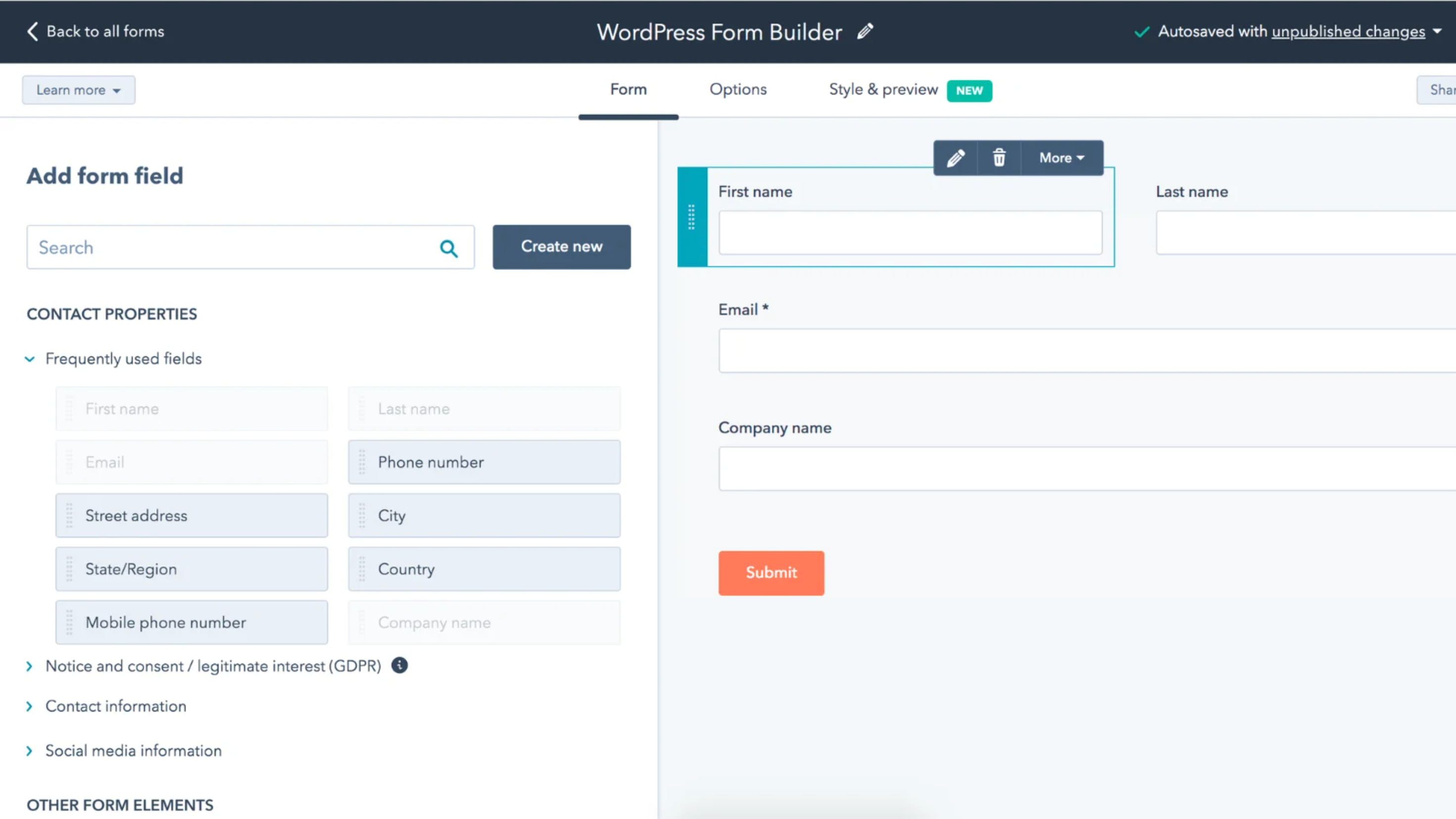
Legg raskt til verktøy for leadgenerering på nettstedet ditt.
Lag og publiser skjemaer, popup-vinduer og bannere ved hjelp av dra-og-slipp-verktøyet for å generere potensielle kunder på nettstedet ditt.
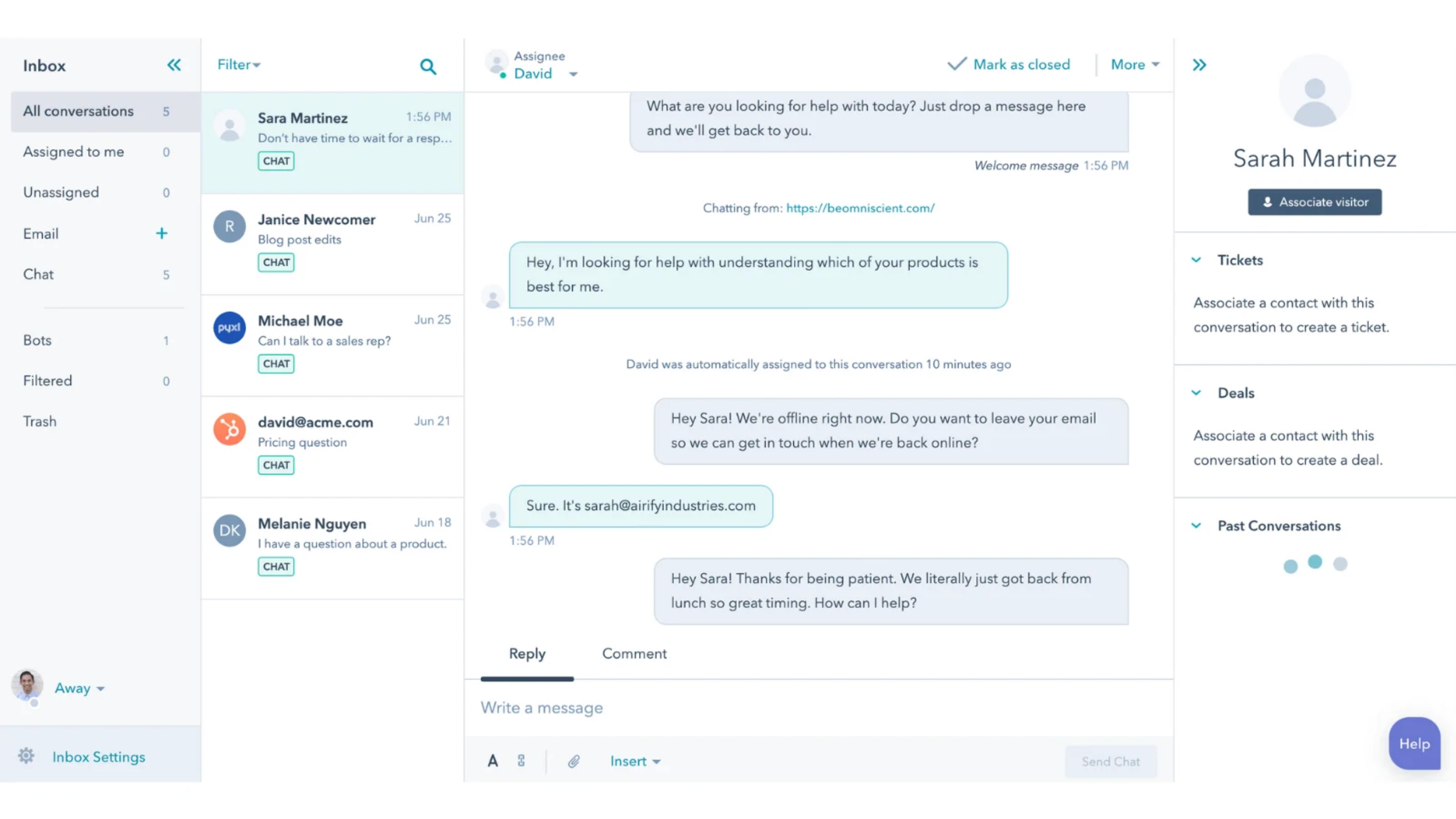
Chat med besøkende på nettstedet i sanntid.
La besøkende på nettstedet ditt stille deg spørsmål mens de er på nettstedet, og kommuniser med dem når interessen deres er på sitt høyeste ved hjelp av livechat.
Appfunksjonalitet
Delt data
Non-HubSpot Forms |
Gjennomganger
3,9
414
3,9
414
Brukerne setter pris på hvor enkelt pluginet integrerer WordPress med HubSpot CRM for å legge inn skjemaer, spore besøkende på nettstedet og legge til livechat. Selv om noen rapporterer om tilkoblingsbrudd og påpeker at de innebygde skjemaene mangler avanserte formateringsalternativer, gir verktøyet de fleste brukere en pålitelig måte å automatisere registrering av potensielle kunder og synkronisere kontaktdata i sanntid.
- 30. sep. 2026
Doesn't work
It asks me to log in via WordPress into my HubSpot account which I do and then I get to my HubSpot Dashboard, but that is it... nothing connects. Everytime I go back to Wordpress I have to log into HubSpot. It doesn't stay connected. Basically useless.
Berry, K.
- 23. sep. 2026
A migração foi bem feita.
A migração foi bem feita, todos os conteúdo foram migrados.
Rapidez
As mídias e tabelas acabam quebrando, é preciso voltar e editar depois.
Castro, L.
Har du et WordPress-nettsted?
USD 0
Last ned HubSpot-pluginen gratis.
Kompatibel med alle HubSpot-abonnementsnivåer
Har du et WordPress-nettsted?
USD 0
Last ned HubSpot-pluginen gratis.
Kompatibel med alle HubSpot-abonnementsnivåer
* Prissettingen her er kun for illustrasjonsformål. Prisene inkluderer ikke avgifter, insentiver, rabatter eller andre prissettingsvariabler. Kontakt partneren for å få oppdatert og riktig prissettingsinformasjon. HubSpot tar ikke ansvar for denne prissettingsinformasjonen, som gis av våre partnere. Prissetting sist oppdatert: 01.07.2026