
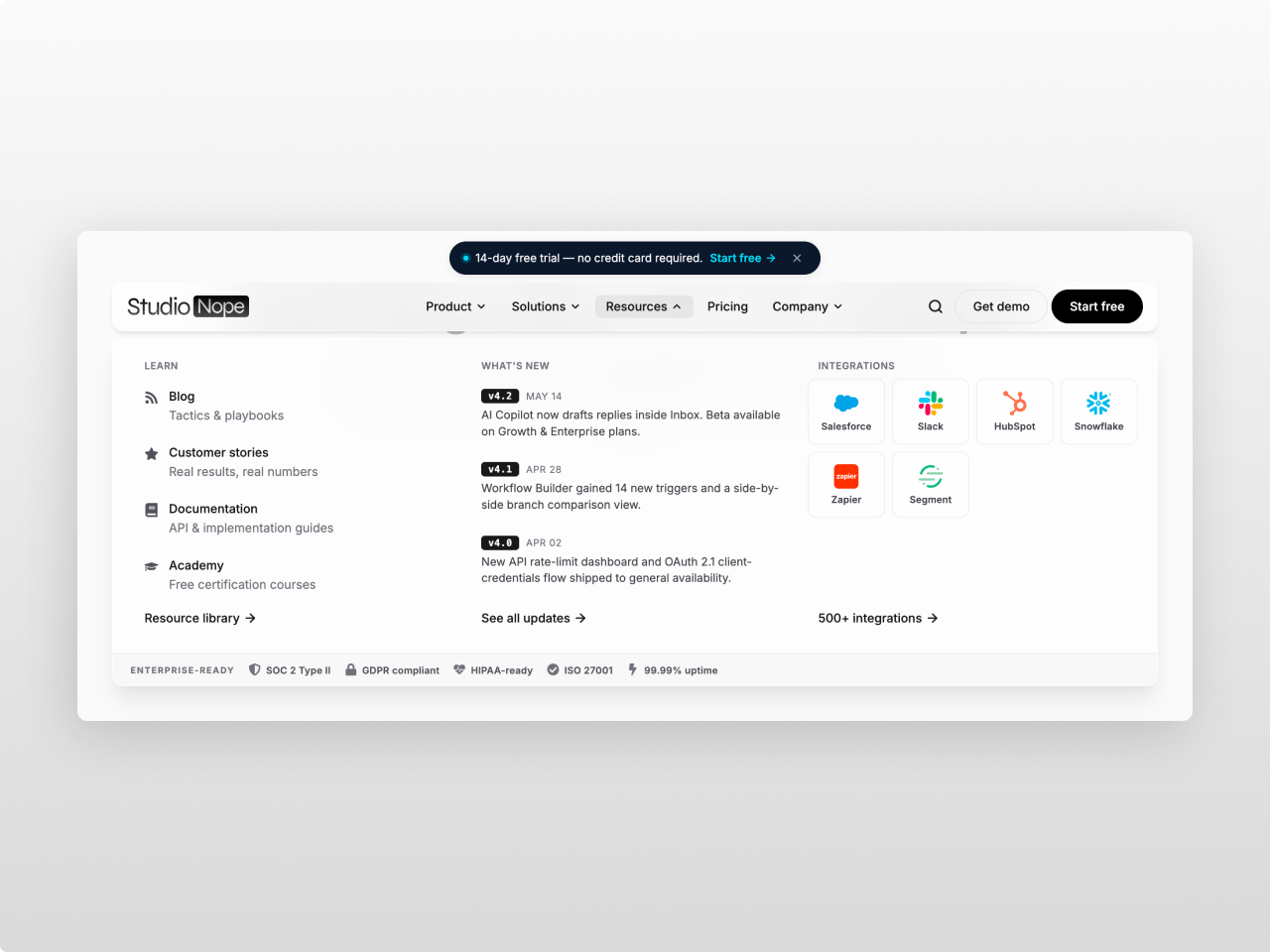
1/4 - Resources
Overview
If you're shipping software — a CRM, a workflow tool, an analytics platform, a developer API — you already know what your nav has to look like. Product. Solutions. Resources. Pricing.
Company. A Get-demo and a Start-free button. A tabbed Solutions panel. An integrations grid. A "what's new" column. Compliance badges that show enterprise buyers you're serious.
Every generic mega menu makes you build that from scratch. This one ships with it.
What you get out of the box:
The full B2B SaaS nav pattern, pre-populated with real content you can swap in minutes
A Solutions panel that tabs between Use Case, Industry, Role, and Company Size
A Resources panel with a changelog teaser column and an integration-logos grid
An AI badge with a gradient + sparkle for your AI features (because everyone's shipping AI)
A ⌘K / Ctrl-K shortcut that opens search from anywhere
A dismissible promo banner above the bar for trials and announcements
A trust strip at the bottom of every mega panel for SOC 2, GDPR, HIPAA, ISO 27001
A real HubSpot form embedded inside the Company panel for direct sales requests
Dual Get-demo and Start-free CTAs that stay visible at all times
Make it yours. 170+ style fields. Change a color, a font, a corner radius, the blur on the glass, the sparkle on the AI badge — all from the editor. No CSS. No code. Zero hardcoded values.
Mobile-ready. Card-style drawer that sizes to its content, scrolls internally if you have a lot, and mirrors the navbar's spacing on every side. The integration logos render on mobile too.
Drop it on any HubSpot page. No theme required. Vanilla JavaScript, pure CSS, accessible by default, fast by design.
Features
The SaaS nav, done for you
Product / Solutions / Resources / Pricing / Company, pre-built. Tabbed solutions panel. Changelog column. Integration-logos grid. Featured customer-story sidebar. Embedded HubSpot form. Dual demo + free-trial CTAs. Swap the content; the structure is ready.
SaaS-native features no generic menu has
⌘K search shortcut with OS-aware tooltip. Dismissible promo banner above the bar with localStorage memory. AI badge with animated gradient and sparkle. Changelog teaser column (version + date + summary). Integration logos grid column. Trust bar with SOC 2 / GDPR / HIPAA / ISO 27001 badges.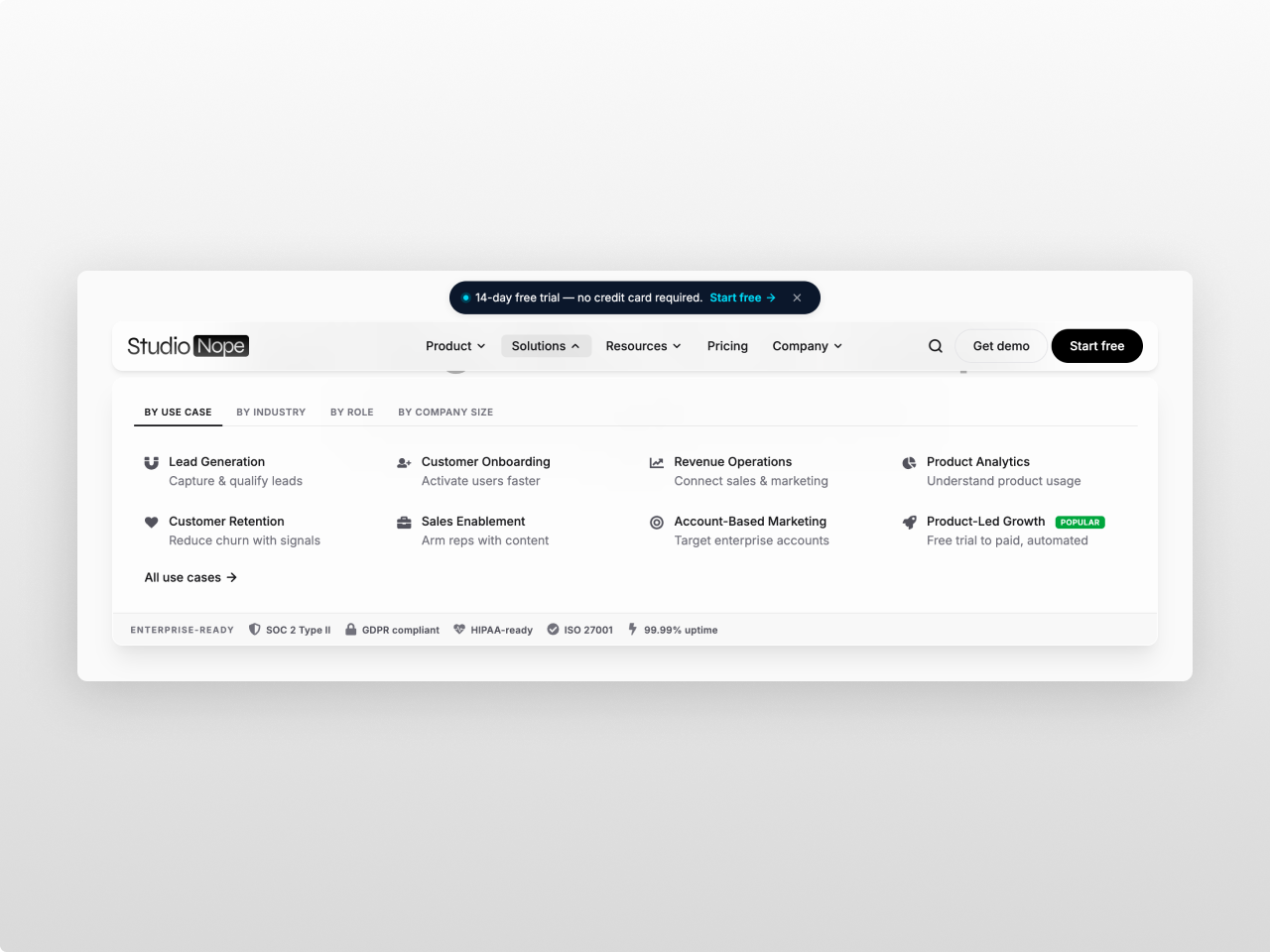
170+ controls, zero code
Every padding, color, radius, opacity, blur, animation duration, font size and border is a field in the editor. Light and dark presets included. Bring your own font. Zero hardcoded values anywhere in the CSS.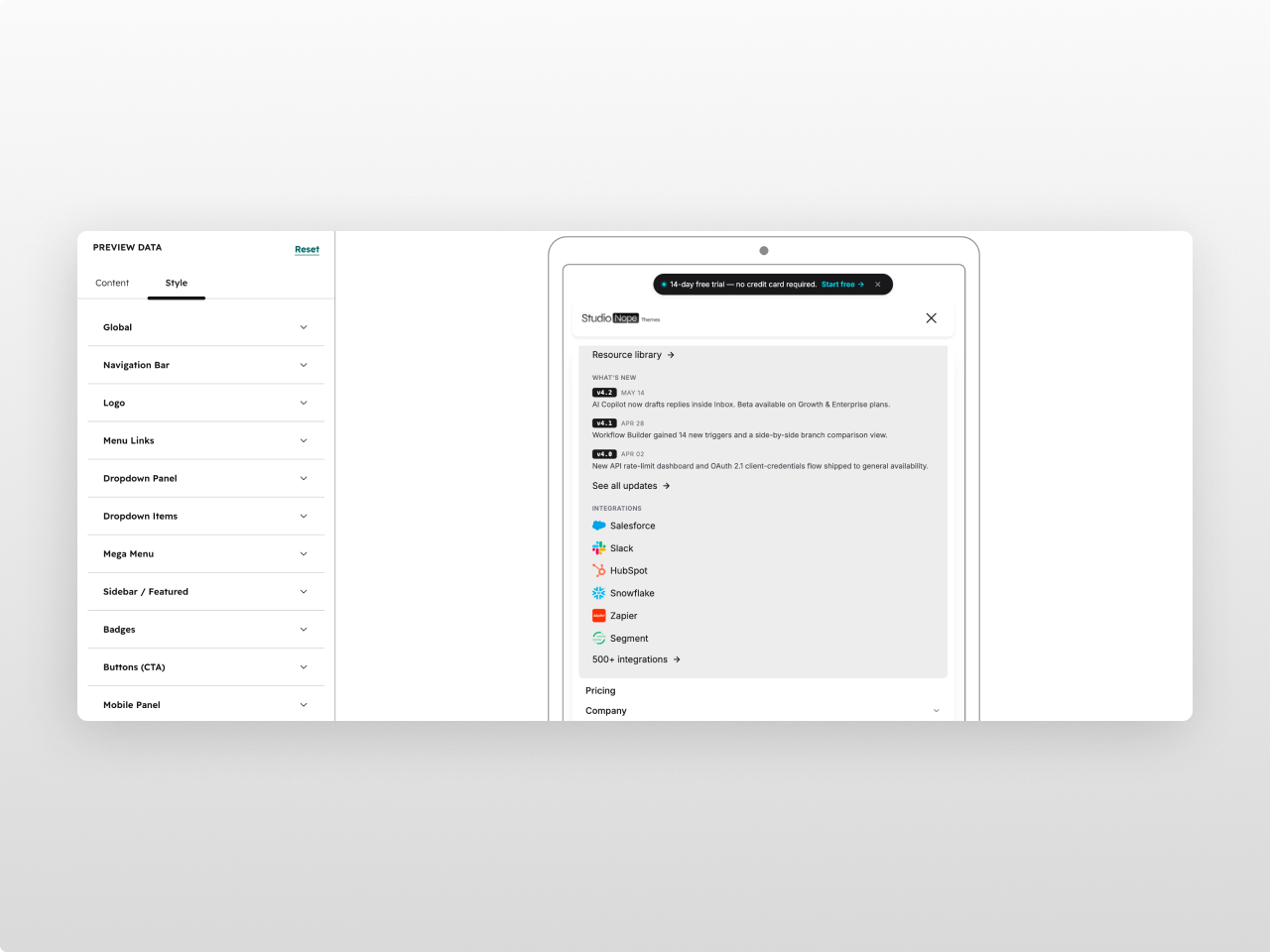
About Module
Total installs Fewer than 10 Created - May 18, 2026
Version 2 - Jul 11, 2026
Categories Tags
Requirements
HubSpot Subscription

Contact Studio Nope
Legal Stuff
Please refer to the developer's Privacy Policy and Terms for more information.
Support
Studio Nope
- Romania
Visit website
Studio Nope designs and builds fast, clean HubSpot CMS websites and custom themes for teams that care about performance, editing experience, and reliable tracking.
Unlimited email support
Studio Nope typically responds in
- Monday
9:00 AM - 5:00 PM (EET) - Tuesday
9:00 AM - 5:00 PM (EET) - Wednesday
9:00 AM - 5:00 PM (EET) - Thursday
9:00 AM - 5:00 PM (EET) - Friday
9:00 AM - 5:00 PM (EET)
