


Rising
Wymagania
Plan HubSpot Uprawnienia konta HubSpot - Wyświetl wymagane uprawnienia konta
Typ dostępu Udostępniono Subskrypcja Planhat - From Start-up to Enterprise plan
Przegląd
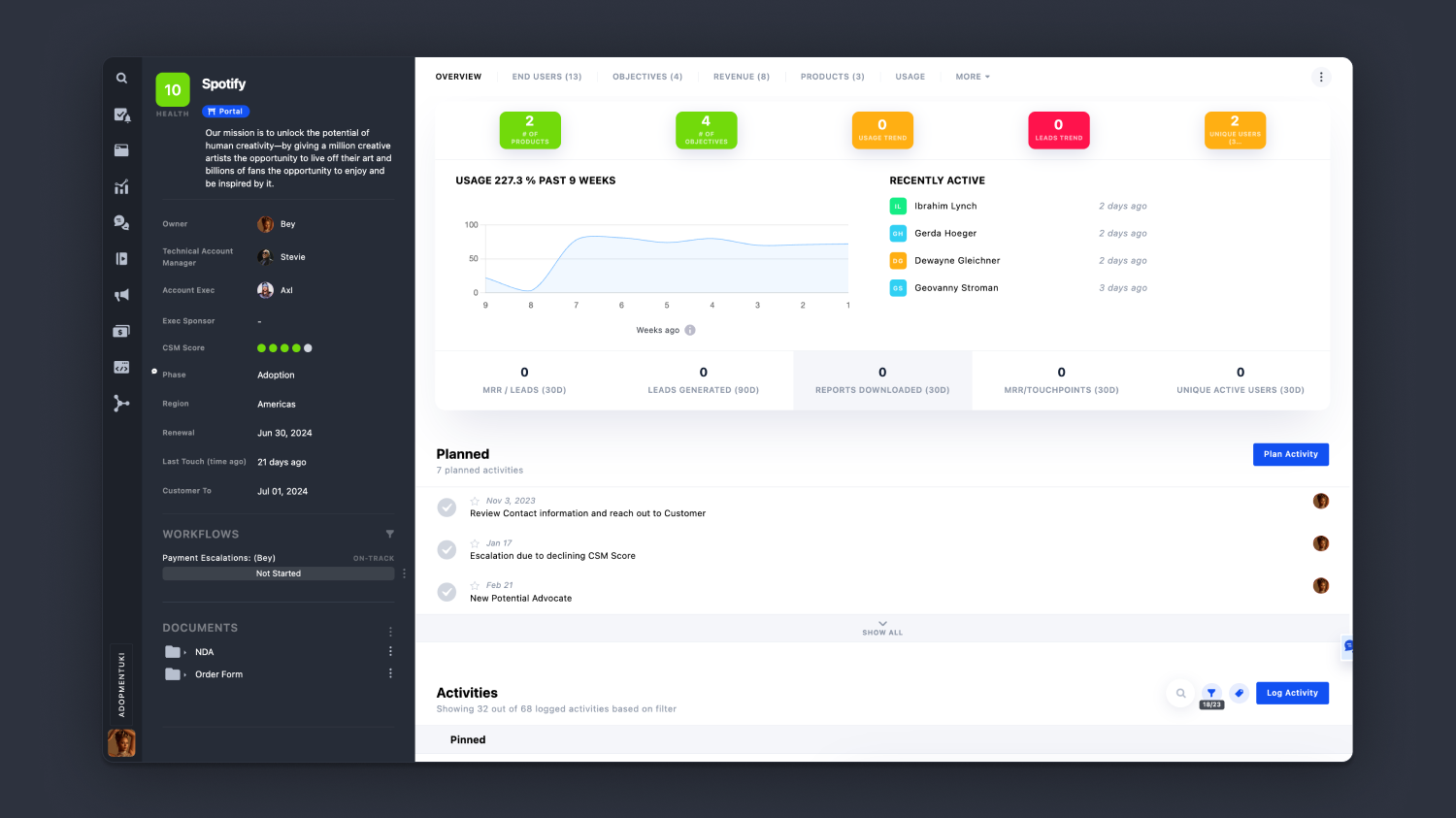
1/7 - Customer 360
Sync Planhat with HubSpot to drive Customer Success and Net Revenue Retention.
Planhat helps you focus on what matters, giving the whole organization a 360 view of your customers. Take targeted (and automated) action based on key data like Lifecycle Phase, Health Score, Last Touch, CSM Score, and Usage Data.
Connect HubSpot and Planhat to:
- Prevent churn
- Drive adoption
- Identify and capture upsell opportunities
- Automate workflows and communication
- Collaborate to improve Net Revenue Retention
Cechy
-2-1.png)
The HubSpot Integration
Sync virtually any Planhat object with any HubSpot object, bidirectionally. This includes any fields and data types. Companies, Contacts, Deals, Notes, Tasks, Tickets, Custom Objects, and more. Our integration lets you filter data in both directions - fetching from, and sending to, HubSpot. You can configure multiple filtered sections.
-1.png)
Become Customer Centered
Syncing HubSpot and Planhat lets you leverage data for maximal insight and action. Filter your customers on any fields, to engage intelligently and proactively. Your consolidated and filtered data then flows into all of your analytics and processes. When syncing that same data back to HubSpot, both platforms are updated in real time.
-1.png)
Connect the dots, at scale
Without automation, people get bogged down in the repetitive and boring. Planhat Automations is a no-code way of building everything from simple triggers & Slack alerts to custom bots & integrations.
-1.png)
Make things happen!
When a deal is closed in HubSpot, Planhat can automatically activate and assign a Workflow for handover, or onboarding, letting everyone in your organisation collaborate for the best customer experience. Build connected journeys that combine conventional task management with data-driven conditional sequencing.
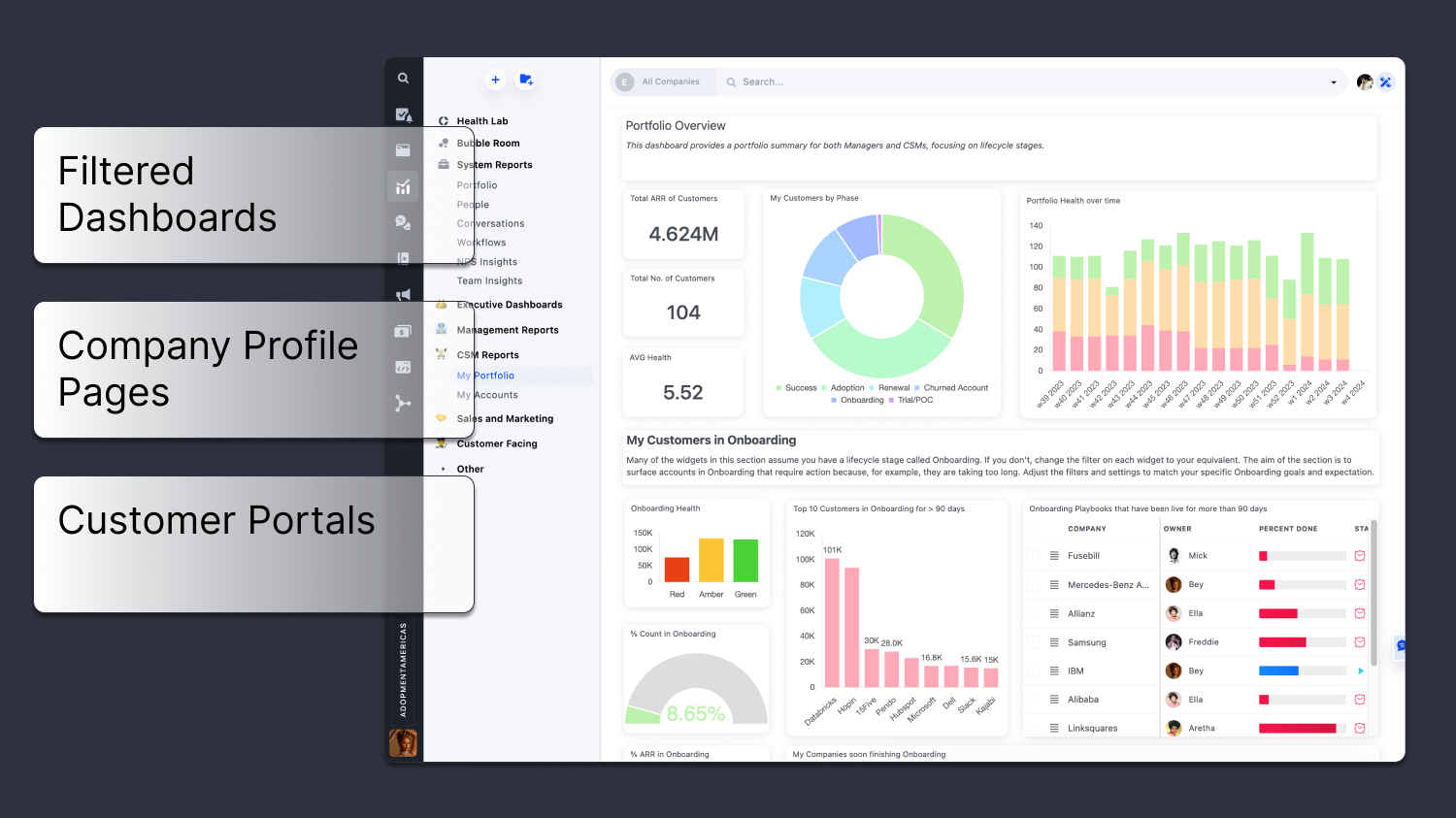
Tell stories - with data
Use our Presentations layer for the simplicity and storylining ability of slides, the analytics power of a BI tool - all sharable with customers via the Portal.
Funkcjonalność aplikacji
Udostępnione dane
Companies | ||
End Users | ||
Licenses | ||
Opportunities | ||
Notes | ||
Tickets | ||
Tasks |
Recenzje
- 21 paź 2025
Lyon, A.
- 12 gru 2024
Pozycje liniowe HubSpot w transakcjach nie mogą być zintegrowane z architekturą Planhat.
Niestety, architektura Planahat nie jest stworzona do integracji z transakcjami z wieloma pozycjami. Szanse, licencje i pozycje sprzedaży są pojedynczymi rekordami. Nie możemy więc obecnie zintegrować sprzedaży z wieloma pozycjami (np. subskrypcją, dodatkami i szkoleniami produktowymi) 1:1. Potrzebowalibyśmy, aby sprzedawca utworzył oddzielną transakcję dla każdej sprzedanej pozycji.
Interfejs integracji w Planhat jest łatwy w użyciu i nie wymaga dużej ilości kodu. Integracja rekordów firmy, użytkowników końcowych i działań działa dobrze.
Architektura Planhat nie może obsługiwać transakcji z wieloma pozycjami. Nie można również zintegrować zalogowanych wiadomości e-mail do kont klientów.
Page, Z.
From Start-up to Enterprise
20 000 USD
/roczniePlanhat is priced to fit your company size.
Contact us for different packaging and pricing details.From Start-up to Enterprise
20 000 USD
/roczniePlanhat is priced to fit your company size.
Contact us for different packaging and pricing details.* Powyższe ceny zostały podane wyłącznie w celach informacyjnych. Nie zawierają one podatków, premii, zniżek lub innych zmiennych cenowych. Skontaktuj się z partnerem w celu uzyskania najbardziej aktualnych i poprawnych informacji o cenach. HubSpot nie ponosi żadnej odpowiedzialności za informacje cenowe, które są dostarczane przez naszych partnerów. Ostatnia aktualizacja cen: 02.08.2025
Więcej informacji
Utworzone przez - Planhat
Instaluje - Ponad 400 instalacji
Kategorie Języki, w których dostępna jest ta aplikacja Angielski