
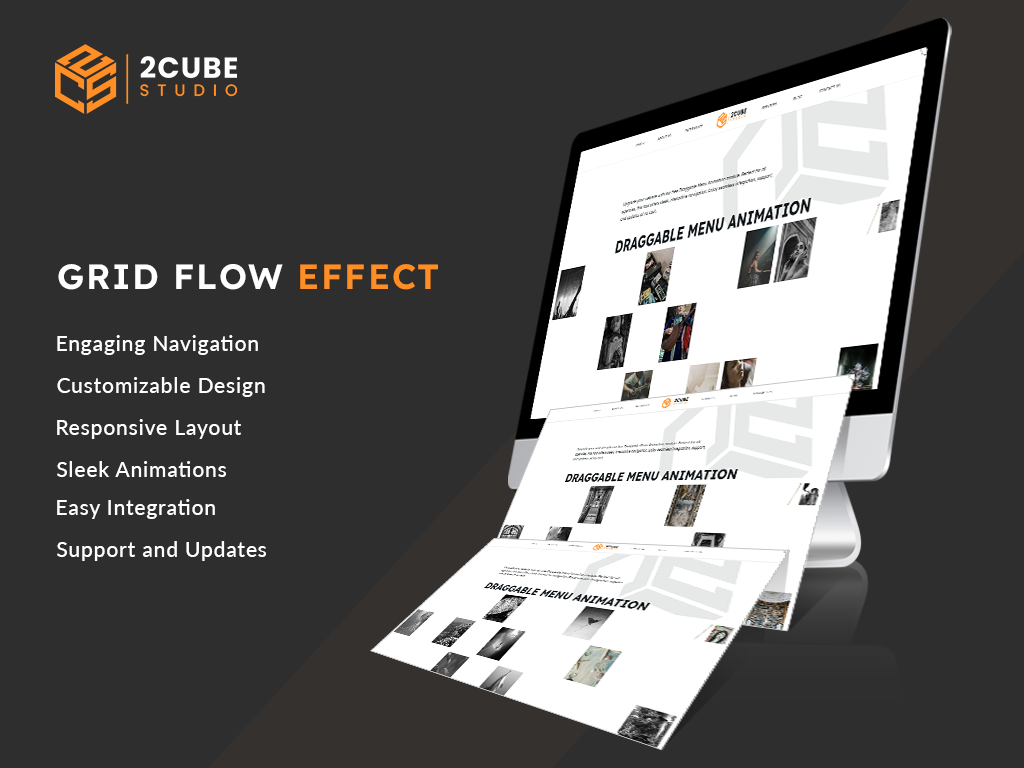
1/3 - Dynamic and Interactive Image Galleries.
Overview
The Grid Flow Effect module transforms your image galleries into dynamic and interactive visual displays. This module provides seamless navigation, allowing users to browse through galleries effortlessly using intuitive navigation arrows. It includes extensive customization options to match your website’s unique style.
Key Features:
Seamless Navigation: Easily navigate through image galleries with intuitive arrows.
Customizable Styles: Choose from Dark, Light, Auto, or Custom modes to suit your design.
Advanced Color Settings: Customize counter, background, and arrow colors in Custom mode.
User-Friendly Configuration: Add and manage multiple images easily with the Single Slide Configuration group.
Initial 5-Slide Display: Automatically displays an engaging 5-slide gallery on load.
Flexible Section Visibility: Option to hide the entire section with a simple toggle.
Instructions:
Add Slides: Use the Single Slide Configuration group to upload images and add alt text.
Initial Setup: Ensure at least 5 slides are added for the initial gallery display.
Navigation: Click the top right arrow to move to the next gallery and the bottom left arrow to go back to the previous gallery.
Style Configuration: Customize the look using options in the Style Tab.
Installation
Download the Module: Obtain the "Grid Flow Effect" module from the our website.
Upload the Module: Go to your website's admin panel and upload the module file.
Activate the Module: Follow the installation guide provided in the documentation to activate the module.
Configure Settings: Access the module’s settings to configure the basic options and customization.
Customization
Access Settings: Go to the module’s settings in your website admin panel.
Style Mode Selection:
Go to the "Style Tab."
Select your preferred style mode (Dark, Light, Auto, Custom).
Color Settings (Custom Mode):
If "Custom" is selected in Style Mode, configure the following:
Counter Color: Choose the color for the counter.
Background Color: Set the background color of the section.
Arrow Color: Select the color for the navigation arrows.
Hide Section:
Use the "Hide Section" toggle to hide or show the entire module section as needed.The Grid Flow Effect module enhances your website with interactive and customizable image galleries, improving user engagement and visual appeal.
Pros
User-Friendly: Easy to implement and use, even for those with minimal technical skills.
Free of Charge: No cost for the module, including support and updates.
Customizable: Highly flexible to suit various design preferences and requirements.
Enhanced User Experience: Makes website navigation engaging and interactive.
Cons
Dependence on Thumbnail Images: Navigation relies heavily on thumbnail images, which means high-quality and relevant images are essential.
Fixed Navigation Arrows:Navigation arrows are fixed in position, which might not suit all design layouts.
The Grid Flow Effect module enhances your website with interactive and customizable image galleries, improving user engagement and visual appeal.
Features
Flexible Slide Configuration
Easily manage and configure multiple images with our user-friendly interface.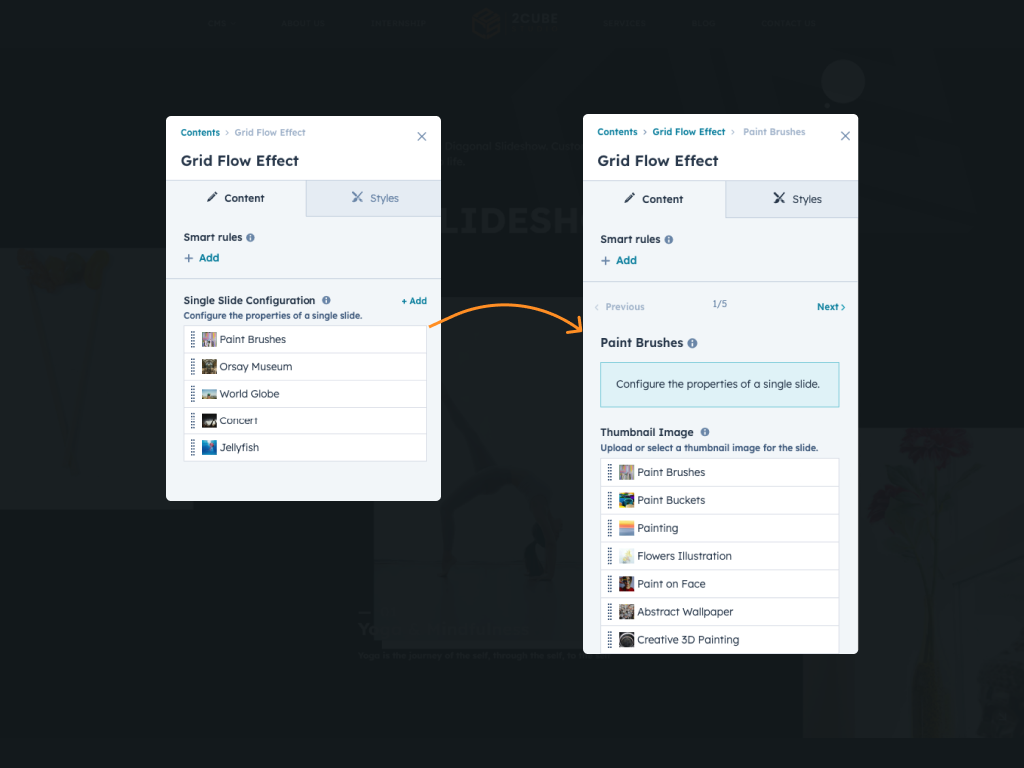
Customizable Style Modes
Choose from Dark, Light, Auto, or Custom to match your website's aesthetic.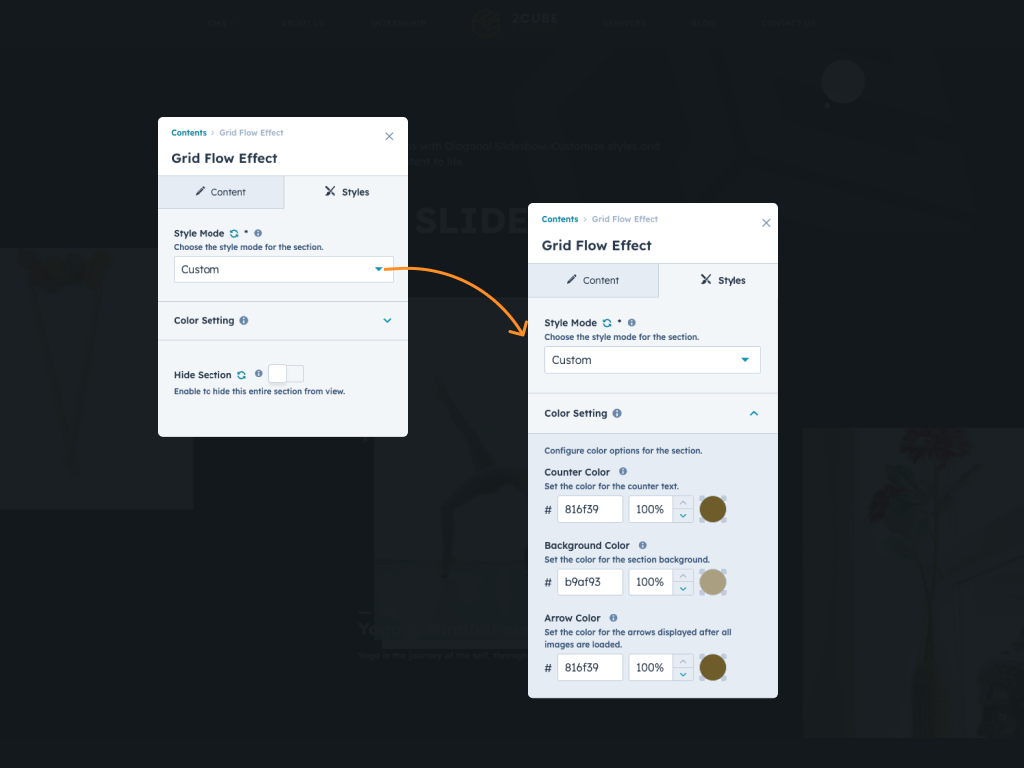
About Module
Total installs - 100+
Created - Jul 17, 2024
Version 1 - Jul 17, 2024
Categories Tags
Requirements
HubSpot Subscription Works with all HubSpot plans









Contact 2CUBE Studio
Legal Stuff
Please refer to the developer's Privacy Policy and Terms for more information.
Support
2CUBE Studio
- India
Visit website
2CUBE.Studio is an Startup inbound agency with a focus on HubSpot web design and development. If you need custom web design & development, template development, or site optimization, 2CUBE.Studio is your friend to ask to. FREE 2 hour consultation at pratik@2cube.studio
Quick and faster response.
48-hour bug fix guarantee.
Priority support for critical issues.
Regular module updates.
Comprehensive documentation.
Customization assistance.
2CUBE Studio typically responds in
- Monday
10:00 AM - 8:00 PM (CST) - Tuesday
10:00 AM - 8:00 PM (CST) - Wednesday
10:00 AM - 8:00 PM (CST) - Thursday
10:00 AM - 8:00 PM (CST) - Friday
10:00 AM - 8:00 PM (CST)