
1/21
Overview
Nightshift is a complete HubSpot website theme for software, SaaS and technology companies. Deep black sections alternate with warm off-white ones, product shots sit in calm frames and one accent color carries the buttons and links, so a product site reads clearly from the first screen to the last.
There are templates for the homepage, product, features, pricing, comparison, integrations, services, about, team, careers with a job page, partners, press, events, a changelog, case studies and a case study page, testimonials, portfolio, a course, a pillar guide, a resource library, a video library, FAQs, contact, demo requests, legal and documentation, with a choice of homepages. Landing page templates cover free trials, ebook downloads, webinars, waitlists and lead capture, and each one opens with a HubSpot form in the first section. The blog listing and blog post have their own templates, and the blog post ends with a newsletter signup form. The 404, 500, password, search results and email subscription pages are kept plain and match the rest of the site.
Every section is a drag-and-drop module you edit in the page editor, and each one switches between the black and the off-white surface with a single field. The hero sets your headline over a full-width photo or a background video, with an announcement chip, buttons and a logo strip, and it settles in with a subtle entrance you can turn off. The Feature Tour walks through your product one feature at a time, with one sticky menu on the left that follows the reader and framed product shots, stats and an optional customer quote on the right. Pricing switches between monthly and annual billing and highlights the plan you choose. The comparison table lists every plan with its price and its own button, and its header stays in view while visitors scroll the rows.
The navigation is Navigation Pro: dropdowns, mega menu columns with icons, descriptions and badges, search, an announcement bar and a sticky header. The modules businesses keep rebuilding come with it too: a Store Locator with a map, search, distance and directions, where the street map needs no API key and Google Maps works with your own key; a Resource Library with search, filters, sorting, a grid or list view and a detail drawer; a FAQ Library with search and categories; and a Video Library that plays files, YouTube or Vimeo in a pop-up player.
The look is set once in Theme settings and carries to every page: both section surfaces, the brand colors, Inter type with its sizes, tracking and line heights, buttons, forms, cards, corner radius, the grid and section spacing. Change a color there and the whole site follows.
Motion stays under your control. Content reveals on scroll, and scroll reveal, image scale-in and headline blur-in each have their own switch, with duration, travel and stagger as settings. Visitors who ask their device for reduced motion get still pages, and the hero video stays paused for them.
Every layout adapts to tablets and phones. The documentation is online at nopethemes.com, and support answers within one business day.
Features
A hero with a photo or a background video
Set your headline over a full-width photo or a looping video, with an announcement chip, buttons and a logo strip. A subtle entrance settles the background and lifts the text in, and visitors who ask for reduced motion see it still.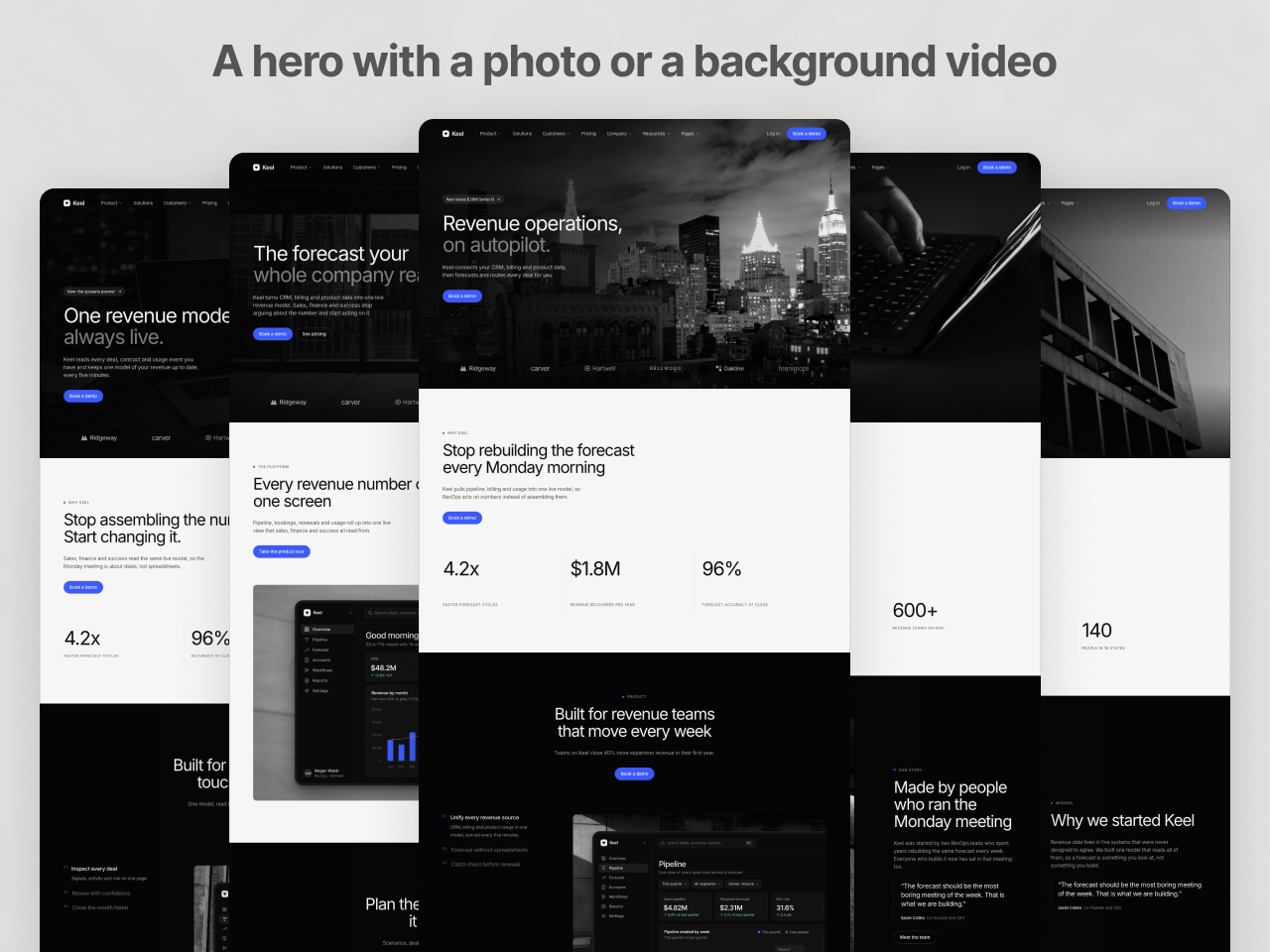
Navigation Pro with a mega menu
Dropdowns and mega menu columns with icons, descriptions and badges, plus search, an announcement bar and a header that stays at the top as visitors scroll.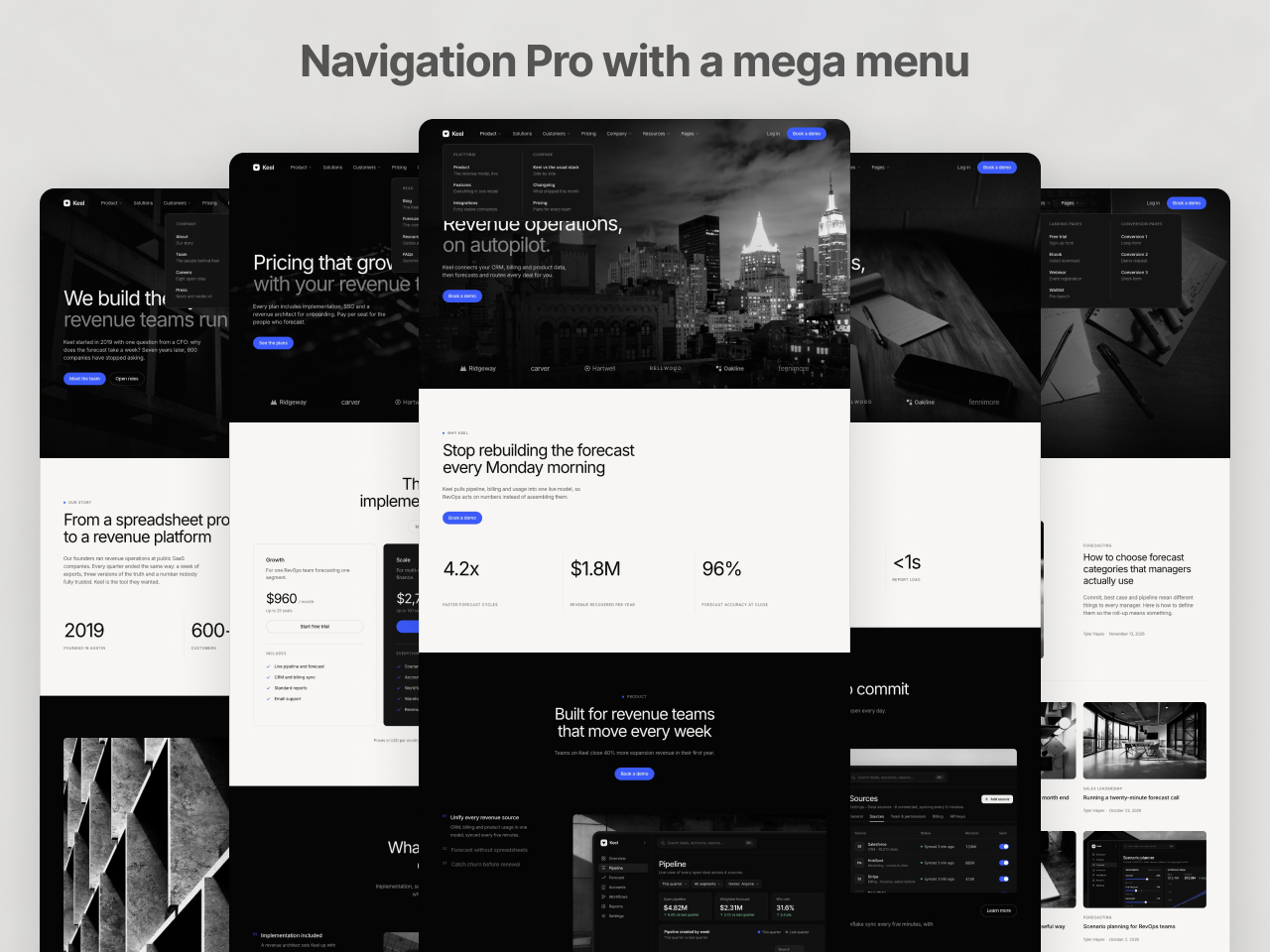
Pricing and a full comparison table
Pricing cards switch between monthly and annual billing and highlight the plan you choose. The comparison table shows each plan's price and button above the rows, and the header stays in view while visitors scroll.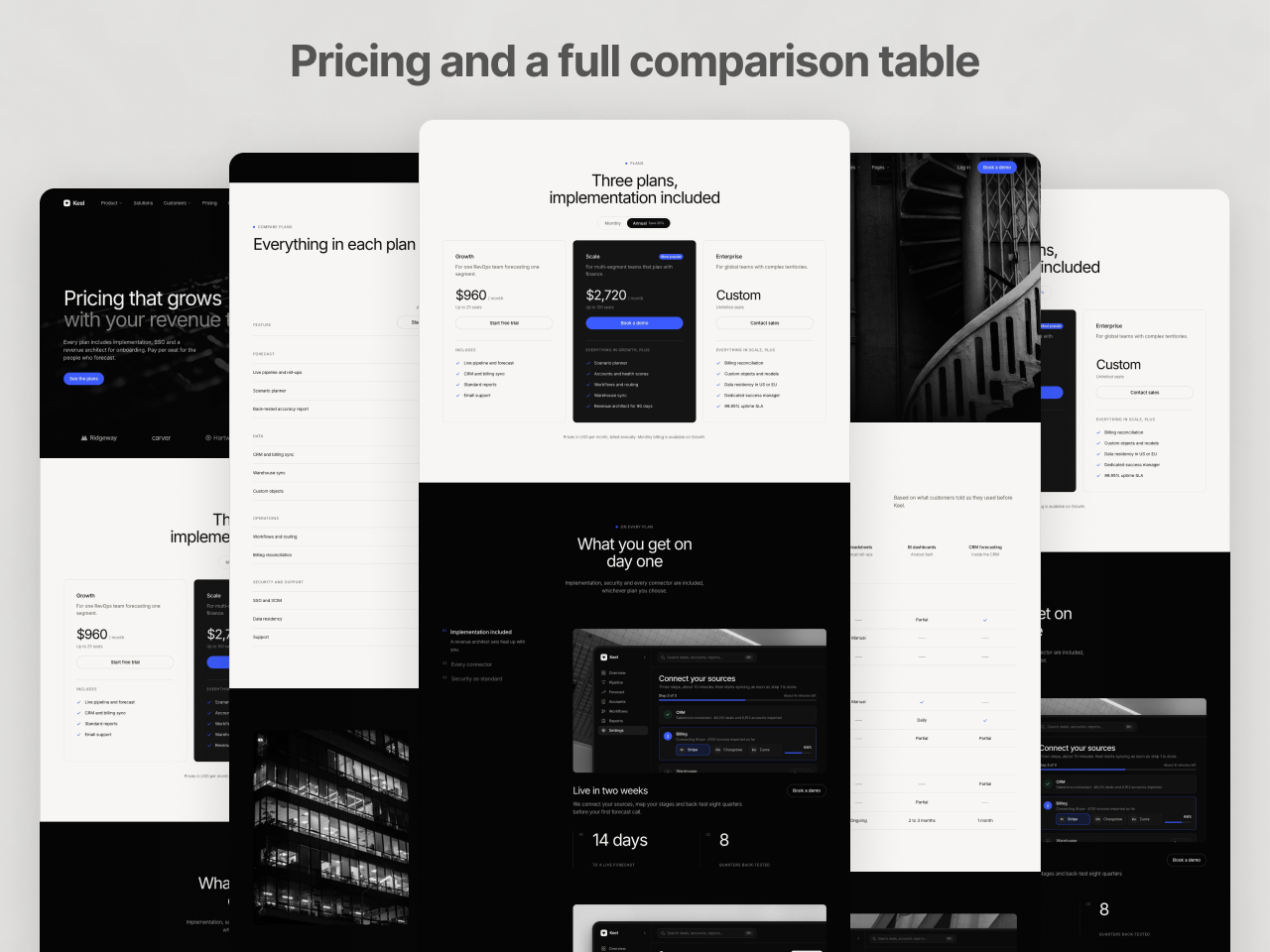
A feature tour with one sticky menu
Walk visitors through your product one feature at a time. A single numbered menu stays on the left while framed product shots, stats and an optional customer quote scroll past on the right. Click an item to jump to it.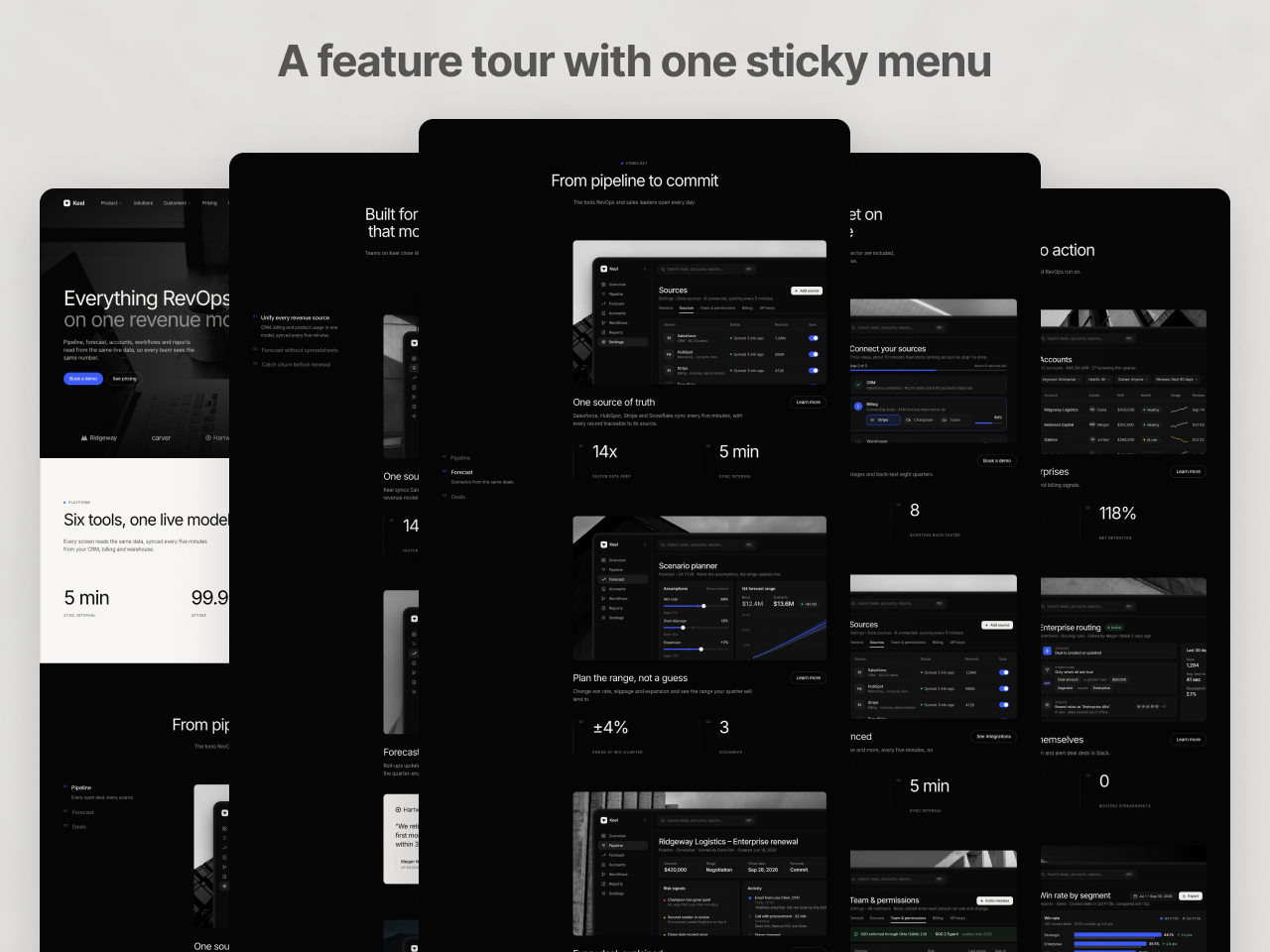
Landing pages with the form at the top
Free trial, ebook, webinar, waitlist and lead capture pages each open with a HubSpot form beside your offer, on a page with a slim logo bar and no site menu. The blog post ends with a newsletter signup.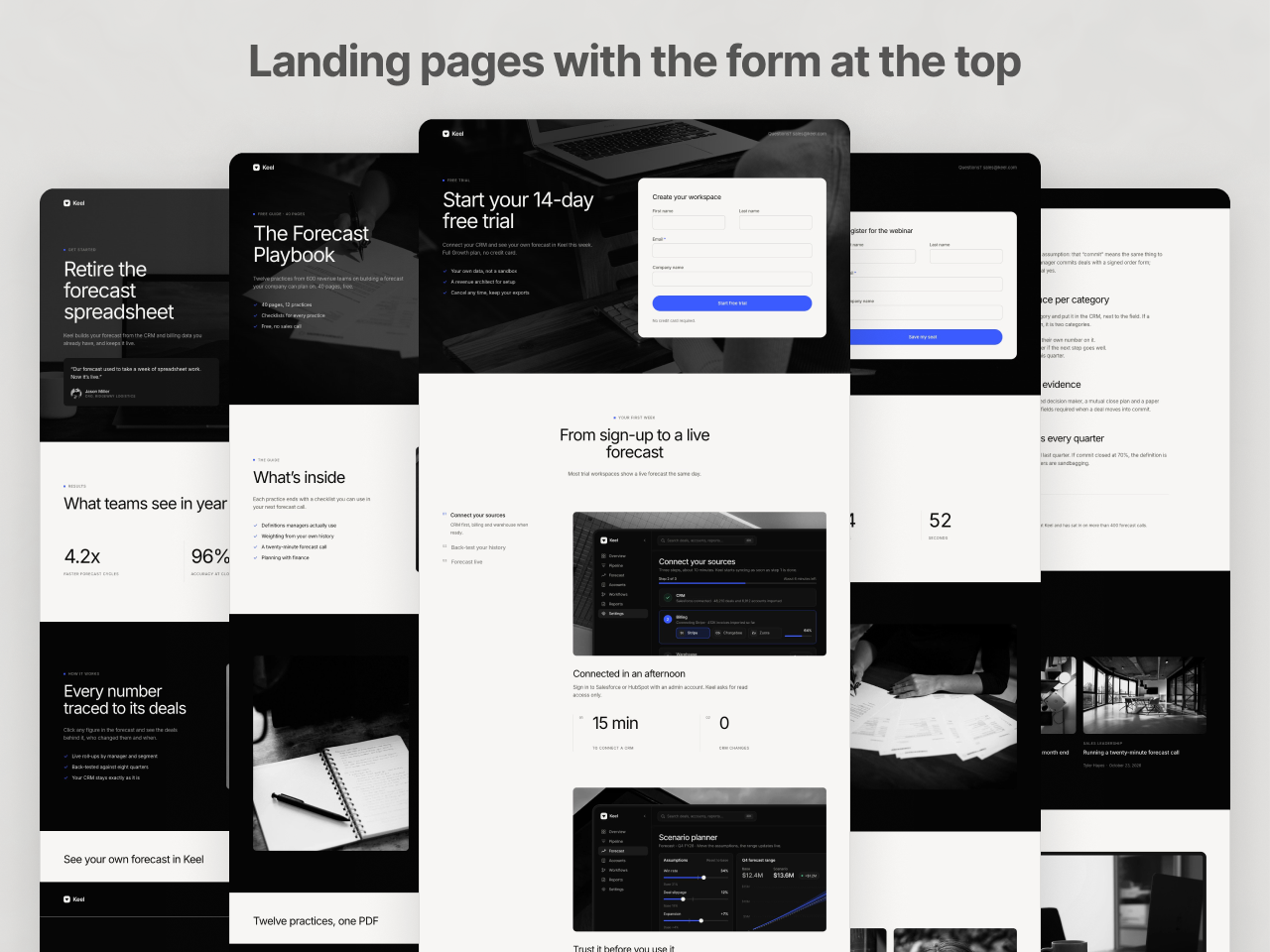
What's included
About Theme
Total installs Fewer than 10 Created - Nov 17, 2026
Version 2 - Nov 17, 2026
Page types Page features Business types Tags
Requirements
HubSpot Subscription
Contact Studio Nope
Legal Stuff
Please refer to the developer's Privacy Policy and Terms for more information.
Support
Studio Nope
- Romania
Visit website
Studio Nope designs and builds fast, clean HubSpot CMS websites and custom themes for teams that care about performance, editing experience, and reliable tracking.
Unlimited email support
Studio Nope typically responds in
- Monday
9:00 AM - 5:00 PM (EET) - Tuesday
9:00 AM - 5:00 PM (EET) - Wednesday
9:00 AM - 5:00 PM (EET) - Thursday
9:00 AM - 5:00 PM (EET) - Friday
9:00 AM - 5:00 PM (EET)