

Shopify Sidekick by MakeWebBetter
สร้างโดย - MakeWebBetter
ติดตั้ง - <10 การติดตั้ง

Leading
ข้อกำหนด
แผน HubSpot สิทธิ์บัญชี HubSpot ไม่จำเป็นต้องมีสิทธิ์อนุญาตจาก HubSpot Shopify Sidekick by MakeWebBetter อาจขอสิทธิ์เพิ่มเติมขณะเชื่อมต่อ ประเภทสิทธิ์การเข้าถึง ส่วนตัว การสมัครใช้บริการ Shopify Sidekick by MakeWebBetter - Free แพ็กเกจ
ภาพรวม
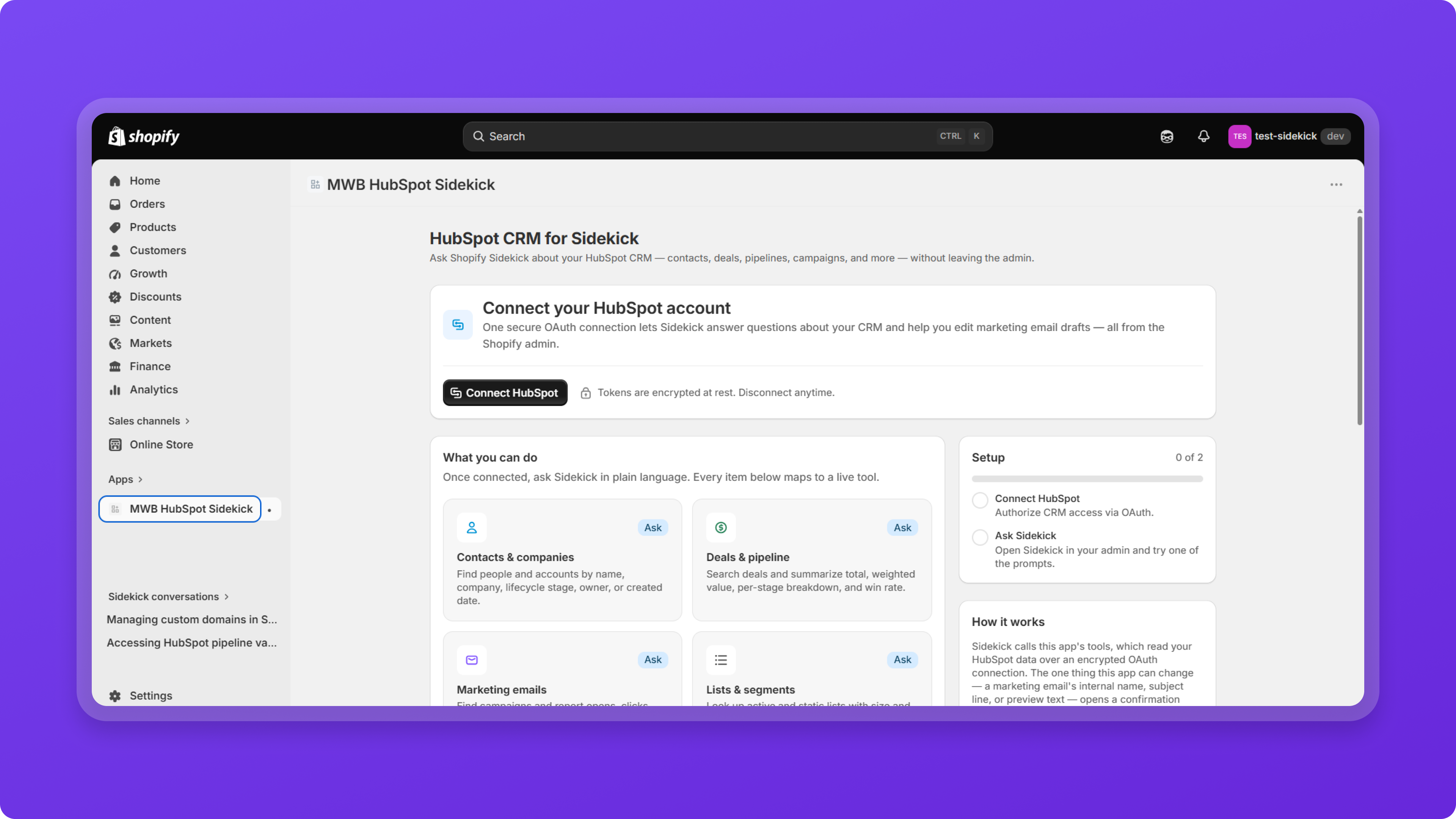
1/8 - Connect HubSpot Account with Shopify Sidekick
Turn Shopify Sidekick into your HubSpot CRM assistant
MWB HubSpot Sidekick acts as a secure bridge between Shopify Sidekick and your HubSpot account that works inside your Shopify Admin.
A quick connector for frictionless, secure HubSpot connection. It enables easy access to customer information, pipeline insights, marketing performance, and workflow data through natural-language prompts.
Simply ask Sidekick a question, and let Sidekick perform supported actions or return the information you need—right where you work.
ฟีเจอร์
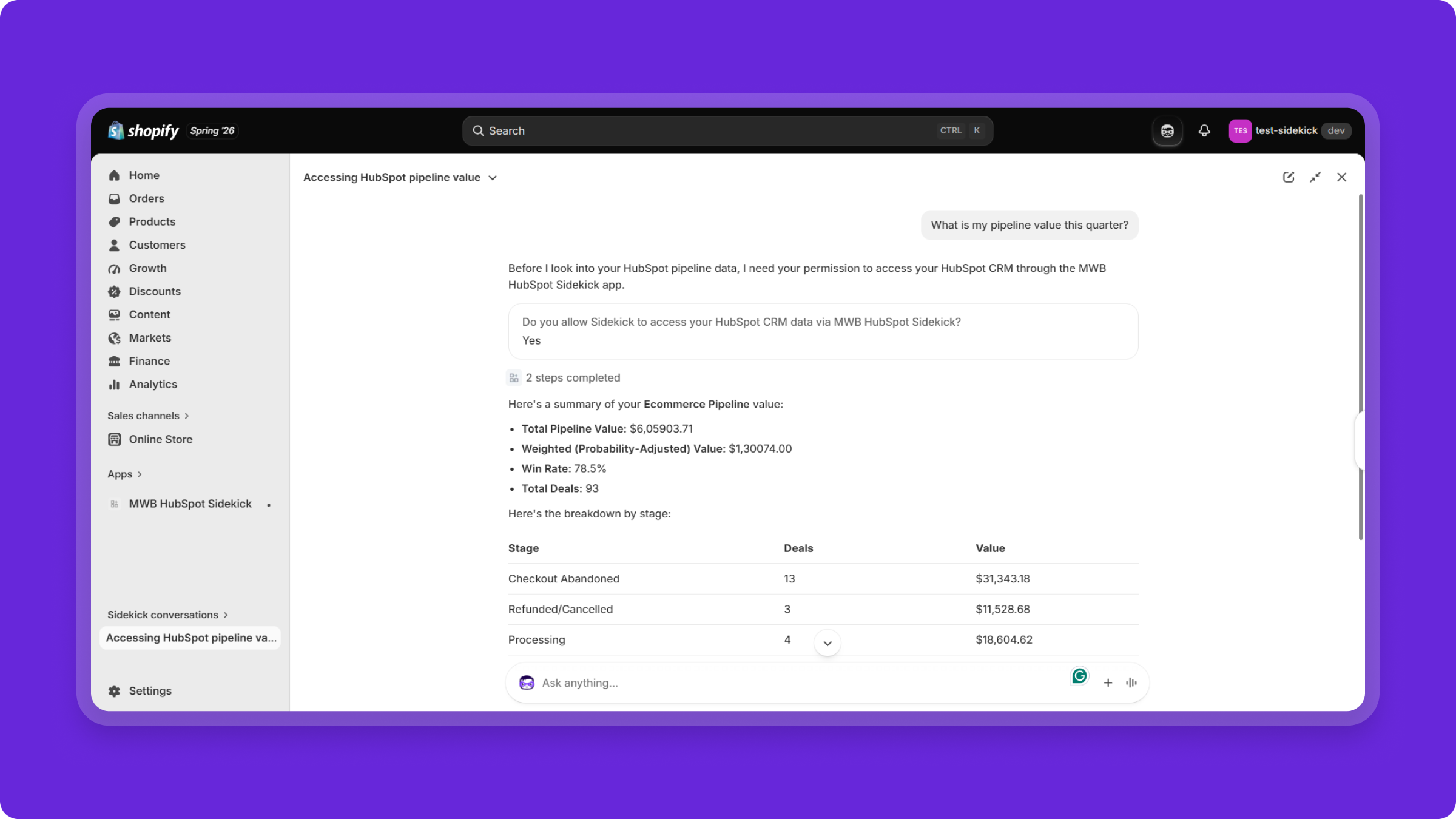
Access HubSpot CRM with Natural Language
Ask Shopify Sidekick questions about your HubSpot CRM just as you would ask a teammate. Retrieve information about contacts, companies, deals, marketing performance, workflows, and more without opening HubSpot.
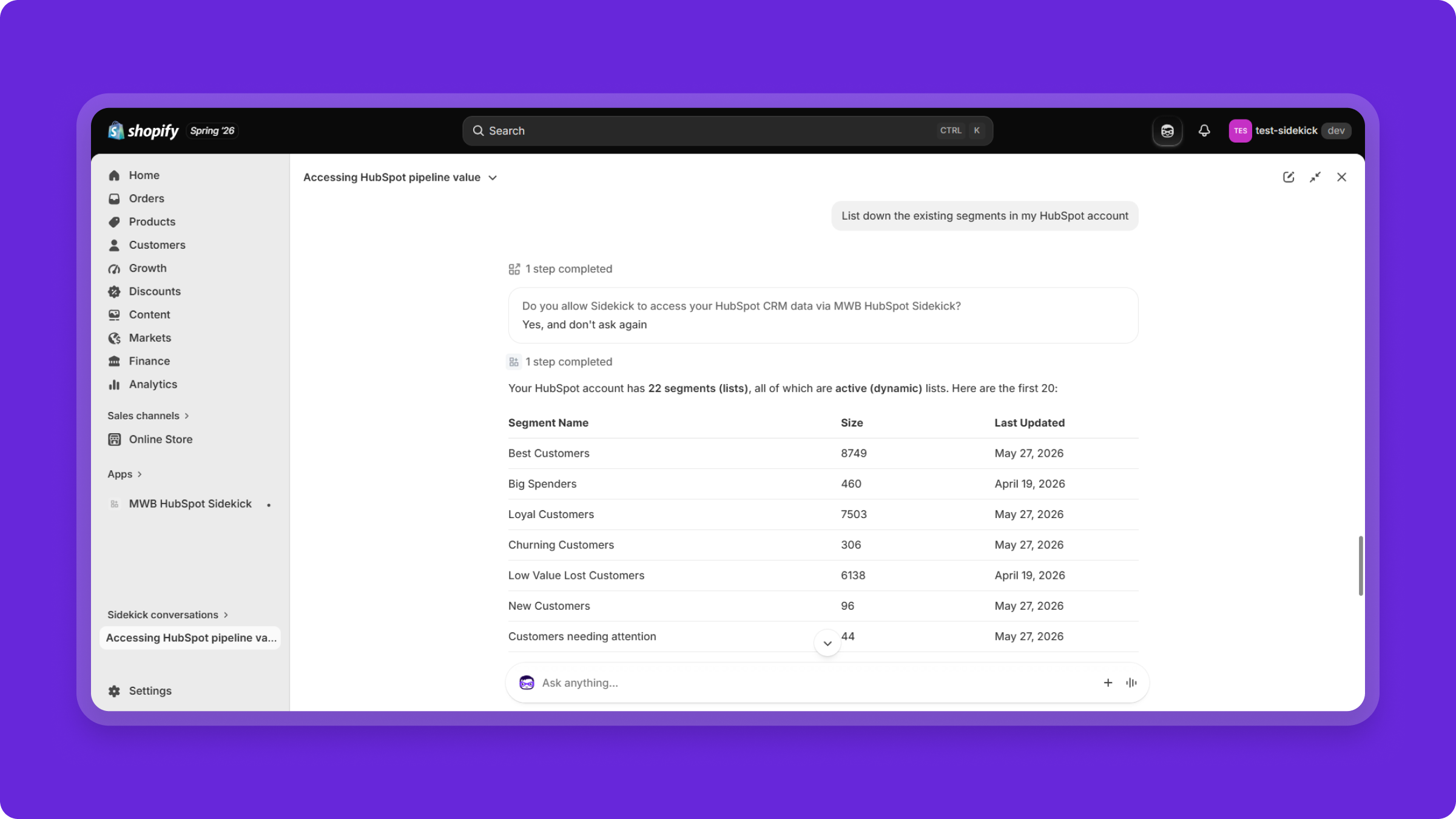
Supported HubSpot Actions
Beyond answering CRM questions, Shopify Sidekick can assist with supported HubSpot actions, such as updating marketing email drafts with a confirmation step before changes are applied.
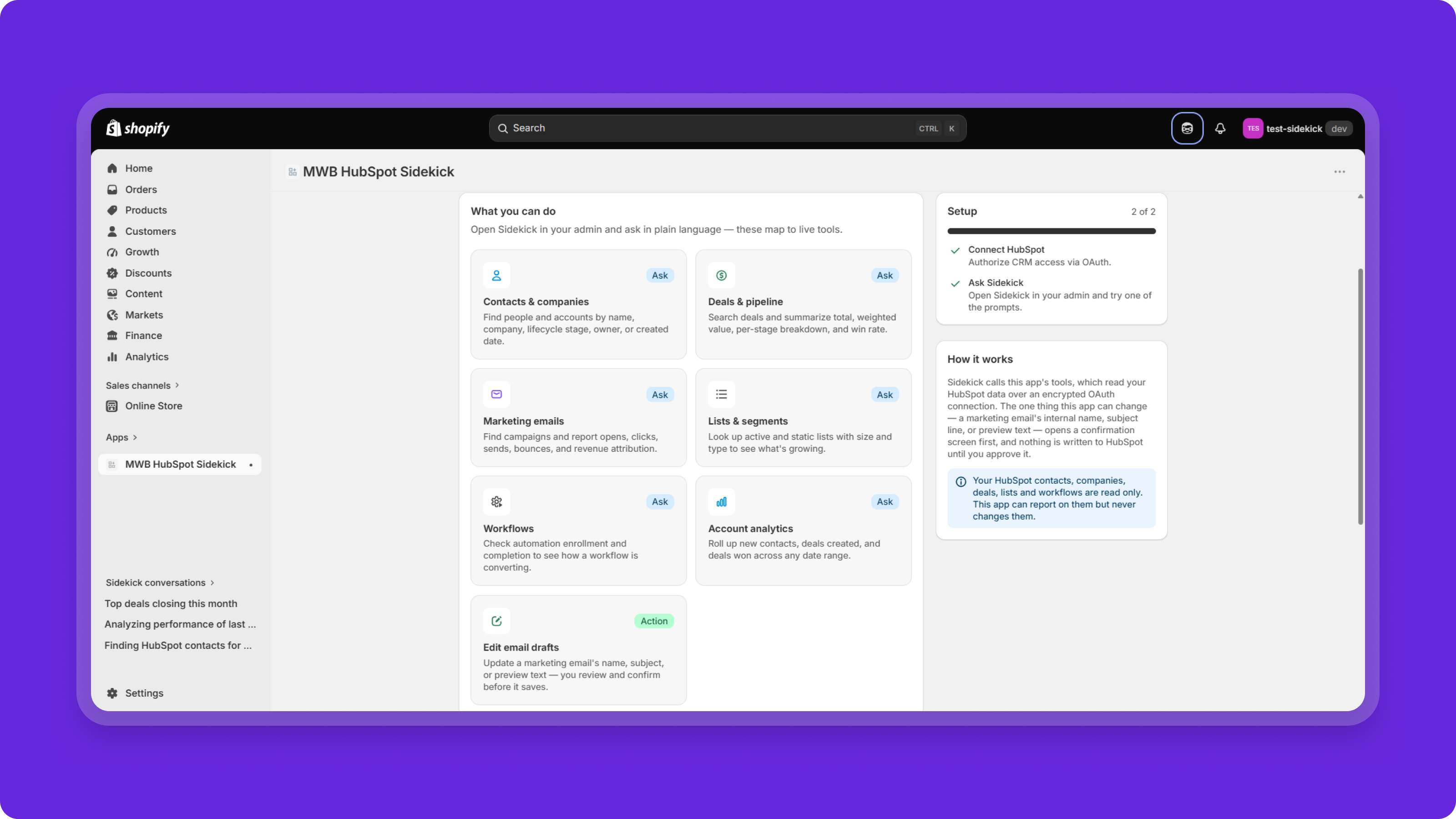
Unlock CRM Insights
Retrieve valuable HubSpot information, including: - Contacts and companies - Deals and pipeline summaries - Marketing email performance - Lists and segments - Workflow status - CRM analytics All through simple natural-language prompts in Shopify Sidekick.
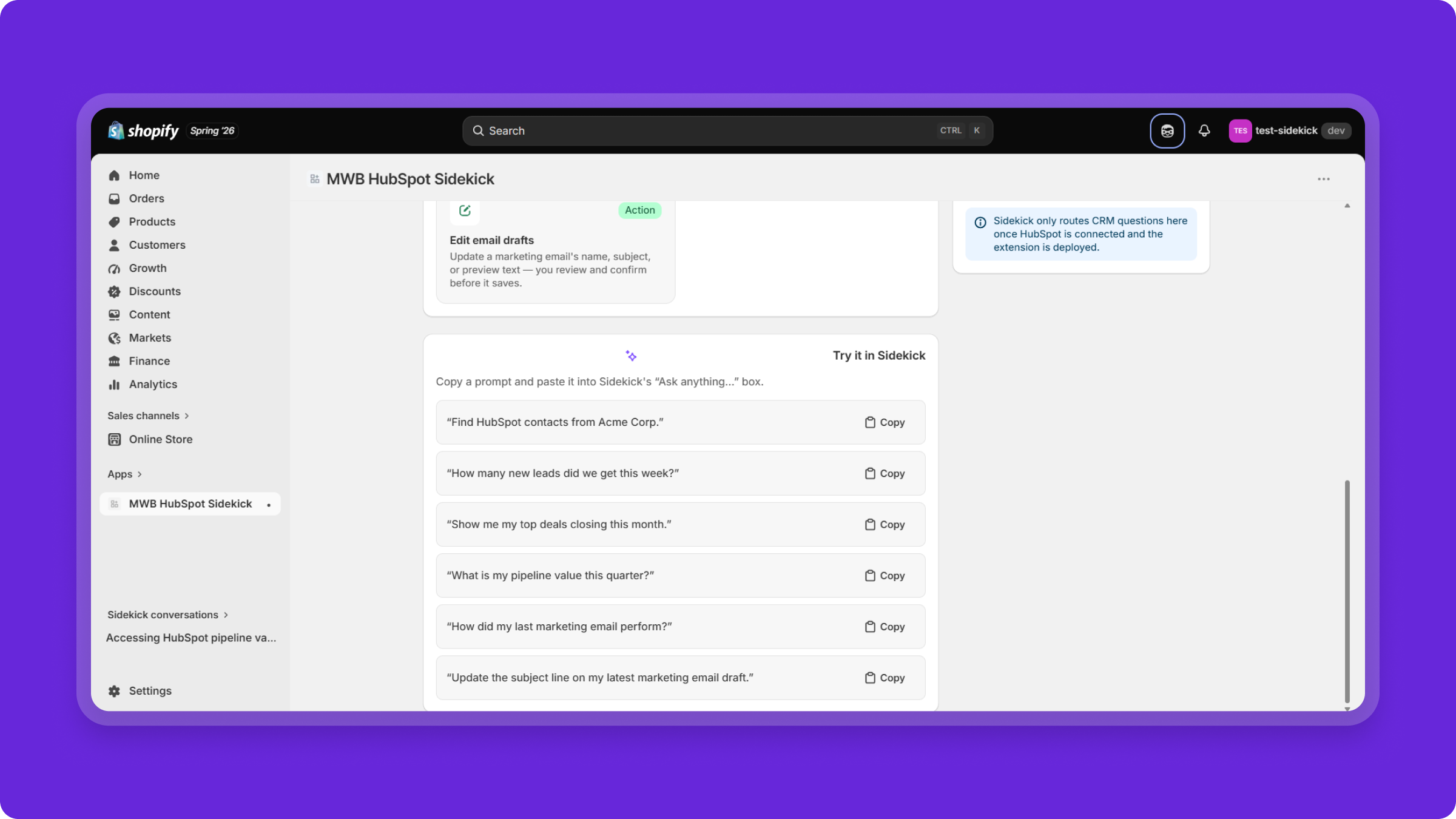
Prebuilt Sidekick Prompts
Get started quickly using the built-in prompt library. Copy example prompts directly into Shopify Sidekick or create your own natural-language queries based on the supported CRM capabilities.
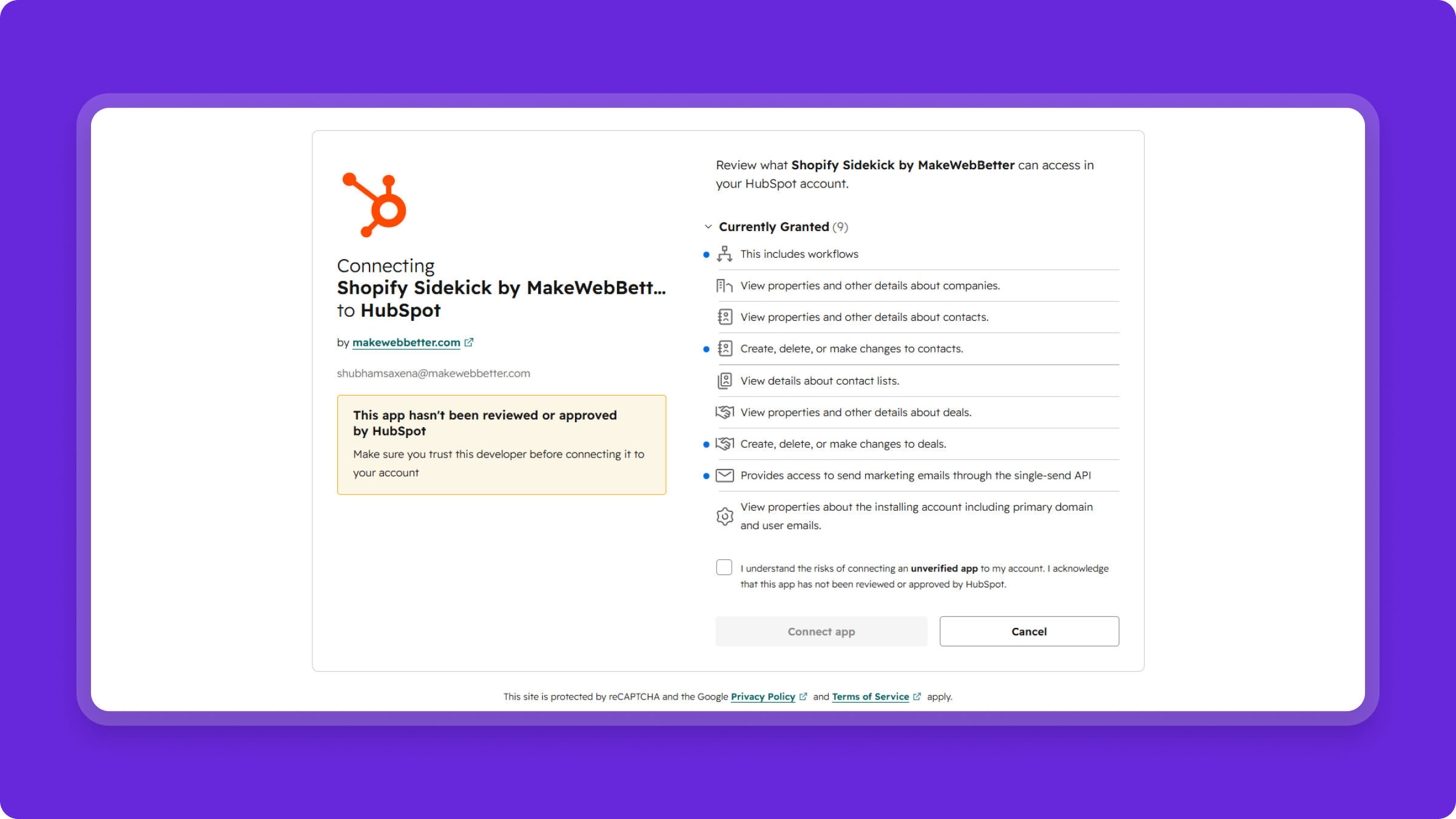
Connect HubSpot in Minutes
Authorize your HubSpot account securely using OAuth and establish a connection with Shopify Sidekick in just a few clicks. Credentials are never stored by the application, and you can disconnect your HubSpot account at any time.
รีวิว
การกำหนดราคา
Free
US$0
CRM Insights Inside Shopify Sidekick
Real Time CRM Data inside Shopify Sidekick
HubSpot CRM Connection
Conversational CRM Insights
Supported HubSpot Actions on Command
Natural-Language CRM Queries
Ready-to-Use Prompt Suggestions
Secure HubSpot OAuth Authorization
Free
US$0
CRM Insights Inside Shopify Sidekick
Real Time CRM Data inside Shopify Sidekick
HubSpot CRM Connection
Conversational CRM Insights
Supported HubSpot Actions on Command
Natural-Language CRM Queries
Ready-to-Use Prompt Suggestions
Secure HubSpot OAuth Authorization
* ราคาที่แสดงนี้มีไว้เพื่อแสดงข้อมูลเท่านั้น ราคาทั้งหมดยังไม่รวมภาษี สิทธิพิเศษ ส่วนลด หรือตัวแปรราคาอื่นๆ คุณควรติดต่อพาร์ทเนอร์เพื่อรับข้อมูลราคาล่าสุดและถูกต้องที่สุด HubSpot จะไม่รับผิดชอบใดๆ ต่อข้อมูลราคานี้ซึ่งจัดทำโดยพาร์ทเนอร์ของเรา การกำหนดราคาอัปเดตล่าสุด: 20/08/2026
ข้อมูลเพิ่มเติม
สร้างโดย - MakeWebBetter
ติดตั้ง - <10 การติดตั้ง
หมวดหมู่ ภาษาที่แอปนี้สามารถใช้ได้ อังกฤษ
สินค้ามาใหม่

GitHub Sync by IssueLinker
Customer reports it in HubSpot, engineering sees it in GitHub, and every update flows both ways with no handoff, no copy-paste, no Slack ping.

Jira Sync by IssueLinker
Customer reports it in HubSpot, engineering sees it in Jira, and every update flows both ways with no handoff, no copy-paste, no Slack ping.
