

Linq
สร้างโดย - Abdelhamid Bensetra
ติดตั้ง - <10 การติดตั้ง
ข้อกำหนด
แผน HubSpot สิทธิ์บัญชี HubSpot - ดูสิทธิ์บัญชี ที่จำเป็น
ประเภทสิทธิ์การเข้าถึง แชร์แล้ว การสมัครใช้บริการ Linq - Linq Business แพ็กเกจ
ภาพรวม
1/7 - A demo of Linq for HubSpot.
Linq is a digital business card for people who meet prospects in person: sales reps, recruiters, real-estate agents, consultants and founders. People save your contact in one tap, send you their details back, and Linq reminds you to follow up.
The HubSpot integration sends every new contact you capture with Linq straight to HubSpot: people who share their details from your card, business cards and event badges you scan, and contacts you add yourself. Each one becomes a HubSpot contact with their name, email, phone, company, job title and website. Linq matches contacts by email, so nobody is added twice, and edits you make in Linq update the same HubSpot contact.
Connect HubSpot for yourself under Integrations, or once for your whole team under Team → Integrations. Contacts go one way, from Linq to HubSpot, and your private notes stay in Linq. The integration is part of the Linq Business plan.
ฟีเจอร์
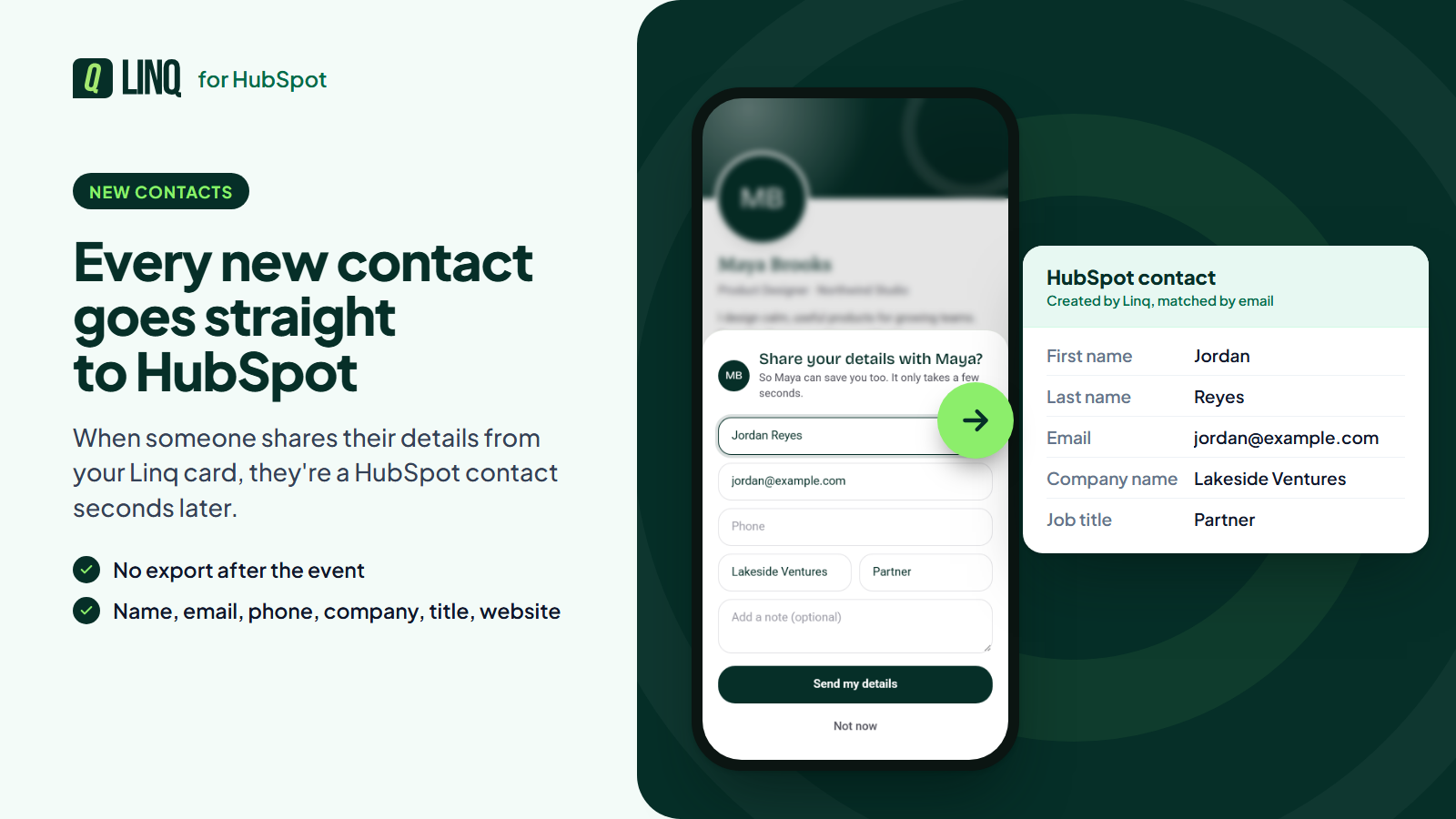
Send every new contact to HubSpot automatically
When someone shares their details from your Linq digital business card, or you scan or add a contact yourself, Linq creates the contact in HubSpot seconds later. First name, last name, email, phone, company, job title and website fill HubSpot's standard contact properties, so nobody exports a spreadsheet after an event.
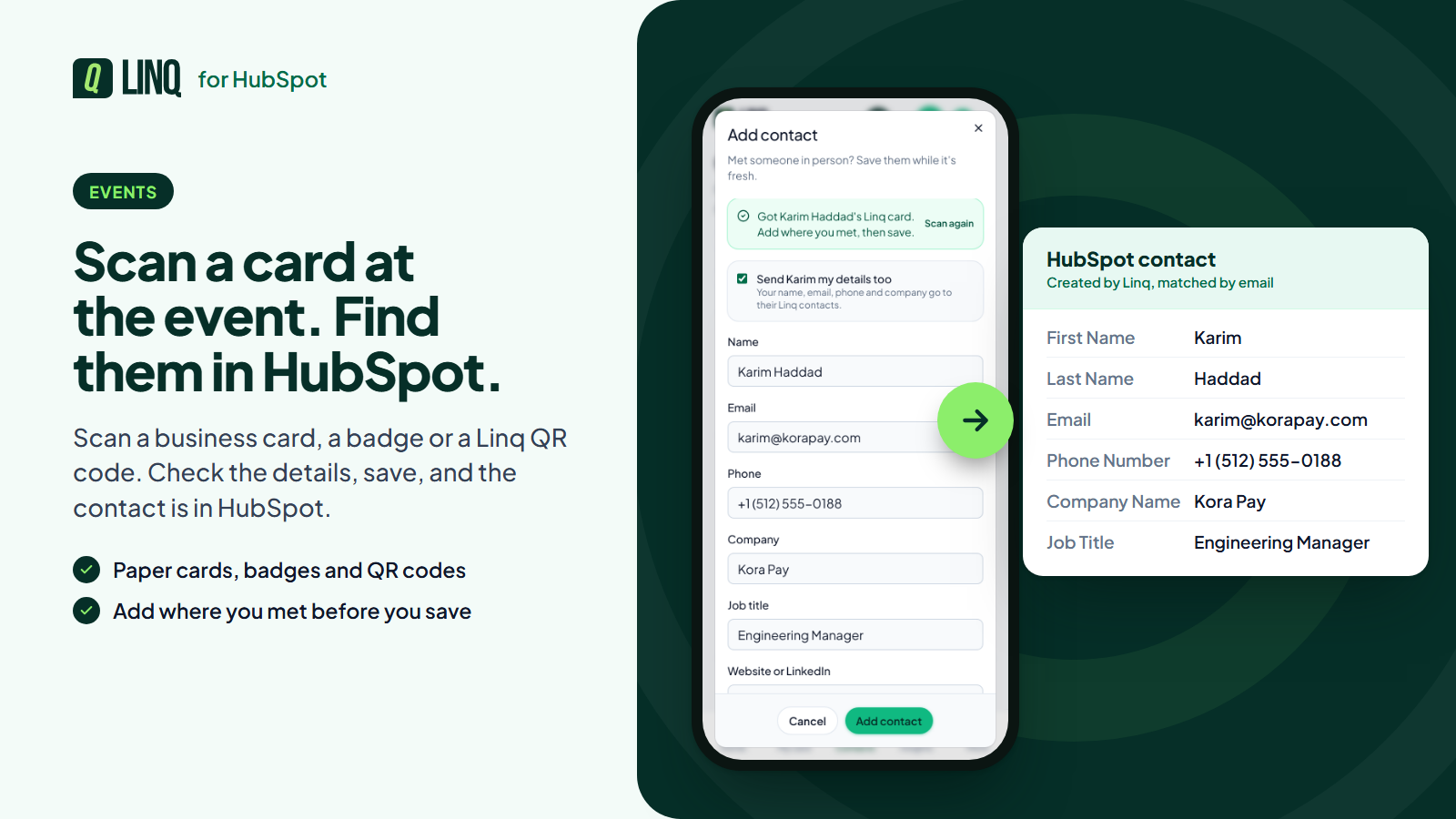
Scan business cards and event badges into HubSpot
At an event, scan a paper business card, an event badge or someone's Linq QR code with your phone. Linq reads the name, email, phone, company and job title. You check them, add where you met and save, and the contact goes to HubSpot. Where you met and your notes stay in Linq.
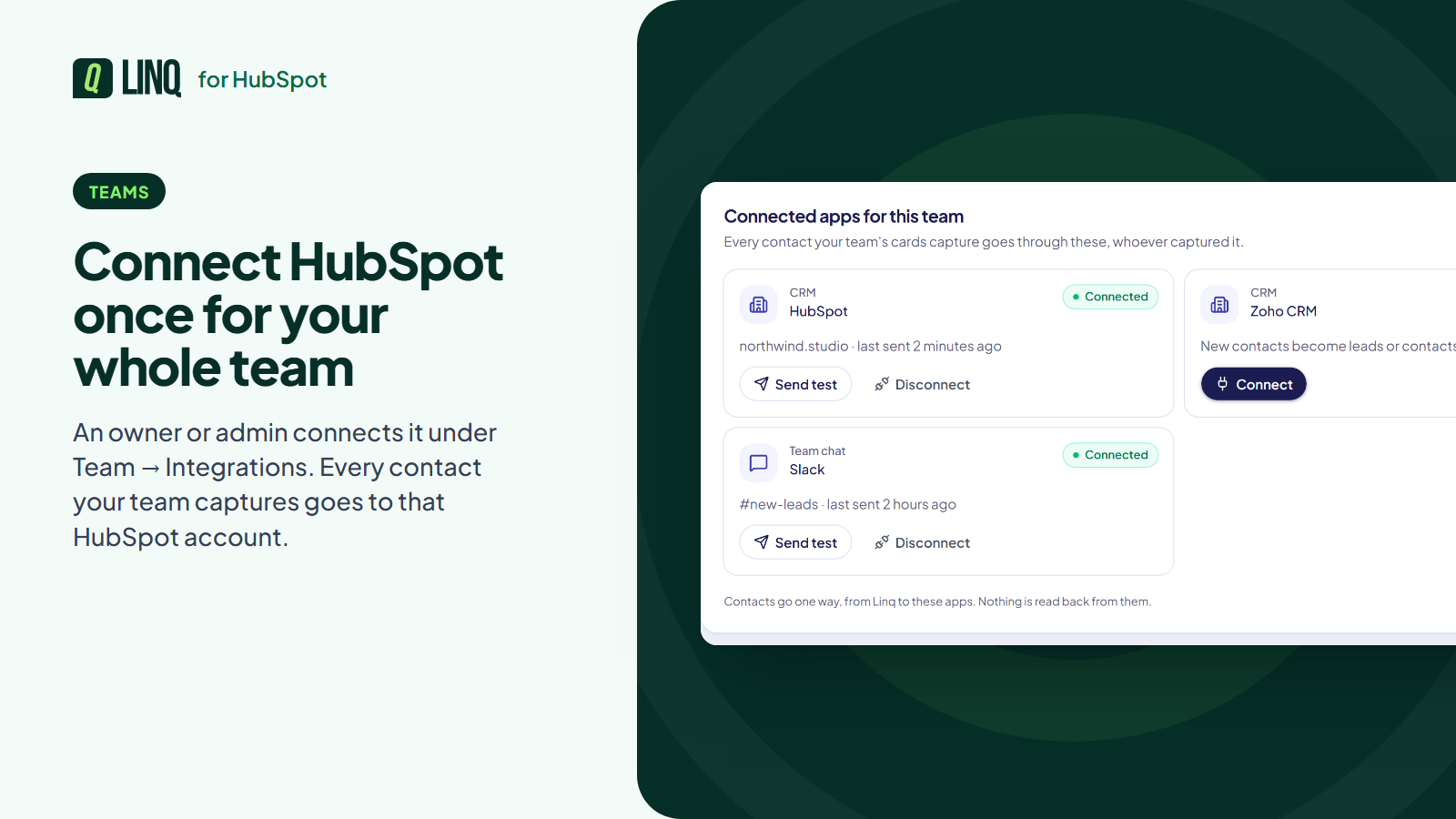
Connect HubSpot once for your whole team
A Linq team owner or admin connects HubSpot under Team → Integrations. From then on, every contact your team's cards capture goes to that HubSpot account, whoever captured it. Reps have nothing to set up, and owners and admins can send a test contact or disconnect at any time.
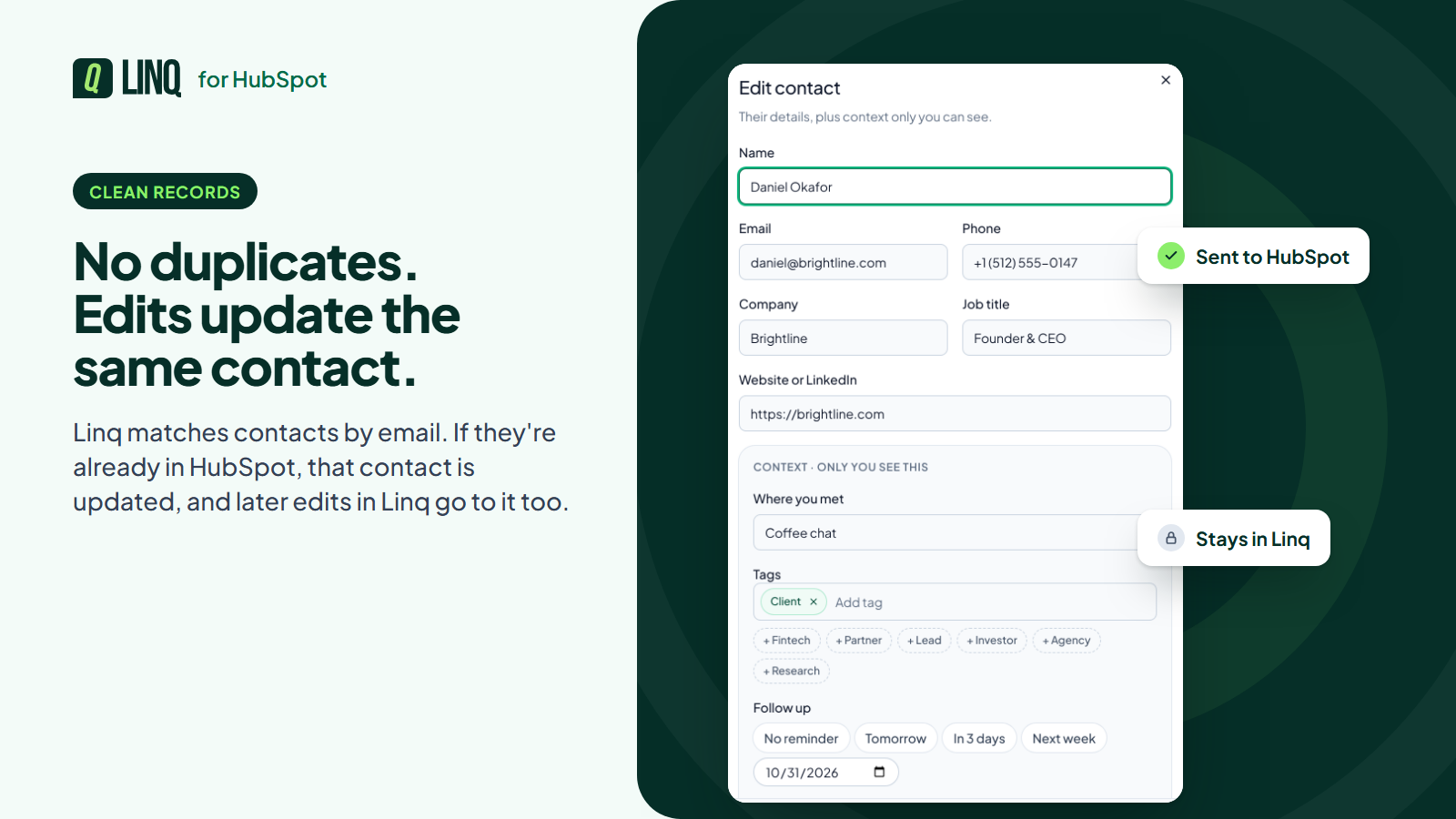
No duplicate contacts: Linq matches by email
If the email is already in HubSpot, Linq updates that contact instead of adding a second one. When you correct a name, phone number or job title in Linq later, the same HubSpot contact is updated. Contacts without an email are created as new contacts. Your private notes, tags and follow-up reminders stay in Linq.
ฟังก์ชันการทำงานแอป
ข้อมูลที่แบ่งปัน
Contacts |
What Linq sends, to HubSpot's standard contact properties:
- Name → First Name and Last Name (the last word is the last name)
- Email → Email (also used to find an existing contact)
- Phone → Phone Number
- Company → Company Name
- Job title → Job Title
- Website or LinkedIn → Website URL
Only fields that have a value are sent. Edits made in Linq overwrite these properties on the HubSpot contact.
What stays in Linq: private notes, where you met, tags, follow-up dates, form answers and messages.
If HubSpot doesn't accept a contact, Linq tries again after 1 minute, 5 minutes, 30 minutes and 2 hours. If HubSpot stops accepting the connection, Linq shows "Needs sign-in" and asks you to sign in again. Disconnecting stops new contacts and asks HubSpot to revoke Linq's access; contacts already in HubSpot stay there.
Full details: https://linq-business.com/docs/hubspot and https://linq-business.com/integrations-data-policy
รีวิว
การกำหนดราคา
Linq Business
US$24.92
/เดือนFor companies: a team of 10, your Business Card and admin control.
29.99Linq Business
US$24.92
/เดือนFor companies: a team of 10, your Business Card and admin control.
29.99* ราคาที่แสดงนี้มีไว้เพื่อแสดงข้อมูลเท่านั้น ราคาทั้งหมดยังไม่รวมภาษี สิทธิพิเศษ ส่วนลด หรือตัวแปรราคาอื่นๆ คุณควรติดต่อพาร์ทเนอร์เพื่อรับข้อมูลราคาล่าสุดและถูกต้องที่สุด HubSpot จะไม่รับผิดชอบใดๆ ต่อข้อมูลราคานี้ซึ่งจัดทำโดยพาร์ทเนอร์ของเรา การกำหนดราคาอัปเดตล่าสุด: 19/11/2026
ข้อมูลเพิ่มเติม
สร้างโดย - Abdelhamid Bensetra
ติดตั้ง - <10 การติดตั้ง
หมวดหมู่ ภาษาที่แอปนี้สามารถใช้ได้ ฝรั่งเศส อังกฤษ และอาหรับ
สินค้ามาใหม่
Linq
Someone scans your QR code, saves you in one tap, and sends their details back. The next morning, Linq reminds you to write.

Responsly
Send surveys from HubSpot and save NPS, CSAT and answers on contacts, companies, deals and tickets.
