

Mailpath
สร้างโดย - AdviVest Intelligent
ติดตั้ง - <10 การติดตั้ง
ข้อกำหนด
แผน HubSpot สิทธิ์บัญชี HubSpot - ดูสิทธิ์บัญชี ที่จำเป็น
ประเภทสิทธิ์การเข้าถึง แชร์แล้ว การสมัครใช้บริการ Mailpath - Free, Professional, Business, Enterprise หรือ Starter แพ็กเกจ
ภาพรวม
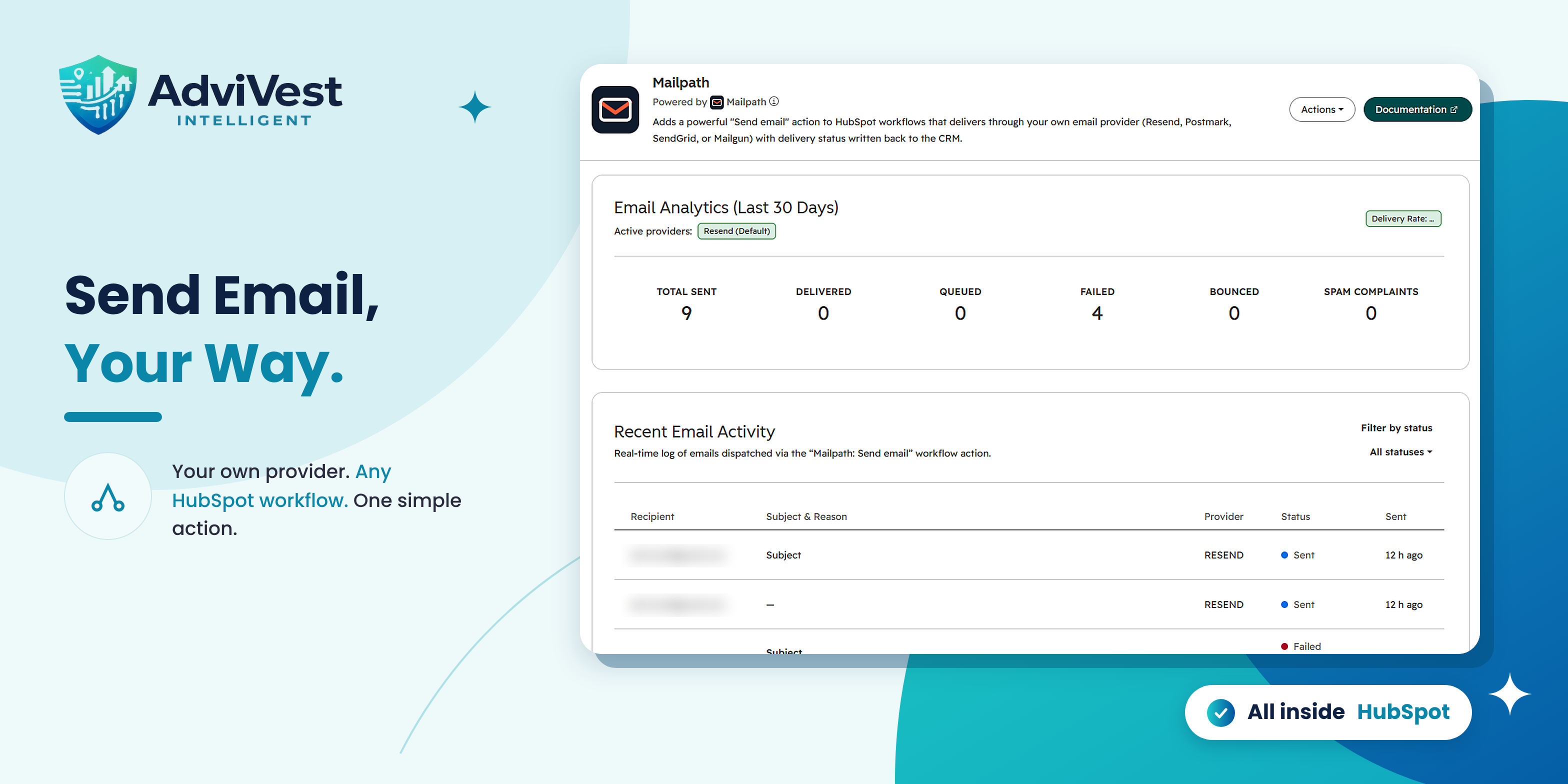
1/5 - Send mail your way
Mailpath connects HubSpot workflows to your own email delivery providers — including SendGrid, Mailgun, Postmark and Resend — so you can send transactional and automated emails directly from your trusted sender domain, not HubSpot's shared servers.
Most businesses use HubSpot for CRM automation but struggle when they need to send order confirmations, onboarding emails, password resets, or follow-up sequences from their own verified email infrastructure. HubSpot's native email actions don't support external delivery providers, leaving teams to manage two disconnected systems.
Mailpath solves this by adding a native "Send Email via Mailpath" workflow action that works inside any HubSpot workflow — for Contacts, Deals, Companies, and Tickets. You choose the provider, the sender address, and the template, and Mailpath handles the delivery through your account — giving you full control over deliverability, analytics, and branding.
Key benefits:
Send from your own verified domain and provider account
Use dynamic HubSpot tokens in subject lines and email body
Works across all CRM object types: Contact, Deal, Company, Ticket
No coding required — set up in minutes from the app settings
Track sends and manage sender addresses from a simple dashboard
ฟีเจอร์
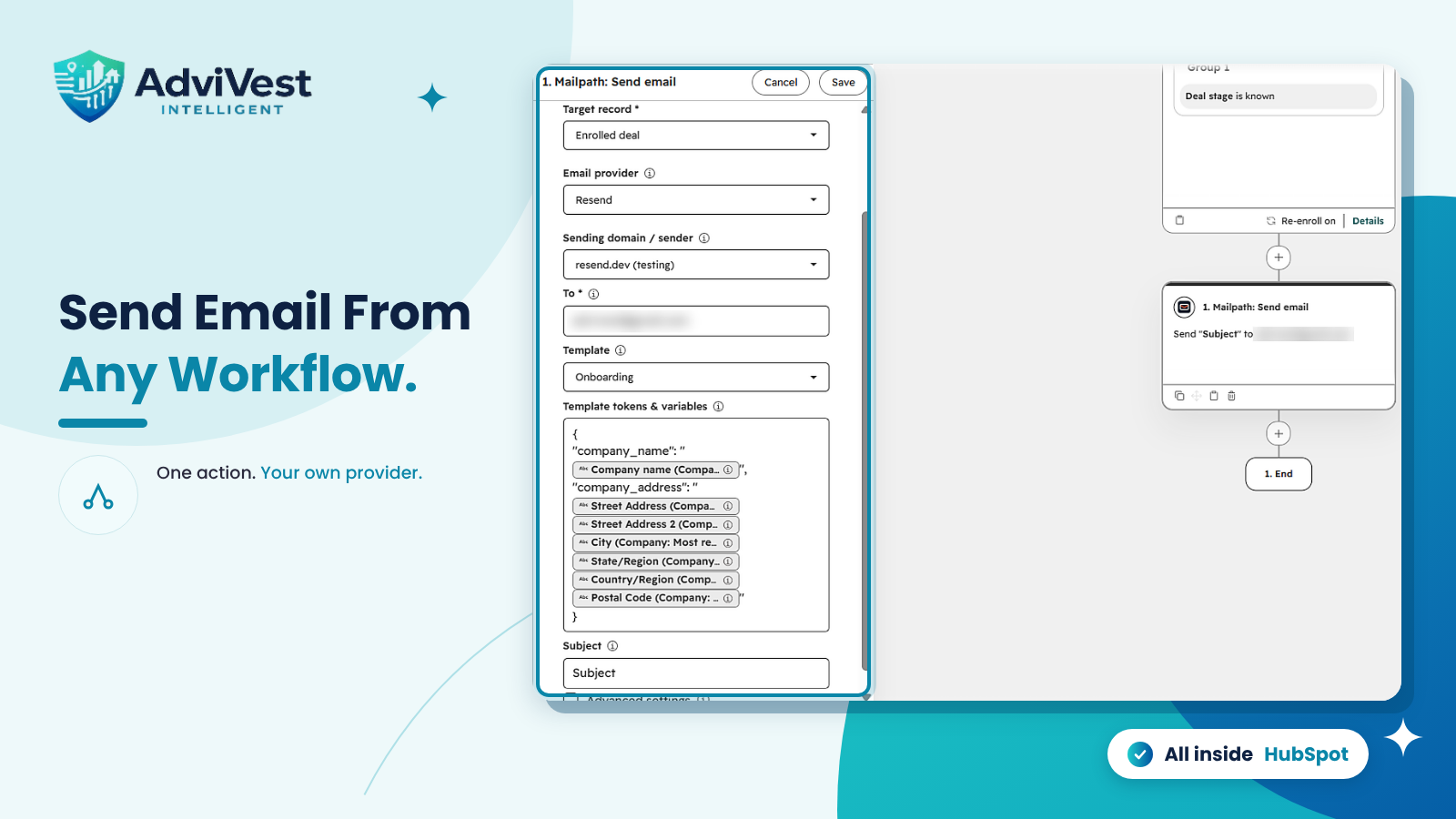
Send email from any HubSpot workflow
Add the Mailpath: Send email action to any contact, company, deal or ticket workflow. Choose a template, fill dynamic tokens from CRM properties and send automatically when a record enrolls, such as an onboarding email when a deal reaches a new stage.
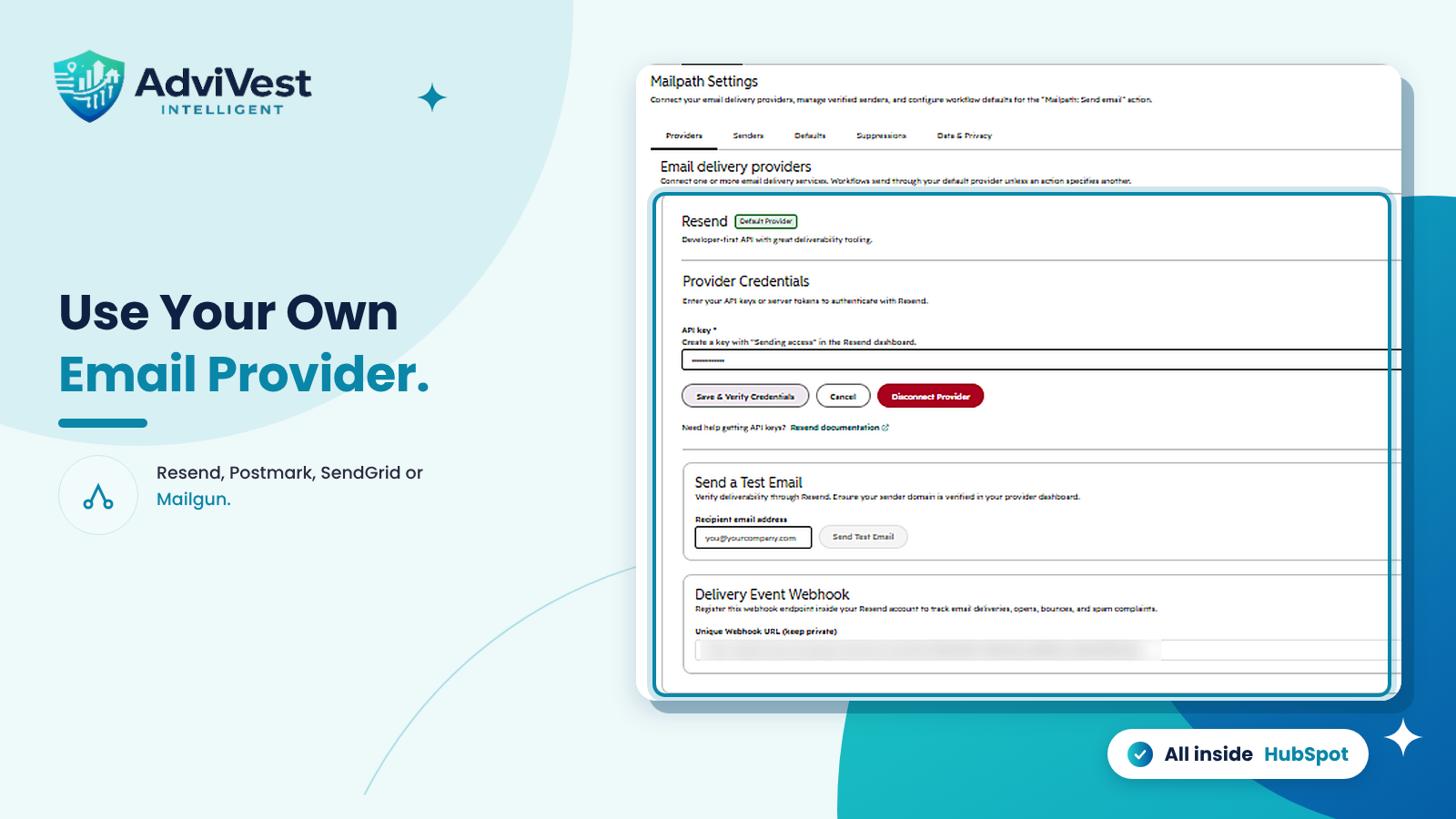
Send through your own email provider
Connect Resend, Postmark, SendGrid or Mailgun and choose a default provider. Emails go out from your own verified sender, so you keep control of deliverability and costs. Verify your API key and send a test email without leaving HubSpot.
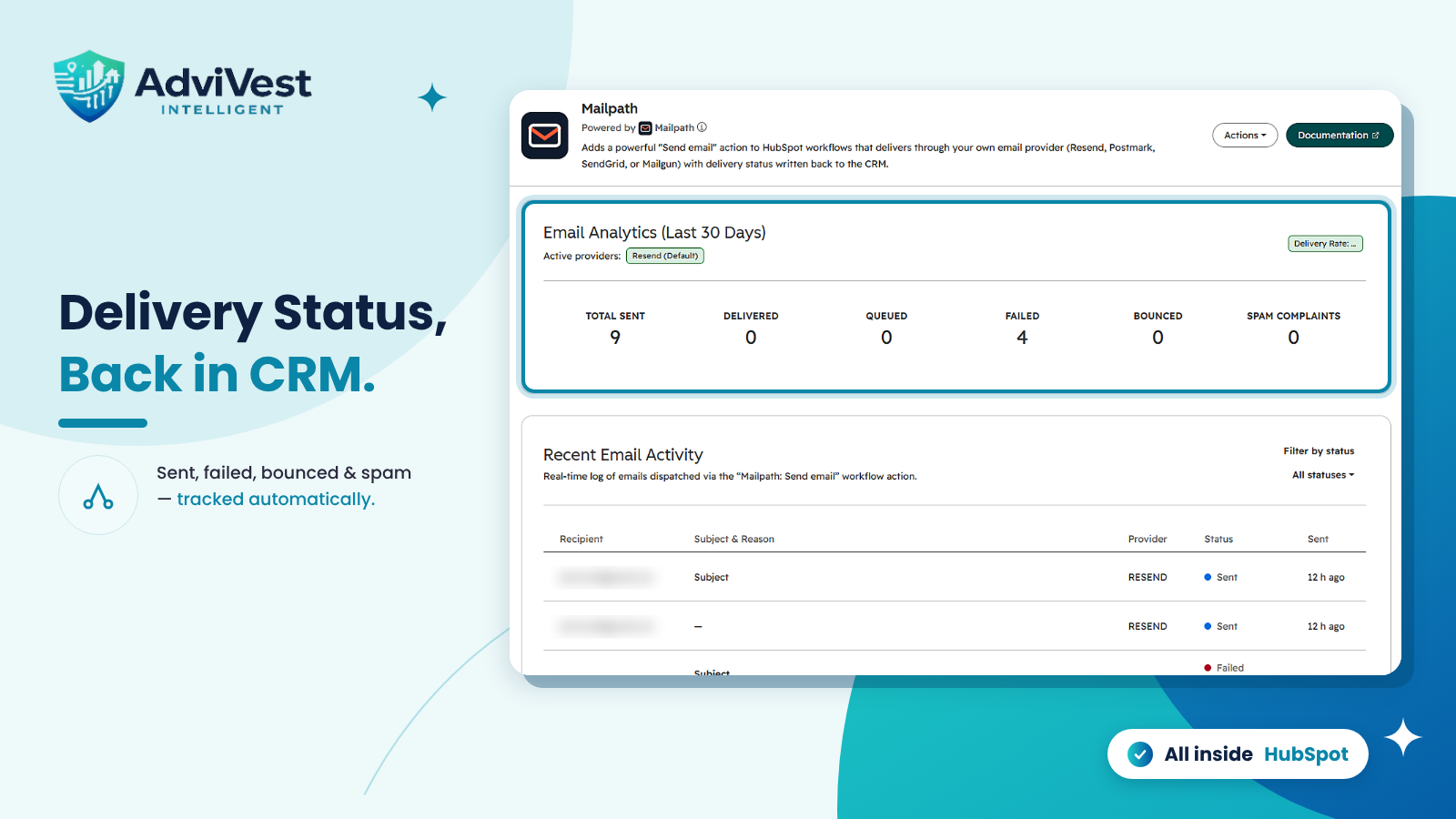
Delivery status written back to the CRM
See what happened to every email. Mailpath records sent, delivered, queued, failed, bounced and spam complaint outcomes and writes the status back to HubSpot, with a 30 day analytics view that shows your totals and active provider.
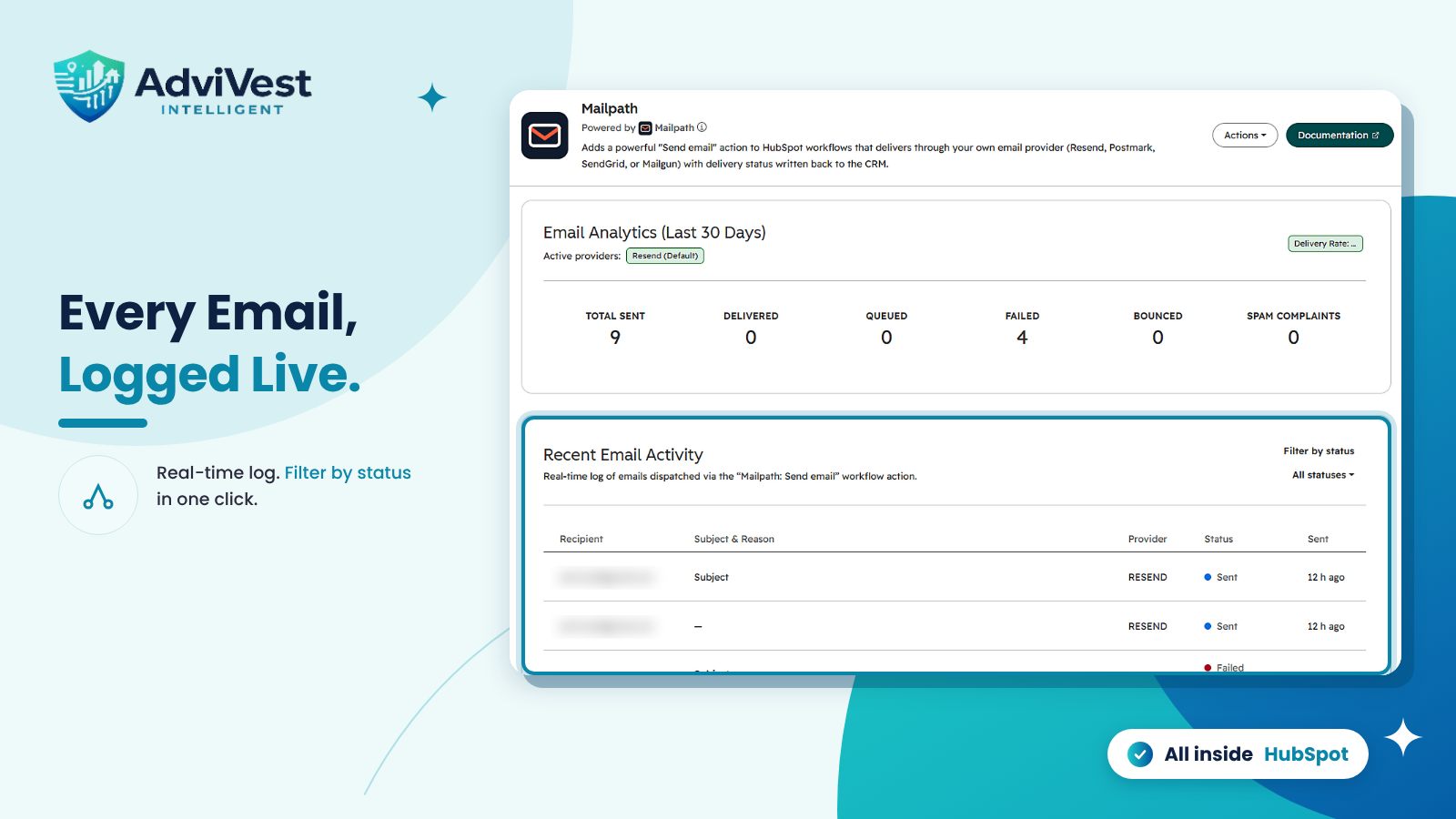
Real-time email activity log
Review every email sent through the Mailpath workflow action in one live log. See the recipient, subject, provider, status and time, then filter by status in one click to spot failed sends quickly and fix them.
ฟังก์ชันการทำงานแอป
Email Send | ||
Email Send | ||
Email Send | ||
Email Send | ||
Email Send |
รีวิว
การกำหนดราคา
Free
US$0
For trying Mailpath with a small number of emails
Send up to 100 emails a month
Email contacts, deals, tickets and companies workflows
Dynamic tokens and provider templates
Connect all email delivery providers
Send from your verified email provider senders
Standard delivery status tracking
* ราคาที่แสดงนี้มีไว้เพื่อแสดงข้อมูลเท่านั้น ราคาทั้งหมดยังไม่รวมภาษี สิทธิพิเศษ ส่วนลด หรือตัวแปรราคาอื่นๆ คุณควรติดต่อพาร์ทเนอร์เพื่อรับข้อมูลราคาล่าสุดและถูกต้องที่สุด HubSpot จะไม่รับผิดชอบใดๆ ต่อข้อมูลราคานี้ซึ่งจัดทำโดยพาร์ทเนอร์ของเรา การกำหนดราคาอัปเดตล่าสุด: 18/11/2026
ข้อมูลเพิ่มเติม
สร้างโดย - AdviVest Intelligent
ติดตั้ง - <10 การติดตั้ง
หมวดหมู่ ภาษาที่แอปนี้สามารถใช้ได้ อังกฤษ อังกฤษ - สหรัฐอเมริกา และอังกฤษ - อินเดีย
ยอดนิยม
Gmail
Bring HubSpot to your inbox with the HubSpot integration for Gmail.

Google Calendar
Book meetings quickly and easily with HubSpot and Google Calendar.
