

SlateCX MCP
สร้างโดย - SlateCX
ติดตั้ง - <10 การติดตั้ง
ข้อกำหนด
แผน HubSpot สิทธิ์บัญชี HubSpot ไม่จำเป็นต้องมีสิทธิ์อนุญาตจาก HubSpot SlateCX MCP อาจขอสิทธิ์เพิ่มเติมขณะเชื่อมต่อ ประเภทสิทธิ์การเข้าถึง ส่วนตัว การสมัครใช้บริการ SlateCX MCP - SlateCX Enterprise แพ็กเกจ
ภาพรวม
1/7 - Demo: connecting SlateCX MCP to a HubSpot Breeze agent, testing it, and asking Breeze what buyers asked about this month
Before a follow-up, a rep wants to know three things: what the buyer asked, what they read, and what is still open. If you use SlateCX, those answers sit in each buyer's workspace, which we call a Slate. Getting them out usually means leaving HubSpot and reading back through the conversation.
SlateCX MCP lets Breeze do that reading for you. Ask about a contact by their email address, and Breeze can pull their SlateCX conversation, the information they shared, the goals they reached and the content they were shown. Then ask it to draft the follow-up.
Prepare a follow-up that starts where the buyer left off
Breeze reads a contact's current workspace and drafts a follow-up based on what they actually explored. Drafting doesn't send anything. You review it and send it the way you normally do.
See what buyers asked about this month
Ask Breeze for a monthly engagement summary: how many buyers engaged, the topics they asked about, which content they opened and which conversations showed buying intent. Breeze uses the same numbers your SlateCX dashboard shows, along with what each metric means. You can also see which buyer questions are waiting for an answer from your team.
Find the right content for the next step
Breeze can search the sources your SlateCX agent answers from, list your content cards and check whether a campaign has what it needs. Use it to find the piece that answers a buyer's question.
Add content to a buyer's workspace, when you allow it
With contact write access, Breeze can add an existing Campaign Card to a contact’s current Slate or create a Slate for them. With configuration write access, Breeze can update Campaigns, Sources and Cards within the connected user’s SlateCX role. Buyers can see added Cards. Neither contact action sends email. Creating a contact Slate can queue a HubSpot contact sync through your separately configured SlateCX CRM integration.
You decide what Breeze can do
The person connecting Breeze chooses one SlateCX workspace and approves the permissions their role allows. Eligible read permissions start on and all writes start off. Members can grant contact writes. Managers and Admins can grant writes to live configuration. Removing Sources from a Campaign and deleting Prompt Pills require a separate destructive permission. Ordinary configuration writes can still replace saved settings. Contact tools use one exact email address at a time. Breeze can also list Slates and conversations. HubSpot controls which users can use the connector.
What you need
You need a SlateCX account and access to Breeze and connectors in HubSpot. Install SlateCX MCP separately from the main SlateCX app. The MCP connector requests no HubSpot CRM scopes. The main SlateCX app provides the CRM integration, contact card and workflow actions.
ฟีเจอร์
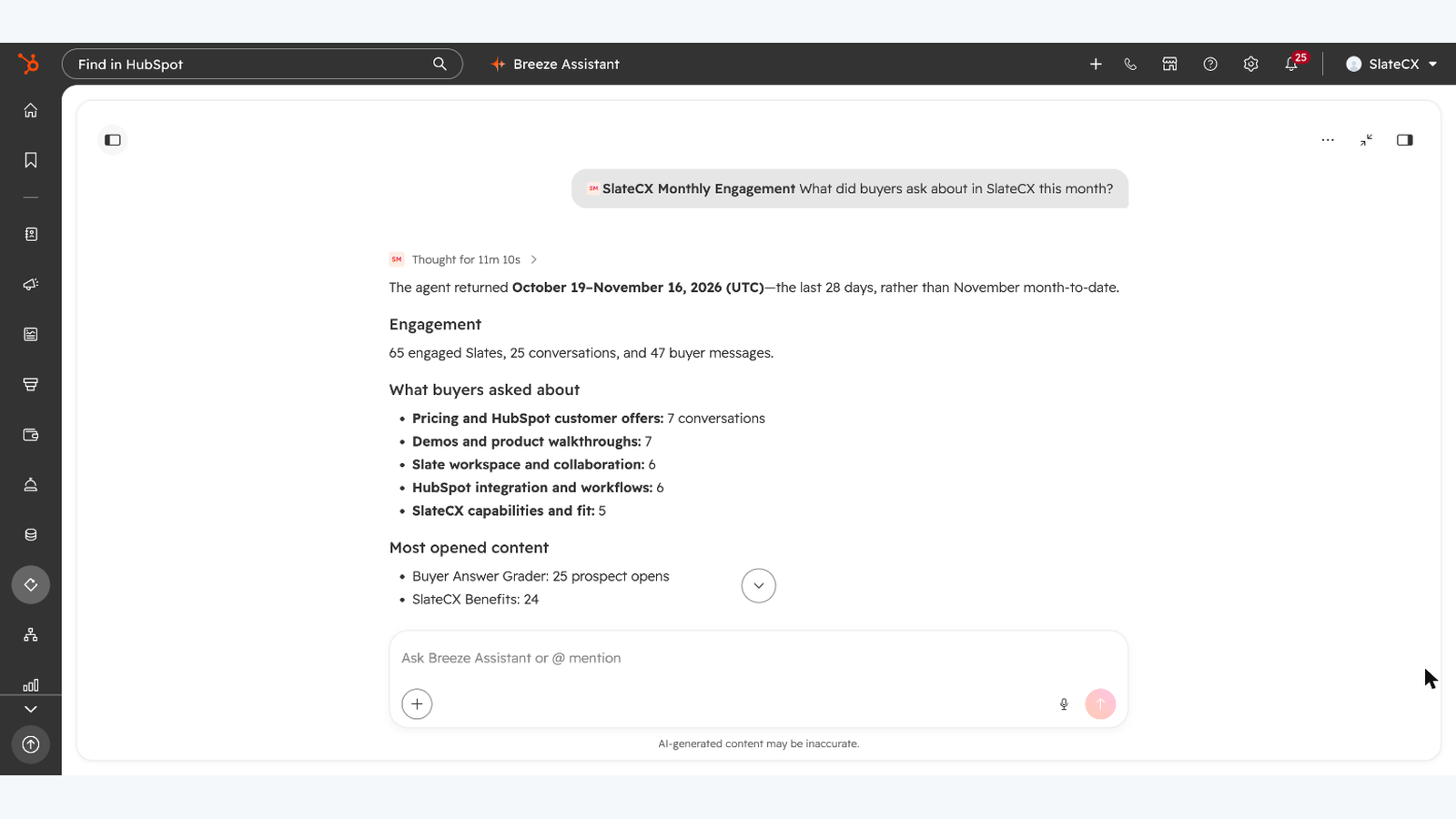
See what buyers asked about, inside HubSpot
Ask Breeze for a monthly summary of SlateCX engagement: how many buyers engaged, the topics they asked about, the content they opened and who showed buying intent. Or ask about one contact by email to see their conversation, answers and goals before you follow up.
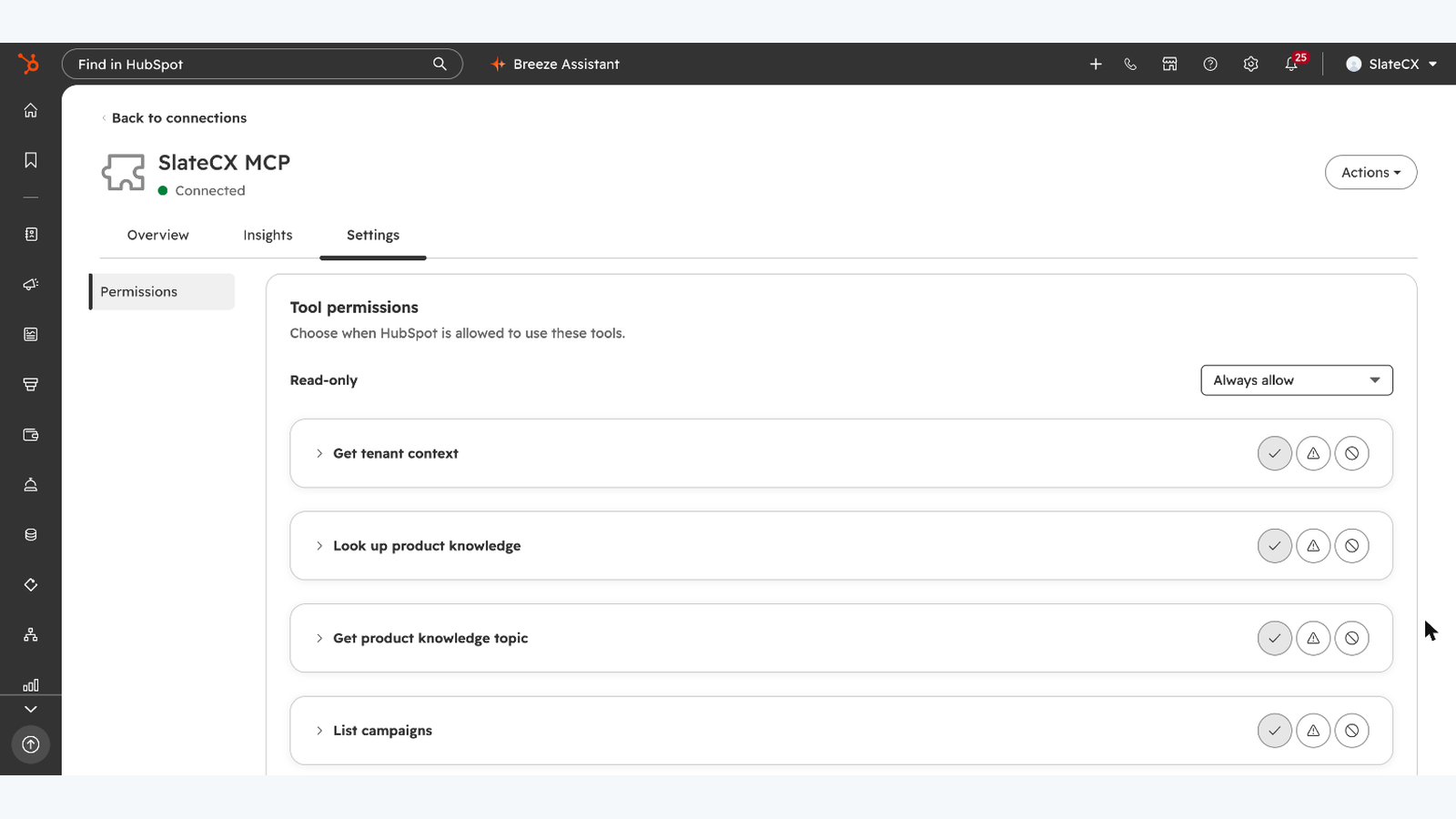
Add content to a buyer's workspace, when you allow it
Writes start off. Contact write access lets Breeze add an existing Card or create a Slate for a buyer. Configuration write access can allow setup updates. Creating a contact Slate can queue a HubSpot contact sync through your separate SlateCX CRM integration if enabled. Neither contact action sends email.
ฟังก์ชันการทำงานแอป
เซิร์ฟเวอร์ MCP
See what buyers asked about this month, which content they opened and who showed buying intent.
Draft a follow-up email based on what a buyer asked, shared and read in their SlateCX workspace.
See which buyer questions are waiting for an answer from your team.
Find the content that answers a buyer's question and, with write permission, add it to their workspace.
Check whether a SlateCX campaign has the sources, cards and entry points it needs, and what is missing.
get_tenant_context
get_contact_current_conversation
get_contact_current_question_answers
Is this the same as the main SlateCX app?
Who controls what Breeze can see and do?
Will Breeze email or message my buyers?
รีวิว
การกำหนดราคา
SlateCX Enterprise
US$1,500
/เดือนThe full SlateCX platform, every capability with no feature gates, on a 12-month term.
Every SlateCX capability with no feature gates
Custom goals
Custom Skill authoring
Onboarding support
SlateCX Enterprise
US$1,500
/เดือนThe full SlateCX platform, every capability with no feature gates, on a 12-month term.
Every SlateCX capability with no feature gates
Custom goals
Custom Skill authoring
Onboarding support
* ราคาที่แสดงนี้มีไว้เพื่อแสดงข้อมูลเท่านั้น ราคาทั้งหมดยังไม่รวมภาษี สิทธิพิเศษ ส่วนลด หรือตัวแปรราคาอื่นๆ คุณควรติดต่อพาร์ทเนอร์เพื่อรับข้อมูลราคาล่าสุดและถูกต้องที่สุด HubSpot จะไม่รับผิดชอบใดๆ ต่อข้อมูลราคานี้ซึ่งจัดทำโดยพาร์ทเนอร์ของเรา การกำหนดราคาอัปเดตล่าสุด: 19/11/2026
ข้อมูลเพิ่มเติม
สร้างโดย - SlateCX
ติดตั้ง - <10 การติดตั้ง
หมวดหมู่ ภาษาที่แอปนี้สามารถใช้ได้ อังกฤษ
สินค้ามาใหม่

Linq
Someone scans your QR code, saves you in one tap, and sends their details back. The next morning, Linq reminds you to write.

Responsly
Send surveys from HubSpot and save NPS, CSAT and answers on contacts, companies, deals and tickets.
