

SmartTime
สร้างโดย - plugivo.com
ติดตั้ง - <10 การติดตั้ง
ข้อกำหนด
แผน HubSpot สิทธิ์บัญชี HubSpot - ดูสิทธิ์บัญชี ที่จำเป็น
ประเภทสิทธิ์การเข้าถึง แชร์แล้ว การสมัครใช้บริการ SmartTime - Lifetime Access แพ็กเกจ
ภาพรวม
1/4 - SmartTime-Walkthough
SmartTime for HubSpot
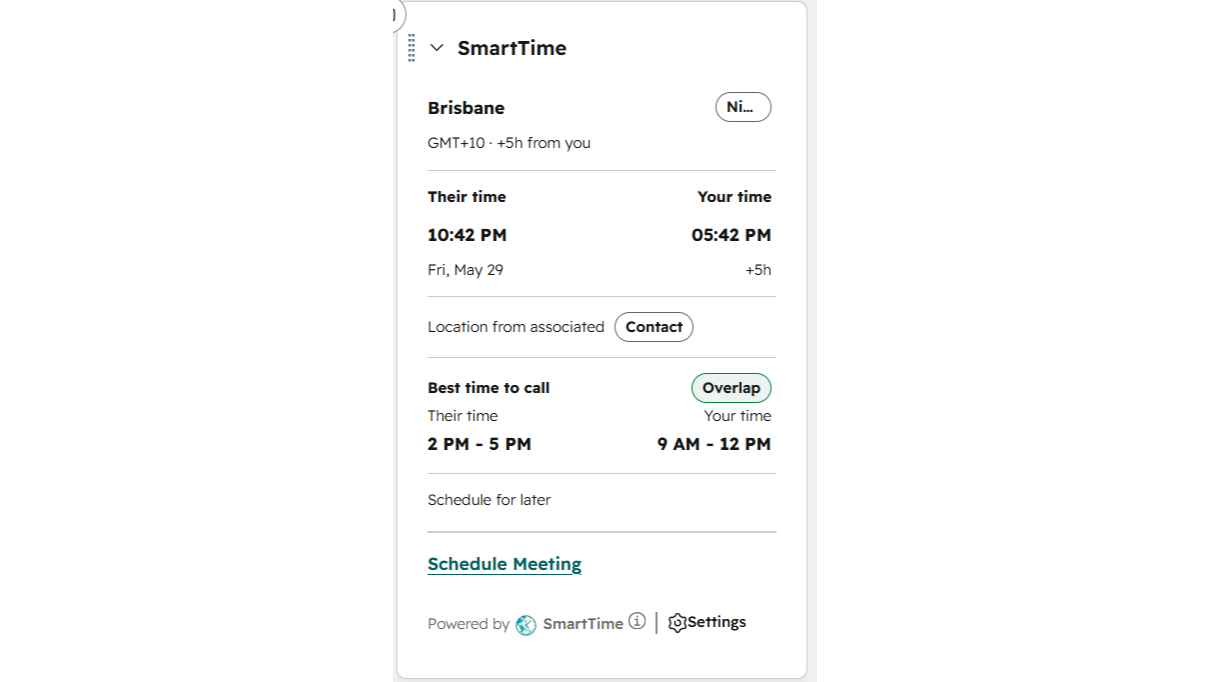
SmartTime helps your team connect with customers at the right time by showing local time, business hours, and the best calling window directly inside HubSpot.
When viewing any Contact, Company, Deal, or Ticket record, the SmartTime sidebar widget instantly displays:
Local time and current day of the week
Business hours status — Available, Lunch, Evening, Night, or Weekend
The best overlapping time window to call based on both timezones
A quick “Schedule Meeting” shortcut
SmartTime automatically detects timezones using the City, State, or Country fields on your HubSpot records. Whenever a location is updated, the timezone refreshes automatically in real time through webhooks — no manual updates required.
For Deals and Tickets that do not contain their own location data, SmartTime intelligently inherits the timezone from the associated Contact or Company record.
Already have existing records with location data? Use the one-click Historical Timezone Sync from the app settings to backfill timezones across your database in batches of 100 contacts at a time.
SmartTime is compatible with all HubSpot plans, including Free, Starter, Professional, and Enterprise.
Start with a 3-day free trial — no credit card required.
ฟีเจอร์
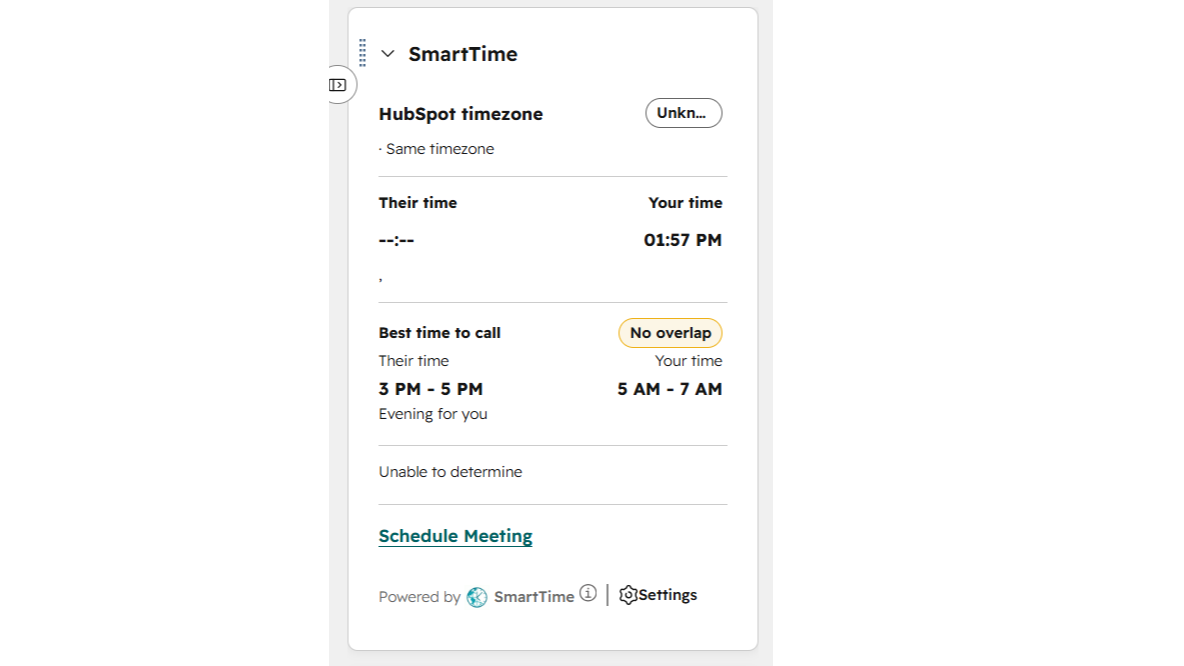
Real-Time Local Clock
Displays the contact's or company's current local time, day, and date based on their timezone. Updates every minute in real time.
Automatic Timezone Detection
Reads City, State, and Country fields from the CRM record and automatically determines the correct IANA timezone using a local timezone database and geocoding APIs.
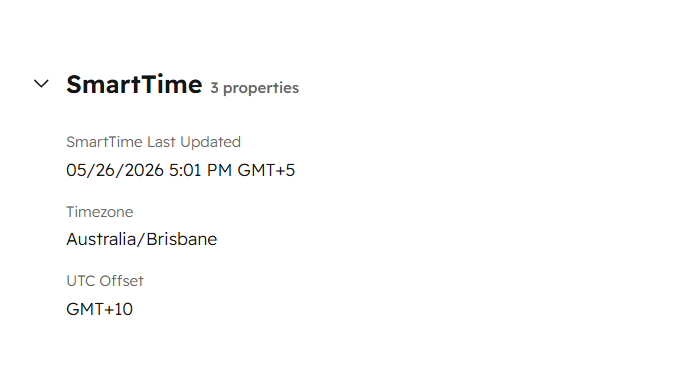
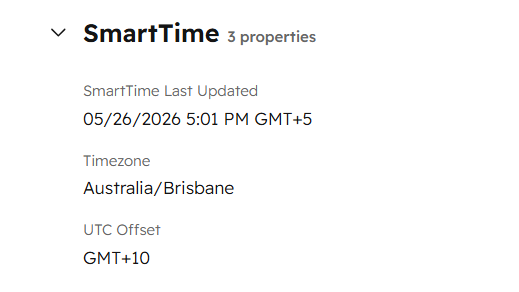
Timezone Write-Back / Webhook Auto-Update
Writes the detected timezone, UTC offset, and last-updated timestamp back to the HubSpot record as custom properties. Also updates the native hs_timezone field. Listens for changes to City, State, Country, and hs_timezone properties via webhook subscriptions. Automatically recalculates and updates the timezone when any location field changes.
Deal & Ticket Timezone Inheritance
For Deals and Tickets without their own location, SmartTime checks the associated Contact or Company and inherits their timezone for display.
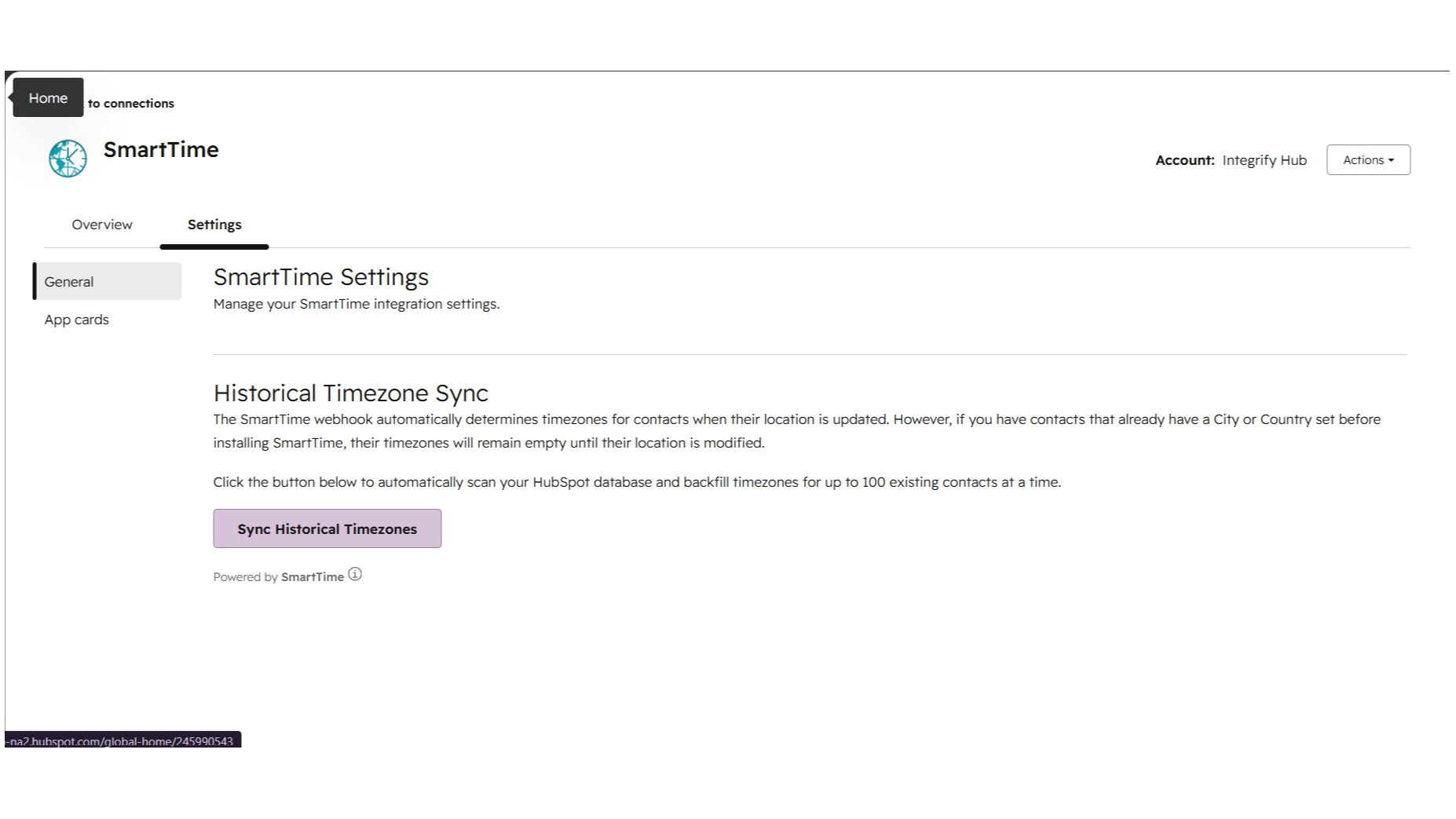
Historical Timezone Sync
One-click batch sync that scans contacts with a City or Country but no timezone set, and backfills timezone data for up to 100 contacts per batch.
ฟังก์ชันการทำงานแอป
ข้อมูลที่แบ่งปัน
Contact | ||
Company | ||
Deals | ||
Ticket |
SmartTime only reads location-related properties (City, State, Country, Zip) from your HubSpot records to calculate the contact's timezone. The app does not store any CRM data on external servers.
When a timezone is successfully determined, SmartTime writes three custom properties back to your HubSpot record:
1. smarttime_timezone — the IANA timezone identifier (e.g. Asia/Karachi)
2. smarttime_utc_offset — the current UTC offset (e.g. GMT+5)
3. smarttime_last_updated — a timestamp of when the timezone was last calculated
SmartTime also updates the native HubSpot hs_timezone property in HubSpot's required internal format.
For the initial card display, SmartTime uses Nominatim (OpenStreetMap) for geocoding and TimeAPI.io for coordinate-to-timezone lookup. These external services only receive city/country names — no personal data is shared. The webhook and Historical Sync use a local timezone database with no external API calls.
OAuth access tokens are encrypted and stored securely on Plugivo's infrastructure. They are only used to read and write HubSpot properties on behalf of the authenticated user.
รีวิว
การกำหนดราคา
Lifetime Access
US$30
ค่าธรรมเนียมครั้งเดียวUnlimited timezone lookups, All object types, Custom SmartTime properties, Automatic timezone detection, 200+ countries, Lifetime updates included
$30 for LifeTime accessLifetime Access
US$30
ค่าธรรมเนียมครั้งเดียวUnlimited timezone lookups, All object types, Custom SmartTime properties, Automatic timezone detection, 200+ countries, Lifetime updates included
$30 for LifeTime access* ราคาที่แสดงนี้มีไว้เพื่อแสดงข้อมูลเท่านั้น ราคาทั้งหมดยังไม่รวมภาษี สิทธิพิเศษ ส่วนลด หรือตัวแปรราคาอื่นๆ คุณควรติดต่อพาร์ทเนอร์เพื่อรับข้อมูลราคาล่าสุดและถูกต้องที่สุด HubSpot จะไม่รับผิดชอบใดๆ ต่อข้อมูลราคานี้ซึ่งจัดทำโดยพาร์ทเนอร์ของเรา การกำหนดราคาอัปเดตล่าสุด: 10/07/2026
ข้อมูลเพิ่มเติม
สร้างโดย - plugivo.com
ติดตั้ง - <10 การติดตั้ง
หมวดหมู่ ภาษาที่แอปนี้สามารถใช้ได้ อังกฤษ อังกฤษ - สหรัฐอเมริกา และอังกฤษ - สหราชอาณาจักร