

Google Sheets Connector

要求
HubSpot 计划 HubSpot 帐户权限 - 查看必要帐户权限
访问类型 共享 Google Sheets Connector 订阅 - Starter Free、Basic、Pro或Max 计划
概览
1/8
⭐️⭐️⭐️⭐️⭐️ 4.9/5 Stars
🏵️ HubSpot Certified App
🛡️ SOC 2 Type II Compliant
Effortlessly sync your HubSpot data with Google Sheets using Superjoin. Whether you're pulling data or setting up 2-way sync, Superjoin makes it fast, easy, and accurate, so you can focus on growing your business, not managing data.
HubSpot-Specific Advantages
Work with Big Data, No Limits: We’ve unlocked up to 250,000 rows per sync, so you never have to worry about hitting HubSpot’s API limit of 10k rows.
Complete object associations: From Contacts to Deals to Custom Objects, Superjoin understands and connects every object in your HubSpot data automatically.
Preview Before You Pull: See a live preview of your data before it lands in Sheets. No more guesswork, no more surprises.
Custom calculated fields: Need to track MRR, lead scores, or custom metrics? Create and save formulas once and reuse them anytime.
Save Your Queries, Save Your Time: No need to go through the hassle of creating queries all over again. Just save complex queries and run them again anytime or share with your team.
Automate Complex Workflows: Tie your imports and exports to our flexible Apps Script automations, so your data gets where it needs to go, no clicks required.
Core Features
2-Way Sync That Just Works: Move data back and forth between HubSpot and Google Sheets with complete control and accuracy.
Schedule It and Forget It: Set up automatic data refreshes in your desired frequency - hourly, daily, weekly or monthly - to keep your Sheets and HubSpot in sync, hands-free.
Get Notified When It Matters: Get alerts in Slack or via email when your data changes, like pipeline updates or new meeting thresholds.
Collaborate without chaos: Share any query with your team and manage their access so you have complete control.
Connect More Than Just HubSpot: Superjoin also works with tools like MySQL, Chargebee, Salesforce, Linkedin Ads, Google Analytics, Jira, Shopify, and more - so you can build a full picture.
Use ChatGPT in Sheets: Clean, transform and analyze data using Superjoin's AI Copilot right inside Google Sheets.
Popular Use Cases
Clean and Merge Duplicate Records: Use Sheets + ChatGPT formulas to identify and clean duplicates across Contacts or Companies, and sync the corrected data back to HubSpot.
Build GTM Dashboards in Google Sheets: Create real-time GTM reporting by combining HubSpot data with campaign performance, sales activity, and CRM pipeline data - all auto refreshed on a schedule.
Add Complex Calculated Metrics to Your HubSpot Data: Create custom fields like weighted pipeline value, lead score, or ARR in Sheets, and push them back to HubSpot for workflow triggers or rep visibility.
Multi-Source Revenue Forecasting: Bring in historical sales performance from HubSpot, layer in data from your billing system (like Stripe or Chargebee), and generate weighted forecasts in Google Sheets—automatically refreshed and shared with leadership.
Trusted by Teams that move fast
#1 Product of the Day on Product Hunt
Certified App on the HubSpot Marketplace
Built and Certified for Privacy and Security
Trusted by high-growth teams and global innovators like Truecaller, HYROX, Kintsugi, and Crowdcube.
Why Choose Superjoin?
Because businesses run on spreadsheets and moving fast shouldn’t mean breaking your data. Superjoin isn’t just a connector, it’s the control center for your HubSpot data. It’s built for operators who need power and flexibility: large-scale syncs, deep customizations, and automation that actually saves time. You've already outgrown basic tools like Coefficient, Zapier, or Supermetrics - Take your next big step up with Superjoin.
功能
-1.png)
Import HubSpot data to Google Sheets
Arrange, Filter and Sort your data before bringing it to Sheets with our powerful Data Preview feature.
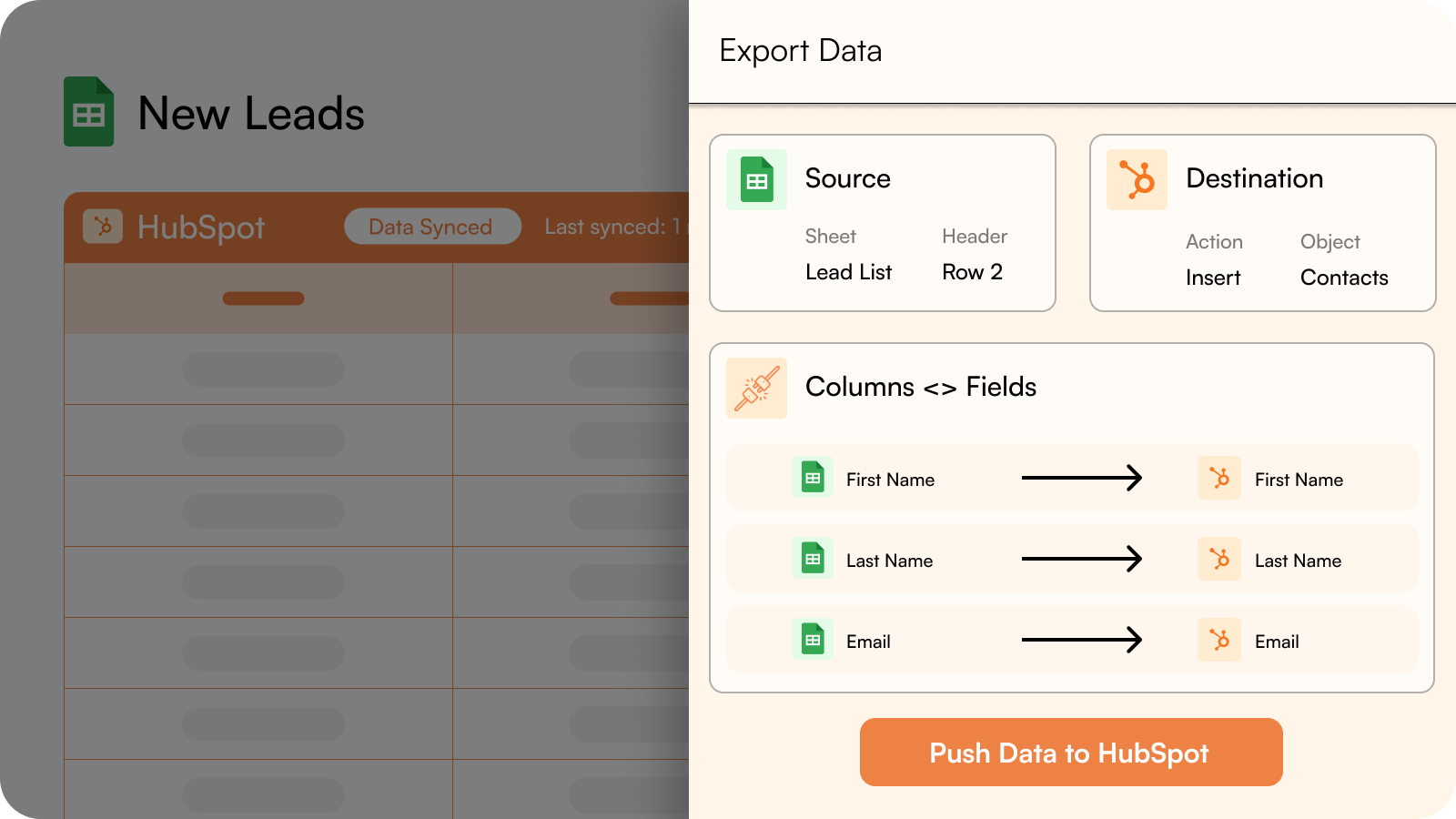
Export data from Google Sheets to HubSpot.
Insert fresh data into HubSpot from your Google Sheet or make bulk updates to existing HubSpot data.
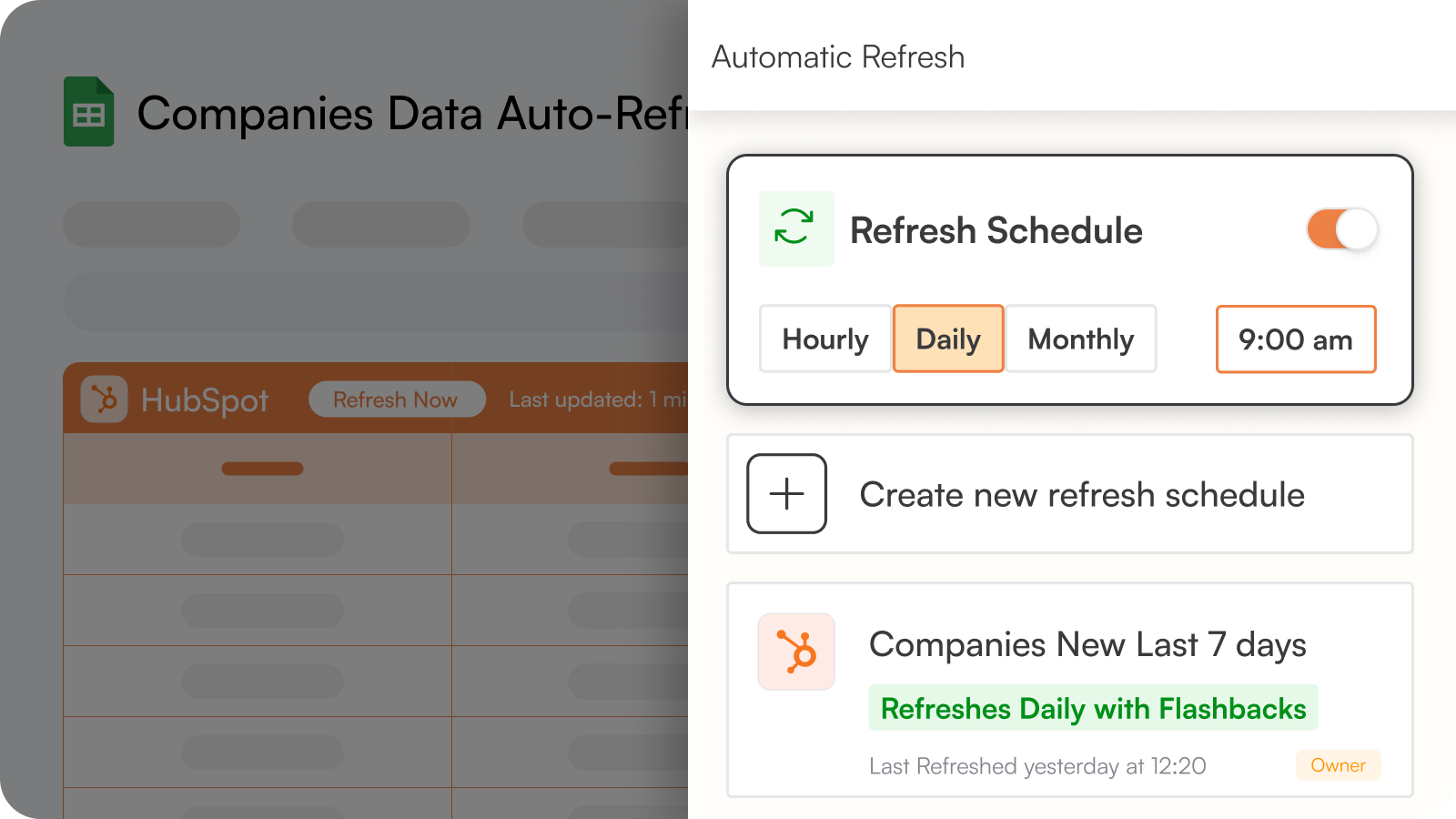
Automate your Import/Export processes by setting up Refresh Schedules
Set up automatic data refreshes in your desired frequency - hourly, daily, weekly or monthly - to keep your Sheets and HubSpot in sync, hands-free.
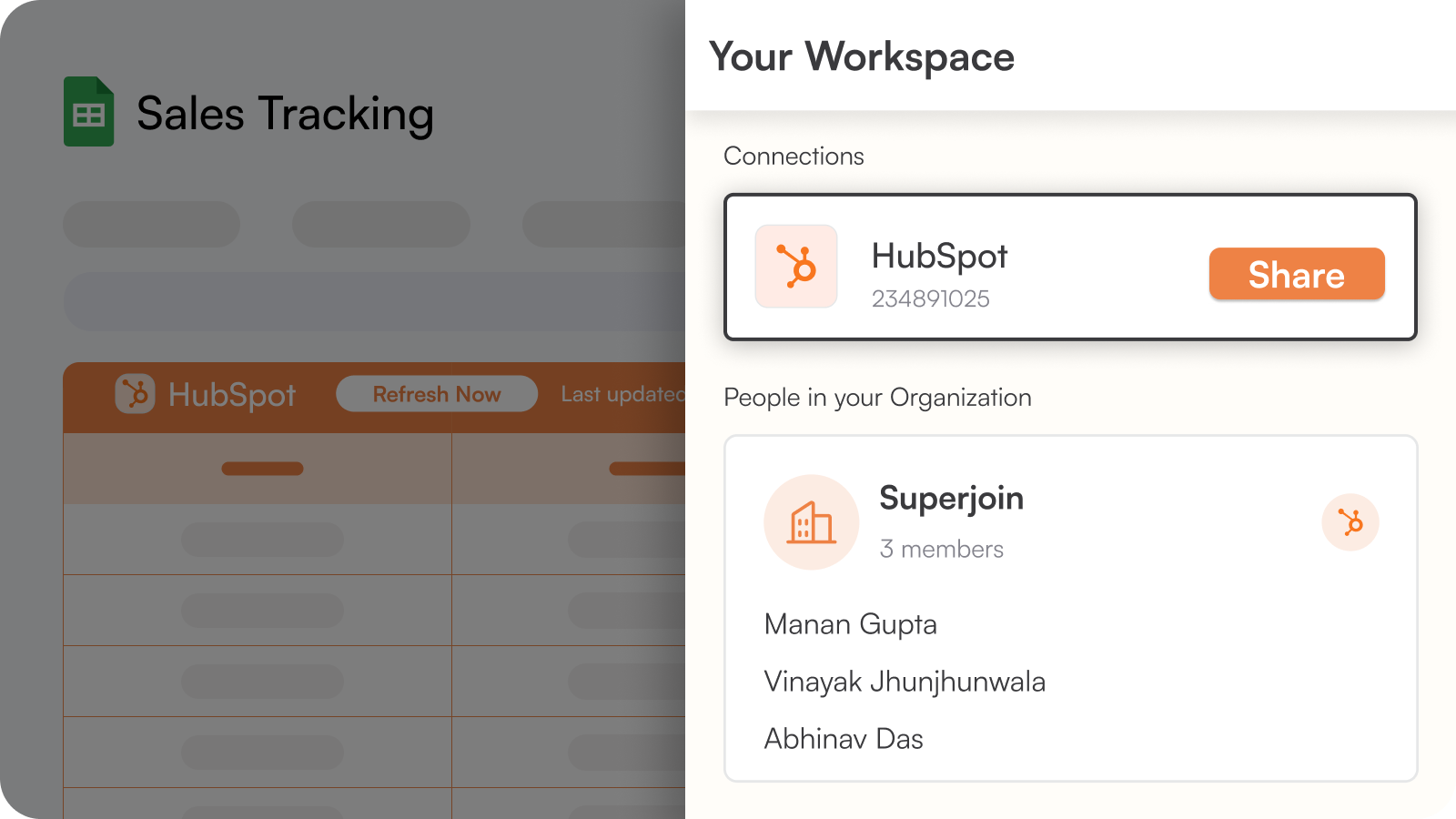
Collaborate with your Colleagues and external Partners
Share any query with your team and manage their access so you have complete control.
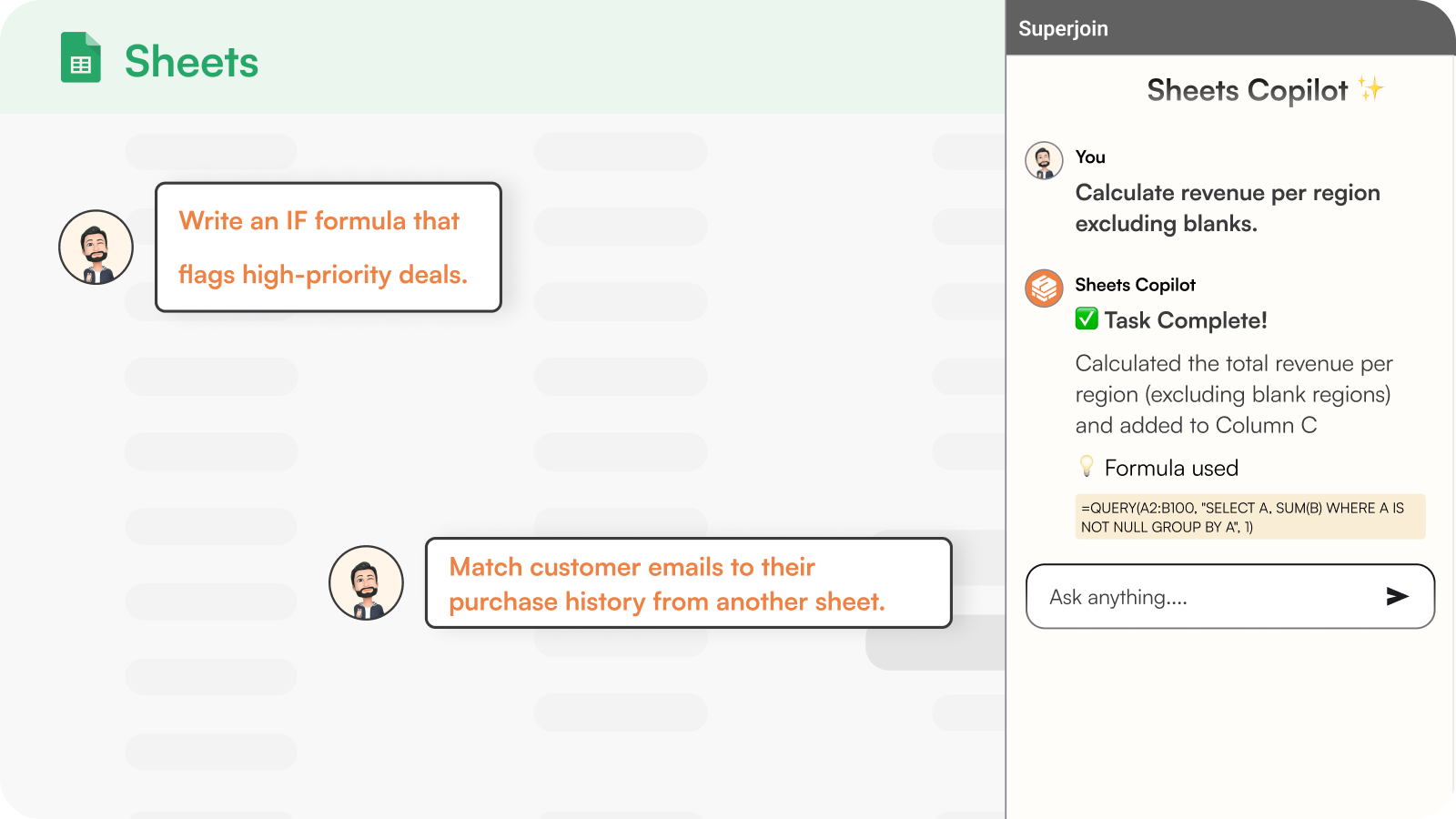
Use ChatGPT in Sheets
Clean, transform and analyze data using Superjoin's AI Copilot right inside Google Sheets. Reduce your grunt work by 90%.
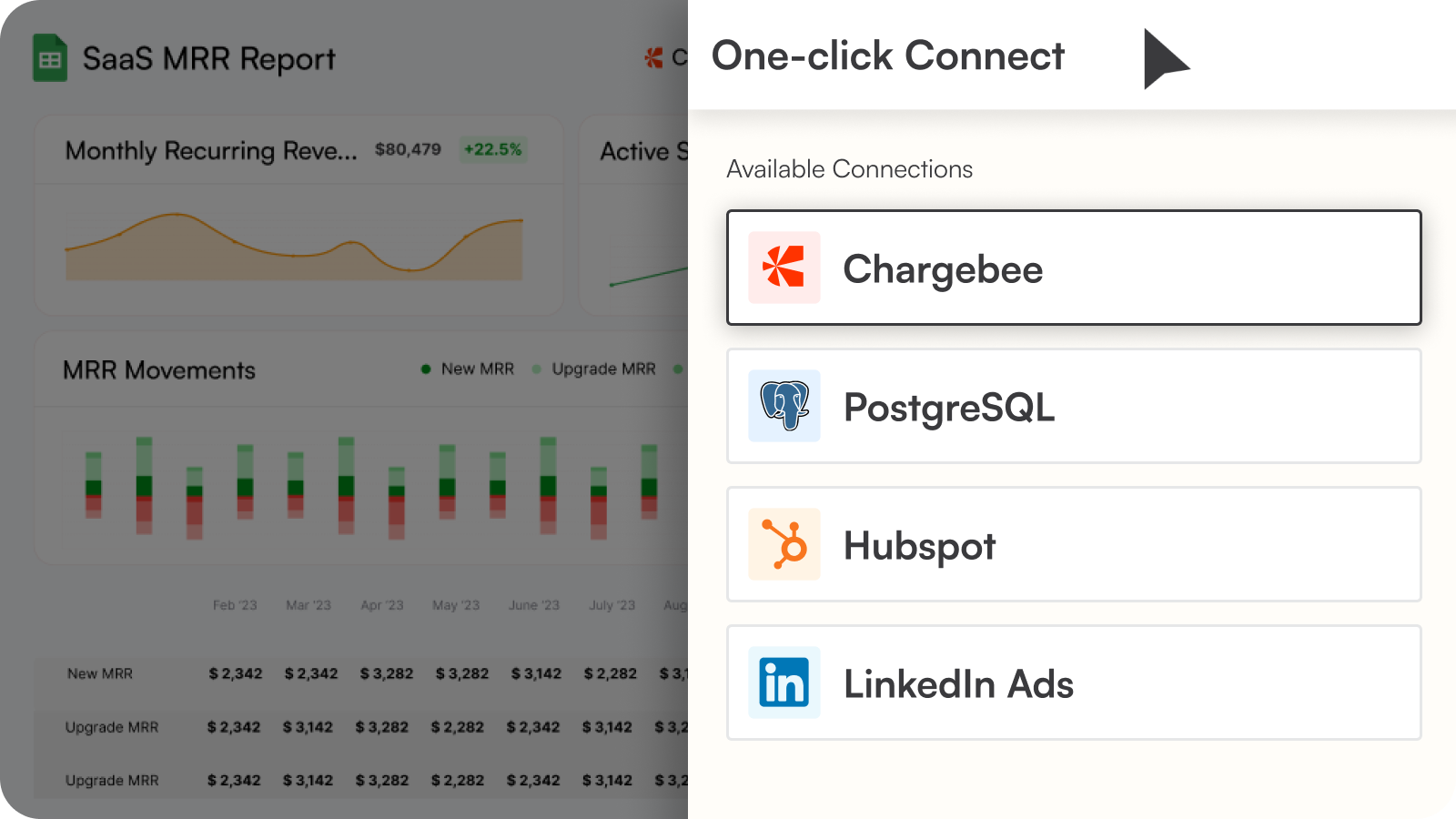
We have more integrations!
Superjoin can also connect more tools like MySQL, Chargebee, Salesforce, Linkedin Ads, Google Analytics, Jira, Shopify, and more - with your Google Sheets so that you can build extensive reports that provide you the complete picture.
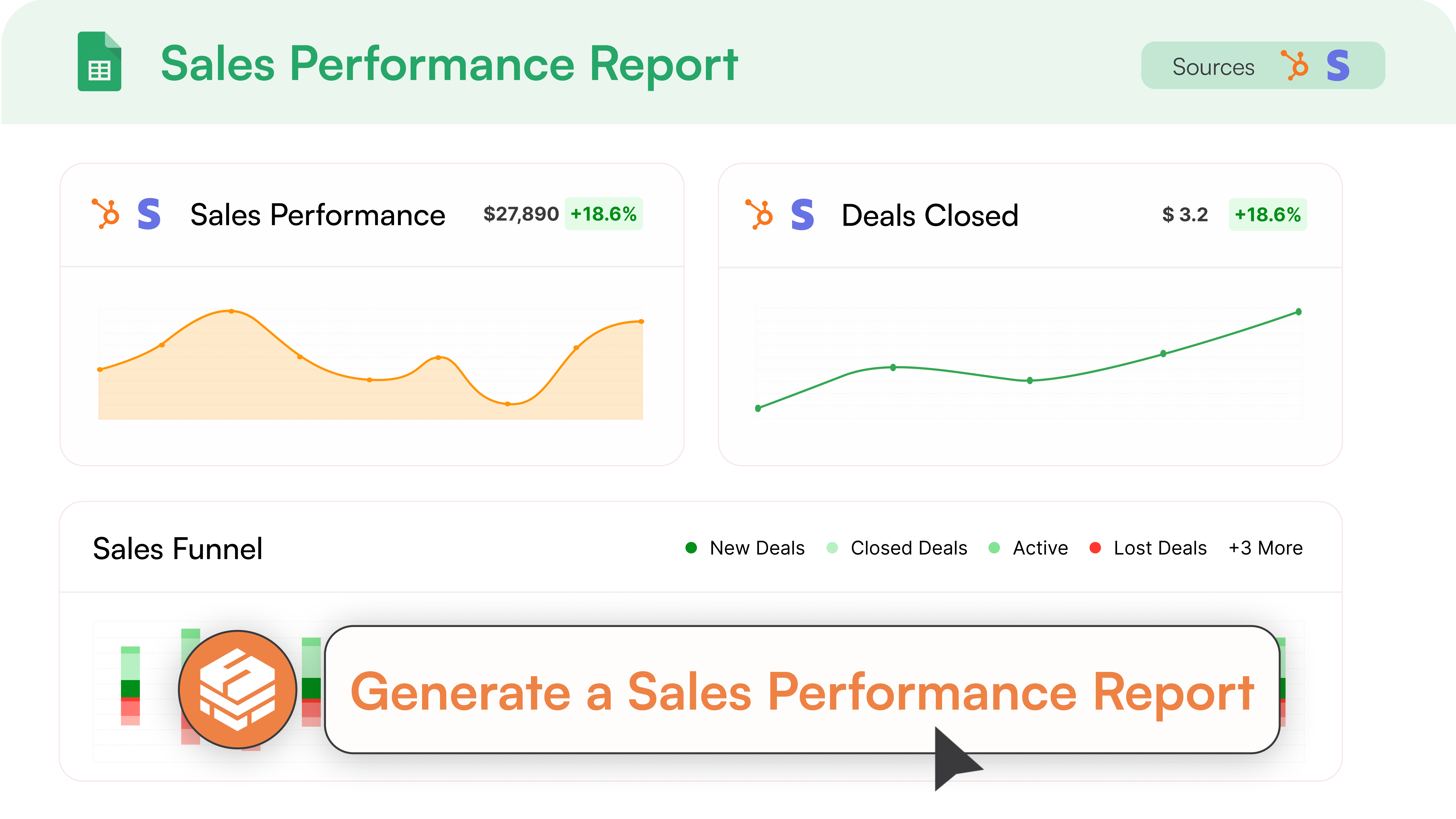
Sales Performance Analytics & Reporting
Build comprehensive sales analytics and HubSpot reporting to track your team's performance. Monitor pipeline progression, forecast revenue, and create automated sales reporting workflows with advanced data integration capabilities.
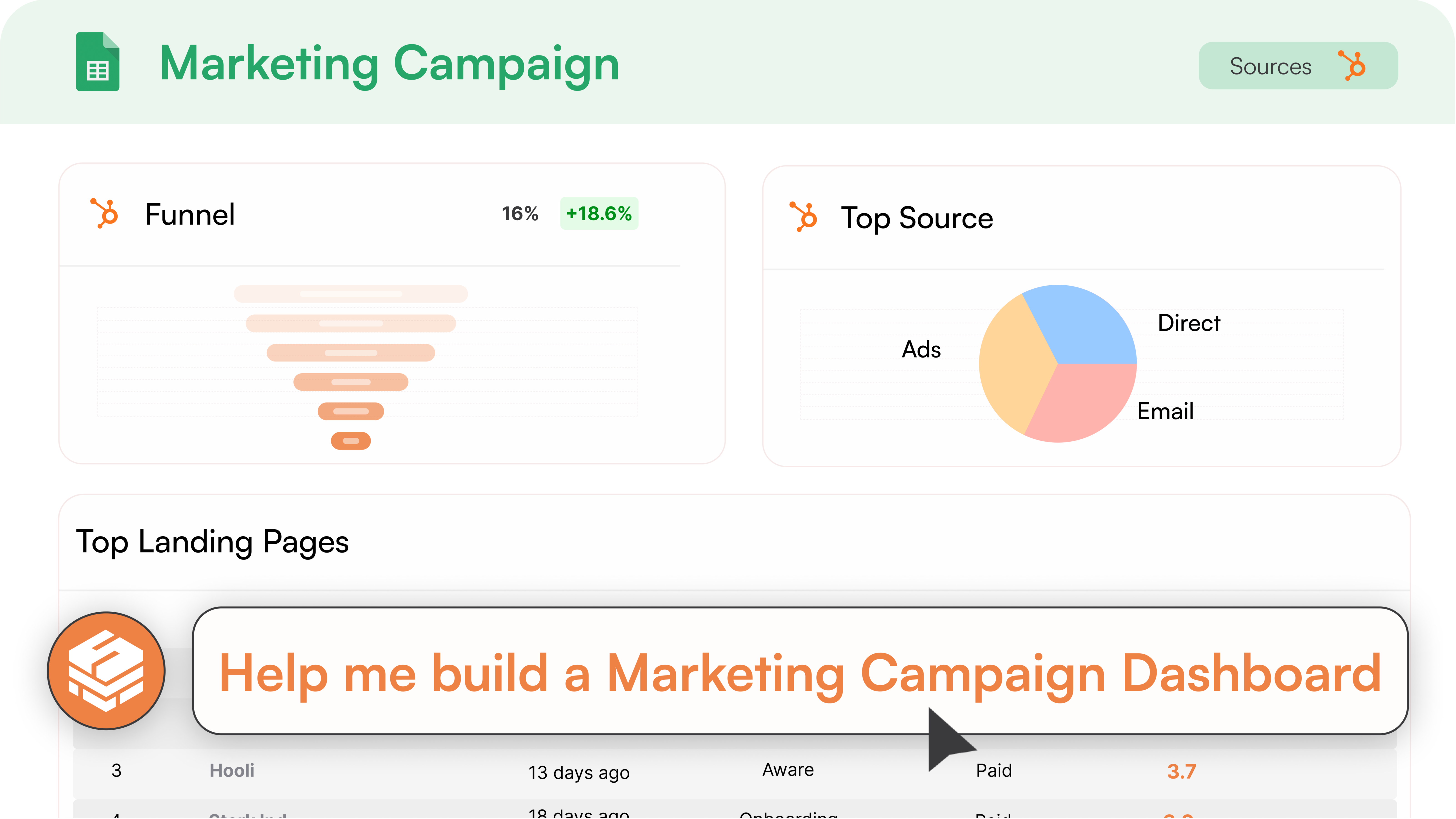
Marketing Campaign Analytics
Create powerful marketing analytics using your HubSpot data. Track campaign performance, lead attribution, and ROI with automated HubSpot reporting and workflow automation that provides actionable insights.
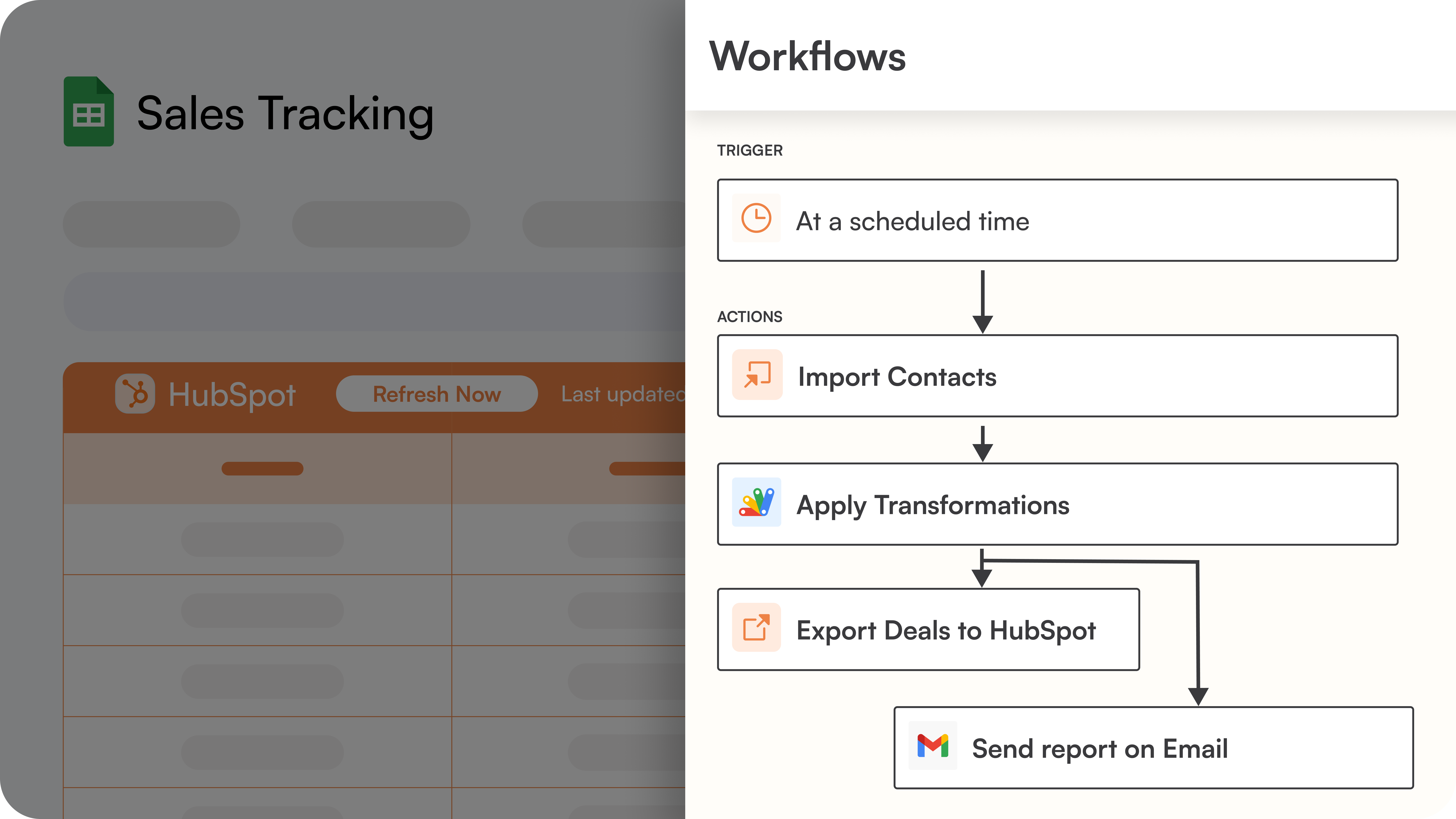
Advanced Workflow Automation
Design advanced workflow automation that processes HubSpot data through multiple steps and exports insights back to your system. Automate complex data integration workflows including lead scoring and HubSpot reporting processes.
应用程序功能
共享数据
Companies | ||
Contacts | ||
Deals | ||
Tickets | ||
Quotes | ||
Custom Objects | ||
Goals | ||
Products | ||
Engagements | ||
Tasks | ||
Notes | ||
Calls | ||
Emails | ||
Meetings | ||
Postal Mail | ||
Line items | ||
Owners | ||
Contact Properties | ||
Company Properties | ||
Deal Properties | ||
Carts | ||
Payments | ||
Leads | ||
Orders | ||
Subscriptions | ||
Invoices | ||
CRM Associations | ||
Contact Lists | ||
Discounts | ||
Fees | ||
Taxes | ||
Marketing Email Analytics | ||
Owners | ||
Analytics |
评论
4.8
24
4.8
24
- 2026年4月7日
要实现自动集成,您必须付费--最好使用 Google 自带的免费自动化功能
不工作
轻松连接
要进行整合,我必须手动发送信息或付费。与其付费,还不如使用谷歌自己的自动化系统。
Estúdio Design, É.
- 2026年1月31日
最佳谷歌 Sheets 连接器
我用过的最简单的 Google Sheets 连接器。令人惊叹的定价和计划,数据限制相当合理。除了节省成本之外,Superjoin 的员工也非常出色。他们对待我们这家小型酒业公司就像对待尊尼获加一样。他们的客户支持团队帮助我将混乱的 CRM 数据从另一个 CRM 迁移到我们的 HubSpot 生态系统中...还是在周六。阿比纳夫和萨加尔是绝对的明星。
Google Sheets 和 HubSpot 数据无缝流动、客户支持、定价
Siddiqui, R.
定价
Starter Free
US$0
For ad-hoc data needs
Free Forever
1 HubSpot account
Manual Data Refresh
Import from HubSpot to Google Sheets 5000 row limit.
Export from Google Sheets to HubSpot with a 500 row limit
5 AI messages/day
Starter Free
US$0
For ad-hoc data needs
Free Forever
1 HubSpot account
Manual Data Refresh
Import from HubSpot to Google Sheets 5000 row limit.
Export from Google Sheets to HubSpot with a 500 row limit
5 AI messages/day
* 此处的定价仅供展示。所有价格均不包含税、奖励、折扣或其他定价变量。你应联系合作伙伴以获取最新的正确定价信息。HubSpot 对合作伙伴所提供的定价信息不承担任何责任。上次更新定价时间:2026/01/09
最热门

Gmail
Bring HubSpot to your inbox with the HubSpot integration for Gmail.

Google Calendar
Book meetings quickly and easily with HubSpot and Google Calendar.
