

GitHub Sync by IssueLinker
Erstellt von - IssueLinker
Installationen - <10 Installationen
Anforderungen
HubSpot-Produktversion HubSpot-Account-Berechtigungen - Erforderliche Account-Berechtigungen anzeigen
Zugriffstyp Geteilt GitHub Sync by IssueLinker-Abonnement - Produktversionen: Growth oder Business
Übersicht
1/4 - IssueLinker Demo
IssueLinker keeps your HubSpot tickets and GitHub issues in sync, so your support team and your engineering team work from the same source of truth, without copying anything between tools.
When a customer reports a bug in HubSpot, your support team can create or link a GitHub issue directly from the ticket card. As engineers work the issue in GitHub, the status flows back to HubSpot automatically. Comments work both ways: a note added to the HubSpot ticket appears as a GitHub comment, and replies from engineering surface as ticket notes, so support reps always know what's happening without leaving HubSpot.
Built for teams running customer support on HubSpot Service Hub and engineering on GitHub. Install once, configure nothing, and stop bouncing between two tabs every time a customer hits a bug.
Funktionen
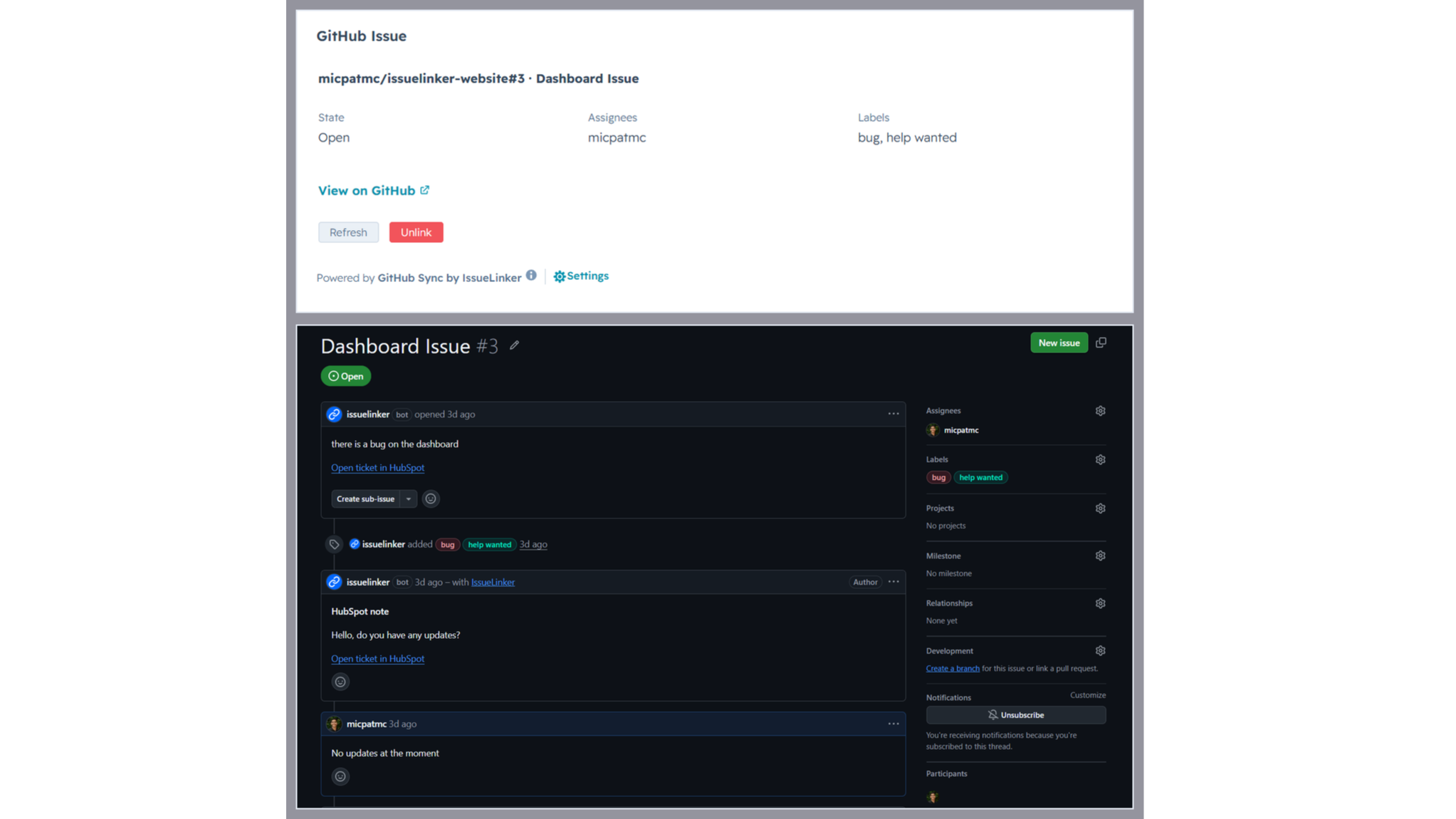
Two-way sync between HubSpot tickets and GitHub issues
Every linked ticket and issue stays in sync automatically. Comments, status changes, and closures flow in both directions in real time. No manual updates, no copy-paste.
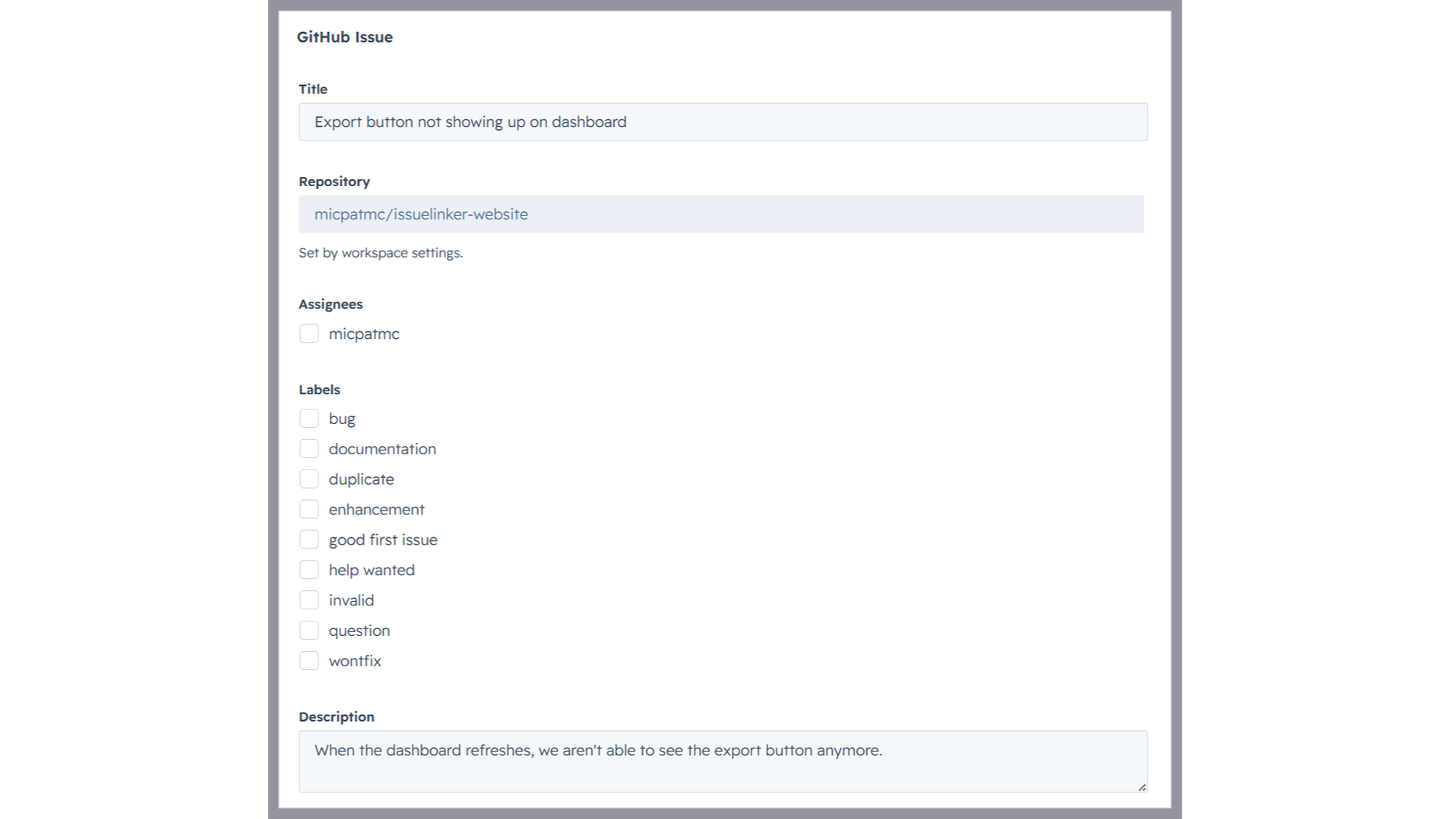
Create GitHub issues from a HubSpot ticket
Open any ticket, click Create Issue on the IssueLinker card, pick a GitHub team, and the new issue is created and linked in one step, with the ticket subject and description already filled in.
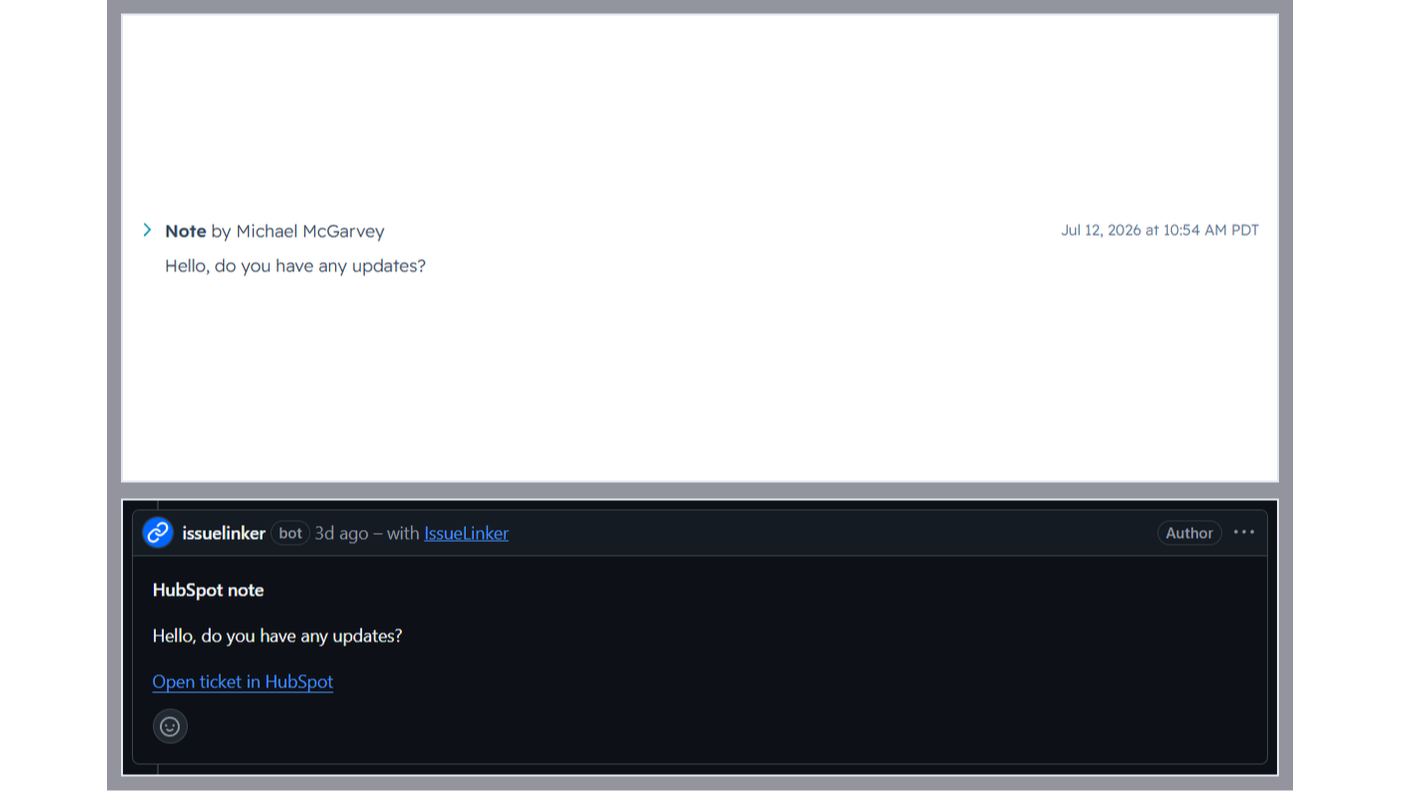
Two-way comment sync
Notes added to a linked HubSpot ticket appear as comments on the GitHub issue, and GitHub comments are mirrored back as ticket notes, so support and engineering stay in the loop without switching tools.
App-Funktionalität
Datenaustausch
GitHub Issues | ||
Contacts | ||
Owners | ||
Conversations |
IssueLinker only reads HubSpot ticket data (subject, description, notes, pipeline stage) for tickets your team explicitly links or creates a GitHub issue for via the IssueLinker card. We do not crawl, index, or store data from other tickets.
For linked tickets, IssueLinker syncs the following in real time via HubSpot and GitHub webhooks:
• Ticket subject and description → GitHub issue (one-time, on creation)
• HubSpot notes → GitHub comments (whenever a new note is added)
• GitHub comments → HubSpot notes (whenever a new comment is added)
• GitHub issue state → HubSpot "GitHub Issue Status" custom property (whenever the issue is opened or closed)
• HubSpot ticket closed → GitHub issue closed (whenever the pipeline stage changes to closed)
What IssueLinker stores: an installation record per HubSpot portal (portal ID, OAuth tokens, GitHub installation ID), and a link record per ticket↔issue pair (HubSpot ticket ID and GitHub issue number). We do not store the contents of tickets, issues, comments, or notes. Those live in HubSpot and GitHub and are read on demand.
Data is stored in an encrypted Postgres database (Neon, US region). Access is restricted to IssueLinker's serverless functions running on Vercel. We never share, sell, or repurpose your data. On uninstall, all installation and link records for your portal are deleted within 30 days.
Rezensionen
Growth
32,50 $
/MonatSimple pricing for teams that move fast.
Inline card on every HubSpot ticket
Two-way comment sync (HubSpot notes ↔ GitHub comments)
Unlimited ticket ↔ GitHub issue links
Email Support
Growth
32,50 $
/MonatSimple pricing for teams that move fast.
Inline card on every HubSpot ticket
Two-way comment sync (HubSpot notes ↔ GitHub comments)
Unlimited ticket ↔ GitHub issue links
Email Support
* Die hier angegebenen Preise dienen nur zu Illustrationszwecken. Alle Preise enthalten keine Steuern, Sonderangebote, Rabatte oder sonstigen Preisvarianten. Bitte wenden Sie sich direkt an den Partner, um aktuelle und korrekte Preisinformationen zu erhalten. HubSpot übernimmt keine Verantwortung für Preisinformationen, die von unseren Partnern bereitgestellt werden. Letzte Aktualisierung der Preisinformationen: 21.08.2026
Weitere Infos
Erstellt von - IssueLinker
Installationen - <10 Installationen
Kategorien Sprachen, in denen diese App verfügbar ist Englisch
Neuzugänge
GitHub Sync by IssueLinker
Customer reports it in HubSpot, engineering sees it in GitHub, and every update flows both ways with no handoff, no copy-paste, no Slack ping.

Jira Sync by IssueLinker
Customer reports it in HubSpot, engineering sees it in Jira, and every update flows both ways with no handoff, no copy-paste, no Slack ping.
